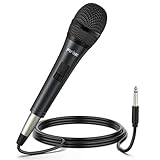
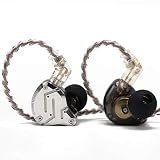
Top 3 Picks
The FIFINE BM88 Low Profile Boom Arm is likely the best overall mic arm for most gaming and streaming setups because it solves the real problem compact desks face: a low-profile arm hugs the desk surface instead of soaring overhead, so it stays out of frame and out of your peripheral vision while still holding a dynamic mic securely. For tighter budgets, the TONOR Gaming Microphone Set with Boom Arm delivers a working clamp, arm and condenser mic in one box, which is the simplest way to get from “webcam mic” to “decent audio” without piecing together parts. For buyers who want the arm and mic to be a long-term investment, the MAONO PD200XS kit pairs an XLR/USB dynamic mic with software control and a sturdier arm, and it is the pick we would point to when someone plans to upgrade their mic before their arm.
- Top 3 Picks
- Quick Comparison
- How We Chose
- 1. TONOR Gaming Microphone Set with Boom Arm — Best for Total Beginners on a Budget
- 2. FIFINE AmpliGame AM8T — Best for Gamers Who Might Move to XLR Later
- 3. FIFINE AmpliGame A6T — Best Plug-and-Play USB Condenser for Streamers
- 4. FIFINE AmpliGame AM8PROT — Best for Noise-Sensitive Rooms With Upgrade Plans
- 5. MAONO DGM20S — Best Budget Noise Reduction for PC Voice Chat
- 6. FIFINE AmpliTank K688CT — Best Podcast-Flavored Gaming and Streaming Mic
- 7. FIFINE AmpliGame AM8 — Best Pure Gaming and Streaming Dynamic Mic
- 8. InnoGear Gaming Mic USB Computer Microphone — Best Shoestring Voice Chat Setup
- 9. MAONO PD200XS — Best Premium Dynamic Mic Kit With RGB and Software
- 10. FIFINE BM88 — Best Low-Profile Boom Arm for Compact Gaming Desks
- 11. TONOR Dynamic Gaming Microphone — Best Budget Dynamic With AI Noise Cancellation
- 12. FIFINE AmpliGame AM8TW — Best Premium All-in-One Streaming Kit
- How to Choose
- Frequently Asked Questions
- Closing Recommendation by Situation
- Related Guides
Quick Comparison
| Product | Best For | Key Specs (as described by the listing) | Price Tier |
|---|---|---|---|
| TONOR Gaming Microphone Set with Boom Arm | Total beginners on a strict budget | USB condenser mic, boom arm, desk clamp, pop filter/shock mount class accessories | Budget |
| FIFINE AmpliGame AM8T | Gamers who might move to XLR later | Dynamic mic, XLR + USB output, headphone monitoring, boom arm kit | Mid-range |
| FIFINE AmpliGame A6T | Streamers wanting plug-and-play USB | USB condenser mic, boom arm, mute/tap controls, monitoring jack | Mid-range |
| FIFINE AmpliGame AM8PROT | Noise-sensitive rooms with upgrade plans | Dynamic mic, XLR/USB, gaming mic kit with low-noise dynamic capsule class design | Mid-range |
| MAONO DGM20S | Budget noise reduction for PC voice chat | USB condenser, noise-reduction DSP, boom arm mounting | Budget |
| FIFINE AmpliTank K688CT | Podcast-flavored gaming/streaming mixing | USB/XLR dynamic vocal mic, boom arm kit, onboard gain/monitoring | Mid-range |
| FIFINE AmpliGame AM8 | Pure gaming/streaming dynamic sound | USB/XLR dynamic, cardioid pattern, monitoring, arm kit | Mid-range |
| InnoGear Gaming Mic USB Computer Microphone | Let’s Play voice chat on a shoestring | USB computer mic with boom arm stand, black finish, clamp mount | Budget |
| MAONO PD200XS | Buyers who want RGB, software and long-term value | Dynamic XLR/USB mic, RGB, bundled software, mic kit with arm | Premium |
| FIFINE BM88 | Compact desks needing a low-profile arm | Low-profile boom arm stand, desk clamp, integrated cable routing | Mid-range |
| TONOR Dynamic Gaming Microphone | Budget dynamic with AI noise cancellation | XLR/USB dynamic mic, AI noise cancellation, gaming mic class build | Budget |
| FIFINE AmpliGame AM8TW | Premium all-in-one streaming kit | Dynamic XLR/USB mic, streaming kit, full accessory bundle | Premium |
How We Chose
We built this list around the things that actually break a gaming or streaming audio setup over the first six months: a clamp that crushes a thin desk or won’t fit a thick one, an arm that sags under a heavier dynamic mic, a cable that dangles into your keyboard, and an adjustment range that forces you into one awkward lean-forward posture. Selection criteria were: (1) whether the arm’s clamp is described for a normal desktop thickness range, typically around 1–5 cm, and whether it has a protective pad so it doesn’t dent a laminate top; (2) how the arm handles microphone weight, since a condenser mic often sits around 200–350 g while a dynamic mic with a metal body can run 400–600 g or more, and springs or friction joints that hold a light mic often droop under a heavy one; (3) cable management, because a loose USB or XLR cable dragging across a mousepad is a daily annoyance; (4) articulation — a low-profile or short arm suits compact desks, a long two- or three-segment arm suits wide desks; and (5) upgrade path, meaning whether the arm ends in a standard thread you can re-use when you swap mics. We scored each pick against its own category — budget, mid-range, premium — rather than against an absolute standard, and noted where a bundled mic makes more sense than buying an arm alone. Everything here is based on published product specifications and category knowledge, not our own bench tests.
1. TONOR Gaming Microphone Set with Boom Arm — Best for Total Beginners on a Budget
As an Amazon Associate we earn from qualifying purchases at no extra cost to you.

This is the bundle you buy when you have a cheap headset mic, a small desk, and no intention of spending much to fix it. TONOR’s set packages a USB vocal condenser microphone with a boom arm, and the listing describes it as aimed at content creators and PC users — in practice that means you plug in one USB cable, clamp the arm to the desk edge, and you’re recording. It’s the least intimidating entry point in this roundup.
Who it suits
Someone building a first streaming or Let’s Play setup on a desk that’s maybe 100–120 cm wide, where the tower sits on the floor and every centimeter of surface matters. It also suits a secondary setup — a second PC for co-op nights, a laptop desk, or a kid’s starter rig — where you don’t want a $200+ audio chain sitting next to a $600 computer.
Key specs as described
- Microphone type: USB vocal condenser — condenser capsules are more sensitive than dynamic ones, which is good for quiet rooms and bad for noisy ones.
- Included mount: boom arm with desk clamp, the standard scissor-style arm class that clamps to the desk edge.
- Connectivity: USB to PC, no audio interface required.
- Accessories: typically ships with a shock mount and/or pop filter class parts in this bundle tier.
- Best-fit desk: compact, 100–140 cm wide gaming desks with a reachable back edge for the clamp.
Strengths
The single biggest strength is that it removes decisions. With a separate arm you have to check thread size, weight capacity and clamp thickness; here it’s done for you, and the arm and mic are matched to each other. The condenser capsule gives you that “big room” podcast tone on a quiet desk, which is flattering for commentary and voice chat, and USB means no interface, no phantom power, no gain-staging learning curve. The clamp arm also gets the mic off the desk, which by itself kills most of the thump and desk-vibration noise that plagues a mic sitting on a mousepad.
Pros
- Everything needed in one box — arm, mount and mic.
- USB plug-and-play, no interface or drivers needed.
- Removes the mic from the desk, cutting vibration noise.
- Very low entry cost relative to a separate arm-plus-mic purchase.
Cons
- Condenser capsules pick up keyboard, fan and room noise far more than dynamic mics.
- Budget scissor arms in this class often have limited weight headroom — fine for the bundled mic, not for a heavy aftermarket dynamic.
- Clamp padding is usually thin; check your desk thickness and use a shim if needed.
- No XLR output, so there’s no upgrade path to an interface without replacing the mic entirely.
How it compares
Against the InnoGear Gaming Mic USB set, this is the more “creator-flavored” package — the TONOR name leans toward content-creation bundles, while InnoGear’s is a simpler computer mic with boom arm stand. If your room is quiet and you just want to sound clearly better on Discord, either works; pick TONOR if you also want to record voiceovers. Against the MAONO DGM20S, the DGM20S specifically advertises noise reduction DSP, so in a noisy room it may handle keyboard clatter better, but it’s a mic-first product rather than a full arm bundle. If you already own a decent USB mic, skip both and buy the FIFINE BM88 arm instead.
2. FIFINE AmpliGame AM8T — Best for Gamers Who Might Move to XLR Later

The AM8T is the middle of FIFINE’s gaming dynamic lineup, and its defining feature is the dual XLR/USB output. That single detail changes the product’s lifespan: you can run it on USB today with zero extra gear and switch to XLR into an interface later without buying a new microphone. For a gaming and streaming setup that you expect to grow, that’s the most valuable spec on the page.
Who it suits
Streamers and gamers in a normal-to-noisy room — mechanical keyboard, a fan, maybe a roommate — who want the off-axis rejection of a dynamic capsule and the flexibility to step up to a proper audio interface within a year or two. Also suits anyone who already owns an interface but wants a second, USB-capable mic for a console or laptop.
Key specs as described
- Microphone type: dynamic — less sensitive than a condenser, so it ignores more room noise.
- Outputs: XLR and USB, selectable by cable choice.
- Monitoring: headphone output with onboard volume control (typical of this AmpliGame class).
- Pattern: cardioid, meaning it rejects sound behind the mic — important if your PC fans sit behind the arm.
- Kit: ships with a boom arm and mount hardware.
Strengths
Dynamic capsules are the single best upgrade a noisy-room streamer can make, and the AM8T is the cheapest way into one with an arm included in this list’s mid-range. The dual output is genuine future-proofing: XLR into an interface gives you cleaner gain and the option of a mixer or audio interface with hardware monitoring. Onboard headphone monitoring means zero-latency sidetone, which matters more than people expect — hearing yourself with software latency is distracting, and hardware monitoring avoids that. And because it’s a dynamic mic, you can keep gain lower and sit closer without plosives dominating, which tightens the “broadcast” sound.
Pros
- XLR and USB outputs give a real upgrade path.
- Dynamic capsule handles noisy rooms and mechanical keyboards well.
- Zero-latency headphone monitoring with physical volume control.
- Cardioid pattern helps reject rear noise sources like PC fans.
Cons
—
- Dynamic mics need more gain, so USB-only users may need to push levels hard, raising the noise floor.
- Bundled arm in this class is serviceable but not the low-profile design that keeps a mic out of frame.
- Heavier than a plastic condenser, so a weak clamp or spring arm may sag over time.
How it compares
Versus the FIFINE AmpliGame AM8, the AM8TW and the AM8PROT, the differences are mostly bundle content and capsule tuning rather than fundamental architecture — all are dynamic XLR/USB designs in the same family. If you want the largest accessory bundle, the AM8TW is the premium version; if you want the “pro”-flavored variant, the AM8PROT is the one to compare against. Buy the AM8T when you want the dual-output dynamic mic with the fewest extras and the lowest mid-range price, and step up only if you specifically need the additional bundled pieces.
3. FIFINE AmpliGame A6T — Best Plug-and-Play USB Condenser for Streamers

The A6T is the condenser alternative in FIFINE’s AmpliGame range: a USB gaming microphone kit with a boom arm, tapped controls and monitoring. It’s the pick for a streamer who wants one cable, one arm, and a tone that flatters a quiet room — no interface, no phantom power, no learning curve, but with better day-to-day controls than a bare-bones budget mic.
Who it suits
Streamers in a reasonably quiet space — a dedicated room, a treated corner, or at least no window AC unit — who want quick mute access and a soft, warm condenser tone for commentary. It’s also a good fit for someone who records voiceovers or YouTube narration alongside gaming, since condensers capture more detail and high-end than dynamic capsules at the same distance.
Key specs as described
- Microphone type: USB condenser.
- Controls: tap-to-mute style top control and onboard volume/monitoring, typical of the A6T class.
- Monitoring: 3.5 mm headphone jack on the mic.
- Mount: includes a boom arm kit with desk clamp.
- Connectivity: USB, no interface needed.
Strengths
Tap-to-mute is underrated in a streaming context. Reaching for a software mute button mid-sentence is slow and error-prone; a hardware mute you can hit without looking is the difference between a clean stream and an accidental hot-mic moment. The condenser capsule gives a fuller, more “produced” sound for commentary and voiceover work, and USB means it works on a laptop as easily as a desktop. The bundled arm puts it at mouth height rather than desk level, which is where the condenser’s extra sensitivity pays off — closer means more voice and less room.
Pros
- Hardware mute control — genuinely useful during live streams.
- Condenser tone is warm and detailed in a quiet room.
- USB-only simplicity, ideal for laptops and consoles.
- Boom arm included, so no separate mount purchase.
Cons
- Condensers pick up keyboard clatter, fan hum and room reflections more than dynamic mics.
- No XLR output, so no path to an interface without replacing it.
- Needs careful gain and mic placement to avoid picking up your own speakers.
How it compares
The direct fork is A6T vs AM8T: condenser vs dynamic. Choose the A6T if your room is quiet and you want maximum detail for narration; choose the AM8T if your room is noisy, if you type loudly, or if you want an XLR upgrade path. Against the MAONO DGM20S, which also markets noise reduction on a USB condenser, the A6T’s advantage is its control set and fuller kit; the DGM20S’s advantage is a lower entry price. If your budget is tight and your room is quiet, the DGM20S will sound surprisingly close; if you stream seriously and want a mute button under your finger, the A6T is the better tool.
4. FIFINE AmpliGame AM8PROT — Best for Noise-Sensitive Rooms With Upgrade Plans
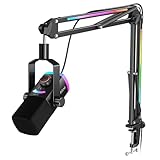
The AM8PROT is the “pro”-labeled version of FIFINE’s AmpliGame dynamic microphone kit, with XLR/USB output and a fuller accessory set. It sits between the AM8T and the premium AM8TW in the family, and it exists for the buyer who already knows they want a dynamic capsule for a noisy room but also wants the kit to include everything in one purchase.
Who it suits
Anyone streaming in a shared house, a dorm, or a room with a window AC or a loud mechanical keyboard, who plans to eventually run the mic through an audio interface and a mixer. It also suits a two-PC streamer who needs a mic that works over USB on the gaming rig and over XLR on a streaming PC.
Key specs as described
- Microphone type: dynamic, cardioid.
- Outputs: XLR and USB.
- Kit contents: boom arm, mount hardware and accessories included as a gaming microphone kit.
- Monitoring: headphone jack with onboard control, consistent with this family.
- Build class: metal-bodied dynamic, which is why clamp strength matters more here than with a plastic condenser.
Strengths
A dynamic mic in a noisy room is the highest-value change most streamers can make: instead of gating and noise-suppressing a condenser, you simply pick up less of the room at the capsule. The dual output keeps an interface upgrade open, and the fuller kit means you’re not hunting for a shock mount or a second clamp a month later. The heavier metal body, while a downside for weak arms, is an upside for stability — it won’t rattle on a desk or transmit vibration the way a light plastic housing can.
Pros
- Dynamic capsule is well suited to untreated, noisy rooms.
- XLR plus USB keeps upgrade options open.
- Complete kit reduces follow-up purchases.
- Solid metal build resists vibration and desk bumps.
Cons
- Heavier mic puts more demand on the boom arm’s springs and clamp.
- Requires more gain than a condenser, so USB users must watch the noise floor.
- Overlaps heavily with the AM8T and AM8TW, so compare bundle contents carefully before paying more.
How it compares
Against the AM8T, the AM8PROT is essentially the same architecture with a more complete bundle — if the extra accessories are things you’d buy anyway, it’s the better value; if not, the AM8T saves money for the same capsule class. Against the AM8TW, the AM8TW is the premium bundle and the one to pick if you want the most complete single-box solution. Against the MAONO PD200XS, the PD200XS adds RGB and software control at a premium tier — pick MAONO if you want visual customization and software EQ, pick the AM8PROT if you want a leaner dynamic kit with dual output.
5. MAONO DGM20S — Best Budget Noise Reduction for PC Voice Chat

The DGM20S is MAONO’s budget USB gaming microphone with noise reduction built in. Where the TONOR set and InnoGear mic are generic starter bundles, the DGM20S leads with a specific feature — noise reduction — which makes it the sensible budget pick for a room that isn’t quiet enough for a plain condenser.
Who it suits
Gamers who mostly do voice chat and light streaming, in a room with a fan, a PC under the desk or a noisy keyboard, and who want to spend as little as possible while sounding clear. It also suits a secondary setup where the mic is used for calls and co-op rather than recording.
Key specs as described
- Microphone type: USB condenser with noise reduction processing.
- Processing: onboard noise reduction — typically a DSP stage that suppresses steady background noise, not a substitute for good mic technique.
- Mount: boom arm compatible; this class of mic usually attaches via a standard mount thread.
- Connectivity: USB to PC.
Strengths
The noise reduction feature is the whole point. A budget condenser in an untreated room is normally a hiss-and-hum machine; adding a processing stage lets a cheap mic sound acceptable for voice chat without you becoming an expert in noise gates. It’s also a low-risk purchase — if you decide streaming isn’t for you, you’ve spent budget-tier money and lost little. And because it’s a standard-mount USB mic, you can move it to a better arm later if the bundled one disappoints.
Pros
- Noise reduction targets the exact weakness of budget condensers.
- Very low entry price for a gaming-branded USB mic.
- Standard mounting makes a future arm upgrade easy.
- USB simplicity — no interface, no drivers.
Cons
- Aggressive noise reduction can make your voice sound processed or “underwater” if set too high.
- Condenser capsule still picks up transients like keyboard clicks that DSP handles poorly.
- No XLR output and no monitoring path to an interface.
How it compares
Against the InnoGear mic, the DGM20S is the more feature-forward budget option — noise reduction versus a plain USB computer mic with a boom stand. Against the TONOR Gaming Microphone Set, the DGM20S is generally the better choice in a noisy room, while TONOR’s bundle tends to include more accessories. If your room is quiet and you want the warmest tone at budget money, a plain condenser like the TONOR set is fine; if you fight fan noise every night, take the DGM20S.
6. FIFINE AmpliTank K688CT — Best Podcast-Flavored Gaming and Streaming Mic

The K688CT is a USB/XLR dynamic vocal microphone kit from FIFINE’s AmpliTank line, which leans podcast and broadcast rather than pure gaming. In a roundup about mic arms, it matters because it’s a heavier, more serious microphone that exposes the difference between a good arm and a weak one — and because it’s the pick for someone who wants one mic for both gaming and a podcast or YouTube channel.
Who it suits
A creator who streams games and also records podcasts, commentary or narrated videos, and who wants a single voice chain that sounds consistent across both. Also suits someone who already owns an interface and wants a dynamic mic with USB fallback for laptop or console use.
Key specs as described
- Microphone type: dynamic vocal microphone, cardioid.
- Outputs: USB and XLR.
- Controls: onboard gain and headphone monitoring, typical of the K688CT class.
- Kit: includes a boom arm and mounting hardware.
- Weight class: metal-bodied dynamic — plan for an arm rated for heavier loads.
Strengths
Dynamic capsules are naturally mid-forward, which is exactly the “radio voice” tone podcasters chase, and the K688CT is tuned for voice rather than for the brighter, thinner character some gaming mics have. Onboard gain control means you can ride levels without touching software mid-recording, and hardware monitoring gives you zero-latency confidence about what’s being captured. The dual output means the same mic works on a gaming PC over USB and on a dedicated audio interface over XLR, so you’re not maintaining two different microphones for two different jobs.
Pros
- Voice-tuned dynamic capsule suits both gaming commentary and podcasting.
- USB and XLR outputs cover both casual and studio-style chains.
- Onboard gain and monitoring reduce dependence on software.
- Comes as a kit, so the arm is matched to the mic weight class.
Cons
- Dynamic design requires more gain than a condenser, so cheap USB ports can be marginal.
- Heavier body demands a strong clamp and well-tensioned arm.
- Podcast-style tuning is less “bright” than some gamers expect from a gaming mic.
How it compares
Against the FIFINE AmpliGame AM8, the K688CT is the more broadcast-oriented sibling: same dynamic XLR/USB idea, different voicing and control layout, aimed at podcast use as much as gaming. Against the MAONO PD200XS, the PD200XS adds RGB and a software suite at a premium tier, while the K688CT stays closer to a straightforward broadcast mic with a kit. If you record long-form spoken content, the K688CT’s voice tuning is the better fit; if you want lighting effects and software EQ to shape your stream’s look and sound, the PD200XS is the one to consider.
7. FIFINE AmpliGame AM8 — Best Pure Gaming and Streaming Dynamic Mic

The AM8 is the base model of FIFINE’s AmpliGame dynamic line: USB/XLR dynamic microphone for gaming and streaming, with an arm kit. It’s the pick when you want the dynamic-capsule sound and dual connectivity without paying for the extra bundle contents of the AM8PROT or AM8TW.
Who it suits
Gamers and streamers who have already decided on a dynamic mic — because their room is noisy or because they like the tight, close-mic sound — and who want to spend the difference on a better arm or an interface instead of on accessories they won’t use.
Key specs as described
- Microphone type: dynamic, cardioid.
- Outputs: USB and XLR.
- Monitoring: headphone jack with onboard volume control.
- Kit: boom arm and mount included.
- Mounting: standard thread, so a future arm upgrade is straightforward.
Strengths
This is the value point in the AmpliGame dynamic family: you get the same core architecture as the more expensive variants, and the money you save can go toward the single most impactful upgrade in a compact setup — a low-profile arm like the FIFINE BM88 that keeps the mic out of your webcam frame. The dynamic capsule means your mechanical keyboard is a background detail rather than a feature of your stream, and the dual output means the mic survives your next gear purchase. Cardioid pickup plus a close working distance gives you the punchy, present sound that reads as “professional” to viewers.
Pros
- Dynamic capsule is forgiving of untreated rooms.
- USB and XLR outputs future-proof the purchase.
- Lowest-cost entry into the AmpliGame dynamic family.
- Standard mount thread supports arm upgrades.
Cons
- Fewer bundled accessories than the PRO and TW variants.
- Needs a quiet gain stage; USB-only setups may require level tuning.
- Bundled arm is competent but not low-profile.
How it compares
Versus the AM8T, the AM8 is essentially the same product concept with a different bundle and control layout — check the included accessories before paying a premium for the T variant. Versus the AM8TW, the TW is the premium bundle; buy it only if you want the extra parts in one box. Versus the TONOR Dynamic Gaming Microphone, which is a budget XLR/USB dynamic with AI noise cancellation, the AM8 costs more but sits in a kit with an arm and a more established gaming-mic ecosystem. If budget is the deciding factor and you don’t need the arm, TONOR’s dynamic is worth a look; if you want the arm and the ecosystem, the AM8 is the safer pick.
8. InnoGear Gaming Mic USB Computer Microphone — Best Shoestring Voice Chat Setup

The InnoGear set is the plainest option here: a USB computer microphone with a boom arm stand, in black. There’s no XLR, no DSP feature to advertise, no RGB. It is a get-the-mic-off-the-desk solution at the lowest possible cost, and for a lot of casual players that’s genuinely all they need.
Who it suits
Casual players who use voice chat for co-op games and want to stop sounding like they’re talking through a headset cable. Also a reasonable pick for a second or guest setup, a kid’s first desk, or a laptop station where you don’t want to invest in audio at all.
Key specs as described
- Microphone type: USB computer microphone.
- Mount: boom arm stand with clamp included.
- Finish: black.
- Connectivity: USB, plug and play.
Strengths
The arm does the heavy lifting here. Moving any mic off the desk and up toward your mouth improves intelligibility more than most people expect, because it cuts the distance the sound has to travel and reduces desk-borne vibration. The setup is trivially simple, works on any PC without drivers or an interface, and costs little enough that it’s an easy experiment. And because the mic attaches via a standard mount, you can carry it onto a better arm later and keep using it.
Pros
- Lowest barrier to entry of anything in this list.
- Boom arm included, so the mic leaves the desk immediately.
- Driverless USB — works on any PC or laptop.
- Upgradeable to a better arm down the line.
Cons
- No noise reduction or DSP, so a noisy room shows up in your audio.
- No XLR and no monitoring.
- Arm and clamp in this price class are the weakest link.
How it compares
Against the TONOR Gaming Microphone Set, InnoGear is the simpler product — TONOR bundles more creator-oriented accessories and positions itself at content creators, while InnoGear is a straight computer mic plus stand. Against the MAONO DGM20S, the DGM20S is the better choice if noise is your problem, because its noise reduction is the entire value proposition. Buy InnoGear when the goal is simply “sound clear enough on Discord, spend almost nothing”; step up to the DGM20S or TONOR set if you want any processing or better accessories.
9. MAONO PD200XS — Best Premium Dynamic Mic Kit With RGB and Software

The PD200XS is MAONO’s premium XLR/USB dynamic microphone kit, and it’s the only pick here that combines a dynamic capsule, dual output, RGB lighting and a software suite. It’s for the creator who wants their audio chain to look as deliberate as their PC build, and who will actually use software EQ rather than just plugging in and hoping.
Who it suits
Established streamers and content creators with a finished-looking setup — RGB everywhere, a dedicated stream space, a schedule — who want one mic that handles gaming commentary and recorded content, and who don’t mind spending software time to tune their sound. Also suits someone who already has an interface and wants a dynamic mic that can do double duty over USB.
Key specs as described
- Microphone type: dynamic, XLR and USB.
- Lighting: RGB, controllable to match a stream’s color scheme.
- Software: bundled control software for EQ and processing.
- Kit: includes arm and mounting hardware.
- Weight class: metal-bodied dynamic — the heaviest class in this list, so arm and clamp quality matter most here.
Strengths
The combination of dynamic capsule and software EQ is powerful: the capsule handles room noise, and the software lets you add presence, cut mud, and set a gate and compressor without buying a separate interface or chain. RGB matters more than skeptics admit on a stream where the camera sees the desk — a mic that visually matches the setup reduces the “pile of mismatched gear” look. Dual output means the same mic moves between a USB gaming PC and an XLR interface, and because it’s a premium kit, the included arm is more likely to be rated for the heavier dynamic body.
Pros
- Dynamic capsule plus software EQ covers both room noise and tone shaping.
- RGB lets the mic match an existing stream aesthetic.
- XLR and USB outputs for maximum flexibility.
- Premium kit is more likely to include a heavier-duty arm and clamp.
Cons
- Highest price tier in this roundup.
- Software processing adds a setup step and can introduce latency if misconfigured.
- Heavy mic demands a solid desk edge; a flimsy or thin desktop may flex under the clamp.
How it compares
Against the FIFINE AmpliGame AM8TW, which is also a premium dynamic XLR/USB streaming kit, the difference is emphasis: MAONO adds RGB and software, while the FIFINE premium kit tends to lean on bundle completeness. Against the FIFINE AmpliTank K688CT, the PD200XS is the more visually customizable and software-driven option at a higher tier, while the K688CT is the more straightforward broadcast kit. If you want to shape your sound in software and match your RGB build, the PD200XS is the pick; if you want to plug in and go with a voice-tuned dynamic, the K688CT or AM8TW may suit better.
10. FIFINE BM88 — Best Low-Profile Boom Arm for Compact Gaming Desks

The BM88 is the only standalone arm on this list, and it’s here because it answers the specific question the rest of the roundup can’t: what do you buy if you already own a decent microphone but your current arm dominates your desk and your webcam frame? A low-profile boom arm runs close to the desk rather than arcing overhead, which is exactly what a compact gaming setup needs.
Who it suits
Anyone with a 100–120 cm desk who already has a USB or XLR mic and finds a conventional scissor arm visually intrusive — visible in the corner of a webcam, or forcing them to lean around it. Also suits creators who stream on camera and want the mic low, close and out of the shot.
Key specs as described
- Type: low-profile microphone boom arm stand.
- Mount: desk clamp.
- Cable management: integrated routing along the arm, which the listing emphasizes.
- Use case: gaming and streaming setups.
Strengths
Low-profile arms change how a desk feels. A conventional scissor arm occupies the space above your monitor and beside your face, and on a narrow desk that space is already contested by a monitor, a lamp and a headphone hook. Sitting the arm low keeps your field of view clear and your on-camera framing clean. Integrated cable routing is the second big win: a USB or XLR cable that runs along the arm instead of dangling across the desk stops snagging on your mouse line mid-game, which is a real annoyance during a ranked match. And because it’s an arm rather than a bundle, it’s the cheapest meaningful upgrade for someone whose mic is fine but whose mounting is not.
Pros
- Keeps the mic low and out of webcam framing.
- Integrated cable management removes desk clutter and snags.
- Fits compact desks better than a long scissor arm.
- Arm-only purchase is the most cost-effective upgrade if your mic is already good.
Cons
- No microphone included — you must already own one.
- Low-profile geometry has less vertical reach than a tall studio arm.
- Heavier dynamic mics may need the joint tension checked periodically.
How it compares
Against the bundled arms that come with the TONOR set, the AM8T, the A6T, the AM8, the AM8PROT, the AM8TW, the K688CT and the PD200XS, the BM88 is a dedicated mounting solution rather than an accessory in a box — which usually means better clamp design, better cable routing and a geometry chosen for desks instead of a compromise to hit a bundle price. If you’re starting from nothing, a bundle is cheaper than a mic plus the BM88; if you already own a mic and your current arm is the weak link, the BM88 is the single highest-value purchase on this list.
11. TONOR Dynamic Gaming Microphone — Best Budget Dynamic With AI Noise Cancellation

TONOR’s dynamic gaming microphone brings two things usually reserved for higher tiers down to budget money: a dynamic capsule and AI noise cancellation, with XLR/USB output. It’s the pick for a noisy room on a tight budget, and it’s the only budget option here that offers both a dynamic design and an XLR path.
Who it suits
Gamers in shared spaces — dorm rooms, shared apartments, rooms with a window AC — who need the mic to ignore background noise and who want to spend budget money. Also suits someone who wants a dynamic mic now and an interface later, since it offers XLR as well as USB.
Key specs as described
- Microphone type: dynamic, with AI noise cancellation processing.
- Outputs: XLR and USB.
- Processing: AI noise cancellation — a software or DSP stage trained to suppress ambient noise, best treated as a supplement to good placement rather than a cure.
- Class: budget gaming dynamic.
Strengths
Dynamic plus noise cancellation is the right combination for a bad room: the capsule physically rejects more of the room, and the processing cleans up what’s left. Having XLR alongside USB at budget money is unusual and genuinely useful — it means the mic isn’t disposable when you buy an interface. And because it’s a dynamic design, you can work it close without the breath and plosive problems that condensers have at close range, which is how you get that tight, focused gaming-commentary sound.
Pros
- Dynamic capsule suits noisy rooms.
- AI noise cancellation adds a second layer of ambient rejection.
- XLR and USB outputs at budget money.
- Close-mic technique works well with the capsule type.
Cons
- Noise cancellation processing can color the voice if pushed hard.
- No arm included in the base listing — factor in a mount or arm separately.
- Budget build means a heavier-duty arm is advisable if you upgrade later.
How it compares
Against the MAONO DGM20S, this is the dynamic-vs-condenser fork at budget money: the DGM20S offers a condenser with noise reduction, TONOR offers a dynamic with AI noise cancellation. In a genuinely noisy room, the dynamic capsule usually has the edge because it rejects noise before processing rather than after. Against the FIFINE AmpliGame AM8, TONOR is cheaper but comes without a bundled arm, so the gap narrows once you add a mount. If you already own an arm and want a budget dynamic with an upgrade path, this TONOR is a strong pick; if you need everything in one box, the AM8 or the TONOR condenser set is simpler.
12. FIFINE AmpliGame AM8TW — Best Premium All-in-One Streaming Kit
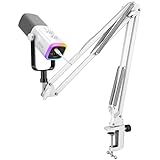
The AM8TW is the top of FIFINE’s AmpliGame dynamic family: a premium dynamic XLR/USB microphone kit with the most complete bundle. It’s the pick for someone who wants to open one box and have everything — mic, arm, mount, accessories — matched and ready, with no follow-up orders.
Who it suits
Streamers who are setting up a serious channel and don’t want to research five separate products, or who are buying as a gift for someone building a first streaming rig. Also suits anyone who wants the top-end version of the AmpliGame dynamic line and values the extra bundle contents over saving the difference.
Key specs as described
- Microphone type: dynamic, cardioid.
- Outputs: XLR and USB.
- Kit: the fullest accessory bundle in the AmpliGame range, with arm and mounting hardware.
- Monitoring: headphone jack with onboard volume control.
- Weight class: metal-bodied dynamic — the arm included in a premium kit is generally rated accordingly.
Strengths
The value of a premium bundle is in not having to solve compatibility problems yourself: the arm’s weight rating, the mount thread and the mic’s balance are all matched by the manufacturer, so you don’t discover three weeks in that your arm sags under a metal dynamic body. The dynamic capsule handles a normal gaming room, the dual output keeps an interface upgrade open, and the complete kit means one purchase instead of five. For a gift or a first serious setup, that reduces the chance of a missing piece stalling the whole build.
Pros
- Complete matched kit — no separate arm or mount shopping.
- Dynamic capsule for noisy-room tolerance.
- XLR and USB outputs for flexibility.
- Premium arm is more likely to be rated for the heavier dynamic body.
Cons
- Highest FIFINE tier here; you pay for accessories you may already own.
- Bundled arm is still a conventional design, not a low-profile one.
- Overlaps heavily with the AM8 and AM8T for anyone who already has mounts.
How it compares
Against the AM8PROT, the AM8TW is the fuller premium bundle, while the AM8PROT sits one step down; against the AM8T, it’s the same family with more in the box. If you already own an arm, the AM8 is the smarter buy and the savings will cover a low-profile BM88 upgrade. Against the MAONO PD200XS, the PD200XS is the premium pick if you want RGB and software, while the AM8TW is the premium pick if you want a complete, matched FIFINE kit without software dependency. Choose the AM8TW when “one box, done” is the priority.
How to Choose
The right mic arm for a gaming and streaming setup comes down to five things: clamp strength, reach and geometry, cable management, weight capacity, and adjustment range. Get those right and a $40 arm will outlive three microphones; get them wrong and a $150 arm will sag, sway and scratch your desk within a month. Here’s how to work through it.
1. Clamp strength and desk thickness
Start by measuring your desk edge with a ruler, not by eyeballing it. Most desk-clamp arms are designed for surfaces somewhere in the 1–5 cm range, and the failure modes are opposite: too-thin desks (some glass and hollow-core tops) can crack because there’s no material to distribute the clamping force, while too-thick desks simply won’t fit under the jaw. If your desktop is thinner than about 1.5 cm, add a small wooden or plastic shim between the clamp pad and the underside so the load spreads out; if it’s over 5 cm thick, check the clamp’s maximum opening before buying. Also check the clamp pad material — rubber pads grip and protect a laminate finish, bare metal jaws will mark it permanently. If your desk has a metal frame or a fabric-covered modesty panel at the back edge, plan to clamp to a clear section of the edge itself rather than to the frame.
2. Reach and geometry: match the arm to the desk, not the other way around
This is where compact desks are won or lost. A conventional scissor arm folds out in a zig-zag and occupies a big arc above and beside your monitor; on a 100–120 cm desk that arc crowds the keyboard and shows up in a webcam frame. A low-profile arm runs close to the desk surface and reaches up to the mic, which keeps the visual footprint small and the mic low. The rule of thumb: measure the horizontal distance from your desk’s back edge to the point where you want the mic to sit — usually 50–70 cm out and about 30–45 cm up from the desk — and check the arm’s stated reach covers it with some slack. If you stream on camera, add a second requirement: the arm should not cross the frame between your face and the camera. Low-profile arms almost always win that test.
3. Cable management: the detail you’ll notice every single day
Cable routing is the most underrated spec on an arm. An external cable that hangs off an arm and droops across the desk will catch on a mouse cable during a fast turn, and clipping it with tape looks worse than it solves. Arms that route the cable internally through a channel or along the underside keep the line tidy and, more importantly, keep it out of the way. If your microphone uses a USB-C cable, check the arm’s channel can take the connector housing at the ends, not just the cable diameter — a channel that fits the wire but not the plug is useless. If your mic uses XLR, the connector is bulkier still, so verify. A short velcro tie at the base of the clamp is a cheap fix for the last 20 cm of cable if the arm doesn’t fully route it.
4. Microphone weight limits: the spec people ignore until the mic droops
Arms are rated for a load, and the rating is not a suggestion. Light condensers in plastic housings often sit in the roughly 200–350 g class, while metal-bodied dynamic mics commonly run 400–600 g, and a shock mount plus a pop filter can add another 100–200 g on top. A spring or friction-joint arm rated for a light condenser will hold a heavy dynamic initially and then slowly droop at the elbow joint, usually right in the middle of a stream. Two practical notes: first, add up the mic, the shock mount and any pop filter before comparing against the arm’s rating, and leave headroom rather than running at the limit; second, if you already own a heavy dynamic mic, choose an arm from a kit built around that same mic rather than a generic light-duty arm, because the manufacturer has already matched them. Friction joints can often be tightened with the included hex key, but a joint at the end of its range will keep slipping no matter how hard you crank it.
5. Adjustment range and joint count
Adjustment range determines how many working positions you get. A single-joint arm gives you basically one; a two- or three-segment arm lets you move the mic between a close commentary position and a pushed-away position between takes. Count the joints and think about how you actually use the desk: if you write, eat or use a drawing tablet at the same machine, you need an arm you can swing out of the way without unclamping it. Also check whether the mic end has a ball joint or a threaded swivel — a swivel lets you angle the capsule toward your mouth without moving the whole arm, which matters for cardioid mics where off-axis placement costs you tone. Finally, consider the spring mechanism: exposed springs look industrial and can pinch, while enclosed springs look cleaner but are harder to inspect for wear.
Decision matrix: match your situation to a pick
| Your situation | What matters most | Recommended pick |
|---|---|---|
| Compact desk (100–120 cm), own a mic already, mic arm is the problem | Low-profile geometry, cable routing, clamp pad | FIFINE BM88 |
| Total beginner, quiet room, want everything in one box | Bundle completeness, USB simplicity, low cost | TONOR Gaming Microphone Set with Boom Arm |
| Noisy room, mechanical keyboard, budget limited | Dynamic capsule, noise processing, XLR path | TONOR Dynamic Gaming Microphone |
| Noisy room, budget limited, want a condenser with DSP | Noise reduction, USB simplicity, low price | MAONO DGM20S |
| Quiet room, record voiceovers as well as game | Condenser detail, hardware mute, monitoring | FIFINE AmpliGame A6T |
| Plan to buy an audio interface within a year | XLR plus USB, gain headroom, standard mount | FIFINE AmpliGame AM8T |
| Want a dynamic mic with minimal extras and lowest mid-range price | Dual output, standard mount thread, budget headroom | FIFINE AmpliGame AM8 |
| Podcast plus gaming on one mic | Voice-tuned dynamic capsule, onboard gain | FIFINE AmpliTank K688CT |
| Want the fullest bundle from a dynamic mic family | Matched kit, arm rated for mic weight | FIFINE AmpliGame AM8PROT or AM8TW |
| RGB build, willing to tune with software | Software EQ, RGB, dynamic capsule | MAONO PD200XS |
| Shoestring voice chat, no interest in audio gear | Price, plug-and-play, arm included | InnoGear Gaming Mic USB |
Worked example: will your arm hold your mic?
Say you own a metal-bodied dynamic microphone at around 500 g, add a shock mount at 150 g and a metal pop filter at 80 g. Your total load is roughly 730 g, and that’s before the arm’s own hardware. A generic light-duty arm rated for about 500 g will hold it — until the elbow joint’s friction gives way, typically dropping the mic 2–4 cm within a few weeks of daily use. The fix isn’t to crank the joint harder; it’s to choose an arm rated at least 1.5× your total load, so around 1.1 kg in this example. If your arm’s spec sheet doesn’t state a load rating, treat that as a warning sign and prefer a kit where the arm and mic are bundled by the same brand — or a dedicated arm from a maker that publishes the rating. This single check prevents the most common “my mic arm is broken” complaint in gaming setups, and it takes thirty seconds with a kitchen scale.
Budget allocation: arm vs mic
If you’re starting from nothing, resist the urge to spend everything on the microphone. A mid-tier dynamic mic on a well-chosen low-profile arm will sound and look better on camera than a premium mic sagging on a flimsy arm, because placement and stability affect the recording more than small differences in capsule quality. A reasonable split is roughly 60–70% of your audio budget on the mic and 30–40% on the arm and mount, and if you already own a decent mic, that ratio flips entirely — put the money into the arm. Buyers who later add an interface should also budget for an XLR cable, which is not always included, and for a stand or arm that can take the extra weight of a shock mount.
Frequently Asked Questions
Do I need a dynamic mic or a condenser mic for gaming?
Dynamic mics are usually the better default for gaming because they’re less sensitive to room noise, keyboard clatter and PC fan hum, and they tolerate being worked close to the mouth. Condensers capture more detail and warmth, which is great for voiceovers and quiet, treated rooms but punishing in a noisy space. If your setup shares a room with other people or a loud PC, lean dynamic; if you have a quiet, dedicated room and record narration, a condenser like the FIFINE A6T can sound fuller.
Will a mic arm fit my desk?
Measure your desktop thickness at the edge and compare it to the arm’s clamp range, which is usually in the region of 1–5 cm for common desk-clamp arms. Also check that the desk edge is clear of frames, drawers and modesty panels at the point you intend to clamp. If your desktop is very thin or hollow, add a shim to spread the load and use a clamp with a rubber pad.
How much weight can a boom arm hold?
It varies widely by class: budget arms often suit light condensers in the 200–350 g range, while heavier-duty arms and premium kits are built for metal dynamic mics in the 400–600 g class plus a shock mount and pop filter. Always add up the total load and aim to stay well under the rating rather than at it, because friction joints degrade over time and a joint running at its limit will eventually slip.
Why is my boom arm sagging or drooping?
Almost always because the load exceeds the arm’s design, or because a friction joint has loosened. Check the total weight of mic plus mount plus filter against the arm’s rating first. If it’s within spec, tighten the joint with the included hex key, but only until it holds — over-tightening can strip the joint or deform the arm. If it still slips, the arm is under-rated for your microphone and the durable fix is a heavier-duty arm.
Is XLR better than USB for a gaming microphone?
XLR is better in the sense that it moves the preamp and conversion into an audio interface, which usually means cleaner gain, lower noise and hardware monitoring, plus the ability to add a mixer later. USB is better in the sense that it’s simpler and cheaper, with no interface required. The practical answer for most gamers is to buy a mic with both, like the FIFINE AM8T or the TONOR Dynamic, and start on USB while keeping the XLR option open.
What’s the difference between a low-profile arm and a scissor arm?
A scissor arm folds in a zig-zag and occupies a large arc above and beside your monitor, which is why it often appears in webcam framing on a compact desk. A low-profile arm runs close to the desk surface and reaches up to the mic, keeping the visual footprint small and the mic low. Low-profile arms don’t have as much vertical reach, so they suit desk-mic placement rather than overhead boom placement.
Do I need a shock mount and pop filter?
A shock mount isolates the mic from desk vibration and keyboard thumps, which matters most with condensers and with any mic mounted on an arm that transmits movement. A pop filter softens plosive “p” and “b” sounds, which matters most when you sit close to the mic. Both add weight, so factor them into your arm’s load rating — a shock mount and metal pop filter can add 200–300 g combined.
How do I hide the microphone cable on a boom arm?
Use an arm with an internal cable channel or clips along the underside, and check that the channel can take the connector housing at each end, not just the cable diameter. If the arm can’t fully route the cable, secure the last stretch to the desk leg or clamp with velcro ties rather than tape. Keeping the cable off the desk surface also stops it snagging on your mouse cable during fast movement.
Closing Recommendation by Situation
If you already own a decent microphone and your current arm is the weak point — especially on a compact desk — buy the FIFINE BM88 and be done; it’s the highest-value single purchase here. If you’re starting from zero in a quiet room and want the simplest path, the TONOR Gaming Microphone Set is the lowest-friction way to get off a headset mic. If your room is noisy and your budget is tight, choose the TONOR Dynamic Gaming Microphone for its dynamic capsule and AI noise cancellation, or the MAONO DGM20S if you’d rather have a condenser with DSP. If you want a mic you won’t outgrow, the FIFINE AmpliGame AM8T is the sweet spot, with the AM8 as the leaner mid-range alternative and the AM8PROT or AM8TW for buyers who want the fullest matched kit. And if you’re building a finished-looking stream with RGB and software shaping, the MAONO PD200XS is the premium pick — just make sure your desk edge is solid enough for a heavy metal-bodied dynamic mic and clamp.