

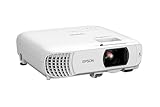
- Top Pick: Epson EpiqVision Flex CO-W01 Portable Projector 3-Chip 3LCD Technology | 3000 Lumens of Color and White Brightness 300-Inches Display HDMI Port Built-in Speaker Home Theater and Work
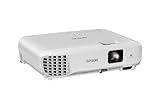
- Best Value: Epson Home Cinema 980 3-Chip 3LCD 1080p Movie Projector | Epson Home Cinema 980 3-Chip 3LCD 1080p Movie Projector
- Premium Choice: Roconia 5G WiFi Bluetooth Native 1080 Projector, Full HD Movie Projector, 300" Display Support 4k Home Theater, Compatible with iOS/Android/XBox/PS4/TV Stick/HDMI/USB (White)
Shopping for an LCD projector means choosing a light engine that passes white light through liquid crystal panels, rather than bouncing it off a spinning wheel as DLP models do. In practice that tends to deliver steady color without the rainbow flashes some viewers notice on DLP, and it is why classrooms, meeting rooms, and living rooms keep returning to the format. The catch is that “LCD” also appears loosely in listings, so the first job is separating models that actually state a panel type from those that simply say projector.
This guide is for home theater beginners, teachers, small-office presenters, and anyone setting up a bedroom or backyard screen in 2026. Eight projectors are compared from their listing details only. A ViewSonic DLP model from the original shortlist was dropped because it is not an LCD design, and where a listing never names the panel technology, the write-up says so rather than assuming.
Quick Picks
As an Amazon Associate we earn from qualifying purchases at no extra cost to you.





| Product | Best for | Key spec from the title |
|---|---|---|
| Epson EpiqVision Flex CO-W01 | Portable work and movies | 3-chip 3LCD, 3000 lumens, HDMI, speaker |
| Epson Home Cinema 980 | Dedicated movie nights | 3-chip 3LCD, 1080p |
| Roconia 5G WiFi | Wireless streaming setups | Native 1080, 5G WiFi, Bluetooth, 300-inch display |
| Epson PowerLite 118 | Classroom installs | LCD, 4:3, ceiling mountable |
| Epson EX3290 | Bright meeting rooms | 3LCD WXGA, 4000 lumens, 2x HDMI |
| Aurzen Roku TV D1R | Outdoor movie nights | Roku TV built in, 1080P, auto focus and keystone |
| YGSKK Mini Projector | Bedroom viewing | 1080P, electric focus, built-in apps |
| 5G WiFi Projector with Screen | Starter kit buyers | Native 1080P, screen included, 100-inch display |
How to Choose
Brightness in lumens
Lumens decide whether you can see the picture when the lights are on. For a darkened bedroom or basement, roughly 1,000 to 2,000 lumens is workable, while living rooms with windows and classrooms generally want 3,000 or more. The Epson listings give figures of 3000 and 4000 lumens and call out color brightness as well as white brightness, which matters because it keeps colors from looking washed out in a lit room. Treat unlabeled brightness claims on mini projectors with caution, and remember that a brighter lamp usually means a larger body and louder fan, so match the number to the room instead of chasing the highest figure.
Resolution and aspect ratio
Native 1080p gives a sharp picture for movies and games, while WXGA, the wide format named on the EX3290, suits slides and spreadsheets better than cinema. A 4:3 projector such as the PowerLite 118 fits older presentation content but leaves black bars on widescreen films. Be skeptical when a listing mentions supporting 4k: that usually means the projector accepts a 4k signal, not that it shows 4k detail.
Inputs and smart features
Count the HDMI ports first; two, as the EX3290 states, lets you leave a laptop and a media player plugged in. Built-in apps and Roku TV, listed on the Aurzen, spare you a streaming stick, but a stick on an HDMI port often gets updates for longer. Look for Bluetooth if you plan to use headphones or a speaker, and a built-in speaker if you want a one-box setup.
Setup, focus, and where budget models cut corners
Auto focus and keystone correction, named on the Aurzen, cut setup time when the projector sits on a table at an angle. Electric focus, noted on the YGSKK, helps too. Ceiling mounting suits permanent rooms. Budget models often cut corners on lamp or light-source life, lens quality, speaker clarity, and fan noise, and their long claims about screen size rarely mention the dark room you actually need to reach them. Also measure the distance from the projector to the wall before buying, because the throw distance decides how large the image can get from a given shelf or table.
The 8 Best Options
Epson EpiqVision Flex CO-W01
A portable pick for people who present at work during the week and watch movies at home on weekends.
- 3-chip 3LCD technology and 3000 lumens of color and white brightness are both stated.
- A 300-inch display capability, an HDMI port, and a built-in speaker make it a one-box solution.
- Trade-off: the title states no native resolution, so check the spec sheet before committing to a film setup.
Skip it if you need a confirmed 1080p panel or multiple HDMI inputs. Anyone building a permanent home theater around a single, dark room will likely find the Home Cinema 980 a more focused choice than a portable design.
Epson Home Cinema 980
The movie-night specialist for buyers who want a true 3LCD home theater projector in a living room or den.
- The listing names 3-chip 3LCD technology, which keeps colors consistent without rainbow flashes.
- 1080p resolution is stated, making it a sharper fit for films and sports than the WXGA entry.
- Trade-off: the title gives no lumen figure, ports, or speaker details, so brightness remains unconfirmed.
Skip it if you want to use it in a bright room or need built-in streaming apps. The brightness question deserves a check of the maker’s spec sheet, because without a lumen figure in the title you cannot judge how it will cope with a lamp left on.
Roconia 5G WiFi Projector
A wireless-first home option for buyers who want to cast from phones and use a big screen without lots of cables.
- 5G WiFi, Bluetooth, and a native 1080 picture are all stated, with a 300-inch display claim.
- Compatibility is broad: iOS, Android, Xbox, PS4, TV sticks, HDMI, and USB are all named.
- Trade-off: the listing does not say the panel is LCD, so confirm the technology if that is your priority.
Skip it if you want a stated 3LCD design or a household-name maker on the case. The wireless features are appealing for casual viewing, but buyers who plan a permanent room should still confirm brightness and lens details before relying on the screen-size claim.
Epson PowerLite 118
A simple classroom or office workhorse for presentations built around 4:3 content.
- The title states LCD, a 4:3 format, and ceiling-mount capability.
- A permanent mount makes it tidy in shared rooms.
- Trade-off: no brightness, resolution, or connectivity details appear, and 4:3 is a poor match for widescreen films.
Skip it if you mainly stream movies or want built-in apps. Home users who want a widescreen picture should move up to a 1080p model, since a 4:3 image leaves unused space on the sides of most modern films and shows.
Epson EX3290
A bright, practical projector for meeting rooms, training sessions, and anywhere lights stay on.
- 3-chip 3LCD, 4000 lumens of color and white brightness, and a widescreen WXGA format are all listed.
- Two HDMI ports and a built-in speaker reduce extra gear.
- Trade-off: WXGA is lower than full HD, so fine text and film detail look softer.
Skip it if you want 1080p for a home cinema. Gamers and film fans who care about fine detail will notice that WXGA is a business-oriented format, so the brightness advantage does not translate into sharper movies.
Aurzen Roku TV D1R
A portable, smart option for patios, camping trips, and kids’ movie nights.
- Roku TV built in, Wi-Fi, Bluetooth, and top apps eliminate the need for a streaming stick.
- Auto focus, keystone, zoom, and Dolby Audio are all named for fast setup.
- Trade-off: the title does not state the panel technology or lumens.
Skip it if your priority is a verified LCD design or room-lit presentations. It leans toward casual entertainment, so office users who need a bright, document-friendly image should look at the Epson entries first.
YGSKK Mini Projector
A compact bedroom projector for those who want built-in apps and a screen on the ceiling or wall.
- 1080P video, WiFi, Bluetooth, and built-in apps are all stated.
- Electric focus and support for phones, tablets, laptops, PS5, TV sticks, and USB broaden use.
- Trade-off: no panel type or lumen figure is named, so bright-room use is uncertain.
Skip it if you need serious brightness or a named LCD design. Because the listing is aimed at bedrooms, it is a poor match for anyone planning to project in daylight or onto a very large wall.
5G WiFi Projector with Screen
A starter bundle for first-time buyers who want to avoid hunting for a screen.
- Native 1080P, 5G WiFi, and Bluetooth are stated.
- A projector screen is included, with a 100-inch display.
- Trade-off: the listing names neither a brand nor an LCD design.
Skip it if you want a recognized maker or confirmed panel technology. A bundled screen helps contrast on a dark wall, but buyers who already own a screen are better off putting the choice on brightness and brand support.
Which One Fits Your Situation
You present in a lit conference room
Go with the Epson EX3290. Its 4000 lumens and two HDMI ports fit lit rooms and multiple sources, so a laptop and a document camera can stay connected side by side. The built-in speaker also covers small rooms without extra gear.
You want a dedicated movie room
The Epson Home Cinema 980 pairs 3LCD with 1080p, making it the clearest match for dark rooms. If you would rather cast wirelessly from a phone and skip cables, the Roconia is the alternative to consider, with the caveat that its panel type is not named.
You need something portable for trips
The Epson EpiqVision Flex CO-W01 is a good fit for travel, since it carries 3LCD brightness, an HDMI port, and a speaker in one body. The Aurzen Roku TV D1R suits outdoor streaming, with its built-in apps and auto setup helping when you pack up often.
You teach in a classroom
The Epson PowerLite 118 is the mount-ready option for 4:3 slides, and its LCD design is stated outright. Pair it with a ceiling bracket and leave it in place for the school year.
Common Mistakes
- Believing a giant screen-size claim such as 300 inches without having a dark room and a wall that can support it.
- Confusing a 4k input claim with native 4k detail on the panel.
- Skipping the port count and then needing an adapter or switch for a second source.
- Buying a 4:3 model for movie nights, then watching widescreen films with black bars.
- Assuming every projector with a built-in smart system receives app updates indefinitely.
Frequently Asked Questions
What does 3LCD mean?
It uses three separate LCD panels, one for each primary color, to build the picture. This helps keep color brightness equal to white brightness, which is why the Epson listings advertise both figures together.
Is LCD better than DLP?
Neither wins everywhere. LCD avoids the rainbow effect that sensitive viewers notice on DLP, while DLP designs are often smaller and sharper on contrast. Pick based on the room and the viewers.
How many lumens do you need?
About 1,000 to 2,000 for a dark room, and 3,000 or more when lights are on. Treat the numbers as a starting point, since screen size and wall color change what you see.
Do you need a screen?
A white wall works for casual use, but a screen improves contrast and color uniformity, particularly in a room with some ambient light.











