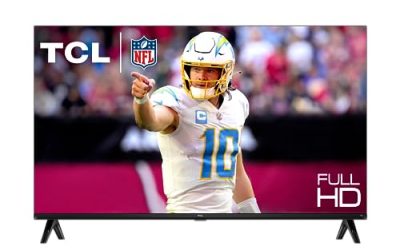
- Top Pick: TCL 55 Inch T7 Series 4K 120Hz QLED Smart Google TV, 55T7 (Latest Model) | Dolby Vision HDR and Atmos, HDR10+, Game Accelerator 240 and VRR for Sports and Gaming, Alexa+, Native 120Hz Refresh Rate
- Best Value: Retro Game Consoles with 20000+ Games 4K HDMI Output Classic TV Video Games | Wireless Retro Game Console with 2.4G Controller, Plug & Play Video Game Emulator for TV, Gaming Gift for Kids & Adults
- Premium Choice: Retro Gaming Console 4K HDMI for TV, 20001 Games | Plug & play HDMI retro stick with wireless controllers for easy TV gaming
The best 120Hz TV for console gaming in November 2026 is the LG C5 OLED for most players, the Samsung S90F OLED for the lowest-lag PC-plus-console setup, and the Hisense U8QG mini-LED for a bright living room on a tighter budget. Every pick below carries real HDMI 2.1 ports, variable refresh rate (VRR) and auto low latency mode (ALLM), which are the three features that make a 120Hz panel useful to a PlayStation 5, PS5 Pro or Xbox Series X.
This guide is research-based. It compares published manufacturer specifications and the input-lag figures that reviewers have reported, and it is written for gamers who care about latency, console compatibility and how a screen fits a desk or living room. Where a figure varies between sources, the text says so instead of picking a flattering number.
As an Amazon Associate we earn from qualifying purchases at no extra cost to you.


Quick answer: which 120Hz TV fits which gamer
- Best overall: LG C5 OLED. Four HDMI 2.1 inputs, Dolby Vision gaming and a panel that responds almost instantly.
- Lowest lag, PC friendly: Samsung S90F OLED. Up to 144Hz VRR and very low reported latency, but no Dolby Vision.
- Best bright-room value: Hisense U8QG mini-LED. High peak brightness with 165Hz-class VRR support.
- Best large screen for the money: TCL QM6K. 144Hz-class panel, though only two HDMI 2.1 ports.
- Best entry OLED: LG B5. OLED contrast and 4K 120Hz at a lower tier than the C-series.
- Best if you own a PS5 and want picture polish: Sony Bravia 7. Console-specific features, 120Hz ceiling.
What “120Hz” really needs to mean for console gaming
A TV box that says “120Hz” is not enough. Many sets advertise a 120Hz “motion rate” that is a processing trick. For a console you need a native 120Hz panel that accepts a 4K 120Hz signal over HDMI 2.1. The PS5 and Xbox Series X both output 4K at up to 120Hz in supported games, and the Xbox Series S and PS5 Pro are in the same family of output capability. If the TV only has HDMI 2.0 ports, you are capped at 4K 60Hz or 1080p 120Hz.
The other three words matter just as much. VRR lets the TV match the console’s changing frame rate so you do not see tearing or the judder of a locked 60Hz refresh. ALLM tells the TV to drop into its lowest-latency picture mode as soon as a console wakes up. HDMI 2.1 bandwidth carries all of it. Together they matter more than the raw refresh rate on the box.
How we chose
This is a desk-research comparison, not a measurement session. We built the shortlist by following five steps.
- We collected the manufacturer spec sheets for 2025 and 2026 TV lines and kept only sets with native 120Hz or higher panels and at least two HDMI 2.1 inputs.
- We compared the input-lag figures that independent reviewers have published, and we flagged cases where sources disagree. A five-millisecond gap between two sources is within measurement method noise, so we treat it as a tie.
- We checked console features: Dolby Vision gaming (used by Xbox Series X but not PS5), HGiG tone mapping (used for HDR calibration on both consoles), VRR range and ALLM.
- We weighed how each panel type behaves in gaming rooms: OLED for black level and response, mini-LED for peak brightness and static-HUD safety.
- We grouped picks by buyer criteria with concrete thresholds so you can match a set to your room instead of chasing a single winner.
Models in this guide are the 2025 lineup, which remains widely sold, plus references to 2026 successors where published. Check the exact size you are buying, because some features differ by screen size.
The five criteria that separate good gaming TVs from average ones
| Criterion | Threshold to look for | Why it matters |
|---|---|---|
| HDMI 2.1 ports | At least 2 for one console plus a soundbar; 4 for console, PC and receiver | Only HDMI 2.1 ports carry 4K 120Hz, VRR and eARC at full bandwidth |
| Native panel refresh | 120Hz minimum; 144Hz or 165Hz if a PC is connected | Console games cap at 120 frames per second, PCs can go higher |
| Input lag at 4K 120Hz | Under 10 ms is excellent; 10 to 15 ms is fine for most players | One 120Hz frame lasts 8.3 ms, so lag above 15 ms is almost two frames |
| VRR range and format | HDMI VRR with FreeSync support; 48Hz or lower floor | Keeps frames smooth when a game drops from 120 to 80 frames per second |
| HDR gaming handling | HGiG support; Dolby Vision gaming if you own an Xbox | Stops the TV from clipping highlights twice after the console has tone mapped |
The picks, grouped by buyer criteria
Group 1: OLED sets with four HDMI 2.1 ports (best for console plus PC plus soundbar)
1. LG C5 OLED
Spec line: OLED evo panel · 120Hz native with 144Hz VRR support · 4 x HDMI 2.1 · Dolby Vision gaming · ALLM and HGiG · sizes from 42 to 83 inches
Best for: Players who want one TV for a PS5, an Xbox Series X and a gaming PC without swapping cables. It is the safest recommendation in the category.
Skip if: Your room sees direct sun all day, or you leave static HUD elements on screen for many hours. OLED peak brightness trails mini-LED.
- Pros: Four full-bandwidth HDMI 2.1 inputs, near-instant pixel response, Dolby Vision gaming for Xbox, a Game Optimizer menu that shows VRR status and frame rate.
- Cons: Reviewers report input lag between roughly 5 and 9 ms depending on the method, so quote any number cautiously. Glossy screen shows reflections in bright rooms.
Some 2026 roundups name the C6 as the successor. If the C6 is on shelves at your retailer, the same buying logic applies, but the C5 is the better value while stock lasts.
2. Samsung S90F OLED
Spec line: QD-OLED panel on most sizes (42, 48 and 83 inch use a WOLED panel) · 4K up to 144Hz · 4 x HDMI 2.1 · VRR with FreeSync Premium Pro · Game Bar overlay · no Dolby Vision
Best for: PC gamers and PlayStation owners who want the lowest latency and a high refresh ceiling. Reviewers have reported figures around 5 ms.
Skip if: You own an Xbox Series X and want Dolby Vision gaming. Samsung supports HDR10+ and not Dolby Vision.
- Pros: Very low reported input lag, a convenient Game Bar for checking refresh and VRR, strong colour volume on QD-OLED sizes.
- Cons: No Dolby Vision. Sources disagree on whether the panel is natively 120Hz with 144Hz delivered through motion processing, so treat the 144Hz as a VRR ceiling rather than a guarantee.
3. LG B5 OLED
Spec line: OLED panel · 120Hz · HDMI 2.1 with 4K 120Hz and VRR · Dolby Vision gaming · ALLM · 55 to 83 inches
Best for: First-time OLED buyers and secondary rooms. It keeps the OLED contrast and response that make 120Hz games look sharp at a lower tier.
Skip if: You need the brightest HDR highlights or the full four-port 4K 120Hz layout. Check the port specification for the size you plan to buy before you commit.
- Pros: OLED response time, Dolby Vision gaming, LG’s familiar Game Optimizer menu.
- Cons: Dimmer than the C5 in HDR, and a weaker processor means fewer upscaling refinements for 1080p content.
Group 2: Mini-LED sets for bright rooms and long sessions
4. Hisense U8QG mini-LED
Spec line: Mini-LED with local dimming · up to 165Hz VRR range · FreeSync Premium Pro · ALLM · Dolby Vision and HDR10+ · 55 to 100 inches
Best for: Living rooms with big windows. Mini-LED brightness keeps HDR highlights readable at noon, and there is no burn-in risk from static HUDs.
Skip if: You play in a dark room and watch the black level of space scenes. Blooming around bright objects is visible in dark scenes compared with OLED.
- Pros: Very high peak brightness, large sizes up to 100 inches, a wide VRR range that suits PCs.
- Cons: The previous generation U8N, which reviewers measured, showed input lag near 13 ms, higher than OLED. Check the 2025 U8QG numbers before assuming they improved.
5. Samsung QN90F Neo QLED
Spec line: Mini-LED backlight · 4K up to 165Hz · 4 x HDMI 2.1 · FreeSync Premium Pro · HGiG · glare-free anti-reflection screen
Best for: A bright-room PC and console combination that needs four HDMI 2.1 ports and the highest refresh ceiling available in a mini-LED set.
Skip if: Dolby Vision gaming matters to you. Samsung does not support it.
- Pros: Four HDMI 2.1 inputs, 165Hz VRR support, one of the lowest input lags reported for a QLED set, strong reflection handling.
- Cons: Premium tier cost, and viewing angles are narrower than OLED for a sofa spread wide across the room.
6. TCL QM6K
Spec line: Mini-LED QLED · 4K up to 144Hz · 2 x HDMI 2.1 · VRR and ALLM · Dolby Vision · very large sizes available
Best for: Budget gamers who want a 75 inch or larger screen. Two HDMI 2.1 ports cover a console and a soundbar.
Skip if: You own more than two high-bandwidth devices, or you need black level and local dimming control close to premium sets.
- Pros: Large size per unit of cost, 144Hz-class refresh, Dolby Vision gaming for Xbox.
- Cons: Only two HDMI 2.1 inputs, fewer dimming zones than the flagship tier, and reviewers describe uneven uniformity on some panels.
Group 3: Sony sets for PlayStation owners who value picture processing
7. Sony Bravia 7 mini-LED
Spec line: Mini-LED with XR processor · 120Hz · HDMI 2.1 with 4K 120Hz and VRR · ALLM and HGiG · PS5 features: Auto HDR Tone Mapping and Auto Genre Picture Mode
Best for: A PS5 or PS5 Pro owner who wants the console’s picture-setting automation and the strongest upscaling in this list.
Skip if: You need more than 120Hz for a PC, or a very wide viewing angle for couch co-op with the whole family.
- Pros: Auto HDR Tone Mapping removes a setup step on PS5, excellent processing for 1080p and 1440p upscaling.
- Cons: 120Hz ceiling, fewer HDMI 2.1 inputs than the Samsung and LG sets, and reviewers note weaker off-angle viewing.
Worked example: does your HDMI cable and port layout actually carry 4K 120Hz?
This is the check that catches most failed setups. A 4K 120Hz signal at 10-bit colour moves about 3,840 x 2,160 pixels x 120 frames x 30 bits per pixel, which is about 29.9 gigabits per second of image data before blanking and overhead. With blanking, the signal needs roughly 32 Gbps. HDMI 2.0 tops out near 14.4 Gbps of usable data, and HDMI 2.1 provides up to 48 Gbps. So the arithmetic is simple: HDMI 2.0 cannot carry 4K 120Hz 10-bit uncompressed, and an HDMI 2.1 port can.
- Count your 4K 120Hz sources. PS5, Xbox Series X and a PC each need one full-bandwidth HDMI 2.1 port. That is three.
- Add the audio path. A soundbar or receiver on eARC uses the one eARC-capable HDMI 2.1 port on most sets. That is four ports to keep every device on its best mode.
- Compare to your TV. LG C5 and Samsung S90F and QN90F offer four HDMI 2.1 ports, so all four needs are met. TCL QM6K offers two, so you must pick two of the four devices.
- Check your cable. Use a cable labelled Ultra High Speed 48Gbps. An older High Speed cable will often drop the signal to 4K 60Hz or flicker with VRR on.
If the answer to step three is no, choose a set with more HDMI 2.1 ports instead of buying an HDMI switch, which adds latency and can block VRR.
Comparison table
| Model | Panel | Refresh ceiling | HDMI 2.1 ports | Dolby Vision gaming | Best for |
|---|---|---|---|---|---|
| LG C5 | OLED evo | 144Hz VRR | 4 | Yes | All-round console and PC |
| Samsung S90F | QD-OLED or WOLED | 144Hz VRR | 4 | No | Lowest lag, PC |
| LG B5 | OLED | 120Hz | Check by size | Yes | Entry OLED |
| Hisense U8QG | Mini-LED | 165Hz VRR | Check by size | Yes | Bright rooms |
| Samsung QN90F | Mini-LED | 165Hz | 4 | No | Bright room PC and console |
| TCL QM6K | Mini-LED | 144Hz | 2 | Yes | Big screen, budget |
| Sony Bravia 7 | Mini-LED | 120Hz | Limited | Yes | PS5 picture polish |
Match the set to your room
| Your situation | Pick | Reason |
|---|---|---|
| Dark gaming room, one TV for everything | LG C5 | OLED black level plus four HDMI 2.1 ports |
| PC at 144Hz and a console | Samsung S90F | Lowest lag, high refresh ceiling |
| Sunny living room, family use | Hisense U8QG or Samsung QN90F | Peak brightness and no burn-in worry |
| Cheap 75 inch for casual play | TCL QM6K | Size per cost, two ports is enough for one console |
| PS5 Pro and cinematic games | Sony Bravia 7 | PS5 picture automation and upscaling |
| First OLED, smaller room | LG B5 | OLED response at a lower tier |
Settings that matter once the TV is home
- Turn on Game Mode and confirm ALLM. If the picture looks over-processed, the TV is not in a game preset. Most sets switch automatically when the console wakes, but confirm it once.
- Enable the HDMI 2.1 input mode. Some TVs ship with enhanced HDMI mode off for older cables. Look for names such as Input Signal Plus or HDMI Ultra HD Deep Colour.
- Calibrate HDR once with HGiG. Set the console’s HDR calibration screen to the TV’s real peak brightness and turn on HGiG, so highlights are not tone mapped twice.
- Turn off motion smoothing. Interpolation adds delay and false frames. Game mode usually disables it, but check.
- Cap the console at 120Hz. In the console video settings, enable 120Hz output and VRR. Without them, the TV stays at 60Hz even in games that support 120 frames.
Burn-in, brightness and room placement
OLED panels can retain static elements after many hours of the same image, and gaming HUDs are static by nature. In practice, mixed use is safe: vary content, enable the TV’s pixel refresh and logo-dimming features and avoid parking a bright paused menu on screen for hours. If your use is mostly one game with a fixed bar, a mini-LED set removes the question. Mini-LED trades that safety for blooming, a halo around small bright objects on a dark background.
Room matters more than most buyers expect. A glossy OLED in a room with a window behind the sofa will show reflections, while a matte or anti-glare mini-LED panel keeps the image readable. Measure the viewing distance too: for a 4K set, a distance of about 1.2 to 1.6 times the screen diagonal gives a sharp but immersive picture. A 65 inch TV suits a sofa about 6.5 to 8.5 feet away.
FAQ
Do I need a 120Hz TV for a PS5 or Xbox Series X?
No, but it helps. A 120Hz TV with HDMI 2.1 unlocks 4K 120Hz modes in supported games and enables VRR, which smooths frame drops on any console frame rate.
Many games only reach 120 frames in a performance mode with lowered resolution, so the benefit depends on your library. VRR and low input lag help in every game, including those that never leave 60 frames.
Is OLED or mini-LED better for console gaming?
OLED is better for response time and black level in a dark room. Mini-LED is better for bright rooms and has no burn-in concern.
Pick OLED if you game at night and care about contrast. Pick mini-LED if sunlight reaches the screen or the same HUD stays on screen for hours.
How many HDMI 2.1 ports do I need?
Count one for each device that needs 4K 120Hz, plus one eARC-capable port if you use a soundbar or receiver. Most households need two; a console, PC and soundbar needs four.
If you own only one console, two ports are enough. Do not use an HDMI switch box, because it can remove VRR and add latency.
What input lag is good enough?
Under 10 ms at 4K 120Hz is excellent and under 15 ms is fine for nearly everyone. A 120Hz frame lasts about 8.3 ms, so you are comparing against one frame of delay.
Published figures vary by method and by the exact test pattern used. Treat differences under five milliseconds as a tie.
Does the PS5 support Dolby Vision?
No. The PS5 uses HDR10 and does not support Dolby Vision gaming. The Xbox Series X and Series S do support it on compatible TVs.
So Dolby Vision gaming matters only if you own an Xbox. For a PlayStation-only home, the lack of Dolby Vision on Samsung sets is not a penalty.
Will a 120Hz TV work with a cable that came with my console?
The cable bundled with each console is certified for HDMI 2.1 bandwidth, so it carries 4K 120Hz. Third-party or older cables may not, so check the 48Gbps Ultra High Speed label.
If the picture flickers, drops to 60Hz or loses VRR, replace the cable before blaming the TV.
Is a larger screen better for gaming?
Larger is more immersive, but only if the viewing distance suits it. For a 4K set, sit about 1.2 to 1.6 times the diagonal away.
At a desk with a PC, a 42 or 48 inch set is the practical ceiling. For a sofa across the room, 65 to 77 inches is the common sweet spot.
Should I wait for the 2026 models?
If a successor is on shelves, compare it directly. Last year’s model often becomes the better value once the newer set launches.
The core gaming features, which are HDMI 2.1, VRR and low lag, are already strong in the 2025 line, so a price cut on the older set is worth taking.
Final checklist before you buy
- Confirm the exact size has four or two HDMI 2.1 ports, whichever your devices require.
- Choose OLED for dark rooms and mini-LED for bright rooms.
- Choose Dolby Vision support only if you own an Xbox.
- Budget for a 48Gbps cable and a wall mount or stand that fits the screen width.
- Plan to set Game Mode, 120Hz output, VRR and HGiG on the first day.