

- Top Pick: Sony 65 Inch BRAVIA 6 OLED 4K HDR Smart Google TV with Gemini (K-65A60) | Dolby Vision/Atmos, OLED Contrast, Triluminos Pro, Wide Viewing Angle, 4xHDMI 2.1, Google Cast, Free 4K movie credits
- Best Value: Sony 43 Inch BRAVIA 2 II LED 4K HDR Smart Google TV (K-43S20M2) | Exclusive Features for PlayStation®5, Motionflow XR, 4K Processor X1 with 4K X-Reality PRO, Triluminos Pro
- Premium Choice: Sony 48 Inch BRAVIA 6 OLED 4K HDR Smart Google TV with Gemini (K-48A60) | Dolby Vision/Atmos, OLED Contrast, Triluminos Pro, Wide Viewing Angle, 4xHDMI 2.1, Google Cast, Free 4K movie credits
Choosing among the best Sony TVs is mostly a question of which of three Bravia lines fits your room and your console. The seven listings here cover the Bravia 2 II, Bravia 3 II, and Bravia 6 OLED families in sizes from 43 to 65 inches, and the differences between them are larger than the similar names suggest. One line uses an LED panel with an older processor, another adds a 120Hz panel and a newer XR processor, and the third switches to OLED.
This guide is for gamers, movie watchers, and anyone replacing a living-room set in 2026 who wants a recognizable brand and a plain explanation of what changes from one model to the next. Judgments come from the product titles only, so where a title is silent on a spec, such as refresh rate on the OLED models, this guide says so rather than guessing. Model numbers such as K-55A60 or K-43XR30M2 are the safest way to compare a listing against Sony’s own spec pages before ordering.
Quick Picks
As an Amazon Associate we earn from qualifying purchases at no extra cost to you.


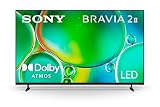
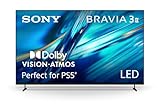
| Product | Best for | Key spec from the title |
|---|---|---|
| Sony Bravia 6 OLED 65 inch (K-65A60) | Living-room centerpiece | OLED, Dolby Vision/Atmos, 4xHDMI 2.1 |
| Sony Bravia 6 OLED 55 inch (K-55A60) | Mid-size OLED | OLED, Triluminos Pro, wide viewing angle |
| Sony Bravia 6 OLED 48 inch (K-48A60) | Desk or small room OLED | OLED, Google Cast, 4xHDMI 2.1 |
| Sony Bravia 3 II 55 inch (K-55XR30M2) | Console gaming | 120Hz, XR processor, 4xHDMI 2.1, PS5 features |
| Sony Bravia 3 II 43 inch (K-43XR30M2) | Bedroom gaming | 120Hz, XR processor, Dolby Vision/Atmos |
| Sony Bravia 2 II 65 inch (K-65S20M2) | Large screen on a tier | LED, Processor X1, Motionflow XR |
| Sony Bravia 2 II 43 inch (K-43S20M2) | Compact starter TV | LED, PS5 features, Triluminos Pro |
How to Choose
Pick the panel type first
The Bravia 6 listings name OLED contrast, the Bravia 3 II and Bravia 2 II listings are LED sets. OLED panels light each pixel individually, which is why the title leads with contrast, and they are most compelling in dim rooms. LED sets usually do better in bright living rooms where reflections and ambient light matter more than deep blacks. If your TV faces a window, give that factor real weight before you fall for the contrast story.
Match screen size to viewing distance
As a rule of thumb for 4K, sit about one to one and a half times the screen diagonal away. A 43 inch set suits a desk or bedroom at roughly four to five feet, a 55 inch set suits a sofa about six to seven feet away, and a 65 inch model fits a larger room. Measuring before ordering prevents a screen that overwhelms the wall, and compare the stand width against your furniture too.
Look at gaming-related specs
For console owners, check for HDMI 2.1 ports and a stated 120Hz refresh rate. The Bravia 3 II titles list both, and the Bravia 6 titles list four HDMI 2.1 ports without a refresh rate. The Bravia 2 II titles mention PlayStation 5 features but no HDMI 2.1 or 120Hz. Remember that a 4K HDR game at high frame rates also needs a console that can output it, and a cable rated for the bandwidth.
Ignore filler and read the platform line
Terms such as Motionflow XR and Triluminos Pro are Sony marketing names, not numbers you can compare. What counts is the processor tier, the panel type, and the smart platform: Google TV, with Gemini named on five of the seven models. Included 4K movie credits are a minor extra, not a reason to choose a model.
The 7 Best Options
Sony Bravia 6 OLED 65 inch (K-65A60)
The title lists OLED contrast, 4K HDR, Dolby Vision and Atmos, Triluminos Pro, a wide viewing angle, four HDMI 2.1 ports, Google Cast, and a Google TV platform with Gemini. This is the largest OLED on the list and the one for a dedicated movie room, where several people sit at different angles and the wide viewing angle matters. A screen this size also gives Atmos soundbar setups a proper visual partner, using the HDMI ports to connect more than one device at once.
- Strength: OLED contrast with Dolby Vision and Atmos support.
- Strength: four HDMI 2.1 ports for consoles and soundbars.
- Trade-off: the title states no refresh rate, so confirm it for fast gaming.
Skip it if your room is small or very bright.
Sony Bravia 6 OLED 55 inch (K-55A60)
This 55 inch version carries the same feature list as the 65 inch: OLED contrast, Dolby Vision and Atmos, Triluminos Pro, a wide viewing angle, four HDMI 2.1 ports, and Google Cast, with movie credits included. It is the sensible size for a typical living room and sofa distance, large enough to feel like a step up from an older set yet manageable on most media stands. Buyers who want the OLED look without committing to the biggest panel will land here.
- Strength: the OLED feature set in a more manageable size.
- Strength: a wide viewing angle for shared seating.
- Trade-off: no refresh rate is stated in the title.
Skip it if you want a stated 120Hz panel for console play.
Sony Bravia 6 OLED 48 inch (K-48A60)
At 48 inches, this is the smallest OLED in the group, with the same Dolby Vision and Atmos, Triluminos Pro, four HDMI 2.1 ports, and Google TV with Gemini. It is a good fit for a desk, a dorm, or a bedroom corner where a 55 inch screen would dominate the room. The four HDMI 2.1 ports are generous for a small space, leaving room for a console, a PC, a streaming box, and a soundbar.
- Strength: OLED in a compact size.
- Strength: four HDMI 2.1 ports and Google Cast.
- Trade-off: a smaller screen shows less of the OLED panel’s visual impact from a distance.
Skip it if you sit far from the screen, since 48 inches may feel small.
Sony Bravia 3 II 55 inch (K-55XR30M2)
The title lists an XR processor with AI technology, Dolby Vision and Atmos, a 120Hz refresh rate, four HDMI 2.1 ports, PS5 features, Google TV with Gemini, and included 4K movie credits. It is the strongest explicitly gaming-oriented LED listing, since the 120Hz figure and HDMI 2.1 appear together. The XR processor with AI technology is the processor tier named on this line, and the 55 inch size suits a couch six or seven feet back.
- Strength: 120Hz and four HDMI 2.1 ports stated together.
- Strength: Dolby Vision and Atmos support with PS5 features.
- Trade-off: it is LED, so contrast differs from the OLED models.
Skip it if deep contrast in a dark room is your priority.
Sony Bravia 3 II 43 inch (K-43XR30M2)
This 43 inch version carries the same gaming-focused list: XR processor, 120Hz, four HDMI 2.1 ports, Dolby Vision and Atmos, PS5 features, and Gemini. It fits a bedroom or a desk, where a console player sits close and wants responsive specs in a compact size. A set this size can sit on a stand beside a desk, where a console or PC is only an arm’s length away.
- Strength: 120Hz and HDMI 2.1 in a compact set.
- Strength: Dolby Vision and Atmos support.
- Trade-off: 43 inches is small for a living-room sofa.
Skip it if you need a bigger picture for a group.
Sony Bravia 2 II 65 inch (K-65S20M2)
The title lists a 65 inch LED 4K HDR Google TV with exclusive features for PlayStation 5, Motionflow XR, Processor X1 with 4K X-Reality PRO, and Triluminos Pro. It is the way to get the largest screen in the group on the simplest platform, and the listing does not mention Gemini, Dolby Vision, or 120Hz. For casual viewing in a big room, size and a familiar Google TV interface can matter more than those extras.
- Strength: a big 65 inch screen with PS5 features.
- Strength: Triluminos Pro color and the X1 processor named.
- Trade-off: no HDMI 2.1, 120Hz, or Dolby Vision is stated.
Skip it if you plan to run a console at a high frame rate.
Sony Bravia 2 II 43 inch (K-43S20M2)
This 43 inch Bravia 2 II is the entry point: LED 4K HDR with Google TV, PlayStation 5 features, Motionflow XR, Processor X1, and Triluminos Pro. It suits a guest room, a kitchen, a spare bedroom, or a first TV where basic 4K and a recognizable brand matter more than advanced gaming specs. It also works as a secondary TV for someone who already owns a higher-end set elsewhere in the home.
- Strength: compact and simple, with PS5 features named.
- Strength: Triluminos Pro color labeling.
- Trade-off: the title omits Gemini, HDMI 2.1, and 120Hz.
Skip it if you want future-proof gaming connections or a model with a stated high refresh rate.
Which One Fits Your Situation
You watch movies in a dim living room
The Sony Bravia 6 OLED 65 inch (K-65A60) pairs OLED contrast, a wide viewing angle, and Dolby Vision and Atmos, which is the combination a darkened room rewards most.
You game on a console at a desk
The Sony Bravia 3 II 43 inch (K-43XR30M2) lists 120Hz and four HDMI 2.1 ports in a compact body.
You want a gaming TV for the family room
The Sony Bravia 3 II 55 inch (K-55XR30M2) keeps those gaming specs at a sofa-friendly size, so one TV covers family movies and weekend console sessions.
You need a simple, large starter set
The Sony Bravia 2 II 65 inch (K-65S20M2) delivers the biggest LED screen in the group with a basic feature list.
Common Mistakes
- Assuming every Bravia 4K set has HDMI 2.1 and 120Hz.
- Choosing OLED for a bright room with large windows.
- Buying a size without measuring the seating distance.
- Treating Sony marketing names as comparable numbers.
- Overlooking that similar model names hide different generations and feature sets.
Related guides
- Battery Operated Smoke And Carbon Monoxide Detectors
- Combination Smoke And Carbon Monoxide Detectors
- Aio Liquid Coolers For High Performance Gaming
Frequently Asked Questions
Which of these is best for PlayStation 5?
The Bravia 3 II models list 120Hz, four HDMI 2.1 ports, and PS5 features, which makes them the most direct match. The OLED models also list HDMI 2.1 ports.
Is OLED always better than LED?
Not always. OLED contrast shines in dim rooms, while LED sets can suit bright rooms and different seating plans better. Match the panel to your lighting, and remember that the Bravia 6 models also list a wide viewing angle for off-center seats.
What does Google TV with Gemini add?
It is the smart platform and voice assistant listed on five of the seven models. It helps with searching and apps, though the picture is set by the panel and processor.
Do the included movie credits matter?
They are a small bonus listed on several models. Treat them as an extra and choose the set based on panel type, size, and ports, since those decide the daily experience long after the credits are used up.












