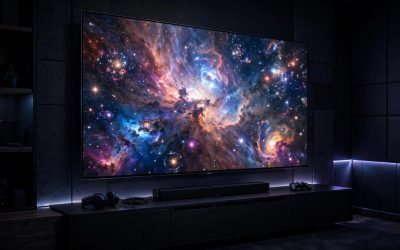
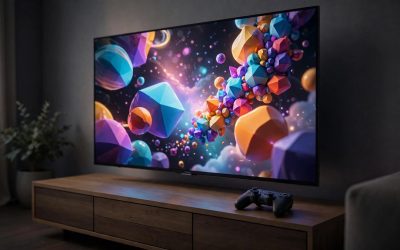
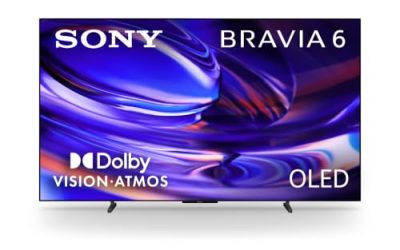
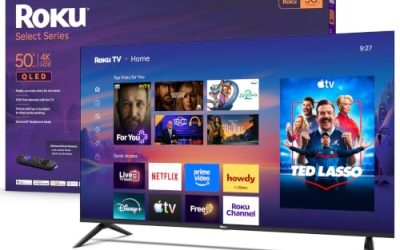
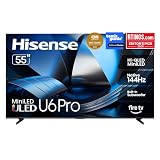
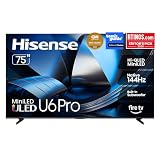
- Top Pick: Hisense 65" U6 Pro Series Mini‑LED ULED 4K UHD HDR Gaming AI Smart Fire TV (65U6SF Pro, 2026 New) – Hi-QLED, Native 144Hz, Motion Rate 480, Dolby Vision IQ · Atmos, HDR10+, Glare-Free, Alexa+
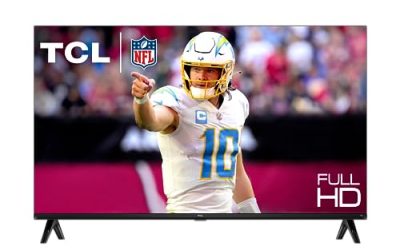
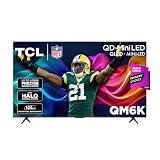
- Best Value: TCL 55 Inch QM6K Series QLED Mini LED 4K HDR Smart Google TV, 55QM6K, 144Hz | Latest Model, High Brightness, IMAX Enhanced, HDR10, Dolby Vision, Dolby Atmos Audio, Voice Remote, Premium Gaming
- Premium Choice: Hisense 55" U6 Pro Series Mini‑LED ULED 4K UHD HDR Gaming AI Smart Fire TV (55U6SF Pro, 2026 New) – Hi-QLED, Native 144Hz, Motion Rate 480, Dolby Vision IQ,· Atmos, HDR10+, Glare-Free, Alexa+
The best mini LED TV for gaming in November 2026 is the Samsung QN90F for a PC plus console setup, the Hisense U8QG for bright rooms at a lower tier, and the TCL QM7K when you want a big screen and strong brightness without flagship cost. Each one pairs a mini-LED backlight with HDMI 2.1, variable refresh rate (VRR) and a native refresh ceiling of at least 120Hz, which is what a PS5, PS5 Pro, Xbox Series X or gaming PC needs.
This guide is research-based. It compares manufacturer specifications and the input-lag and brightness figures that reviewers have published, and it frames every set for gamers: latency, HDMI port count, console and PC compatibility, and how a screen fits a desk or a lit living room. When sources disagree, the text says so.
As an Amazon Associate we earn from qualifying purchases at no extra cost to you.

Quick picks by buyer type
- Best for PC plus console: Samsung QN90F. Four HDMI 2.1 ports, up to 165Hz, very low reported lag, no Dolby Vision.
- Best bright-room value: Hisense U8QG. High peak brightness, a wide VRR range and Dolby Vision.
- Best brightness per cost: TCL QM8K. Very bright panel with many dimming zones and a high refresh ceiling.
- Best mid-tier all-rounder: TCL QM7K. 144Hz-class refresh, boosted refresh at 1080p, strong value.
- Best budget big screen: TCL QM6K. 144Hz-class panel, two HDMI 2.1 ports.
- Best for PS5 picture automation: Sony Bravia 7. PS5-specific features and strong processing.
- Best Sony flagship: Sony Bravia 9. Highest-end Sony mini-LED with strong dimming control.
- Best mid-tier Samsung: Samsung QN80F. Samsung’s gaming tools at a step below the QN90F.
Why choose mini LED over OLED for gaming
A mini-LED TV is an LCD that uses thousands of tiny LEDs behind the panel, grouped into local dimming zones. More and smaller zones mean the TV can dim the area around a bright object more precisely. The result is far higher peak brightness than OLED, which matters for HDR highlights in a room with windows, and no burn-in risk from static HUDs and minimaps.
The trade-offs are blooming and response time. Blooming is a faint halo around a bright object on a dark background, because a zone is larger than a pixel. LCD pixels also take longer to change state than OLED pixels, so very fast motion can show slightly more smear. Good mini-LED sets keep both effects small, and the right set for you depends on the room, not on a blanket rule.
How we chose
This is a desk-research comparison, not a measurement session. We built the shortlist in five steps.
- We collected the 2025 and 2026 mini-LED lines from Samsung, Hisense, TCL and Sony and kept sets with a native 120Hz or higher panel and HDMI 2.1.
- We compared the input-lag and peak-brightness figures reviewers have published and noted conflicts. A gap of under five milliseconds in lag is within method noise.
- We checked console and PC features: Dolby Vision gaming for Xbox, HGiG for HDR tone mapping, VRR range, FreeSync support and ALLM.
- We counted full-speed HDMI 2.1 inputs, because that decides whether a console, a PC and a soundbar can all run at their best.
- We grouped picks by buyer criteria with concrete thresholds so you match a set to your room.
Specifications can vary by screen size and by region. Always confirm the exact size and model code before you buy.
Criteria that separate good gaming mini-LEDs
| Criterion | Threshold to look for | Why it matters |
|---|---|---|
| HDMI 2.1 ports | 4 for console, PC and soundbar; 2 minimum | Only HDMI 2.1 ports carry 4K 120Hz and VRR at full bandwidth |
| Native refresh | 120Hz minimum; 144Hz or 165Hz for PC | Consoles cap at 120 frames per second, PCs can exceed it |
| Input lag at 4K 120Hz | Under 10 ms excellent; 10 to 15 ms fine | A 120Hz frame lasts 8.3 ms |
| Local dimming zones | Hundreds minimum; thousands for fine control | More zones reduce blooming around HUDs and crosshairs |
| Peak brightness class | Above 1,500 nits for bright rooms | HDR highlights stay visible in daylight |
| Dolby Vision gaming | Needed only for Xbox owners | PS5 uses HDR10 and ignores Dolby Vision |
The picks, grouped by buyer criteria
Group 1: Four HDMI 2.1 ports (console, PC and soundbar at full speed)
1. Samsung QN90F
Spec line: Mini-LED Neo QLED · 4K up to 165Hz · 4 x HDMI 2.1 · FreeSync Premium Pro · HGiG · glare-free anti-reflection screen · HDR10+ without Dolby Vision
Best for: A bright-room setup that mixes a PC and a console and needs the highest refresh ceiling in a mini-LED set.
Skip if: You own an Xbox and want Dolby Vision gaming, or you sit well off to the side of the screen where viewing angle loss shows.
- Pros: Four fast HDMI inputs, 165Hz VRR support, one of the lowest input lags reported for a QLED set, strong reflection control.
- Cons: Premium tier cost, no Dolby Vision and narrower viewing angles than OLED.
2. Samsung QN80F
Spec line: Mini-LED Neo QLED · up to 144Hz-class VRR · HDMI 2.1 inputs · FreeSync Premium Pro · Game Bar · HDR10+
Best for: Buyers who like Samsung’s Game Bar overlay and VRR support but do not need the QN90F’s brightness and zone count.
Skip if: You need the full four-port layout. Confirm the HDMI 2.1 port count and refresh ceiling for your size, because they differ across the 2025 mid-tier.
- Pros: Samsung gaming tools, quick menus, a lower tier than the QN90F.
- Cons: Fewer dimming zones and lower peak brightness than the flagship.
Group 2: Best brightness per unit of cost
3. Hisense U8QG
Spec line: Mini-LED with local dimming · up to 165Hz VRR range · FreeSync Premium Pro · ALLM · Dolby Vision and HDR10+ · 55 to 100 inches
Best for: Sunlit living rooms. Very high peak brightness keeps HDR highlights readable, and it supports Dolby Vision gaming for Xbox.
Skip if: You play in a dark room with space or horror games, where blooming is more visible than on OLED, or you need four full-speed HDMI ports.
- Pros: High peak brightness, wide VRR range, large sizes up to 100 inches, Dolby Vision.
- Cons: The older U8N that reviewers measured showed input lag near 13 ms. Check the U8QG figures before assuming they improved. HDMI 2.1 port count is limited on some sizes.
4. TCL QM8K
Spec line: Mini-LED QLED · high zone count · 4K 144Hz-class with Game Accelerator for higher refresh at lower resolutions · HDMI 2.1 · Dolby Vision · very high peak brightness
Best for: Gamers who want near-flagship brightness at a lower tier and play in a bright space.
Skip if: You are sensitive to blooming in dark scenes or want Samsung’s Game Bar tools.
- Pros: Very bright panel, many dimming zones, Game Accelerator mode for competitive refresh at 1080p.
- Cons: Processing and upscaling trail Sony, and uniformity varies between units.
5. TCL QM7K
Spec line: Mini-LED QLED · 4K 144Hz with boosted refresh at 1080p · 2 x HDMI 2.1 · VRR and ALLM · Dolby Vision · large sizes available
Best for: A mid-tier gaming TV with strong brightness. It suits one console and a soundbar.
Skip if: You own more than two devices that need full speed, or you want the finest black level control.
- Pros: Strong value, high brightness for its tier, boosted refresh at lower resolutions for PC.
- Cons: Two HDMI 2.1 ports and fewer dimming zones than the QM8K.
6. TCL QM6K
Spec line: Mini-LED QLED · 4K up to 144Hz · 2 x HDMI 2.1 · VRR and ALLM · Dolby Vision · very large sizes
Best for: Budget gamers who want a 75 inch or larger screen for a console and a soundbar.
Skip if: You want deep blacks or a fine local dimming grid. Reviewers describe uneven uniformity on some units.
- Pros: Large screen per unit of cost, 144Hz-class panel, Dolby Vision gaming.
- Cons: Two fast HDMI ports, fewer zones and weaker dimming than the QM8K.
Group 3: Best for PlayStation owners and picture processing
7. Sony Bravia 7
Spec line: Mini-LED with XR processor · 120Hz · HDMI 2.1 with 4K 120Hz and VRR · ALLM and HGiG · PS5 features: Auto HDR Tone Mapping and Auto Genre Picture Mode · Dolby Vision
Best for: A PS5 or PS5 Pro owner who values upscaling, motion handling and automatic picture setup.
Skip if: You need above 120Hz for a PC, or you need a very wide viewing angle for a big sofa.
- Pros: PS5 integration, strong processing, Dolby Vision.
- Cons: 120Hz ceiling, limited fast HDMI ports and weaker off-angle viewing.
8. Sony Bravia 9
Spec line: Flagship Sony mini-LED · XR processor · 120Hz · HDMI 2.1 on a limited number of ports · ALLM and HGiG · Dolby Vision · high zone count and brightness
Best for: Buyers who want Sony’s best mini-LED dimming and brightness and play mostly on a single console.
Skip if: You connect several high-bandwidth devices or want a refresh ceiling above 120Hz. Sources report only two HDMI 2.1 ports on the Bravia 8 II and 9 II generations, so confirm the port layout for the model you buy.
- Pros: Excellent dimming control, strong brightness, top-tier processing.
- Cons: Premium tier cost and limited high-speed ports.
Worked example: how many dimming zones and how much brightness do you need?
Zone counts are marketed heavily, so use this logic instead of comparing headline numbers.
- Estimate the zone size. A 65 inch screen has an area of roughly 1,800 square inches of panel. With 500 zones, each zone covers about 3.6 square inches, a patch roughly 1.9 inches on each side. With 2,000 zones, each covers about 0.9 square inch, a patch under 1 inch on each side.
- Compare with your HUD. A crosshair or health icon is smaller than one zone in either case. The zone that contains it must light up, so a small halo appears around it on a dark scene. A smaller zone means a smaller halo.
- Match to your games. Bright games with mixed scenes, such as sports and racing, hide blooming well, so a mid-tier zone count is fine. Dark space, horror and night-time open-world games reveal blooming, so aim for thousands of zones or choose an OLED.
- Match brightness to the room. A dark room needs around 1,000 nits for good HDR. A room with windows benefits from 1,500 nits and above, which most mid-tier and higher mini-LEDs reach.
- Decide. Bright room and mixed games: Hisense U8QG, TCL QM7K or QM8K. Dark room and dark games: Samsung QN90F or Sony Bravia 9, or consider an OLED. Large screen on a budget: TCL QM6K.
Comparison table
| Model | Refresh ceiling | HDMI 2.1 ports | Dolby Vision gaming | Best for |
|---|---|---|---|---|
| Samsung QN90F | 165Hz | 4 | No | PC plus console, bright room |
| Samsung QN80F | 144Hz-class | Check by size | No | Mid-tier Samsung |
| Hisense U8QG | 165Hz | Check by size | Yes | Bright room value |
| TCL QM8K | 144Hz-class | Check by size | Yes | Brightness per cost |
| TCL QM7K | 144Hz | 2 | Yes | Mid-tier value |
| TCL QM6K | 144Hz | 2 | Yes | Budget big screen |
| Sony Bravia 7 | 120Hz | Limited | Yes | PS5 processing |
| Sony Bravia 9 | 120Hz | Limited | Yes | Sony flagship dimming |
Match the set to your room and devices
| Your situation | Pick | Reason |
|---|---|---|
| PC at 144Hz plus a console | Samsung QN90F | Four ports, 165Hz, low lag |
| Xbox Series X owner | Hisense U8QG or TCL QM7K | Dolby Vision gaming support |
| Sunlit room, family use | Hisense U8QG or TCL QM8K | Peak brightness for HDR |
| Big screen, tight budget | TCL QM6K | Size per cost |
| PS5 Pro and cinematic games | Sony Bravia 7 or 9 | PS5 automation and processing |
| Dark room, dark games | Samsung QN90F, or consider OLED | Finer dimming, less blooming |
Settings that matter after setup
- Turn on Game Mode and confirm ALLM. The TV should switch itself when a console wakes. If the image looks over-processed, it is not in a game preset.
- Enable the HDMI 2.1 input mode. Some sets ship with enhanced HDMI off on certain ports. Look for options such as Input Signal Plus or Enhanced Format.
- Set local dimming to a balanced level. A high setting maximises contrast but can lose small bright details. A medium setting is a safe default for games.
- Calibrate HDR with HGiG. Run the console HDR calibration and enable HGiG so highlights are not tone mapped twice.
- Turn off motion smoothing. It adds delay and false frames. Game mode usually disables it.
- Use a 48Gbps cable. A cable labelled Ultra High Speed carries 4K 120Hz. Older cables often fall back to 4K 60Hz.
Viewing angle, reflection and room placement
Mini-LED panels with an LCD layer lose contrast when seen off-axis. If you watch from a wide sofa, a set with a wide-angle layer or an OLED holds up better. Samsung’s QN90F uses an anti-reflection coating that helps in rooms with lamps and windows, while many other sets have a glossier finish. For a desk, avoid sets larger than 55 inches. Because of the backlight zones, sitting too close shows blooming more than from a sofa distance.
A viewing distance of about 1.2 to 1.6 times the screen diagonal is a good guide for a 4K set. A 65 inch TV suits a sofa about 6.5 to 8.5 feet away. A 75 inch set suits about 7.5 to 10 feet.
FAQ
Is mini LED good for gaming?
Yes. Mini LED offers very high brightness, 120Hz to 165Hz refresh and no burn-in risk, which suits bright rooms and long sessions with static HUDs.
The main drawback is blooming around small bright objects in dark scenes, which OLED avoids.
Is mini LED better than OLED for gaming?
It depends on the room. Mini LED wins in bright rooms and for burn-in worry. OLED wins for black level, response time and wide viewing angles in dark rooms.
Choose OLED for dim rooms and dark games. Choose mini LED for daylight or when a fixed HUD fills most of your play time.
How many HDMI 2.1 ports do I need?
One per device that needs 4K 120Hz, plus one eARC port for a soundbar or receiver. Most homes need two; a console, PC and soundbar needs four.
The Samsung QN90F offers four. The TCL QM6K and QM7K offer two. Sony’s mini-LED line has limited fast ports, so check the model.
What input lag is good enough for gaming?
Under 10 ms at 4K 120Hz is excellent and under 15 ms is fine for nearly all players. A 120Hz frame lasts 8.3 ms.
Published figures differ by method. The older Hisense U8N was measured near 13 ms by one reviewer, which is acceptable for most play.
Does a mini LED TV support Dolby Vision gaming?
Hisense, TCL and Sony sets generally do, while Samsung supports HDR10+ instead. Dolby Vision gaming matters only if you own an Xbox Series X or Series S.
The PS5 uses HDR10, so PlayStation owners lose nothing on a Samsung set.
What is blooming and does it affect games?
Blooming is a halo around a bright object on a dark background, caused by a backlight zone lighting a larger area than the object.
It is most visible in dark games with bright HUDs or crosshairs. More dimming zones and a medium dimming setting reduce it.
Is a 144Hz or 165Hz TV useful for a console?
Not for consoles, which cap at 120 frames per second. A 144Hz or 165Hz ceiling helps only a PC connected over HDMI 2.1.
If you only game on consoles, a 120Hz set with good lag and VRR is enough.
Which size should I choose for a gaming room?
Use a viewing distance of about 1.2 to 1.6 times the diagonal. A 65 inch set suits a sofa 6.5 to 8.5 feet away, and a 75 inch set suits about 7.5 to 10 feet.
For a desk, a 42 to 55 inch screen is the practical ceiling.
Final checklist before you buy
- Count the HDMI 2.1 ports your devices need and confirm the model has them at your size.
- Choose brightness class and zone count by room and by how dark your games are.
- Pick Dolby Vision (Hisense, TCL, Sony) only if you own an Xbox, or choose Samsung for low lag and a high refresh ceiling.
- Buy a 48Gbps Ultra High Speed cable and a stand or mount that fits the screen width.
- Enable Game Mode, 120Hz output, VRR and HGiG on day one.