
Finding a keyboard for a Dell tablet is a compatibility puzzle before it is a typing decision. Dell’s business tablets and detachables, the Latitude 7200, 7210, 7320, and the Rugged Extreme 7202, 7212, and 7220 lines, each use their own connector and footprint. A keyboard that fits one will not click onto another, and a general Bluetooth model will work but leave the tablet without a dock or a stand. The first thing to settle is whether you want a keyboard that attaches to the device or a freestanding one that pairs wirelessly.
This guide is for field technicians, students, and office users who carry a Dell Latitude tablet and want laptop-style typing without replacing the device. The six picks below all name a Dell Latitude tablet or detachable in the listing, and they are judged only on what those titles state. Generic desktop keyboards and mouse combos that did not mention a Dell tablet were left out, because they do not solve the fit problem this keyword is really asking about. Where a title is thin, the write-up says so instead of guessing, which matters in 2026 because many listings reuse similar names for different generations of hardware.
Quick Picks
As an Amazon Associate we earn from qualifying purchases at no extra cost to you.




| Product | Best for | Key spec from the title |
|---|---|---|
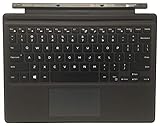
| Dell G17CY Magnetic Keyboard | Rugged Extreme 7202, 7212, 7220 | Magnetic keyboard, part G17CY / 0G17CY |
| Dell Latitude 2-in-1 Travel Keyboard | Dell-branded 2-in-1 owners | Travel keyboard for Latitude 2-in-1 |
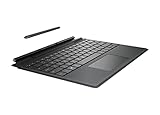
| Dell Latitude 7320 Detachable Travel Keyboard | Latitude 7320 Detachable | Pogo pin connection |
| iKey IK-DELL-AT Attachable Keyboard | Rugged tablet fieldwork | For Latitude 7212 and 7220, renewed |
| K19M Detachable Keyboard | Latitude 7320 Detachable with backlight | 7-color backlight, touchpad, US QWERTY |
| K16M Detachable Keyboard | Older Latitude 2-in-1 models | Bluetooth 5.3, magnetic hinge, 7-color backlight |
How to Choose
Match the exact Latitude model
Look at the model number printed on the tablet, not just the family name. Listings name specific models such as 7320, 7212, or 5285 for a reason: the connector and hinge differ. A keyboard that covers 7202, 7212, and 7220 will not necessarily fit a 7320. If a title lists no model numbers, treat that as a question for the seller before ordering rather than an assumption. Also confirm the keyboard layout, since a US QWERTY label means the key legends will not match a regional keyboard standard.
Pogo pins, magnets, or Bluetooth
Pogo pin keyboards draw power and send keystrokes through contact points on the tablet’s edge, so there is nothing to pair and no separate battery to charge. Magnetic hinge designs snap on and hold the screen at an angle. Bluetooth 5.3, as one listing mentions, means a wireless link that has to be paired and charged but can sit anywhere on a desk. Choose pogo or magnetic if you dock and undock all day, and Bluetooth if the tablet stays on a stand.
Backlighting and trackpad
If you work in vans, warehouses, or dim classrooms, a backlight is useful; two listings state a 7-color option. A multi-touch trackpad lets you move the cursor without reaching for the screen when text is small, while a keyboard without one leans on touch input alone. Students who type notes in lecture halls will appreciate a lit board, and technicians who work in vehicles will too. Confirm whether the backlight is described as adjustable, and whether the trackpad supports gestures like two-finger scroll, because those details separate a docking keyboard from a bare keypad.
Genuine, third-party, and renewed
Dell-branded and genuine parts tend to match the tablet’s finish and tolerances. Third-party keyboards often add features such as extra backlight colors but may follow their own quality standards. Renewed listings, like the iKey, can suit field teams that replace parts routinely, though you should ask about condition and return terms. Ignore marketing phrases like laptop-style typing unless the key layout and spacing are actually described. For an office worker who docks once a day, a third-party board with more features is reasonable; for a technician on a job site, a part that matches the tablet’s rugged build is the safer path.
The 6 Best Options
Dell G17CY Magnetic Keyboard
This listing is for a genuine keyboard made for the Latitude Rugged Extreme Tablet 7202, 7212, and 7220, using a magnetic connection. It targets owners of the rugged tablet generation who need a factory-matched part rather than an adapted one.
- Strength: the title names three specific rugged tablet models.
- Strength: a genuine part is likelier to match the tablet’s connector and finish.
- Trade-off: the title mentions no backlight, trackpad, or wireless features.
Skip it if you own a Latitude 7320 or a non-rugged 2-in-1, since it is not listed for them, or if a built-in trackpad matters to you.
Dell Latitude 2-in-1 Travel Keyboard
A Dell-branded travel keyboard for Latitude 2-in-1 devices. The title is short and gives no model numbers, so it works as a general entry point rather than a precisely matched option for any one tablet.
- Strength: Dell branding suggests a design made to pair with Latitude 2-in-1 hardware.
- Strength: the travel format points to a slim keyboard that is easy to carry.
- Trade-off: no model numbers are listed, so fit is something you must verify first.
Skip it if you cannot confirm that your exact Latitude 2-in-1 is supported, or if you need a stated backlight.
Dell Latitude 7320 Detachable Travel Keyboard
Made for the Latitude 7320 Detachable and connecting through pogo pins. This is the narrow, tablet-specific route for owners of that single model who want a Dell-branded travel keyboard with a direct, pairing-free link.
- Strength: the 7320 model is named explicitly in the title.
- Strength: pogo pin contact avoids Bluetooth pairing and a separate charge routine.
- Trade-off: the title mentions no backlight or trackpad details.
Skip it if your tablet is a Latitude 7200 or a rugged model, since the connector will not match.
iKey IK-DELL-AT Attachable Keyboard
This renewed iKey keyboard, part IK-DELL-AT, is listed for the Latitude 7212 and 7220 Rugged Extreme Tablets. It suits crews who already carry those rugged tablets and want an attachable keyboard rather than a loose accessory.
- Strength: it is designed to attach to the rugged tablets it names.
- Strength: the listing gives a clear part number, which makes matching easier.
- Trade-off: renewed condition means you should check the seller’s grade and return terms.
Skip it if you want a new part, or own a 7202 or a 7320, since neither is named in the title.
K19M Detachable Keyboard for Latitude 7320
A third-party option for the Latitude 7320 Detachable with a US QWERTY layout, a 7-color backlight, and a backlit touchpad. It is pitched for work, study, and travel, which makes it the most feature-rich 7320 choice here.
- Strength: 7-color backlighting helps in dim cabins and classrooms.
- Strength: it includes a touchpad, so you do not depend on touch input alone.
- Trade-off: third-party construction can differ from Dell’s own parts, so read the return policy.
Skip it if you want a genuine Dell part or you own a different Latitude model.
K16M Detachable Keyboard for Latitude 2-in-1
This one covers a wider range of models, naming Latitude 2-in-1 7210, 7200, 5285, and 5290. It lists Bluetooth 5.3, a magnetic hinge, a multi-touch trackpad, and a 7-color backlight, so it behaves much like a small laptop base.
- Strength: broad model coverage fits older Latitude 2-in-1 tablets.
- Strength: the multi-touch trackpad and backlight give it laptop-style features.
- Trade-off: Bluetooth means pairing and recharging, unlike a pogo pin keyboard.
Skip it if you want a keyboard that draws power from the tablet, or if you own a 7320.
Which One Fits Your Situation
You carry a rugged Latitude tablet into the field
The Dell G17CY Magnetic Keyboard is the factory-matched choice for the 7202, 7212, and 7220, while the iKey IK-DELL-AT suits a crew that prefers an attachable renewed unit for the 7212 and 7220. If you manage a fleet, standardize on one part number so spares are interchangeable.
You own a Latitude 7320 Detachable
Pick the Dell Latitude 7320 Detachable Travel Keyboard for a plain pogo pin fit with Dell branding, which suits managed office fleets, or the K19M if you want a backlight and a touchpad in the same package and accept third-party construction.
You use an older Latitude 2-in-1
The K16M names the 7210, 7200, 5285, and 5290, which makes it the clearest match for that older group, assuming you are comfortable with a Bluetooth link and an occasional recharge.
You are unsure which model you have
Find the model number on the tablet’s label first. If it reads as a generic Latitude 2-in-1, the Dell Latitude 2-in-1 Travel Keyboard deserves a seller question, but do not order it on faith. A short message to the seller asking which Latitude models the part supports takes a minute and can prevent a return, and a written reply is a useful record if the keyboard turns out not to fit.
Common Mistakes
- Ordering by the Latitude family name instead of the exact model number printed on the tablet.
- Assuming a rugged tablet keyboard fits the thinner detachable models, or the reverse, when the listings name different tablet lines.
- Choosing a Bluetooth keyboard for all-day docking when a pogo pin or magnetic design avoids pairing.
- Skipping the return terms on a third-party or renewed keyboard, where fit and condition can vary from one unit to the next.
- Buying a desktop keyboard-and-mouse combo and expecting a hinge or stand for the tablet.
Related guides
- Battery Operated Smoke And Carbon Monoxide Detectors
- Combination Smoke And Carbon Monoxide Detectors
- Aio Liquid Coolers For High Performance Gaming
Frequently Asked Questions
Can I use any Bluetooth keyboard with a Dell tablet?
Yes, a generic Bluetooth keyboard will pair with a Windows tablet. It will not attach, draw power from the tablet, or hold the screen the way a dedicated Latitude keyboard does, so expect a less tidy setup. The upside is flexibility: a freestanding board works across tablets, which helps if your team mixes Dell models or you plan to replace the tablet later.
What is a pogo pin keyboard?
It connects through small spring-loaded contacts on the tablet and keyboard edge. That carries power and keystrokes through the connection, so there is no pairing step and no keyboard battery to remember. The trade-off is that the keyboard only works with the tablet models whose contacts line up with it, which is why the model list in the title matters so much.
Will a 7320 keyboard fit a 7220 tablet?
Not by assumption. The listings name different models for each keyboard, so use only one that lists your exact tablet. Rugged and detachable lines are built differently, with different edges, hinges, and contact points, so a near match on the model number is still a mismatch.
Is a renewed keyboard fine for office use?
It can be, provided the listing states condition and the seller offers returns. Try every key and the connector right after it arrives, and keep the packaging until you are sure it works.