

- Top Pick: Kids Tablet 7" Tablet for Kids with Tons Offline Learning Apps for Toddler | Preloaded Educational Games, Parental Control, HD IPS Screen, Designed as Learning Tablet for Toddler Boys Girls Ages 3-7
- Best Value: Trayoo Kids Tablet, 7 inch Tablets for Kids, 32GB Toddler Tablet with Case Included, Parental Control, Dual Camera, GMS, WiFi (Pink)
- Premium Choice: Trayoo Kids Tablet 7 Toddler Children's Learning Tablet with WiFi, YouTube, Parental Control, Durable Case Education Learning Apps for Boys Girls (Blue)
A learning tablet for a young child is not a shrunken adult tablet. The decision comes down to what is on the screen when the child is alone with it: a closed set of preloaded educational games, a broader Android environment with parental controls layered on top, or a curated kids platform with ad-free content. Age matters too, because a toddler needs a tough case and simple apps, while a seven-year-old can use a bigger screen and a stylus.
This guide covers nine kids tablets built around that choice. The notes come from the specs and claims in each listing, such as screen size, storage, battery, and parental-control wording, and are meant to help parents shortlist in 2026 before reading the full product pages.
Quick Picks
As an Amazon Associate we earn from qualifying purchases at no extra cost to you.




| Product | Best for | Key spec from the title |
|---|---|---|
| 7-Inch Offline Learning Kids Tablet | Screen-limited play | Offline learning apps, ages 3-7 |
| Trayoo 7 Inch (32GB) | First tablet, bundled case | 32GB, case included, dual camera |
| Trayoo Kids Tablet 7 (Blue) | Casting and video | YouTube, durable case, learning apps |
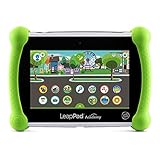
| LeapFrog LeapPad Academy | Learning-first design | Dedicated learning tablet |
| 10-Inch Android 16 (16GB+32GB) | Bigger screen, room to grow | 6000mAh, 1TB expandable, WiFi 6 |
| 10-Inch Android 16 with Stylus | Drawing and writing | 24GB RAM, 64GB ROM, stylus and case |
| Fire HD 8 Kids | Ad-free kids content | 64GB, 13-hr battery, ages 3-7 |
| PEICHENG 7 Inch | Simple Android 12 setup | 4GB RAM, 32GB ROM, shockproof case |
| zcobro 7 Inch | Preloaded games | 32GB, shockproof case, YouTube |
How to Choose
Closed learning platform or open Android
A dedicated learning tablet limits what a child can reach, which suits ages 3 to 5. An open Android tablet with GMS, meaning Google Mobile Services, can run mainstream apps and video, which suits older kids but demands real parental-control setup. Decide how much supervision you want to supply before picking the platform.
Screen size and durability
Seven inch screens fit small hands and bags; eight to ten inch screens suit reading, drawing, and sharing with a sibling. Whatever the size, look for a shockproof case that is included, not an optional extra. A tablet that arrives without a case is a drop waiting to happen.
Storage, memory, and expandability
For learning apps and a few downloaded books, 32GB is a workable floor; 64GB gives breathing room for downloaded video. Be skeptical of very large RAM figures on budget models, as they can include borrowed storage. A memory card slot, such as the 1TB expansion some listings mention, helps when space runs out.
Parental controls and battery
Time limits, app whitelists, and content filters should be spelled out in the listing, not implied. Battery capacity matters for car rides: a 6000mAh cell or a 13-hour claim sets expectations. Ignore camera megapixel counts; they rarely affect learning and often signal where budget models cut corners.
The 9 Best Options
7-Inch Offline Learning Kids Tablet
This 7 inch tablet is sold around offline learning apps for ages 3 to 7, with preloaded educational games, an HD IPS screen, and parental control. It fits parents who want learning without a constant internet tie-in, such as families that hand the tablet over on road trips or in waiting rooms where a connection is unreliable and a calm, self-contained set of activities is the whole point.
- Offline apps keep play contained and portable.
- An IPS panel is listed for a clearer view.
- Trade-off: the title gives no storage, battery, or processor figures.
Skip it if you want mainstream Android apps and detailed specs listed, or if your child already reads well enough to want a wider range of books and videos on the same device.
Trayoo 7 Inch Kids Tablet (32GB)
This is a straightforward first tablet: 7 inches, 32GB, a case included, parental control, dual camera, GMS, and WiFi. It suits toddlers who need protection and a simple interface, and parents who prefer buying one box that already includes the protective gear instead of hunting for a case that fits a 7 inch body.
- A case is bundled, so protection comes in the box.
- GMS access allows common Android apps when parents approve them.
- Trade-off: the title states no processor or battery capacity.
Skip it if you want a large display or a stylus for drawing, or if you want the listing itself to spell out the chip and battery capacity before you decide.
Trayoo Kids Tablet 7 (Blue)
A sibling model in the same brand, this one calls out YouTube, a durable case, and education learning apps with WiFi and parental control. It is for families who want video and learning mixed, for example a child who watches a favorite show after finishing a few reading or math activities, with a parent deciding where the line sits.
- YouTube support is named in the title.
- A durable case is listed as part of the package.
- Trade-off: video access means parents need to set viewing limits carefully.
Skip it if you want a screen-light setup with no open video platform, or if you do not want to manage approvals and time limits on a regular basis.
LeapFrog LeapPad Academy
LeapFrog sells this as a learning tablet in green, built around kids' education. The title is short, so details rest on the maker's learning focus, and parents should confirm specifications on the product page. It is a fit for buyers who trust a children's learning brand and want a tablet shaped for early learners rather than a repurposed general-purpose slate.
- A dedicated learning-tablet identity rather than a general Android slate.
- A recognizable children's learning brand.
- Trade-off: the title lists no screen size, storage, or battery figure.
Skip it if you want open Android apps, video, and casting, or if you need the headline to confirm screen size, storage, and battery life.
10-Inch Android 16 Kids Tablet (16GB+32GB)
This tablet stretches to 10 inches, runs Android 16, and lists an octa-core chip, 16GB RAM and 32GB ROM, 1TB expansion, dual camera, 6000mAh, WiFi 6, and a shockproof EVA case. It suits older kids who will keep it for years, since a bigger screen helps with reading, homework-style apps, and shared viewing, and the expandable storage means the tablet is unlikely to fill up during the first school year.
- Large screen and 6000mAh battery are both listed.
- Expansion up to 1TB is stated.
- Trade-off: the 16GB RAM claim likely includes virtual memory, so treat it cautiously.
Skip it if your child is a toddler who needs a small, light device, or if you want a more detailed Android 16 spec list in the headline.
10-Inch Android 16 Kids Tablet with Stylus (24GB+64GB)
This 10 inch model adds a stylus and case, 24GB RAM and 64GB ROM, parental control with a Kids Space mode, 6000mAh, WiFi 6, and two cameras, aimed at ages 3 to 12. It suits a household where one tablet has to serve a preschooler now and an older child later, with drawing, handwriting practice, and a controlled space all in one device.
- A stylus is included for drawing and handwriting practice.
- Kids Space provides a child-friendly layer.
- Trade-off: the very wide age range means it may feel big for toddlers.
Skip it if you want something small enough for a preschooler's backpack, or if you would rather not rely on a stylus that a young child might misplace.
Fire HD 8 Kids
The Fire HD 8 Kids is built for ages 3 to 7, with 4GB memory, 64GB, a 13-hour battery claim, parental controls, and ad-free exclusive content. It suits parents who prefer a curated kids environment, where age-appropriate books, videos, and games are bundled and the home screen is set up for a child from the first day.
- Ad-free kids content is part of the package.
- 64GB and a 13-hour battery claim are listed.
- Trade-off: it is tied to a specific content ecosystem.
Skip it if you want full access to the wider Android app catalog, or if you would rather not commit a child to one company's content library and subscriptions.
PEICHENG 7 Inch Android 12 Kids Tablet
PEICHENG lists a 7 inch Android 12.0 tablet with 4GB RAM, 32GB ROM, Bluetooth, an IPS screen, dual camera, a shockproof case, and parental control. It suits families wanting a simple, small tablet with clear memory and storage figures, plus Bluetooth for headphones, which helps keep shared rooms and car rides quieter.
- Specific memory and storage figures are given.
- An IPS screen and shockproof case are stated.
- Trade-off: Android 12 is older than the Android 16 models in this list.
Skip it if you want the newest Android version, or if you plan to keep the tablet for several years and want the most recent software base.
zcobro 7 Inch Kids Tablet
This 7 inch tablet offers 32GB, WiFi, a shockproof case, YouTube, GMS, parental control, a dual camera, and preinstalled educational games in a purple finish. It fits parents who want a plug-in-and-go gift, with games already installed and a case in the box, so a young child can start playing the moment the tablet is charged and connected.
- Preinstalled educational games are mentioned.
- Case and parental control come in the package.
- Trade-off: the title gives no processor or battery figure.
Skip it if you want strong spec details before you buy, or if you would prefer to choose every app yourself rather than start from a preloaded set.
Which One Fits Your Situation
Your child is a toddler
The Trayoo 7 Inch Kids Tablet (32GB) bundles a case and keeps the screen small. The 7-Inch Offline Learning Kids Tablet is the calmer option with no internet dependence.
You want a controlled, ad-free setup
The Fire HD 8 Kids and the LeapFrog LeapPad Academy are the most curated choices here.
Your child draws and writes
The 10-Inch Android 16 Kids Tablet with Stylus pairs a large screen with a stylus.
You want room to grow
The 10-Inch Android 16 Kids Tablet (16GB+32GB) offers expandable storage and a larger battery for longer use.
Common Mistakes
- Choosing a tablet with open video access and then skipping the parental-control setup.
- Judging memory by the headline RAM number instead of storage and battery.
- Skipping a case because the tablet looks sturdy; kids drop devices.
- Buying a screen size too large for a toddler's hands.
- Assuming learning apps are included just because the word learning appears in a title.
Frequently Asked Questions
What age is best for a learning tablet?
Ages 3 to 7 are the common target for dedicated learning tablets. Older kids tend to move to open Android tablets with a stylus and larger screen.
Do I need WiFi?
Some tablets work offline for preloaded games, while others need WiFi for app downloads and video. Offline play is calmer, but WiFi is needed for updates and new content.
Is a 7 inch screen big enough?
For toddlers and preschoolers, yes. A larger screen is more helpful for reading, drawing, and shared viewing.
How do I keep screen time in check?
Use built-in parental controls to set time limits and approved apps. Pair the tablet with household rules, and consider closed learning platforms for younger children.










