

- Top Pick: AGM PAD P2 Active Rugged Android 14 Tablet with Case, Waterproof & Drop-Proof, Widevine L1 & GMS Certified, 11" 90Hz FHD 480 NITS Display, MTK G99, 8000 mAh, 16(8+8) + 256GB[TF 2TB], GPS, Compass, OTG
- Best Value: Lenovo Idea Tab – College Tablet – 11″ 2.5K IPS Touchscreen Display – 90Hz – MediaTek Dimensity 6300-8 GB Memory – 256 GB Storage – Integrated Arm Mali-G57 MC2 – Tab Pen and Folio Case
- Premium Choice: Android 16 Tablet 10 Inch, 24GB RAM 64GB ROM 1TB,HD IPS,Fast WiFi 6, BT 5.4 | Electronics Tablets with HD IPS Touchscreen, 6000mAh 12H Battery, 2*Cameras Tablets for Kids & Adults, Gifts, Streaming, Work
Work tablets get asked to do very different jobs. For one buyer, it is a clipboard replacement on a job site, carried through dust and rain. For another, it is a lightweight second screen for email, spreadsheets and video calls at a desk, or a stylus-driven notebook for meetings. The best tablets for work are the ones whose hardware matches that job rather than the ones with the biggest numbers in the title.
This guide, written for 2026, compares ten tablets from a rugged field model to an Apple iPad. Judgments come only from facts in each title: screen size and refresh rate, processor family, memory and storage, battery capacity, bundled keyboards or cases, and software certifications. It also warns about the memory claims that look impressive on paper and explains how to cut through them.
Quick Picks
As an Amazon Associate we earn from qualifying purchases at no extra cost to you.




| Product | Best for | Key spec from the title |
|---|---|---|
| AGM PAD P2 Active Rugged | Field and outdoor work | Waterproof, drop-proof, 8000 mAh, GPS and compass |
| Lenovo Idea Tab 11-inch | Notes and documents | 2.5K IPS, 90Hz, 8GB memory, 256GB, Tab Pen |
| Fire HD 10 | Light email and reading | 10.1-inch Full HD, 4GB RAM, 32GB |
| Evermyth 10-inch Android 16 | Basic office tasks | Wi-Fi 6, Bluetooth 5.4, 6000mAh |
| Apple iPad 11-inch | Polished, long-term use | A16 chip, 128GB, Touch ID, 12MP cameras |
| TABWEE 11-inch with Keyboard | Laptop-style typing | 1920×1200, keyboard, stylus case, 8000mAh |
| EHFiDC 10-inch Android 16 | Protective case and expandable storage | Octa-core 2.2GHz, 6000mAh, drop-proof EVA case |
| ECOPAD 10-inch with Keyboard and Mouse | Desk-style 2-in-1 setup | Keyboard and mouse set, Wi-Fi 6, GMS certified |
| SCREENOVATE 10-inch Android 16 | Travel and field logging | GPS, dual camera, case included |
| Nesusthin 10-inch Android 16 | Simple secondary tablet | Octa-core, Wi-Fi 6, 6000mAh |
How to Choose
Pick the job first, then the form factor
A tablet that lives on a truck seat needs a rugged shell, while one that lives on a desk needs a keyboard. A pen matters for annotating forms, drawings or meeting notes. Decide whether the tablet replaces a laptop, supplements one or acts as a field device, then filter the list by that role. A mismatch is the most common reason a work tablet ends up in a drawer.
Look past headline memory
Several Android listings quote 24GB or 32GB of RAM next to a small storage number. Treat that wording carefully. The figure may combine physical memory with a virtual extension, and mainstream work tablets state memory more modestly, such as 8GB. For email, documents, video calls and a few apps, a tablet with 8GB of memory is a sound floor, and a quoted figure far above that should prompt a closer read.
Screen, battery and ports
For reading documents, an 11-inch screen with a resolution of 1920×1200 or better is comfortable. A 90Hz refresh rate smooths scrolling. Battery capacity is listed in milliamp-hours: 6000 mAh is typical for a 10-inch model, 8000 mAh gives extra headroom. For field work, check for GPS, a case and OTG support for connecting accessories. Widevine L1 is a streaming feature, so ignore it when judging a work tablet.
Software support matters for business
GMS certification means Google apps are supported in the usual way, which matters for email, calendar and documents. Budget models sometimes cut corners on software details, so a clear operating system version in the title is a good sign. If your office relies on a specific business app, confirm it exists for the platform before buying.
The 10 Best Options
AGM PAD P2 Active Rugged
The AGM PAD P2 is the field specialist, an Android 14 tablet with a case, waterproof and drop-proof construction and GMS certification. The title also lists an 11-inch 90Hz FHD display at 480 nits, a MediaTek G99 processor and an 8000 mAh battery.
- Rugged protection suits site visits, deliveries and outdoor inspections.
- GPS, a compass and OTG support give a field user practical tools.
- Trade-off: a rugged body is usually bulkier than a desk-bound tablet.
Skip it if your tablet never leaves a quiet office. The extra protection and weight are overkill for a desk, and a slimmer 11-inch model with a folio case would be easier to carry between meetings.
Lenovo Idea Tab 11-inch
Lenovo’s Idea Tab is a study-and-work pick with an 11-inch 2.5K IPS touchscreen at 90Hz. The title lists a MediaTek Dimensity 6300 processor, 8GB of memory, 256GB of storage, a Tab Pen and a folio case.
- The 8GB and 256GB pairing is stated plainly, with no inflated memory claims.
- A pen and folio case are in the box, which is useful for notes and meetings.
- Trade-off: it is positioned as a college tablet, so it lacks rugged protection.
Skip it if you need a keyboard dock or a field-ready body. The title lists a pen and folio case but no keyboard, so long email sessions would call for a separate accessory.
Fire HD 10
Fire HD 10 is a straightforward 10.1-inch tablet with a Full HD screen, an octa-core processor, 4GB of RAM and 32GB of storage. The title frames it as built for relaxation, which signals its main strength.
- The Full HD screen is comfortable for reading and email.
- 4GB of RAM handles light tasks without fuss.
- Trade-off: 32GB of storage and a relaxation focus make it a limited business tool.
Skip it if you want a work-centered feature set. Anyone who needs room for many files or heavy multitasking should look at the models with more storage and a keyboard option instead.
Evermyth 10-inch Android 16
This Evermyth tablet is a generalist with a 10-inch HD IPS touchscreen, Wi-Fi 6 and Bluetooth 5.4. The title lists a 6000 mAh battery and two cameras and mentions work, streaming and gifts as uses.
- Bluetooth 5.4 and Wi-Fi 6 cover modern wireless peripherals.
- The HD IPS screen is adequate for documents.
- Trade-off: the 24GB RAM wording combines a large figure with only 64GB of ROM.
Skip it if you want a clear physical memory number. A buyer who values transparent specs would be more comfortable with the Lenovo or Apple listings, which state memory and storage plainly.
Apple iPad 11-inch
The iPad stands out as the Apple option with an A16 chip, an 11-inch Liquid Retina display, 128GB of storage, Wi-Fi 6, Touch ID and 12MP front and rear cameras. It is described as having all-day battery life.
- Touch ID adds a quick, familiar way to unlock for work apps.
- Specs are stated plainly, with no confusing memory claims.
- Trade-off: the title lists no keyboard or pen, so those are separate purchases.
Skip it if you want a keyboard in the box. Typing-heavy users would need to add one, and Android options with a bundled keyboard may suit that workflow with less fuss.
TABWEE 11-inch with Keyboard
TABWEE bundles an 11-inch Android 16 tablet with a keyboard and a stylus case. The title lists a 1920×1200 display, a T615 processor, a 13MP camera, an 8000 mAh battery and storage expandable up to 2TB.
- The keyboard and stylus case turn it into a typing device out of the box.
- The 8000 mAh battery is among the larger capacities listed.
- Trade-off: the 24GB RAM figure combines with 128GB ROM, so read it with care.
Skip it if you want a plain tablet with no accessories. The bundled keyboard adds bulk to a bag, and a buyer who mostly reads and swipes would not use it much.
EHFiDC 10-inch Android 16
EHFiDC lists a 10-inch Android 16 tablet with a 2.2GHz octa-core processor, 5G Wi-Fi, a 6000 mAh battery and an HD IPS display. It ships with a drop-proof EVA case and supports 2TB of expansion.
- The included case adds basic protection for a briefcase or a work bag.
- Storage expansion up to 2TB offers room for files.
- Trade-off: the 32GB RAM figure alongside 128GB ROM invites scrutiny.
Skip it if you want the memory claims to be conservative. Buyers who prefer modest numbers they can verify may be happier with the 8GB Lenovo listing or the 12GB ECOPAD figure.
ECOPAD 10-inch with Keyboard and Mouse
ECOPAD packages a 10-inch Android 15 tablet with a keyboard and mouse as a 2-in-1 set. The title lists 12GB RAM, 64GB ROM, 1TB expansion, Wi-Fi 6, Bluetooth, GMS certification and an IPS touchscreen.
- The keyboard and mouse make a desk workstation setup.
- GMS certification supports Google apps in the usual way.
- Trade-off: only 64GB of built-in storage relies on expansion for more.
Skip it if you work mostly on the move. A keyboard and mouse set is built for a desk, and a rugged or compact tablet suits travel better.
SCREENOVATE 10-inch Android 16
SCREENOVATE offers a 10-inch Android 16 tablet with an octa-core processor, a large-capacity battery, 5MP and 8MP cameras, 5G and 2.4G Wi-Fi, Bluetooth 5.0, GPS and a case.
- GPS and a case make it a candidate for light field logging.
- The dual-band Wi-Fi covers both common frequencies.
- Trade-off: the title lists no battery figure in mAh, only a large-capacity claim.
Skip it if you need a stated battery number. Buyers who plan around a full day away from a charger should favor the listings that publish mAh, such as the AGM or TABWEE.
Nesusthin 10-inch Android 16
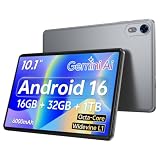
Nesusthin is the plainest Android listing, a 10-inch tablet with an octa-core processor, 16GB plus 32GB memory and storage, 1TB expansion, a 6000 mAh battery, Wi-Fi 6, Bluetooth 5.0 and dual cameras.
- Wi-Fi 6 and a 6000 mAh battery cover the basics.
- Expandable storage helps when 32GB runs short.
- Trade-off: the 32GB internal storage fills quickly with work files.
Skip it if you plan to store many documents locally. A larger built-in drive, or a tablet with a published storage figure well above 32GB, is a better fit for that habit.
Which One Fits Your Situation
You work outdoors or on job sites
The AGM PAD P2 Active Rugged is built for the environment, with waterproof and drop-proof protection, GPS and a compass. The SCREENOVATE is a lighter alternative that also lists GPS and a case.
You take meeting notes
The Lenovo Idea Tab includes a pen and folio case, with stated 8GB and 256GB figures, so annotating agendas and sketching ideas needs no extra accessories.
You type for hours
The TABWEE with keyboard or the ECOPAD with keyboard and mouse gives a laptop-like layout.
You want the least fuss
The Apple iPad 11-inch states its chip, storage and unlock method clearly, which suits buyers who value simplicity.
Common Mistakes
- Taking an inflated RAM figure at face value.
- Skipping the keyboard question for a typing-heavy job.
- Choosing a consumer tablet for a rugged environment.
- Overlooking storage, then running out with only 32GB.
- Ignoring whether business apps exist for the platform.
Frequently Asked Questions
Can a tablet replace a laptop for work?
For email, documents and calls, yes, especially with a keyboard. Heavy desktop software still favors a laptop.
How much storage is enough?
128GB is a comfortable starting point, and expandable storage helps if the tablet supports it.
Does GMS certification matter?
It indicates standard Google app support, which suits email and calendar use.
Should I choose a rugged tablet?
For outdoor or on-site work, the protection is the point. For office use, it adds bulk without much benefit, and a standard tablet with a case does the same job.










