

- Top Pick: Emetok Rechargeable Wireless Keyboard for Tablet/iPad, mini Travel Design | Portable Size, Comfortable Typing Bluetooth Keyboard for iOS/Android/Windows, Pink
- Best Value: Bluetooth Keyboard and Mouse Combo, Qwert Layout Universal Ultra-Slim Wireless Keyboard Mouse Set for Android Windows iPad iPhone Samsung Tablet Portable Compact Keyboard Set, Light Blue
- Premium Choice: seenda CTU-301 Bluetooth Keyboard and Mouse Combo for iPad,Blue&Purple | Bluetooth+2.4G combo with tablet holder, full-size keys and quiet clicks for iPad, iPhone, Mac, Windows and Android.
Typing a few lines on a glass screen is fine; typing a term paper, a long email thread, or a spreadsheet on a tablet is where the on-screen keyboard falls apart. The right add-on keyboard turns a tablet into something close to a laptop, but the choice is less obvious than it looks. A thin Bluetooth board, a keyboard-and-mouse set, and a folio case with a built-in trackpad all solve slightly different problems, and the one that feels great on a desk can be awkward on a lap or a train tray.
This guide is for people who type a lot on an iPad, a Galaxy Tab, or another tablet and want comfortable keys, not just any accessory. The ten options below are compared strictly on what their listings state: layout, connection type, backlighting, rechargeability, and tablet compatibility. Where a listing is vague, the review says so, and the checklist helps you confirm the gap before you buy.
Quick Picks
As an Amazon Associate we earn from qualifying purchases at no extra cost to you.




| Product | Best for | Key spec from the listing |
|---|---|---|
| Emetok Mini Keyboard (Pink) | Travel bags | Rechargeable Bluetooth, portable mini design |
| Qwert Ultra-Slim Keyboard and Mouse Combo (Light Blue) | Android and Windows tablets | Wireless keyboard and mouse set, universal compatibility |
| seenda CTU-301 Combo | Desk typing with a stand | Bluetooth plus 2.4G, tablet holder, full-size keys |
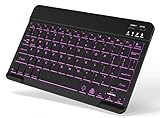
| Ultra-Slim Mini Bluetooth Keyboard (Black) | Light carry for iPad and phone | Rechargeable, 10 inch size noted |
| Harvopu Folio Keyboard Case | iPad A16 and 10th gen owners | Multi-touch trackpad, 7-color backlight, pencil holder |
| Backlit Bluetooth Keyboard (Multi-Device) | Households sharing devices | Backlit, rechargeable, lists iPad, Galaxy Tab and phones |
| Rechargeable Keyboard and Mouse Combo (Pink) | Compact work setup | Rechargeable, ultra-slim, mouse included |
| Hamile Folio Keyboard Case | 11-inch iPad owners | Detachable backlit keyboard, pencil holder |
| OMOTON 7-Color Backlit Keyboard | Late-night typing on iPad | 7 backlight colors, rechargeable, iOS and iPadOS |
| OMOTON Ultra-Slim Keyboard | Shortcut-heavy iPad work | 12 multimedia keys, portable size |
How to Choose
Key size and layout decide comfort
Full-size keys with standard spacing are the single best predictor of typing comfort. Mini boards shrink the keys and often move punctuation or shift keys, which slows touch typists. If the listing mentions full-size keys, as the seenda combo does, you get a layout close to a laptop. If it says mini or travel size, expect a trade of comfort for portability and plan a few days of adjustment.
Connection type and device switching
Bluetooth is the baseline for tablets. A second 2.4G receiver option, like the one listed on the seenda set, can be more stable for long sessions and for desktop-style setups. Check whether the keyboard pairs with more than one device and whether it names your operating system. Listings that say iOS only can behave oddly on Android or Windows, and the reverse is also true for some universal boards.
Case-style versus standalone keyboards
A folio case with a built-in keyboard, like the Harvopu and Hamile models, protects the tablet and adds a trackpad or pencil holder, but it locks you to one tablet size. A standalone Bluetooth keyboard works with several devices and lets you place the tablet on any stand. Pick the case if you travel with one tablet; pick the standalone board if you switch between tablet, phone, and laptop.
Power, backlighting, and what budget boards skip
Look for rechargeable batteries so you never hunt for spare cells, and a backlight if you type in dim rooms. Budget tiers sometimes skip backlights or limit them to a single color, while a few listings advertise seven colors. Be cautious about vague words like ultra-slim: a flatter board can feel shallow to type on. If a listing never names a battery life, treat that as an unknown rather than a strength.
The 10 Best Options
Emetok Rechargeable Mini Keyboard
Emetok’s pink board is built around portability. The listing describes a mini travel design, Bluetooth connection, rechargeable power, and compatibility with iOS, Android, and Windows. That makes it a flexible pick for someone who carries a tablet in a small bag. Pink is the colorway named in the listing, so it also suits buyers who want an accessory that stands out on a desk.
- Strength: rechargeable and portable for travel.
- Strength: names iOS, Android, and Windows.
- Trade-off: mini keys can feel cramped for long writing sessions.
Skip it if you type for hours and want full-size spacing.
Qwert Ultra-Slim Keyboard and Mouse Combo
This light blue set bundles a wireless keyboard with a mouse and states universal compatibility with Android, Windows, iPad, iPhone, and Samsung tablets. The listing calls the keyboard portable and compact, so it targets people who want pointer control on a tablet. Light blue is the listed color, and the set is aimed at buyers who move between Android, Windows, and Apple devices.
- Strength: mouse included for tablets that support one.
- Strength: broad device list in the title.
- Trade-off: compact layout can limit comfort on long documents.
Skip it if you only need a keyboard and would rather not carry a second accessory.
seenda CTU-301 Bluetooth Keyboard and Mouse Combo
The seenda set offers Bluetooth plus 2.4G connection, a tablet holder, full-size keys, and quiet clicks. It covers iPad, iPhone, Mac, Windows, and Android. Together, those details make it the most desk-oriented option here, and the blue and purple colorway gives it a distinct look next to plainer black boards.
- Strength: full-size keys with a tablet holder for a laptop-like setup.
- Strength: dual connection options for stability.
- Trade-off: the full-size layout is less pocketable than mini boards.
Skip it if you mostly type while commuting.
Ultra-Slim Mini Bluetooth Keyboard (Black)
This black board is described as ultra-slim, portable, mini, and rechargeable, working with iPad, iPhone, Samsung tablets, and phones across iPadOS, iOS, and Android. The listing notes a 10 inch size, which suggests a compact footprint. It is the sort of plain, generic board that fits into a sleeve or backpack pocket without much thought.
- Strength: light, slim body for a bag.
- Strength: rechargeable with broad OS coverage.
- Trade-off: mini size means smaller keys.
Skip it if you want a backlight, since the listing does not mention one.
Harvopu iPad A16 Keyboard Case
Harvopu is a folio cover with a detachable keyboard, multi-touch trackpad, seven backlight colors, and a pencil holder, made for the iPad A16 11th and 10th generation in navy blue. It fits the case-style buyer who wants one accessory instead of juggling a stand, a keyboard, and a separate cover.
- Strength: trackpad and backlight in a single case.
- Strength: detachable keyboard and pencil holder.
- Trade-off: locked to the listed iPad models.
Skip it if you own a different tablet or want to share the keyboard.
Backlit Bluetooth Keyboard for iPad, Galaxy Tab, and Phones
This standalone board lists backlighting, rechargeable power, and a long compatibility run: iPad A16, 11th, 10th, and 9th generations, Air, Pro, Mini, Galaxy Tab, and phones. For mixed households, that range is its main draw, since one board can follow a tablet, a phone, and an older iPad around the house.
- Strength: backlight with rechargeable battery.
- Strength: unusually wide device list.
- Trade-off: no trackpad, so you rely on touch.
Skip it if you want a protective case around the tablet.
Rechargeable Keyboard and Mouse Combo (Pink)
A pink twin of the Qwert combo, this set pairs a rechargeable ultra-slim keyboard with a mouse for Android, Windows, iPad, iPhone, and Samsung tablets. Rechargeability is the central feature the listing stresses, which cuts down on battery swaps for a set that lives in a bag.
- Strength: rechargeable wireless set.
- Strength: portable compact build.
- Trade-off: no backlight is mentioned.
Skip it if you want a keyboard for iPad only with a trackpad.
Hamile iPad A16 Keyboard Case
Hamile offers a detachable backlit folio keyboard cover with a pencil holder for the iPad A16 11-inch and the 10th generation 10.9 inch model, in navy blue. The navy folio design combines a cover and a keyboard in one piece, which keeps the setup tidy in a bag.
- Strength: backlit detachable keyboard.
- Strength: pencil holder included.
- Trade-off: tied to two iPad sizes.
Skip it if you want a trackpad, which the listing does not state.
OMOTON 7 Color Backlit Rechargeable Keyboard
This OMOTON board emphasizes seven backlight colors and a rechargeable battery, designed for iPad and iPhone under iOS and iPadOS. It is an evening-typing pick, since the color options let you set the light level to the room instead of relying on the screen glow.
- Strength: backlight with multiple colors.
- Strength: rechargeable, slim, and portable.
- Trade-off: aimed at Apple devices, so Android buyers should look elsewhere.
Skip it if you use a Galaxy Tab.
OMOTON Ultra-Slim Bluetooth Keyboard
The second OMOTON board targets iPad, iPad Pro, Air, Mini, and iPhone, with twelve multimedia keys and a portable size. Those extra keys speed up volume, playback, and brightness changes without touching the screen, which is useful when the tablet sits on a stand a bit out of reach.
- Strength: 12 multimedia keys for quick control.
- Strength: stable wireless iOS design.
- Trade-off: backlight is not mentioned.
Skip it if you work in dark rooms and want illuminated keys.
Which One Fits Your Situation
You write long documents at a desk
The seenda CTU-301 combo fits best, with full-size keys, a tablet holder, and dual connection options that behave more like a desktop setup.
You need one accessory for an iPad A16
The Harvopu keyboard case adds a trackpad and backlight to the tablet in one piece. The Hamile case is the simpler alternative if a pencil holder matters more than pointer control.
You carry the tablet in a small bag
The Emetok mini keyboard or the Ultra-Slim Mini Bluetooth Keyboard keep weight and footprint down.
You type in dim rooms across several devices
The Backlit Bluetooth Keyboard with its wide device list works across tablets and phones, while the OMOTON 7 Color board suits iPad owners.
Common Mistakes
- Buying a case keyboard without checking that the tablet generation matches the listing exactly.
- Choosing a mini board for long writing sessions and then finding the key spacing tiring.
- Assuming every keyboard works equally on iPadOS, Android, and Windows without reading the compatibility line.
- Ignoring whether a backlight is listed when you often type at night.
- Adding a mouse combo when your tablet or workflow does not support pointer input.
Related guides
- Battery Operated Smoke And Carbon Monoxide Detectors
- Combination Smoke And Carbon Monoxide Detectors
- Aio Liquid Coolers For High Performance Gaming
Frequently Asked Questions
Do tablet keyboards need to be charged?
Many listed here are rechargeable, typically through a cable, which avoids spare batteries. Confirm the charging method in the full spec sheet before buying.
Is a case keyboard better than a standalone one?
A case keyboard protects the tablet and adds features like a trackpad, but it only fits specific models. A standalone board is more flexible across devices.
Will a keyboard work with both iPad and Android tablets?
Universal boards say so in their titles, while iOS-focused boards may lose some function keys on Android. Read the compatibility line closely in 2026 listings.
Why do some keyboards feel shallow to type on?
Ultra-slim designs reduce key travel to keep the body thin. If you type a lot, prefer full-size keys and a firmer layout.










