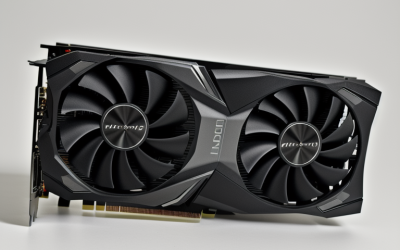
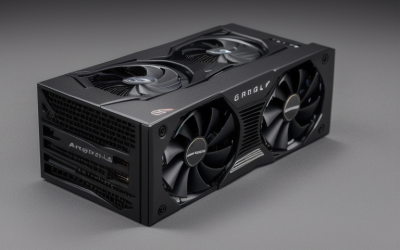
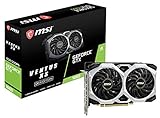
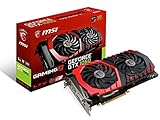
- Top Pick: MSI GeForce GTX 1660 VENTUS XS 6G OC Gaming Graphics Card 192-Bit HDMI/DP 6GB GDRR5 HDCP Support DirectX 12 Dual Fan VR Ready OC, NVIDIA GPU Video Card for PC Gaming, Computer Graphics Cards (Renewed)
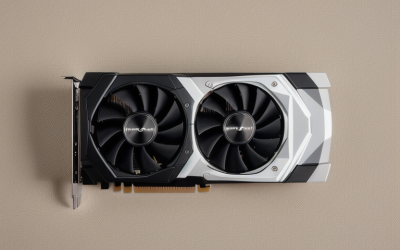
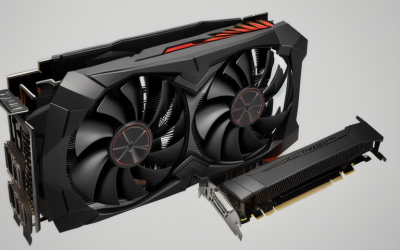
- Best Value: XFX Radeon RX 580 GTS XXX Edition 1386MHz OC+, 8GB GDDR5, VR Ready, Dual BIOS, 3xDP HDMI DVI, AMD Graphics Card (RX-580P8DFD6)
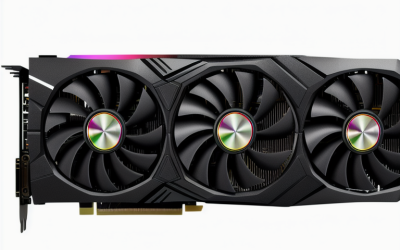
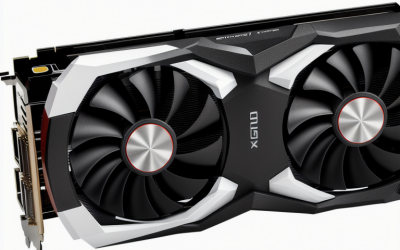
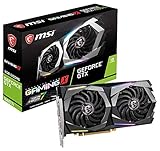
- Premium Choice: MSI Gaming GeForce GTX 1660 Super 192-bit HDMI/DP 6GB GDRR6 HDCP Support DirectX 12 Dual Fan VR Ready OC Graphics Card (GTX 1660 Super Ventus XS OC)
Virtual reality asks more from a graphics card than a flat monitor does. The headset needs a steady stream of frames for two eyes, so a card that feels fine on a desktop display can stumble the moment you put a headset on. The decision behind “best graphics cards for VR” is therefore less about peak numbers and more about video memory, outputs for the headset, and whether the card is new, renewed, or built for professional work.
This 2026 roundup is for PC builders and upgraders who want a headset-ready GPU without guessing. The ten cards below span older generations sold as renewed units, midrange GDDR6 models, and one recent 16GB option. Each is judged only on what its listing states, so treat the notes as a shortlist to verify against your headset’s published requirements and your power supply.
Quick Picks
As an Amazon Associate we earn from qualifying purchases at no extra cost to you.






| Product | Best for | Key spec from the title |
|---|---|---|
| MSI GTX 1660 Ventus XS OC (Renewed) | Entry-level headset-ready upgrade | 6GB GDDR5, 192-bit, dual fan |
| XFX Radeon RX 580 GTS XXX | Builders wanting extra outputs | 8GB GDDR5, dual BIOS, 3xDP HDMI DVI |
| MSI GTX 1660 Super Ventus XS OC | Faster memory in a compact build | 6GB GDDR6, 192-bit, dual fan |
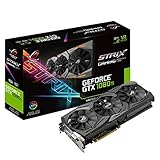
| ASUS ROG Strix GTX 1080 Ti (Renewed) | Large video memory on an older platform | 11GB, 5K, VR Ready |
| ASUS Dual Radeon RX 9060 XT 16GB | Newest platform with room to grow | 16GB GDDR6, PCIe 5.0, HDMI 2.1b, DP 2.1a |
| PNY Quadro P5000 | Pro-software users who also run VR | 16GB, VR Ready |
| MSI GTX 1060 Gaming X 6G (Renewed) | The leanest renewed starting point | 6GB GDDR5, 192-bit, Twin TORX 2.0 fans |
| MSI GTX 1660 Ti Gaming X 6G | GDDR6 midrange with OC headroom | 6GB GDDR6, 192-bit, dual fan |
| MSI RTX 2060 Ventus GP OC | Ray tracing support in a midrange card | 6GB GDDR6, 1710 MHz boost, Turing |
| MSI Radeon RX 570 Armor 8G OC | 8GB memory for the leanest build | 8GB GDDR5, 256-bit, DirectX 12 |
How to Choose
Video memory: 6GB is the floor, 8GB or more is safer
VR scenes load two views and often higher-resolution textures, so memory fills faster than on a monitor. Cards with 6GB can handle many headset titles, but 8GB, 11GB, or 16GB give meaningful breathing room if you plan to push render resolution or run mods. Memory type matters too: GDDR6 cards move data faster than GDDR5 at the same bus width. If you expect to keep the card for several years, prefer more memory over a slightly higher clock. A 192-bit bus paired with 6GB is common at the midrange, while the 256-bit RX 570 shows how a wider interface can come with 8GB at an older tier. Headset resolution keeps climbing, and memory is the one spec you cannot upgrade later without replacing the whole card.
Outputs and headset connections
Most PC headsets connect through a DisplayPort or HDMI output plus a USB port. Check the listing for DisplayPort and HDMI counts, especially if you also run two monitors. The XFX card advertises three DisplayPort outputs plus HDMI and DVI, which is generous, while the newest ASUS card lists HDMI 2.1b and DisplayPort 2.1a. Confirm the connector your headset’s link cable or adapter needs before buying, because a mismatch leaves you hunting for an adapter and losing an afternoon. Also count free USB ports on the motherboard, since many headsets need one or more alongside the video cable, and make sure your monitor keeps a working connection while the headset is plugged in.
Power, size, and cooling
Measure the case before ordering. Dual-fan cards are common at this tier, but a 2.5-slot design such as the ASUS RX 9060 XT needs more room than a compact 1660. Check that your power supply has the connectors the card needs, and leave headroom for the rest of the system. Zero-RPM fan modes, like the 0dB technology on the ASUS card, keep idle noise down, which is handy when you use headphones with a headset.
New, renewed, and workstation: what to ignore and where corners are cut
Renewed units can offer older, higher-tier silicon for a lower budget, but warranty terms and fan wear are less certain than with new stock. Workstation cards such as the Quadro are built for professional applications and certified drivers, which is not the same as being tuned for games. “VR Ready” in a title is a marketing label that signals a minimum, not a guarantee of smooth performance at every resolution. Ignore the overclock stickers in favor of memory and cooling.
The 10 Best Options
MSI GTX 1660 Ventus XS OC (Renewed)
A step into headset-ready territory for someone upgrading an older desktop. The title lists 6GB of memory on a 192-bit bus, HDMI and DisplayPort outputs, DirectX 12 support, and a dual-fan cooler.
- Dual-fan design is a good fit for mid-size cases.
- Both HDMI and DisplayPort outputs are included.
- Trade-off: GDDR5 memory and a renewed condition mean less certainty over longevity.
Skip it if you want a factory-new card with full warranty coverage.
XFX Radeon RX 580 GTS XXX
A good pick for builders who juggle multiple displays and a headset at the same time. The title lists three DisplayPort outputs, HDMI, and DVI, plus 8GB of GDDR5 and a 1386MHz OC+ clock.
- 8GB memory beats several 6GB rivals in this group.
- Dual BIOS provides a fallback if a firmware tweak goes wrong.
- Trade-off: it uses the older GDDR5 memory type.
Skip it if you need ray tracing or a newer feature set.
MSI GTX 1660 Super Ventus XS OC
This one suits a compact midrange build where fast memory matters. The listing mentions 6GB of GDDR6 on a 192-bit bus, HDMI and DisplayPort, and a dual-fan cooler.
- GDDR6 memory is a step up from the GDDR5 cards listed here.
- Dual-fan cooling suits a typical ATX case.
- Trade-off: 6GB limits headroom for higher render resolutions.
Skip it if you plan on heavy texture mods or very high supersampling.
ASUS ROG Strix GTX 1080 Ti (Renewed)
Aimed at buyers who want large video memory from an older flagship-class design. The title lists 11GB, VR Ready labeling, and a 5K gaming description, in renewed condition.
- 11GB of memory is the most among the older cards here.
- The ROG Strix cooling design suits long sessions.
- Trade-off: renewed status and a larger cooler mean you should verify case clearance and seller terms.
Skip it if your power supply is small or you want a long warranty.
ASUS Dual Radeon RX 9060 XT 16GB
The forward-looking choice for a fresh build. The title lists 16GB of GDDR6, PCIe 5.0, HDMI 2.1b, DisplayPort 2.1a, Axial-tech fans, and 0dB technology in a 2.5-slot design.
- 16GB offers the most headroom here for demanding scenes.
- Modern outputs future-proof your monitor and headset connections.
- Trade-off: the 2.5-slot cooler needs a roomy case.
Skip it if you own a small-form-factor chassis or older power supply.
PNY Quadro P5000
This is for creators who need a certified-style professional card and also want VR work. The title lists 16GB of memory and VR Ready labeling, with a black finish.
- 16GB of memory is unusually generous for its generation.
- Designed for professional applications and modeling workflows.
- Trade-off: workstation cards are not built mainly for gaming.
Skip it if your main goal is gaming, since consumer cards fit that role more directly.
MSI GTX 1060 Gaming X 6G (Renewed)
A lean entry point for older systems and lighter headset titles. The listing mentions 6GB of GDDR5, a 192-bit interface, DirectX 12, and the Twin TORX 2.0 dual-fan cooler.
- The Gaming X cooler is a recognizable, quiet-oriented design.
- 6GB meets the usual minimum for headset work.
- Trade-off: it is the oldest design in the group, and renewed.
Skip it if you want room to raise render resolution later.
MSI GTX 1660 Ti Gaming X 6G
A step above the base 1660 for buyers who like extra cooler quality. The title lists 6GB of GDDR6, a 192-bit bus, HDMI and DisplayPort, a dual-fan design, and OC labeling.
- GDDR6 memory with a Gaming X cooling setup.
- HDMI and DisplayPort outputs cover most headsets.
- Trade-off: only 6GB of memory.
Skip it if you would rather go for an 8GB or larger card.
MSI RTX 2060 Ventus GP OC
For gamers who want ray tracing hardware in a midrange VR upgrade. The title lists 6GB of GDDR6, a 192-bit bus, a 1710 MHz boost clock, and the Turing architecture.
- Ray tracing support arrives with the Turing design.
- A stated 1710 MHz boost clock on a GDDR6 card.
- Trade-off: 6GB of memory remains the main limit.
Skip it if you want more than 6GB for high-resolution headsets.
MSI Radeon RX 570 Armor 8G OC
This one suits a lean AMD build that needs 8GB of memory. The listing mentions a 256-bit interface, DirectX 12 support, CrossFire compatibility, and VR Ready labeling.
- 8GB of memory at a lean tier.
- A wider 256-bit interface than the 192-bit cards.
- Trade-off: GDDR5 memory and an older architecture.
Skip it if you want newer features or a quieter, newer cooler.
Which One Fits Your Situation
First VR setup on a limited budget
The MSI GTX 1660 Super Ventus XS OC pairs GDDR6 with a compact cooler, making it a sensible starting point. The renewed GTX 1060 is the leanest alternative.
A fresh build meant to last
The ASUS Dual Radeon RX 9060 XT 16GB gives the most memory and the newest outputs, so it suits someone who wants to avoid upgrading again soon.
A multi-monitor desk plus headset
The XFX Radeon RX 580 lists three DisplayPort outputs with HDMI and DVI, which keeps monitors and headset connected without adapters.
Mixed creative and VR work
The PNY Quadro P5000 offers 16GB and a professional focus, and it fits users who model in 3D software before stepping into a headset.
Common Mistakes
- Trusting the “VR Ready” label as proof of smooth performance at every resolution.
- Ignoring headset connection requirements until the card arrives.
- Skipping a case-clearance check for 2.5-slot coolers.
- Forgetting that renewed cards often carry shorter or unclear warranties.
- Pairing a modern card with an underpowered processor or small power supply.
Related guides
- Aio Liquid Coolers For High Performance Gaming
- How To Lower Input Delay In Competitive Shooters
- Wireless Gaming Headsets Under 100 For Pc
Frequently Asked Questions
How much video memory do I need for VR?
Six gigabytes is a workable floor for many titles, but 8GB or more gives safer headroom. If you plan to raise render resolution or add texture mods, lean toward the larger cards.
Is a renewed graphics card a good idea?
It can be, if the seller offers a clear return window and warranty. Check the fan condition and confirm the connectors match your headset before you commit.
Can a workstation card run VR?
Yes, a card like the Quadro P5000 is labeled VR Ready. It is built mainly for professional applications, so a consumer card often fits gaming more directly.
Do I need DisplayPort or HDMI for a headset?
That depends on your headset. Many PC headsets connect through one of the two, so verify the required port in the headset documentation before choosing a card.