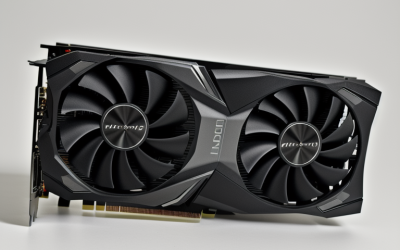
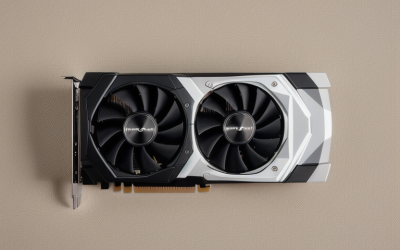
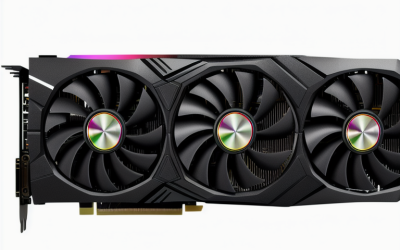
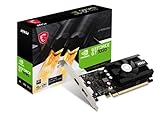
- Top Pick: msi Gaming GeForce GT 1030 4GB DDR4 64-bit HDCP Support DirectX 12 DP/HDMI Single Fan OC Graphics Card (GT 1030 4GD4 LP OC)
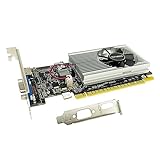
- Best Value: Glorto GeForce GT 730 4G Low Profile Graphics Card, 2X HDMI, VGA, DDR3, PCI Express 2.0 x16, Entry Level GPU for PC, SFF and HTPC
- Premium Choice: Glorto GeForce GT 730 4G Low Profile Graphics Card, 2X HDMI, DP, VGA, DDR3, PCI Express 2.0 x8, Entry Level GPU for PC, SFF and HTPC, Compatible with Windows 11
Choosing a graphics card for Photoshop is not the same exercise as choosing one for games. Photoshop leans on the processor and system memory for most day-to-day editing, then calls on the GPU for a specific set of accelerated features such as smooth zooming, certain filters and canvas drawing. That means a modest card can be perfectly reasonable for light retouching, while a larger one earns its place only if you edit big files, use GPU-heavy tools or drive several displays.
The ten cards below span two very different groups. Eight are entry-level, low-profile style boards that mainly add video outputs and basic acceleration to a small office or home theater PC. Two, an ASUS ProArt RTX 4060 and a GIGABYTE RTX 5060, are modern 8GB cards for people building a serious creative machine in 2026. Everything here is judged only from the specs stated in each listing, so check Adobe’s current system requirements for GPU memory and DirectX support before you buy.
Quick Picks
As an Amazon Associate we earn from qualifying purchases at no extra cost to you.




| Product | Best for | Key spec from the title |
|---|---|---|
| MSI GT 1030 4GB DDR4 | Compact PCs, light editing | 4GB DDR4, DP and HDMI, DirectX 12 |
| Glorto GT 730 4G (VGA) | Older monitors, small cases | 4G DDR3, 2 HDMI plus VGA, PCIe 2.0 x16 |
| Glorto GT 730 4G (DP) | Three-display desks | 4G DDR3, 2 HDMI, DP, VGA, PCIe 2.0 x8 |
| QTHREE GT 210 1024 MB | Bare-minimum output | 1024 MB DDR3, HDMI and VGA |
| QTHREE GT 730 4GB | Windows 11 office builds | 4GB DDR3, 2 HDMI, DP, VGA, DirectX 12 |
| GT 610 2G Low Profile | Legacy small-form PCs | 2G DDR3, PCIe 1.1 x16, HDMI and VGA |
| Glorto GT 210 1024 MB | Basic display adapter | 1024 MB DDR3, PCIe 1.0 x16 |
| ASUS GT 730 2GB | Silent multi-monitor setups | 2GB GDDR5, 4 HDMI ports, passive cooling |
| ASUS ProArt RTX 4060 OC | Serious creative work | 8GB GDDR6, PCIe 4.0, 3 year warranty |
| GIGABYTE RTX 5060 WINDFORCE MAX OC | Heavy editing and future headroom | 8GB 128-bit GDDR7, PCIe 5.0 |
How to Choose
Video memory and memory type
Photoshop works with large layered files, so memory on the card matters more than raw clock speeds. A listing with 1GB, like the two GT 210 boards, sits at the bottom of this group; 2GB to 4GB cards cover basic work; the two 8GB RTX cards offer the most room. Also read the memory type. DDR3 is the slowest on this list, GDDR5 is faster, and GDDR6 and GDDR7 belong to current-generation boards.
Outputs and monitors
Count the ports. Retouchers often run the canvas on one screen and tool panels or reference images on another. The ASUS GT 730 lists four HDMI ports, while several GT 730 boards add a DisplayPort alongside HDMI and VGA. Make sure your monitors use connectors the card actually provides, and avoid adapters when you can.
Slot, bus and case fit
Low-profile cards fit compact cases, but confirm that the bracket and slot width match yours. Note the bus too: PCIe 4.0 and 5.0 listings need no special handling in a modern board, while an x8 interface, as on two GT 730 entries, will run in an x16 slot but offers fewer lanes. Passive cooling means no fan noise but needs case airflow.
Power, drivers and where budget cards cut corners
The bigger RTX cards need a suitable power supply and a case with room for a full-size board, so check connector and capacity details on the product page. Older chips like the GT 210 and GT 610 are budget boards that may fall under Photoshop’s minimum GPU requirements, which is the main place entry-level cards cut corners. Compatible driver support for Windows 11 is worth confirming.
The 10 Best Options
MSI GT 1030 4GB DDR4
MSI lists 4GB of DDR4 on a 64-bit interface with DirectX 12 support, DisplayPort and HDMI outputs, HDCP support and a single-fan OC design. It suits someone upgrading a compact desktop for photo editing who wants a recognizable brand and modern video outputs without moving into full-size cards.
- DirectX 12 support and a 4GB listing fit light Photoshop use.
- Both DisplayPort and HDMI are present.
- DDR4 on a 64-bit bus is a cut-down memory setup compared with the RTX cards.
Skip it if you handle very large files or plan to use GPU-heavy filters often.
Glorto GT 730 4G (VGA)
This Glorto board lists 4G of DDR3, two HDMI ports and a VGA output on a low-profile card using PCIe 2.0 x16. It targets small-form-factor and home theater PCs, and the VGA port helps if an older monitor still sits on your desk. The 4G figure looks generous next to the 1024 MB boards, though the memory type still decides how far that capacity helps.
- Two HDMI plus VGA covers three display types.
- A full x16 interface is listed, so the card uses the whole slot.
- DDR3 is the slowest memory type here, so expect modest acceleration headroom.
Skip it if your plan is real GPU-intensive creative work.
Glorto GT 730 4G (DP)
The second Glorto version swaps in a DisplayPort next to two HDMI outputs and a VGA port, and the title notes PCIe 2.0 x8 and Windows 11 compatibility. It appeals to people who want a wider choice of monitor connections from one low-profile card, for example when a desk mixes a newer panel with an older one that only accepts VGA.
- Four video outputs in one listing.
- Windows 11 compatibility is named.
- The x8 interface carries fewer lanes than the x16 sibling, and DDR3 memory remains modest.
Skip it if you want the simplest port layout or need more memory bandwidth.
QTHREE GT 210 1024 MB
QTHREE describes a GT 210 with 1024 MB of DDR3 on a 64-bit bus, HDMI, VGA, low-profile design and low power use for compact systems. It is essentially a display adapter for small builds that otherwise lack a graphics output, which is a different job from accelerating creative software, and nothing in the listing mentions creative software.
- Low-profile and low-power positioning suits tiny cases.
- Both HDMI and VGA are present.
- With 1024 MB, it is the smallest memory amount in the group and may sit under Photoshop’s published minimums.
Skip it if Photoshop’s GPU features matter to you at all.
QTHREE GT 730 4GB
This QTHREE card lists 4GB of DDR3 on a 64-bit interface, two HDMI ports, DisplayPort and VGA, with PCIe x8, DirectX 12 and Windows 11 support. It fits an office-style tower where one more screen is needed for image palettes or reference files, and its 4GB listing is the same size as the other 4G entries but with a different port mix and bus.
- Four output types on one low-profile board.
- DirectX 12 and Windows 11 support are named.
- The listed DDR3 and 64-bit width limit it to entry-level tasks.
Skip it if you edit large composites or use Neural Filters-style tools.
GT 610 2G Low Profile
An unbranded GT 610 with 2G of DDR3, PCIe 1.1 x16, HDMI and VGA, noted as compatible with Win11. It is aimed at older small-form-factor machines and home theater PCs that need any working video output, and the listing positions it as an entry-level GPU, not a creative card.
- HDMI and VGA output are covered.
- The title claims Windows 11 compatibility.
- PCIe 1.1 and the GT 610 chip are the oldest hardware in this roundup.
Skip it if you want a card that matches current Photoshop requirements.
Glorto GT 210 1024 MB
Glorto’s GT 210 pairs 1024 MB of DDR3 with a low-profile layout, HDMI and VGA, and a PCIe 1.0 x16 interface. It is positioned for compact and home theater machines rather than creative workstations, so treat it as a basic display adapter for a spare PC, a media box or a troubleshooting card, not as a photo-editing upgrade.
- Small form factor.
- HDMI and VGA both listed.
- PCIe 1.0 and 1024 MB make it the weakest listing for editing work.
Skip it if your goal is anything more than getting a picture on a screen.
ASUS GT 730 2GB
ASUS lists a GT 730 with 2GB of GDDR5, four HDMI ports, a single-slot design and passive cooling over PCIe 2.0. The standout is the quartet of HDMI ports with no fan, which helps users who want a quiet room and several panels, such as a photo editor with a main display, a palette screen and a reference monitor.
- GDDR5 is faster memory than the DDR3 used on the other GT 730 boards.
- Silent passive cooling.
- Four HDMI ports mean no DisplayPort or VGA for other monitors.
Skip it if you use DisplayPort monitors or need big memory capacity.
ASUS ProArt RTX 4060 OC
This ProArt version of the RTX 4060 lists 8GB of GDDR6, PCIe 4.0, DLSS 3, HDMI 2.1a, DisplayPort 1.4a and a three year warranty. The ProArt line is aimed at creators, so this is the natural pick for editors who want a current card with strong video outputs.
- 8GB of GDDR6 gives real headroom for large files.
- The three year warranty is a clear listing detail.
- A full-size card needs case room and a capable power supply, which small PCs may lack.
Skip it if your computer is a compact office box.
GIGABYTE RTX 5060 WINDFORCE MAX OC
GIGABYTE’s listing gives 8GB of 128-bit GDDR7, PCIe 5.0, DisplayPort and HDMI outputs, and a WINDFORCE cooling system. It is the newest card here, suited to a premium build where the same machine will also edit, render and play games. The listing keeps its attention on cooling and memory, which are the specs a creator can compare directly against the ASUS card above it.
- GDDR7 and PCIe 5.0 are the most current specs in the group.
- 8GB gives plenty of working room for layered files.
- It is the largest step up in tier, so it is overkill for light retouching.
Skip it if you only edit small web graphics.
Which One Fits Your Situation
You edit portraits on a compact office PC
The MSI GT 1030 4GB DDR4 is the sensible low-profile choice, because it lists DirectX 12 and both DP and HDMI.
You run three monitors in a quiet room
The ASUS GT 730 2GB brings four HDMI ports and passive cooling, while the QTHREE GT 730 4GB mixes HDMI, DisplayPort and VGA.
You retouch large layered files daily
Go for the ASUS ProArt RTX 4060 OC, which pairs 8GB of GDDR6 with creator-oriented branding.
You are building a long-term creative and gaming PC
The GIGABYTE RTX 5060 WINDFORCE MAX OC offers the newest memory and bus standards on this list.
Common Mistakes
- Buying a GT 210 or GT 610 because it is small, without checking Adobe’s GPU requirements.
- Assuming more outputs mean more speed.
- Ignoring case clearance and power supply capacity on RTX cards.
- Forgetting that RAM and storage matter as much as the GPU for Photoshop performance.
- Choosing a card whose ports do not match your monitors.
Related guides
- Aio Liquid Coolers For High Performance Gaming
- How To Lower Input Delay In Competitive Shooters
- External Hard Drives For Music Production
Frequently Asked Questions
Does Photoshop need a powerful graphics card?
Not for basic retouching, since the processor and RAM do most of the work. A stronger GPU helps with accelerated features and large files.
Is 4GB of video memory enough?
It can cover light editing, but the memory type matters, and 8GB cards leave more room for big layered documents.
What does low profile mean?
It describes a shorter bracket and board designed for slim cases. Confirm your case supports the form factor before ordering.
Do I need a creator-branded card?
No. The ProArt name signals the intended audience, but any card that meets Adobe’s requirements and fits your case can run Photoshop.