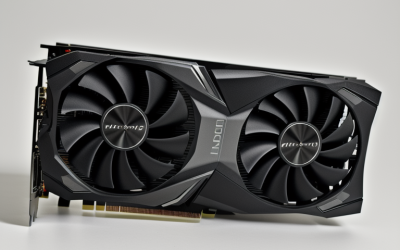
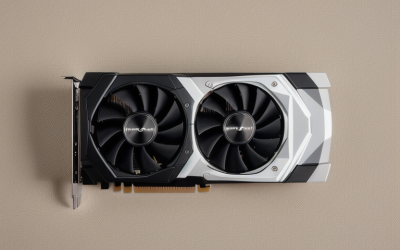
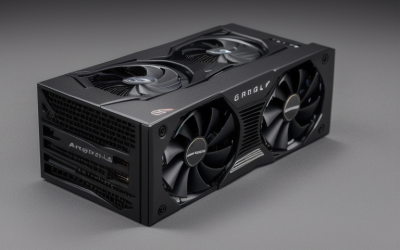
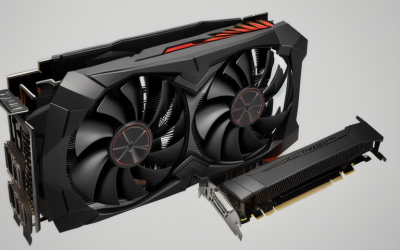
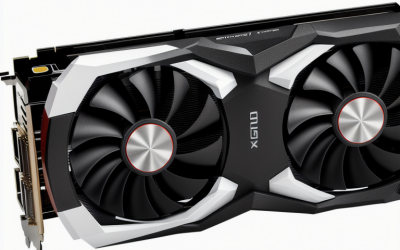
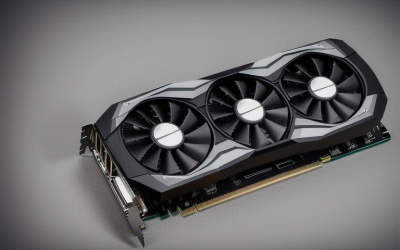
- Top Pick: Glorto GeForce GT 730 4G Low Profile Graphics Card, 2X HDMI, DP, VGA, DDR3, PCI Express 2.0 x8, Entry Level GPU for PC, SFF and HTPC, Compatible with Windows 11
- Best Value: ARDIYES GT 740 4GB GDDR5 Low Profile GPU Graphics Card, 4X HDMI Ports for Quad Multi-Monitor Setup, PCI Express 3.0 x16, Silent Cooling, Ideal for Office and Home Theater
- Premium Choice: QTHREE GeForce GT 730 4GB Graphics Card,2X HDMI, DP,VGA,DDR3,64 Bit,Low Profile Video Card for PC,Computer GPU,PCI Express X8,SFF,DirectX 12,Support Winows 11
Running two screens is mostly a question of ports, not power. A spreadsheet on the left and a video call on the right needs two working outputs, a card that fits your case, and drivers that will not fight your operating system. Gaming horsepower is a separate question, which is why the best graphics cards for dual monitors in this guide skew toward low-profile, output-rich models rather than the biggest chips.
The list is built for people adding a second display to an office desktop, a slim small-form-factor PC, or a media machine in 2026. Every card below is judged only from the specifications in its product title, so you will see plenty of talk about HDMI counts, memory type, bus width, and bracket size, and no made-up frame rates.
Quick Picks
As an Amazon Associate we earn from qualifying purchases at no extra cost to you.




| Product | Best for | Key spec from the title |
|---|---|---|
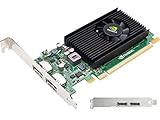
| Glorto GT 730 (HDMI, DP, VGA) | Mixed old and new monitors | 4G DDR3, 2x HDMI, DP, VGA, low profile |
| ARDIYES GT 740 4GB | Three or four screens | GDDR5, 4x HDMI, PCIe 3.0 x16 |
| QTHREE GT 730 4GB | Cards for small cases | 2x HDMI, DP, VGA, 64-bit, DirectX 12 |
| maxsun GT 730 4GB | Compact quad-screen builds | ITX single slot, 4x HDMI |
| SEVYMNAX Radeon HD 6570 | Dual HDMI office desks | 2GB DDR3, dual HDMI, low profile |
| PNY NVS 310 | Business workstations | Professional Quadro, DVI |
| Yuncy GT 210 | Basic slim desktops | 1GB DDR3, HDMI, DVI, VGA, 1080P 60Hz |
| RX560 4 HDMI | Trading and multi-screen desks | 4GB GDDR5, 4x HDMI, up to 3840×2160 60Hz |
| Glorto GT 730 (Dual HDMI, VGA) | HDMI-first dual setups | 4G DDR3, 2x HDMI, VGA, PCIe 2.0 x16 |
| MAXSUN RX 550 4GB | Most modern connector mix | GDDR5, 128-bit, DVI-D, HDMI, DisplayPort |
How to Choose
Count outputs and match connectors to your monitors
Start with the back of each monitor. Two HDMI monitors want two HDMI outputs, while a pair of older displays may need DVI or VGA. DisplayPort is useful for higher refresh rates, though several cards here lean on HDMI. Adapters can fill gaps, but a card whose ports already match saves hassle. Also decide whether both screens will run at the same resolution, because some budget cards handle mismatched pairs less gracefully and may force you to choose which monitor gets the better port.
Check the bracket and slot for your case
Low-profile cards fit slim desktops and often ship with a short bracket, which is why so many titles mention low profile, ITX, or single slot. Confirm that your motherboard has a PCIe x16 slot; some titles list x8 electrical interfaces, which work fine for display duty. Leave room for a one-slot cooler if the case is tight.
Choose memory type and capacity sensibly
GDDR5 memory has higher bandwidth than DDR3, so it suits tasks beyond plain desktop work. For office use, 2GB is enough for two 1080p screens, and 4GB gives headroom for video and larger resolutions. Ignore big memory numbers on older chips as a sign of speed; they matter far less than the GPU generation behind them.
Know the resolution and refresh limits
If either screen is 4K, look for a card that lists 3840×2160 at 60Hz; 1080P 60Hz is the ceiling on the simplest models. Budget cards usually cap refresh rate or restrict the highest resolution to one port. Older chips may also lack current driver updates, so check support for your operating system.
The 10 Best Options
Glorto GT 730 (HDMI, DP, VGA)
This low-profile GT 730 lists 4G DDR3, two HDMI ports, DisplayPort, VGA, and PCIe 2.0 x8, with Windows 11 compatibility noted. The three connector types make it handy when one monitor is modern and the other is an older VGA panel. It targets small-form-factor and home theater PCs rather than gaming builds, so think of it as a way to add screens to an existing slim desktop without replacing the case or the power supply.
- Strength: four outputs across HDMI, DisplayPort, and VGA.
- Strength: low-profile design for compact cases.
- Trade-off: DDR3 memory limits it to light graphics work.
Skip it if you need GDDR5 memory or faster graphics.
ARDIYES GT 740 4GB
The ARDIYES card pairs a GT 740 chip with 4GB GDDR5, four HDMI ports, PCIe 3.0 x16, and silent cooling. It is built for quad multi-monitor setups in offices and home theaters, where the point is the number of screens rather than game speed. The low-profile form helps in slim cases, and the silent-cooling wording suggests it is meant for quiet rooms such as reception desks or living rooms.
- Strength: four HDMI outputs for multi-screen desks.
- Strength: GDDR5 memory and a PCIe 3.0 x16 interface.
- Trade-off: HDMI only, so VGA monitors need an adapter.
Skip it if you want DisplayPort or only need two screens.
QTHREE GT 730 4GB
QTHREE lists a GT 730 with 4GB DDR3, a 64-bit bus, two HDMI, DisplayPort, VGA, PCIe x8, SFF support, and DirectX 12. It is closely matched to the first Glorto card, with the 64-bit detail the only added spec. It suits compact office builds that need mixed outputs, such as a reception PC driving one HDMI screen and one legacy VGA display side by side.
- Strength: HDMI, DisplayPort, and VGA together.
- Strength: low profile for small cases.
- Trade-off: the 64-bit memory bus is narrow.
Skip it if memory bandwidth matters to your workload.
maxsun GT 730 4GB
The maxsun card is an ITX-sized, single-slot GT 730 with four HDMI ports and a stated 4K quad monitor capability. The single-slot form is what stands out, because it fits cases where an ordinary two-slot cooler would collide with other expansion cards. For a compact build that needs several screens from one slot, that physical detail may matter more than any chip number.
- Strength: single-slot ITX form factor.
- Strength: four HDMI outputs on one card.
- Trade-off: the title gives no memory type or bus width.
Skip it if you need a legacy VGA or DVI connector.
SEVYMNAX Radeon HD 6570
This Radeon HD 6570 offers 2GB DDR3 and dual HDMI in a low-profile design, aimed at office and HTPC upgrades. The title pitches it as a dual-monitor and extended-display card using PCIe x16, which keeps the use case simple: plug in, connect two HDMI cables, and extend the desktop. It is the only AMD card of its generation on the list.
- Strength: two HDMI outputs for a clean dual setup.
- Strength: low-profile PCIe x16 design.
- Trade-off: it is an older Radeon chip with 2GB of DDR3.
Skip it if you want a recent architecture.
PNY NVS 310
PNY sells this as a professional NVIDIA NVS 310 in the Quadro family, with DVI named in the title. It belongs on the list for business PCs, where stable display output matters more than frame rates. The title does not describe how many monitors it drives, so verify the output count and any included cable kit before assuming it handles two screens without adapters.
- Strength: professional-line positioning for office workstations.
- Strength: a recognized brand and a clear part number.
- Trade-off: the title lists little about memory or ports.
Skip it if you need HDMI without adapters.
Yuncy GT 210
The Yuncy lists a GT 210 with 1GB DDR3, HDMI, DVI, and VGA, low profile, and 1080P 60Hz support. It fits slim desktops where the job is putting two ordinary 1080p screens on a desk, such as a point-of-sale counter or a home study. It is the most basic card here, and the title is honest about the 1080P ceiling.
- Strength: HDMI, DVI, and VGA cover most older monitors.
- Strength: low profile for slim systems.
- Trade-off: 1GB DDR3 and a 1080P ceiling.
Skip it if either monitor is 4K.
RX560 4 HDMI
This RX 560 card lists 4GB GDDR5 and four HDMI ports, with support up to 3840×2160 at 60Hz. It targets office multi-screen work and stock trading, where many windows sit open at once. Among the ten, it pairs a newer-generation chip with a high resolution claim, which makes it the stronger pick for someone who plans to grow past two screens later.
- Strength: 4K 60Hz listed alongside four HDMI ports.
- Strength: 4GB of GDDR5.
- Trade-off: HDMI only, and the card is not described as low profile.
Skip it if you have a slim case.
Glorto GT 730 (Dual HDMI, VGA)
The second Glorto lists 4G DDR3, two HDMI, VGA, and PCIe 2.0 x16 in a low-profile build for PC, SFF, and HTPC use. It drops DisplayPort from the earlier Glorto but gains the full x16 interface, so it is a sensible alternative when your monitors use HDMI and one older VGA display stays in service.
- Strength: HDMI plus VGA for a mixed pair of screens.
- Strength: low-profile bracket.
- Trade-off: no DisplayPort.
Skip it if you plan a DisplayPort monitor.
MAXSUN RX 550 4GB
MAXSUN lists an RX 550 with 4GB GDDR5, a 128-bit bus, DirectX 12, PCIe x16 3.0, and DVI-D dual link, HDMI, and DisplayPort. It is an ITX-sized card with the widest set of modern connectors on the list, which suits a dual-monitor desk with one DisplayPort screen. The 128-bit bus is also wider than the 64-bit figure on the QTHREE.
- Strength: DVI-D, HDMI, and DisplayPort outputs.
- Strength: GDDR5 with a 128-bit bus.
- Trade-off: the compact ITX shape still needs a free slot and clearance.
Skip it if you need four or more outputs.
Which One Fits Your Situation
You have one new monitor and one old VGA panel
The Glorto GT 730 (HDMI, DP, VGA) covers all three connector types in one low-profile card.
You want more than two screens
The RX560 4 HDMI and the ARDIYES GT 740 both list four HDMI ports, and the RX560 adds a 4K 60Hz claim.
Your PC is a slim office tower
The Yuncy GT 210 or the SEVYMNAX Radeon HD 6570 keep things simple and low profile.
You want modern outputs without four screens
The MAXSUN RX 550 4GB balances DisplayPort, HDMI, and DVI-D on one compact card.
Common Mistakes
- Buying for gaming power when the goal is simply two working displays.
- Ignoring bracket height, then finding a full-height plate that will not fit a slim case.
- Assuming every output runs at full resolution at the same time.
- Forgetting adapters for VGA or DVI monitors when the card is HDMI only.
- Overlooking the operating system support listed for older chips.
Related guides
- Aio Liquid Coolers For High Performance Gaming
- How To Lower Input Delay In Competitive Shooters
- Wireless Gaming Headsets Under 100 For Pc
Frequently Asked Questions
Do I need a gaming card for two monitors?
No. Office work and video playback need outputs and stable drivers, not a fast chip. A modest card with the right ports is enough. Spend your attention on connectors, bracket height, and driver support instead.
Can integrated graphics drive two monitors?
Many modern processors can, but a dedicated card helps when the motherboard lacks the right ports or you want a third screen.
Is HDMI or DisplayPort better?
DisplayPort tends to carry higher refresh rates on newer monitors, while HDMI is more widely available. Match the card to your monitors.
Will a low-profile card fit my PC?
Most include a short bracket, but you should confirm the case slot height and the PCIe slot type before ordering.