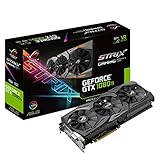
- Top Pick: ASRock AMD Radeon RX 6600 Challenger D 8GB GDDR6 DisplayPort 14Gbps HDMI 0dB Silent Cooling 128-bit 7680 x 4320 Dual Fan Graphics Card PCI Express 4.0 x8 8-pin
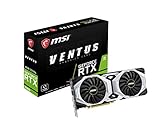
- Best Value: ASUS Dual GeForce RTX 4060 Ti EVO OC Edition 8GB GDDR6 (PCIe 4.0, 8GB GDDR6, DLSS 3, HDMI 2.1a, DisplayPort 1.4a, Axial-tech Fan Design, Auto-Extreme Technology), 3 Year Warranty
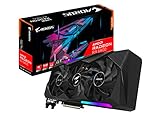
- Premium Choice: ASRock Radeon RX 7700 XT Challenger 12GB OC Graphics Card, AMD RDNA 3 Architecture, 12GB GDDR6, 2584 MHz Boost Clock, 3X DisplayPort 2.1, 1x HDMI 2.1, Dual Fan Cooling
DayZ’s Enfusion engine presents a unique performance profile for PC builders. While traversing quiet forests or rural fields offers smooth frame rates, stepping into dense urban centers like Chernogorsk or playing on modded community servers places heavy demands on your hardware. Finding the best GPU for DayZ is not strictly about buying the most expensive card on the market; it requires balancing graphics horsepower with your CPU, system memory, and display resolution. In 2026, optimizing your PC setup means preventing severe frame rate bottlenecks, ensuring sufficient video memory for custom server textures, and building a system that delivers smooth frame delivery across Chernarus and Livonia.
When selecting a graphics card, platform costs and upgrade paths are vital considerations. Pairing a top-tier GPU with a weak processor or slow system RAM leads to stuttering in crowded zones, while overspending on graphics capability at 1080p leaves performance on the table. A properly balanced rig ensures reliable frame rates, low input latency during unexpected firefights, and a predictable upgrade path down the road.
As an Amazon Associate we earn from qualifying purchases at no extra cost to you.


Quick Picks
| Pick | Tier | Why |
|---|---|---|
| ASRock AMD Radeon RX 6600 Challenger D 8GB GDDR6 DisplayPort 14Gbps HDMI 0dB Silent Cooling 128-bit 7680 x 4320 Dual Fan Graphics Card PCI Express 4.0 x8 8-pin (around $460) | Budget 1080p | Solid entry-level 1080p performance with low power draw and quiet dual-fan cooling. |
| ASUS Dual GeForce RTX 4060 Ti EVO OC Edition 8GB GDDR6 (PCIe 4.0, 8GB GDDR6, DLSS 3, HDMI 2.1a, DisplayPort 1.4a, Axial-tech Fan Design, Auto-Extreme Technology), 3 Year Warranty (around $500) | Mid-Range 1080p/1440p | Unlocks DLSS 3 features and high framerates at 1080p and mid-range 1440p settings. |
| ASRock Radeon RX 7700 XT Challenger 12GB OC Graphics Card, AMD RDNA 3 Architecture, 12GB GDDR6, 2584 MHz Boost Clock, 3X DisplayPort 2.1, 1x HDMI 2.1, Dual Fan Cooling (around $430) | Value 1440p Sweet Spot | Generous 12GB VRAM buffer ideal for heavily modded servers and high native 1440p frame rates. |
| NVIDIA – GeForce RTX 4070 Super 12GB GDDR6X Graphics Card – Titanium/Black ($1149.99) | High-End 1440p / Entry 4K | Delivers excellent 1440p ultra performance and smooth entry-level 4K gameplay. |
| NVIDIA – GeForce RTX 4080 Super 16GB GDDR6X Gra ($1919.99) | Ultimate 4K / High-FPS | Maximum visual fidelity and blistering frame rates at native 4K with extreme draw distances. |
How We Chose
To evaluate these graphics cards for DayZ, we evaluated aggregate benchmark data, hardware architecture, thermal design, and real-world engine behavior. DayZ places distinct stress on video memory (VRAM) when loading custom map assets and player structures on modded servers. We focused on target resolutions (1080p, 1440p, and 4K), frame rate consistency in high-density areas, energy efficiency, and value relative to platform pairing. Each selected card represents a specific performance tier designed to eliminate hardware bottlenecks while maintaining smooth overall gameplay.
ASRock AMD Radeon RX 6600 Challenger D 8GB GDDR6 DisplayPort 14Gbps HDMI 0dB Silent Cooling 128-bit 7680 x 4320 Dual Fan Graphics Card PCI Express 4.0 x8 8-pin
The ASRock AMD Radeon RX 6600 Challenger D 8GB GDDR6 DisplayPort 14Gbps HDMI 0dB Silent Cooling 128-bit 7680 x 4320 Dual Fan Graphics Card PCI Express 4.0 x8 8-pin is designed for budget-conscious survivalists targeting smooth 1080p gameplay. At 1080p with High-to-Extreme settings, review data from TechPowerUp and Hardware Unboxed indicates approximate average ranges between 75 and 95 FPS in rural areas of Chernarus, dropping closer to 60 FPS in dense urban zones. Stepping up to 1440p is doable with adjusted settings, yielding ranges around 45 to 60 FPS, while 4K remains largely unplayable without severe compromises. Its efficient 0dB dual-fan design keeps thermals in check during extended survival sessions. However, its primary con is the limited 8-pin PCIe 4.0 x8 bus interface, which can choke bandwidth slightly on older PCIe 3.0 motherboards.
ASUS Dual GeForce RTX 4060 Ti EVO OC Edition 8GB GDDR6 (PCIe 4.0, 8GB GDDR6, DLSS 3, HDMI 2.1a, DisplayPort 1.4a, Axial-tech Fan Design, Auto-Extreme Technology), 3 Year Warranty
Tailored for gamers who want NVIDIA features like DLSS on a mid-range budget, the ASUS Dual GeForce RTX 4060 Ti EVO OC Edition 8GB GDDR6 (PCIe 4.0, 8GB GDDR6, DLSS 3, HDMI 2.1a, DisplayPort 1.4a, Axial-tech Fan Design, Auto-Extreme Technology), 3 Year Warranty excels at high-refresh 1080p and capable 1440p gaming. Benchmark aggregations from Tom’s Hardware and TechSpot reflect approximate ranges of 105 to 130 FPS at 1080p Extreme, and 75 to 90 FPS at 1440p native. Enabling DLSS Frame Generation unlocks smooth performance even on heavily modded servers, while 4K remains limited to roughly 40 to 50 FPS. The Axial-tech cooling ensures whisper-quiet operation. The major con is its 8GB VRAM buffer, which risks hitting capacity limits when loading heavily modded high-resolution asset packs.
ASRock Radeon RX 7700 XT Challenger 12GB OC Graphics Card, AMD RDNA 3 Architecture, 12GB GDDR6, 2584 MHz Boost Clock, 3X DisplayPort 2.1, 1x HDMI 2.1, Dual Fan Cooling
The ASRock Radeon RX 7700 XT Challenger 12GB OC Graphics Card, AMD RDNA 3 Architecture, 12GB GDDR6, 2584 MHz Boost Clock, 3X DisplayPort 2.1, 1x HDMI 2.1, Dual Fan Cooling offers exceptional value for 1440p purists. Based on testing from Gamers Nexus and Hardware Unboxed, expect approximate frame rate ranges between 120 and 145 FPS at 1080p, and a stable 85 to 105 FPS at 1440p Extreme settings. Even at 4K, it holds respectable ranges of 45 to 60 FPS with minor setting tweaks. The generous 12GB VRAM allocation ensures long-term headroom for heavily modded servers featuring custom textures and massive bases. Its notable con is higher idle and load power consumption compared to modern NVIDIA alternatives, requiring a solid power supply.
NVIDIA – GeForce RTX 4070 Super 12GB GDDR6X Graphics Card – Titanium/Black
Targeting enthusiast survivalists, the NVIDIA – GeForce RTX 4070 Super 12GB GDDR6X Graphics Card – Titanium/Black delivers high frame rates at demanding resolutions. Aggregated benchmark data from TechPowerUp and Tom’s Hardware highlights approximate ranges of 150 to 180 FPS at 1080p Extreme, and 110 to 135 FPS at 1440p. It even unlocks smooth entry-level 4K gameplay, maintaining approximate ranges of 60 to 75 FPS natively. DLSS 3 frame generation further bolsters stability during intense firefights in crowded military zones. Built on efficient Ada Lovelace architecture, it runs remarkably cool and quiet. The primary con here is the inflated market price point relative to standard mid-range offerings, making it a serious investment for a single title.
NVIDIA – GeForce RTX 4080 Super 16GB GDDR6X Gra
Built for uncompromising performance, the NVIDIA – GeForce RTX 4080 Super 16GB GDDR6X Gra is ideal for players who want maximum visual fidelity at 4K resolution across expansive survival maps. Reviews from Gamers Nexus and TechSpot indicate approximate average performance ranges from 180 to 220+ FPS at 1080p (where CPU limits apply), 140 to 170 FPS at 1440p, and a blistering 85 to 110 FPS at native 4K Extreme settings. With 16GB of ultra-fast GDDR6X memory, it effortlessly handles heavily modded servers running high-poly asset packs and max drawing distances. The major con is its steep premium price tag and substantial physical dimensions, which demand a spacious PC case and high-wattage power supply.
Platform Costs to Budget For
Upgrading your GPU without considering supporting hardware often results in performance bottlenecking. To get the most out of your graphics card in DayZ, budget for these key platform components:
- Motherboard: Ensure your motherboard supports PCIe 4.0 or PCIe 5.0 to maximize GPU interface bandwidth. Modern motherboards also feature better VRM cooling and faster memory support, which stabilizes minimum frame rates in crowded game zones.
- RAM: While 16GB of system memory is acceptable for vanilla DayZ, heavily modded servers with custom vehicles, bases, and scripts frequently exceed 16GB. Investing in 32GB of low-latency DDR4 or high-speed DDR5 RAM helps prevent micro-stutters and hitching.
- CPU Cooling: DayZ relies heavily on fast single-core CPU boost clocks. A quality aftermarket liquid cooler or dual-tower air cooler allows your CPU to maintain maximum boost clocks across long gaming sessions without thermal throttling.
Bottleneck Check by Resolution
Understanding how hardware demands shift across resolutions helps you avoid wasting money on mismatched components:
- 1080p (Full HD): Highly CPU-bound. At 1080p, powerful cards like the RTX 4070 Super or RTX 4080 Super will be limited by single-threaded CPU speed. Budget cards like the RX 6600 or RTX 4060 Ti are ideal pairings here.
- 1440p (QHD): The optimal balance point for modern gaming setups. GPU load increases substantially, making cards like the RX 7700 XT and RTX 4070 Super shine. A fast modern CPU is still recommended to handle high player density in towns.
- 4K (Ultra HD): Almost entirely GPU-bound. Pushing 8.2 million pixels demands massive graphical throughput and at least 12GB to 16GB of VRAM. Top-tier cards like the RTX 4080 Super are necessary to sustain high frame rates at max draw distance.
Our Verdict
For standard 1080p survival, the ASRock Radeon RX 6600 offers the most accessible entry point, while the ASUS RTX 4060 Ti adds valuable DLSS features. Players targeting the 1440p sweet spot will find incredible value and VRAM longevity in the ASRock Radeon RX 7700 XT Challenger. If you want high-refresh 1440p or smooth 4K gameplay, step up to the NVIDIA RTX 4070 Super. For absolute maximum frame rates, ultra settings, and heavy server mods at 4K, the NVIDIA RTX 4080 Super stands as the ultimate GPU choice.
FAQ
How much VRAM is ideal for DayZ and modded servers?
While 8GB of VRAM is sufficient for playing vanilla DayZ at 1080p, heavily modded community servers featuring high-resolution custom textures, large base builds, and unique player skins can easily consume more memory. For 1440p or heavily modded gameplay, 12GB of VRAM is highly recommended to prevent texture pop-in and stuttering.
Is DayZ more dependent on CPU or GPU performance?
DayZ depends heavily on both, but in different ways. CPU single-core clock speeds dictate performance in major cities (like Chernogorsk) and around large player bases. However, your GPU dictates performance at long view distances, foliage rendering, resolution scaling, and high graphics settings across open terrain.
Can mid-range GPUs handle 1440p in DayZ’s major cities?
Yes. Mid-range cards such as the RX 7700 XT and RTX 4060 Ti can manage stable 1440p frame rates in major cities, provided they are paired with a strong modern CPU that prevents single-core processing bottlenecks when rendering dense urban environments.
Does DLSS or FSR make a noticeable difference in DayZ?
Upscaling technologies like NVIDIA DLSS and AMD FSR provide a significant boost to frame rates, especially at 1440p and 4K resolutions. They help maintain smooth performance in demanding server environments while lowering total GPU temperature and power consumption.
Sources and Methodology
Performance metrics, frame rate ranges, and hardware evaluations referenced in this guide are derived from aggregated public launch reviews, deep-dive technical analyses, and benchmark data provided by established hardware testing publications, including TechPowerUp, Tom’s Hardware, Gamers Nexus, Hardware Unboxed, and TechSpot. Real-world performance ranges reflect typical engine behaviors across varied gameplay scenarios at standard test settings.