- Top Pick: Alienware Aurora Gaming Desktop, RTX 5070, Intel Core Ultra 7 265F
- Best Value: Alienware Aurora Gaming Desktop, RTX 5080, Intel Core Ultra 9 285
- Premium Choice: Alienware Aurora R16 Gaming Desktop – Intel Core i7 14700F, 32GB DDR5 RAM, 1TB SSD, NVIDIA GeForce RTX 4070 Super 12GB GDDR6X Graphics, Windows 11 Home, 1 Year Onsite/in-Home Service – Basalt Black
Affiliate disclosure: As an Amazon Associate we earn from qualifying purchases. This post contains affiliate links — if you buy through them we may earn a small commission at no extra cost to you. This never affects our recommendations.
- Best Gaming PC Picks at a Glance (October 2026)
- Quick Picks — Best Gaming PCs by Budget
- 1. Ryzen 7 9800X3D Towers (STORMCRAFT, CLX, Thermaltake) — Best Gaming PC for High-Refresh 1440p and 4K
- 2. Alienware Aurora (RTX 5070, RTX 5080 and Aurora R16) — Best Gaming PC From a Big-Brand OEM
- More Pre-Built Gaming PCs Worth Buying in 2026
- Newer 2026 Pre-Builts Worth Shortlisting
- Gaming PC Tier Comparison
- Which Graphics Card Do You Need in 2026? A Resolution Guide
- Hidden Spec Traps Most Listings Don’t Highlight
- How We Chose These Pre-Built Gaming PCs
- How to Buy a Gaming PC Online Safely
- Best Pre-Built Gaming PC by Budget Tier
- How to Evaluate a Gaming PC Listing
- Which Pre-Built Should You Buy? Match the PC to How You Play
- First-Boot Checklist: What to Do When Your Pre-Built Arrives
- Warranty and Support: Big Brands vs System Builders
- Quick Answers: Buying a Pre-Built Gaming PC Online
- Frequently Asked Questions
- Final Verdict
- Related Articles
This guide ranks the best gaming PCs available online today by price tier, using each listing’s published specifications, the chip makers’ documentation and independent benchmark coverage rather than sales rank. Every gaming PC below has a named CPU and graphics card in its listing title.
This guide differs from typical “best gaming PC” roundups in one way: we favor named manufacturers and established system builders, and we skip white-label resellers and dropshipped rigs. Review scores and listing prices change daily, so we do not quote them; check the current listing for the exact configuration, seller and return window before you pay. We did not run benchmarks on these systems ourselves.
Updated October 2026 — picks refreshed for RTX 50-series and Radeon RX 9000 systems.
Quick answer: The best gaming PC to buy online in October 2026 for most players is an RTX 5070 tower with an 8-core CPU, 32GB of DDR5 and 1-2TB of storage, such as the MSI Codex Z2 (Ryzen 7 8700F, RTX 5070). On a tighter budget, the Acer Nitro 60 (Core i5-14400F, RTX 5060) covers 1080p. For high-refresh 1440p, the Skytech Azure 3 (Ryzen 7 9850X3D, Radeon RX 9070 XT) is the step up. Before you pay, check who sells and ships the listing, the exact graphics card and its memory, and the return window.
In short, our top three pre-built gaming PCs are the MSI Codex Z2 (best overall for 1440p), the Acer Nitro 60 (best budget big-brand tower) and the Skytech Azure 3 with Ryzen 7 9850X3D (best for high-refresh 1440p). The rest of the list covers 16GB-graphics mid-range builds, upper-mid X3D systems, and RTX 5080 machines for 4K.
Best Gaming PC Picks at a Glance (October 2026)
- Best overall: MSI Codex Z2 — Ryzen 7 8700F · RTX 5070 12GB · 32GB DDR5 · 2TB SSD
- Best budget big-brand: Acer Nitro 60 — Core i5-14400F · RTX 5060 8GB · 16GB DDR5 · 1TB SSD
- Best 16GB graphics under the RTX 5070 tier: ZOTAC MEK — Ryzen 7 9700X · RTX 5060 Ti 16GB
- Best for high-refresh 1440p (AMD): Skytech Azure 3 — Ryzen 7 9850X3D · Radeon RX 9070 XT 16GB · 32GB · 2TB
- Best Intel RTX 5070 tower: ASUS ROG G700 (2025) — Core Ultra 7 265F · RTX 5070 · 32GB DDR5 · 1TB
- Best upper-mid for 1440p ultra: Lenovo Legion Tower 5 (2026) — Ryzen 7 9800X3D · RTX 5070 Ti 16GB · 32GB
- Best premium: ASUS ROG GM700 (2026) — Ryzen 7 9800X3D · RTX 5080 16GB · 32GB DDR5 · 2TB
| System | CPU | GPU (VRAM) | RAM / Storage | Best Resolution | Watch For | Price Tier |
|---|---|---|---|---|---|---|
| Acer Nitro 60 | Core i5-14400F (10 cores) | RTX 5060 (8GB) | 16GB DDR5 / 1TB Gen4 | 1080p | 8GB VRAM in new AAA games | Budget |
| ZOTAC MEK | Ryzen 7 9700X (8 cores) | RTX 5060 Ti (16GB) | See listing title | 1080p ultra / 1440p high | RAM and SSD not in title | Mid-range |
| MSI Codex Z2 | Ryzen 7 8700F (8 cores) | RTX 5070 (12GB) | 32GB DDR5 / 2TB | 1440p | PSU details not listed | Mid-range |
| ASUS ROG G700 (2025) | Core Ultra 7 265F (20 cores) | RTX 5070 (12GB) | 32GB DDR5 / 1TB Gen4 | 1440p | Only 1TB storage | Upper-mid |
| Skytech Azure 3 | Ryzen 7 9850X3D (8 cores) | RX 9070 XT (16GB) | 32GB / 2TB | 1440p 165-240Hz | Power draw and heat | Upper-mid |
| Lenovo Legion Tower 5 (2026) | Ryzen 7 9800X3D (8 cores) | RTX 5070 Ti (16GB) | 32GB / 1TB | 1440p ultra / 4K upscaled | OEM board limits upgrades | Upper-mid |
| ASUS ROG GM700 (2026) | Ryzen 7 9800X3D (8 cores) | RTX 5080 (16GB) | 32GB DDR5 / 2TB | 4K / 1440p 240Hz | High cost for the CPU class | Premium |
Specs come from each listing and the chip makers’ published specifications. Sellers change configurations often, so confirm the exact model number on the product page.
Quick Picks — Best Gaming PCs by Budget
| Budget Tier | Our Pick | CPU / GPU | RAM / SSD | Best For |
|---|---|---|---|---|
| Entry-level | Acer Nitro 60 | Core i5-14400F / RTX 5060 8GB | 16GB DDR5 / 1TB | Entry-level 1080p gaming |
| Lower mid-range | MSI Codex R2 | Core i5-14400F / RTX 5070 12GB | 32GB DDR5 / 1TB | 1440p on a tighter budget |
| Mid-range | MSI Codex Z2 | Ryzen 7 8700F / RTX 5070 12GB | 32GB DDR5 / 2TB | 1440p at 144-165Hz |
| Upper-mid | Skytech Azure 3 | Ryzen 7 9850X3D / RX 9070 XT 16GB | 32GB / 2TB | High-refresh 1440p |
| Premium | ASUS ROG GM700 (2026) | Ryzen 7 9800X3D / RTX 5080 16GB | 32GB DDR5 / 2TB | 4K and 240Hz 1440p |
1. Ryzen 7 9800X3D Towers (STORMCRAFT, CLX, Thermaltake) — Best Gaming PC for High-Refresh 1440p and 4K
Three premium towers in this group share the same processor, the AMD Ryzen 7 9800X3D, whose stacked 3D V-Cache keeps frame times steady in CPU-heavy games. The graphics card and the price are what separate them.

The STORMCRAFT Skyhawk PRO pairs the 9800X3D with a GeForce RTX 5070 Ti, 32GB of DDR5 and a 2TB SSD.
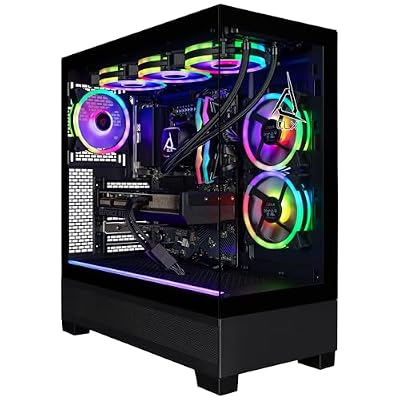
CLX Set Gaming PC - AMD Ryzen 7 9800X3D 4.7GHz, RTX 5080, 2TB NVMe M.2 SSD, 32GB DDR5 RGB Memory, 360mm AIO, WiFi, Windows 11 Home, Black


As an Amazon Associate we earn from qualifying purchases. Product prices and availability are accurate as of the date/time indicated.
The CLX Set uses the same CPU with an RTX 5080, 32GB of DDR5 RGB memory, a 2TB NVMe SSD, a 360mm liquid cooler and Wi-Fi.

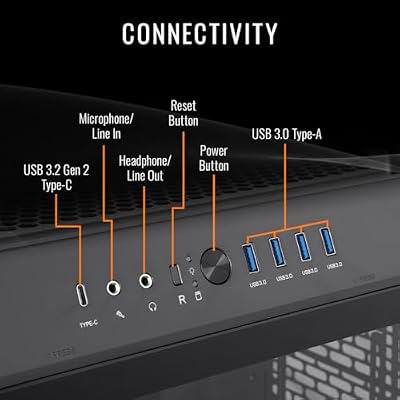
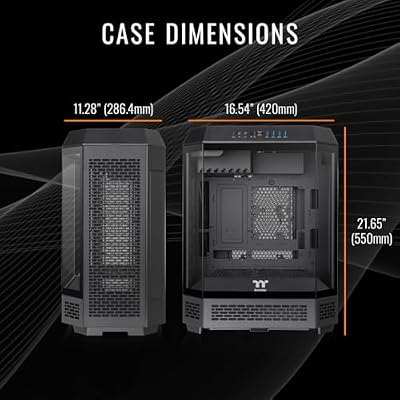
Thermaltake Reactor 9880 Gaming Desktop (AMD Ryzen™ 7 9800X3D, ToughRam 32GB DDR5 6400MT/s RGB Memory, NVIDIA® GeForce RTX™ 5080, 2TB NVMe M.2, WiFi, Windows 11) T6BK-X870-580-LCS




As an Amazon Associate we earn from qualifying purchases. Product prices and availability are accurate as of the date/time indicated.
The Thermaltake Reactor 9880 is another 9800X3D plus RTX 5080 build, with 32GB of DDR5-6400, a 2TB NVMe SSD, Wi-Fi and Windows 11.
Pros:
- Ryzen 7 9800X3D in all three, a top-tier gaming CPU
- 32GB of DDR5 and a 2TB SSD listed on all three
Cons:
- CLX and Thermaltake are boutique builds; compare them with RTX 5080 towers from bigger brands
- Boutique builders: check the warranty terms and the power supply brand and wattage on the listing
Skip it if you want a large manufacturer’s service network; the Alienware Aurora below or the Lenovo and HP towers later in this guide are the better fit.
2. Alienware Aurora (RTX 5070, RTX 5080 and Aurora R16) — Best Gaming PC From a Big-Brand OEM
As an Amazon Associate we earn from qualifying purchases at no extra cost to you.


Alienware is Dell’s gaming brand and the Aurora is its mainstream tower. Start with the first card above: a Core Ultra 7 265F with an RTX 5070, the same 1440p class as the MSI Codex Z2 and ASUS ROG G700 picks, backed by Dell’s service network.
The second card is an Aurora with a Core Ultra 9 285 and an RTX 5080 for 4K and 240Hz 1440p. The third card is the older Aurora R16 with a Core i7-14700F, 32GB of DDR5, a 1TB SSD and an RTX 4070 Super 12GB; its listing mentions one year of onsite or in-home service.
Pros:
- Recognized brand with Dell’s service network
- Current RTX 5070 and RTX 5080 configurations
- The Aurora R16 listing mentions onsite or in-home service
Cons:
- Brand premium over similar RTX 5070 towers
- Dell-designed internals can limit later upgrades; check the power supply rating before planning a bigger graphics card
- The Aurora R16 is the previous generation
Skip it if you want the most performance per dollar; the MSI Codex R2 and Codex Z2 deliver RTX 5070 performance for less.
More Pre-Built Gaming PCs Worth Buying in 2026
The two premium groups above cover Ryzen X3D towers and Alienware’s Aurora, but listings have since filled up with systems built around NVIDIA’s RTX 50-series and AMD’s Radeon RX 9000 cards. The seven extra picks below round out every price tier, from a first PC for esports to an RTX 5080 tower aimed at high-refresh 1440p and 4K. Specs come from each listing title; sellers swap configurations often, so confirm the exact CPU, graphics memory and SSD size on the product page before you check out.
ZYNEEX Ryzen 5 5500 + RTX 3050 — Best for First-Time Esports Gamers
As an Amazon Associate we earn from qualifying purchases at no extra cost to you.

This is the system for a player whose library is mostly esports and lighter titles: Valorant, Fortnite, Rocket League, Minecraft and similar. The listing pairs an AMD Ryzen 5 5500 (six cores, twelve threads) with a GeForce RTX 3050 6GB, 16GB of DDR4-3200, a 1TB NVMe SSD and ARGB air cooling. That is an entry-class combination: comfortable at 1080p in competitive games, but newer AAA releases will need low-to-medium settings and upscaling.
The 1TB drive is a welcome touch at this price, since many entry rigs still ship with 512GB. The older AM4 platform keeps cost down but limits the long-term CPU upgrade path.
Pros
- 1TB NVMe SSD leaves room for several games
- Six-core CPU is fine for esports frame rates
- Low entry cost into a real desktop with a dedicated GPU
Cons
- RTX 3050 6GB struggles with demanding 2026 AAA games
- DDR4 and AM4 mean limited upgrade headroom
CyberPowerPC Gamer Master Ryzen 5 8400F + RTX 5060 — Best Entry RTX 50-Series Pick

For buyers who want current-generation graphics without stretching the budget, this CyberPowerPC configuration is a sensible floor. The listing specifies an AMD Ryzen 5 8400F, GeForce RTX 5060 8GB, 16GB of DDR5, a 1TB PCIe 4.0 SSD and built-in Wi-Fi. The RTX 5060 supports DLSS 4 with Multi Frame Generation, which makes high frame rates at 1080p realistic in games that support it.
The main caveat is 8GB of graphics memory. It is enough for 1080p, but the newest AAA games can force you to lower texture quality to avoid stutter. The AM5 platform under the 8400F gives you a cleaner CPU upgrade path than older AM4 systems.
Pros
- Current RTX 50-series GPU with DLSS 4 support
- DDR5 memory, PCIe 4.0 SSD and Wi-Fi included
- AM5 platform leaves room for a future CPU swap
Cons
- 8GB VRAM limits texture settings in the newest games
- 16GB RAM is the minimum we would accept in 2026
iBUYPOWER Slate Ryzen 7 9700F + Radeon RX 9060 — Best AMD Radeon Alternative

If you would rather avoid NVIDIA or want a stronger processor at a similar budget, this iBUYPOWER Slate build is the pick. The listing pairs an eight-core AMD Ryzen 7 9700F with a Radeon RX 9060 8GB, 16GB of DDR5 and a 1TB NVMe SSD. The RX 9060 belongs to AMD’s RDNA 4 generation, so it can use FSR 4 machine-learning upscaling in games that offer it.
The eight-core Zen 5 CPU is the real highlight: it handles streaming, Discord and background apps alongside games better than a six-core chip. As with the RTX 5060, 8GB of graphics memory is the trade-off, so this suits 1080p high settings rather than 1440p ultra.
Pros
- Eight-core Ryzen 7 handles gaming plus streaming
- RDNA 4 GPU with FSR 4 support
- Good alternative when NVIDIA systems are overpriced
Cons
- 8GB VRAM caps texture quality in demanding titles
- Ray tracing performance trails comparable NVIDIA cards
MSI Codex R2 Core i5-14400F + RTX 5070 — Best Value RTX 5070 Tower

The RTX 5070 is the card most 1440p players should aim for in 2026, and this MSI Codex R2 configuration is one of the more reasonable ways to get it pre-built. The listing specifies an Intel Core i5-14400F, GeForce RTX 5070 12GB, 32GB of DDR5 and a 1TB NVMe SSD. Twelve gigabytes of graphics memory gives meaningfully more breathing room than 8GB cards at 1440p.
The ten-core i5-14400F is a mid-range chip, so very high refresh rates in CPU-heavy shooters will be limited by the processor before the GPU. For high and ultra settings at 1440p in single-player games, the balance is good, and 32GB of memory means you will not need a RAM upgrade soon.
Pros
- RTX 5070 12GB is the 1440p sweet spot
- 32GB DDR5 out of the box
- MSI parts and support from a major hardware brand
Cons
- i5-14400F can cap frame rates in CPU-bound esports
- 1TB SSD fills quickly with modern game sizes
Lenovo Legion Tower 5 Ryzen 7 7800X3D + RTX 5070 — Best for High-Refresh 1440p
This 2026 Legion Tower 5 pairs the same RTX 5070 class of graphics with a much stronger gaming processor: the AMD Ryzen 7 7800X3D. Its 3D V-Cache design is why X3D chips sit at the top of most gaming CPU charts, and it shows most in competitive shooters and simulation games where the processor is the bottleneck. The listing adds 32GB of memory, a 1TB SSD and Wi-Fi.
Lenovo’s towers are known for tidy, quiet designs and big-brand support. The trade-off with large OEM systems is that motherboards and power supplies can be custom parts, so check compatibility before planning a major GPU upgrade later.
Pros
- Ryzen 7 7800X3D is a top-tier gaming CPU
- Excellent pairing for 1440p at 144Hz and above
- 32GB memory and a clean, quiet chassis
Cons
- Costs more than RTX 5070 systems with weaker CPUs
- OEM internals can complicate future upgrades
HP OMEN 45L Core Ultra 7 265K + RTX 5070 Ti — Best for 1440p Ultra and Entry 4K
Step up to an RTX 5070 Ti and you get 16GB of graphics memory, which is the comfortable amount for 1440p ultra settings and for 4K with DLSS upscaling. This HP OMEN 45L configuration pairs that card with an Intel Core Ultra 7 265K, 32GB of RAM, a 1TB SSD and Windows 11 Pro. The 45L chassis is known for its top-mounted cooling chamber that feeds the CPU radiator fresh outside air, which helps keep noise down under long sessions.
The Core Ultra 7 265K is a strong all-rounder for gaming plus editing or streaming. Storage is the obvious weak point at this price, so budget for a second SSD if you keep a large library installed.
Pros
- RTX 5070 Ti with 16GB VRAM handles 1440p ultra
- Core Ultra 7 265K suits gaming and creative work
- Large, well-ventilated case with roomy internals
Cons
- 1TB SSD is small for a system at this level
- The 45L case needs a lot of desk or floor space
Skytech Blaze 5 Ryzen 7 9800X3D + RTX 5080 — Best for 4K and 240Hz 1440p

For players with a 4K monitor or a 240Hz 1440p panel, this Skytech Blaze 5 build combines the fastest mainstream gaming CPU class with a high-end graphics card. The listing specifies an AMD Ryzen 7 9800X3D and a GeForce RTX 5080, with a 360mm liquid cooler and an 850W Gold ATX 3 power supply named in the title.
The 9800X3D keeps frame times smooth in CPU-heavy games, while the RTX 5080 handles 4K with DLSS and ray tracing in most current titles. The listing includes 32GB of DDR5-6000 memory and a 2TB Gen4 NVMe SSD; networking is Wi-Fi 5, so use Ethernet or add a Wi-Fi 7 card if wireless speed matters.
Pros
- Ryzen 7 9800X3D plus RTX 5080 is a true high-end pairing
- Strong 4K and 240Hz 1440p capability
- 32GB DDR5, 2TB SSD, 850W Gold power supply and 360mm liquid cooler listed
Cons
- Wi-Fi 5 only on this configuration
- Expensive compared with RTX 5070 Ti systems for 1440p-only players
Newer 2026 Pre-Builts Worth Shortlisting
The systems below fill the gaps in the list above: big-brand budget towers, a 16GB-graphics mid-range option, Ryzen X3D builds for high-refresh 1440p, and premium and flagship machines. Every pick uses an RTX 50-series or Radeon RX 9000 card, which is the minimum we would accept for a new gaming PC in late 2026.
MSI Codex Z2 (Ryzen 7 8700F + RTX 5070) — Best for Most 1440p Players

- CPU: AMD Ryzen 7 8700F, 8 cores / 16 threads (Zen 4, AM5)
- GPU: GeForce RTX 5070, 12GB GDDR7, DLSS 4 with Multi Frame Generation
- Memory: 32GB DDR5
- Storage: 2TB NVMe SSD
The MSI Codex Z2 gets the balance right where many listings cut corners. The RTX 5070 is the 1440p sweet spot, and 32GB of memory plus a 2TB drive means you will not be adding RAM or a second SSD in year one. The 8700F is an eight-core AM5 chip, so the platform has a real CPU upgrade path later. It is not an X3D processor, so very high frame rates in CPU-heavy shooters will be lower than on the Skytech or Lenovo picks below.
Pros:
- RTX 5070 with 32GB RAM and 2TB storage out of the box
- AM5 platform leaves room for a CPU swap
- Major hardware brand with its own support network
Cons:
- Non-X3D CPU limits 240Hz-class esports frame rates
- Power supply brand and rating are not spelled out in the title
Skip it if… you mainly play competitive shooters on a 240Hz monitor; an X3D system is the better fit.
Acer Nitro 60 (Core i5-14400F + RTX 5060) — Best Budget Big-Brand Tower

- CPU: Intel Core i5-14400F, 10 cores (6 performance + 4 efficient)
- GPU: GeForce RTX 5060, 8GB GDDR7
- Memory / storage: 16GB DDR5, 1TB PCIe Gen 4 SSD
- Networking: Wi-Fi 6 and Gigabit Ethernet
The Acer Nitro 60 is a sensible entry point for buyers who prefer a large manufacturer’s warranty and service over a boutique builder. The RTX 5060 handles 1080p at high settings in most current games, and DLSS 4 helps in titles that support it. The i5-14400F is a capable mid-range chip, but the LGA1700 socket is at the end of its road, so plan on a GPU upgrade rather than a CPU upgrade later.
Pros:
- Current RTX 50-series graphics at an entry price tier
- DDR5, Gen 4 SSD and Wi-Fi 6 included
- Big-brand warranty and support
Cons:
- 8GB VRAM forces lower texture settings in some 2026 releases
- Dead-end CPU socket
Skip it if… you want to play at 1440p; spend more on an RTX 5070 system.
ZOTAC MEK (Ryzen 7 9700X + RTX 5060 Ti 16GB) — Best for 16GB Graphics on a Mid Budget

- CPU: AMD Ryzen 7 9700X, 8 cores / 16 threads (Zen 5)
- GPU: GeForce RTX 5060 Ti 16GB GDDR7
- Platform: AM5
- Memory and storage: not listed in the title; confirm on the product page
Several current buying guides now warn against 8GB cards for new PCs, and the ZOTAC MEK with RTX 5060 Ti 16GB is a direct answer: the 16GB version of the RTX 5060 Ti has the same core as the 8GB model but twice the memory, which matters for high-resolution textures and a longer service life. The Zen 5 Ryzen 7 9700X is a strong eight-core CPU for gaming plus streaming. ZOTAC builds its own graphics cards, so the GPU is a first-party part.
Pros:
- 16GB VRAM at a mid-range tier
- Eight-core Zen 5 CPU on an upgradeable platform
- Compact system from a GPU manufacturer
Cons:
- RAM and SSD size must be checked per listing
- RTX 5060 Ti is slower than an RTX 5070 at 1440p
Skip it if… you want the most frame rate per dollar at 1440p; the RTX 5070 picks are faster.
ASUS ROG G700 (2025) (Core Ultra 7 265F + RTX 5070) — Best Intel RTX 5070 Tower

- CPU: Intel Core Ultra 7 265F, 20 cores (8 performance + 12 efficient)
- GPU: GeForce RTX 5070, 12GB GDDR7
- Memory / storage: 32GB DDR5, 1TB PCIe 4.0 NVMe SSD
- Model: G700TF-XS776
The ASUS ROG G700 (2025) is for buyers who also edit video or stream, where the 20-core Core Ultra 7 pulls ahead of eight-core gaming chips. Gaming performance at 1440p is set mainly by the RTX 5070, so it sits close to the MSI Codex Z2 in games. The 32GB of memory is a comfortable amount for 2026, and the main limit is the 1TB drive, which fills quickly with modern games.
Pros:
- 20-core CPU suits gaming plus creative work
- Well-known ROG chassis and support
- RTX 5070 handles 1440p high settings
Cons:
- Only 1TB of storage at this tier
- Costs more than some AMD RTX 5070 systems with larger drives
Skip it if… you only game; the MSI Codex Z2 gives you a 2TB drive for similar gaming performance.
Skytech Azure 3 (Ryzen 7 9850X3D + RX 9070 XT) — Best for High-Refresh 1440p

- CPU: AMD Ryzen 7 9850X3D, 8 cores with 3D V-Cache
- GPU: Radeon RX 9070 XT, 16GB GDDR6, FSR 4 support
- Memory / storage: 32GB RAM, 2TB SSD
- Platform: AM5
Skytech is one of the most common pre-built brands in online stores, and the Skytech Azure 3 with Ryzen 7 9850X3D is its strongest all-AMD gaming build. The 9850X3D’s stacked cache keeps frame times steady in CPU-bound games, which is what you need to make use of a 165Hz to 240Hz 1440p monitor. The RX 9070 XT trades blows with the RTX 5070 Ti in raster performance and has 16GB of memory; NVIDIA still leads in heavy ray tracing and in the number of games with frame generation.
Pros:
- Top-tier gaming CPU paired with a 16GB upper-mid GPU
- 32GB RAM and 2TB storage included
- Strong value against similar NVIDIA builds
Cons:
- Ray tracing trails RTX 5070 Ti systems
- Upper-mid price tier
Skip it if… you rely on DLSS frame generation or heavy path tracing; pick an RTX 5070 Ti or RTX 5080 system.
Lenovo Legion Tower 5 (2026) (Ryzen 7 9800X3D + RTX 5070 Ti) — Best for 1440p Ultra and Upscaled 4K
- CPU: AMD Ryzen 7 9800X3D, 8 cores with 3D V-Cache
- GPU: GeForce RTX 5070 Ti, 16GB GDDR7
- Memory / storage: 32GB, 1TB
- Extras: Windows 11 Home, three months of PC Game Pass
This Lenovo Legion Tower 5 (2026) is the step-up version of the Legion Tower 5 already listed above. Swapping to a 9800X3D and an RTX 5070 Ti gives you 16GB of graphics memory and one of the fastest gaming CPUs available, a combination that suits 1440p at ultra settings and 4K with DLSS. Lenovo’s towers are tidy and quiet, but the motherboard and power supply are custom parts, so check the PSU rating before planning a larger GPU later.
Pros:
- 9800X3D plus RTX 5070 Ti is a balanced high-end pairing
- 16GB VRAM for ultra textures
- Big-brand support and a clean case
Cons:
- 1TB SSD is small for this tier
- Proprietary internals limit major upgrades
Skip it if… you want to rebuild the PC part by part over the years; a standard-ATX system builder is easier to upgrade.
ASUS ROG GM700 (2026) (Ryzen 7 9800X3D + RTX 5080) — Best Premium Brand-Name Build

- CPU: AMD Ryzen 7 9800X3D
- GPU: GeForce RTX 5080, 16GB GDDR7
- Memory: 32GB DDR5
- Storage: 2TB PCIe 4.0 M.2 NVMe SSD
The ASUS ROG GM700 (2026) is the premium pick for buyers who want a major hardware brand behind a top-tier gaming CPU and an RTX 5080. The RTX 5080 handles 4K with DLSS and 1440p at 240Hz in most games, and the Ryzen 7 9800X3D is the fastest mainstream gaming chip in this guide. With 32GB of DDR5 and a 2TB NVMe SSD included, there is little to upgrade on day one.
Pros:
- Major hardware brand with its own support network
- RTX 5080 for 4K and high-refresh 1440p
- 32GB DDR5 and 2TB SSD included
Cons:
- Premium price compared with RTX 5070 Ti systems
- RTX 5080 is more than 1440p-only players need
Skip it if… your monitor is 1440p at 165Hz or below; an RTX 5070 Ti system costs much less.
Skytech Gaming Storm (Ryzen 5 8400F + RTX 5060 Ti 8GB) — Best Budget RTX 5060 Ti Pick

The Skytech Gaming Storm is the least expensive way into an RTX 5060 Ti in this guide. It suits players on a 1080p or entry-level 1440p monitor who want more frame rate than an RTX 5060 offers and are comfortable with a system builder’s standard parts.
Listing specs: Ryzen 5 8400F · GeForce RTX 5060 Ti 8GB · 16GB DDR5-6000 · 1TB NVMe SSD · 650W Gold power supply · Wi-Fi 5 · Windows 11.
Pros
- RTX 5060 Ti class graphics for a price below most RTX 5070 towers
- DDR5-6000 memory on the AM5 platform
- Gold-rated power supply named in the listing
Cons
- 8GB of graphics memory limits texture settings in the newest games
- Only 16GB of RAM and a 1TB drive
Skip it if you plan to play at 1440p for several years; the MSI Codex R2 costs a few hundred dollars more and brings an RTX 5070 with 12GB.
Lenovo Legion Tower 5i (Core Ultra 7 265F + RTX 5060 Ti) — Best for Lenovo Support on a Mid Budget

The Legion Tower 5i is for buyers who want a large manufacturer’s warranty and a tidy, quiet chassis without moving up to RTX 5070 money. The listing pairs a 20-core Core Ultra 7 265F with a GeForce RTX 5060 Ti, 16GB of memory and 1TB of storage, and includes three months of PC Game Pass.
Listing specs: Core Ultra 7 265F · RTX 5060 Ti · 16GB memory · 1TB storage · 3 months of PC Game Pass.
Pros
- 20-core CPU handles gaming plus streaming or editing
- Big-brand warranty and service options
- Game Pass trial included
Cons
- The listing title does not say whether the RTX 5060 Ti has 8GB or 16GB, so confirm it on the product page
- 16GB of memory is the minimum for 2026
Skip it if you want the most graphics power for the money; an RTX 5070 tower such as the MSI Codex R2 is faster at a similar price.
CyberPowerPC Gaming PC (Core i7-14700F + RTX 5060 Ti 8GB) — Best for Streaming and Multitasking on a Mid Budget

This CyberPowerPC configuration trades graphics headroom for processor strength. The Core i7-14700F has 20 cores (8 performance and 12 efficiency), which helps when you game while streaming, running Discord or encoding video in the background.
Listing specs: Core i7-14700F · GeForce RTX 5060 Ti 8GB. The title does not state memory or storage, so check both before ordering.
Pros
- 20-core processor for gaming plus background tasks
- RTX 5060 Ti supports DLSS 4 with Multi Frame Generation
- CyberPowerPC builds with standard retail parts, which keeps repairs simple
Cons
- 8GB of graphics memory
- LGA1700 is the end of the line for Intel upgrades on this socket
Skip it if you only game and never multitask; put the money into a faster graphics card instead.
Also Consider
ASUS ROG GM700 (Ryzen 7 9800X3D + RX 9070 XT) — Best AMD alternative from a major brand. It includes 32GB of DDR5 and a 2TB PCIe 4.0 SSD. Trade-off: weaker ray tracing than an RTX 5070 Ti at a similar tier.
Acer Nitro 85 (Core Ultra 7 265F + RTX 5070) — Best if you want Wi-Fi 7 and a 20-core CPU in a mid-range Acer tower. Trade-off: 16GB RAM and 1TB storage only.

Gaming PC Tier Comparison
| Build | CPU | GPU | 1080p Performance | 1440p Performance | 4K Performance |
|---|---|---|---|---|---|
| Acer Nitro 60 | Core i5-14400F | RTX 5060 8GB | High settings at high refresh | Medium to high; trim textures ⚠️ | Not recommended ❌ |
| MSI Codex Z2 | Ryzen 7 8700F | RTX 5070 12GB | Ultra at very high refresh | High to ultra ✅ | Needs upscaling ⚠️ |
| Skytech Azure 3 | Ryzen 7 9850X3D | RX 9070 XT 16GB | Ultra, CPU-limited at very high refresh | Ultra at 165-240Hz ✅ | Good with upscaling ✅ |
| ASUS ROG GM700 (2026) | Ryzen 7 9800X3D | RTX 5080 16GB | Overkill; CPU-limited | Ultra at 240Hz ✅ | High settings with DLSS ✅ |
Ratings are estimates based on GPU class and published benchmark coverage, not measurements we ran ourselves. Real-world frame rates vary by game, settings and driver version.
Which Graphics Card Do You Need in 2026? A Resolution Guide
The graphics card decides most of what a gaming PC can do, and the jump between tiers is bigger than the jump between processors. Use this table to match a pre-built’s GPU to your monitor before comparing anything else. Expectations assume current games at sensible settings with upscaling (DLSS or FSR) where it is available.
| GPU class | Graphics memory | Best monitor match | What to expect |
|---|---|---|---|
| RTX 3050 | 6GB | 1080p, 60–144Hz | Esports at high frame rates; newer AAA games on low to medium |
| RTX 5060 / Radeon RX 9060 | 8GB | 1080p, 144Hz | High settings at 1080p; texture quality may need trimming in the newest releases |
| RTX 5060 Ti 16GB | 16GB | 1080p ultra or 1440p high | Same core as the 8GB version, far more texture headroom |
| RTX 5070 | 12GB | 1440p, 144–165Hz | The 2026 sweet spot for high and ultra settings at 1440p |
| RTX 5070 Ti / Radeon RX 9070 XT | 16GB | 1440p ultra or 4K with upscaling | Room for ray tracing and high-resolution texture packs |
| RTX 5080 | 16GB | 4K, or 1440p at 240Hz | High-refresh 1440p and smooth 4K with DLSS |
| RTX 5090 | 32GB | 4K at high refresh rates | Maximum settings, path tracing and heavy creative workloads |
Two details trip up buyers more than any other. First, the RTX 5060 Ti is sold in both 8GB and 16GB versions, and the listing title is usually the only place that tells you which one you are getting. The 16GB version costs a little more and ages far better. Second, graphics memory matters more than a small clock-speed difference: an 8GB card that runs out of memory stutters no matter how fast its core is.
On the processor side, AMD’s X3D chips (Ryzen 7 7800X3D, 9800X3D and newer) lead most gaming charts because their large stacked cache keeps frame times steady in CPU-heavy games. They matter most for 1440p and 1080p high-refresh play; at 4K the graphics card does nearly all of the work, so a mid-range CPU gives up very little.
Hidden Spec Traps Most Listings Don’t Highlight
Pre-built listings lead with the CPU and GPU because those sell systems. The parts that decide whether a PC stays reliable and upgradeable are usually buried in the spec sheet, or missing entirely. Check these before you buy.
- Unnamed power supply. If the listing gives only a wattage with no brand or efficiency rating, assume a basic unit. A quality 650–750W 80+ Gold supply is plenty for RTX 5060 to RTX 5070 systems; RTX 5080 and above deserve 850W or more from a known brand.
- Single-stick memory. “16GB” can mean one 16GB module running in single-channel mode, which costs frame rate in CPU-heavy games. Two matched sticks (2x8GB or 2x16GB) are what you want.
- Budget SSDs. Unbranded or DRAM-less drives are fine for loading games but can slow down during big installs and updates. A named PCIe 4.0 drive is a quiet quality signal.
- Entry chipsets. Boards like A620 or H610 work, but they limit memory overclocking, expansion slots and sometimes future CPU support. B650, B850 or B760 boards are the safer middle ground.
- Cooling that doesn’t match the CPU. A Ryzen 9 or Core Ultra 9 on a small stock-style air cooler will run hot and loud. High-end chips should have a large tower cooler or a 240–360mm liquid cooler.
- No Wi-Fi. Some systems skip wireless entirely. If your router is in another room, confirm Wi-Fi 6 or newer is included, or budget for an adapter.
- Windows activation and edition. Make sure Windows 11 is installed and activated, not just “compatible.”
How We Chose These Pre-Built Gaming PCs
These picks are research-based. We did not run benchmarks on these systems ourselves. For each candidate we checked the listing configuration against the chip makers’ published specifications (AMD, Intel, NVIDIA), compared the GPU and CPU class with independent benchmark coverage from established hardware publications, and read the warranty and return terms. Then we applied five filters:
- Current graphics only: RTX 50-series or Radeon RX 9000. Listings built around GTX cards, RX 580s or other older GPUs were excluded, except the clearly labelled entry floor.
- Balanced pairing: no flagship GPU on a weak CPU, and no 8GB card in a system priced like a 1440p machine.
- Minimum memory and storage: 16GB of DDR5 or dual-channel DDR4 and at least a 1TB NVMe SSD.
- Known seller: a manufacturer or established system builder with a stated warranty.
- Price-tier coverage: at least one option from budget to flagship, with no more than two new picks per brand.
Any frame-rate expectations in this guide are estimates based on the GPU tier, not measurements.
How to Buy a Gaming PC Online Safely
Big marketplaces mix listings from manufacturers, authorized resellers and small third-party sellers on the same page. A few checks protect you from most problems:
- Check “Ships from” and “Sold by”. The safest listings are sold by the manufacturer or by the store itself. A third-party seller can be fine, but returns and warranty claims may go through that seller rather than the brand.
- Avoid “Renewed” unless you mean to buy it. Refurbished systems often appear next to new ones with similar titles. They can be good value, but warranty terms are usually shorter.
- Know the return window. Desktops usually carry a 30-day return window. Run the first-boot checklist below in the first week so you can return a faulty unit in time.
- Read the GPU line twice. Some listings put “RTX” or “Gaming” in the title but ship a GTX 1650, RX 580 or RTX 3050 6GB. Others list “up to RTX 5070” across several configurations; the one you select may be lower.
- Match the model number. ASUS, MSI, Acer and Lenovo publish spec sheets by model number (for example ASUS ROG G700TF-XS776 or Acer Nitro N60-640-UR21). Compare it with the maker’s page.
- Expect price swings. Memory and SSD prices rose sharply from late 2025 into 2026, so pre-built prices move more than usual. Compare by price tier, not one day’s price.
Best Pre-Built Gaming PC by Budget Tier
Best Entry-Level Gaming PC
Acer Nitro 60: Core i5-14400F · RTX 5060 8GB · 16GB DDR5 · 1TB Gen4 SSD · Wi-Fi 6
CyberPowerPC Gamer Master: Ryzen 5 8400F · RTX 5060 8GB · 16GB DDR5 · 1TB PCIe 4.0 SSD · Wi-Fi ready
What to expect at this tier:
- 1080p at high settings in most current games; esports titles well above 144fps
- 8GB graphics cards; the newest AAA games may need lower texture settings
- 16GB RAM (insist on two sticks) and a 1TB SSD
- 550-650W power supply; fine for this GPU class, not for a big upgrade
Best Lower Mid-Range Gaming PC
MSI Codex R2: Core i5-14400F · RTX 5070 12GB · 32GB DDR5 · 1TB NVMe SSD
iBUYPOWER Slate: Ryzen 7 9700F · Radeon RX 9060 8GB · 16GB DDR5 · 1TB NVMe SSD
What to expect at this tier:
- 1440p at high settings when the system has an RTX 5070 12GB; 8GB cards such as the RX 9060 stay a 1080p choice
- The MSI Codex R2 is the entry point to RTX 5070 graphics in this guide
- 6-8 core CPUs on AM5 or current Intel platforms
- 650-750W 80+ Gold power supply
Best Mid-Range Gaming PC
MSI Codex Z2: Ryzen 7 8700F · RTX 5070 12GB · 32GB DDR5 · 2TB SSD
ASUS ROG G700 (2025): Core Ultra 7 265F · RTX 5070 12GB · 32GB DDR5 · 1TB SSD
ZOTAC MEK: Ryzen 7 9700X · RTX 5060 Ti 16GB · AM5 platform (priced close to RTX 5070 towers, so pick it only if you want 16GB of graphics memory)
What to expect at this tier:
- 1440p at high to ultra settings at 100fps-plus in most games, with DLSS 4
- 8-core or larger CPUs
- 32GB DDR5 should be standard; 16GB configurations are a cost cut
- 750W 80+ Gold power supply
Best Upper-Mid Gaming PC
Skytech Azure 3: Ryzen 7 9850X3D · Radeon RX 9070 XT 16GB · 32GB · 2TB SSD
Lenovo Legion Tower 5 (2026): Ryzen 7 9800X3D · RTX 5070 Ti 16GB · 32GB · 1TB
What to expect at this tier:
- 1440p at 165-240Hz and 4K with upscaling
- Ryzen X3D CPUs for steady frame times in CPU-heavy games
- 16GB graphics memory for ultra textures and ray tracing
- 850W 80+ Gold power supply and a 240-360mm cooler or large tower cooler
Best Premium and Flagship Gaming PC
ASUS ROG GM700 (2026): Ryzen 7 9800X3D · RTX 5080 16GB · 32GB DDR5 · 2TB SSD
What to expect at this tier:
- 4K at high settings; RTX 5090 systems target 4K at high refresh rates
- 32-64GB DDR5 and 2-4TB of storage
- 1000W-class power supply from a named brand
- Large cases and real heat output; plan desk and room space
If a listing falls short of its tier on two or more of these points, keep looking. The most common shortfalls are an 8GB card at a mid-range price, a single 16GB memory stick, and an unnamed power supply.
How to Evaluate a Gaming PC Listing
Read Buyer Feedback for Specifics
Buyer feedback helps only when it is specific. Skip one-line praise such as “Great PC!” and look for comments that name a game, resolution and settings, report temperatures, or describe how the seller handled a return or a damaged box. Treat any frame rate quoted in a comment as an anecdote until you have compared it with independent benchmark coverage for the same CPU and graphics card.
Check Real-World FPS Data
Frame rates depend on the game, settings, driver and patch, so compare a buyer’s claim with published benchmarks for the same graphics card and CPU class from established hardware publications. A large gap is a reason to re-read the exact configuration in the listing rather than to trust either number.
Examine Specs Carefully
Red flags:
- 16GB RAM with an RTX 5070 Ti or faster graphics card (memory becomes the weak link)
- 512GB SSD with a powerful GPU (no room for games)
- A power supply under 850W with an RTX 5080-class card (NVIDIA lists 850W as its recommended minimum system supply)
- No CPU brand listed (vague specs = quality issue)
Good indicators:
- Balanced CPU/GPU pairing
- 1TB or larger SSD (2TB for RTX 5080 and up)
- A named 850W+ power supply for RTX 5080-class graphics
- Two matched DDR5 sticks running at their rated speed with XMP or EXPO enabled
Assess Return Policy
Desktops from large retailers typically carry a return window of about 30 days, but the exact terms depend on the seller, so read them on the listing. The manufacturer warranty is separate and often runs one to two years. Before you buy, confirm:
- The return policy applies to this specific seller and configuration
- The manufacturer warranty stays valid when the PC is bought through this seller
- Who handles a replacement if the box arrives damaged
Evaluate the Seller
Prefer listings sold and shipped by the manufacturer or the store itself. For a third-party seller, check how long it has been selling, how recent feedback reads, and whether the name looks like an established system builder. A random string of letters as a seller name is a common sign of a dropshipper, which is worth avoiding for a high-value purchase.
Which Pre-Built Should You Buy? Match the PC to How You Play
- Esports on a 1080p 144-240Hz monitor: an RTX 5060 system such as the Acer Nitro 60 is enough. Put any extra money into a better monitor before a faster GPU.
- Single-player AAA games at 1080p ultra or 1440p high on a tight budget: the ZOTAC MEK with the 16GB RTX 5060 Ti avoids the texture limits of 8GB cards.
- Most players with a 1440p 144-165Hz monitor: an RTX 5070 system with 32GB of RAM, such as the MSI Codex Z2.
- Competitive shooters on a 1440p 240Hz monitor: an X3D CPU matters most. The Skytech Azure 3 or Lenovo Legion Tower 5 with a 9800X3D are the right class.
- Gaming plus video editing or streaming: a 20-core Core Ultra 7 system like the ASUS ROG G700, which already ships with 32GB of memory.
- 4K gaming: RTX 5080 at minimum (ASUS ROG GM700 or Skytech Blaze 5) if you want high refresh rates at native 4K; RTX 5090 systems exist but cost far more.
- You plan to upgrade parts yourself: favor system builders using standard ATX parts (Corsair, Skytech, MSI) over OEM towers with custom boards and power supplies.
One rule covers most cases: pick the GPU for your monitor first, then make sure the CPU, memory and power supply are not holding it back.
First-Boot Checklist: What to Do When Your Pre-Built Arrives
The first hour with a new pre-built decides whether you catch a problem inside the return window or discover it two months later. Work through these steps before you install your game library.
- Inspect before powering on. Open the side panel and look for packing foam or air bags inside the case; many builders ship systems with foam around the graphics card. Remove it, and check that the GPU and its power cables are firmly seated after shipping.
- Plug the monitor into the graphics card. The display cable belongs in the ports on the GPU, not the motherboard. It is the most common reason a new system feels slow.
- Update everything. Run Windows Update, then install the latest NVIDIA or AMD graphics driver directly from the GPU maker’s app.
- Check memory speed. Open Task Manager, go to Performance, then Memory. If DDR5 shows a low speed such as 4800 MT/s, enable XMP or EXPO in the BIOS so it runs at its rated speed.
- Run a stress test. Play a demanding game or run a free benchmark for 20–30 minutes while watching temperatures with a monitoring tool. CPU and GPU temperatures in the 70s and low 80s °C under load are normal; constant throttling or crashes are not.
- Confirm the specs match the listing. Check the CPU, GPU model and memory size, the SSD capacity, and Windows activation status in Settings. Mismatches are grounds for a return.
- Trim the bloat. Uninstall trial software and duplicate RGB or “optimizer” apps you will not use. Keep the utility that controls fans and lighting.
- Register the warranty and keep the box. Note the serial number and keep the original packaging until the return window closes.
Warranty and Support: Big Brands vs System Builders
Every pick in this guide comes with a manufacturer warranty, but how that warranty works differs a lot by type of seller, and it is worth understanding before you choose between two similar configurations.
Big-brand OEMs such as Dell’s Alienware, HP OMEN and Lenovo Legion usually offer the most polished support: phone and chat lines, mail-in or onsite service options, and extended plans you can add at checkout. The trade-off is that some of their towers use custom motherboards, power supplies or front-panel connectors, which can make later upgrades harder.
System builders such as CyberPowerPC, iBUYPOWER, Skytech and MSI’s desktop line mostly use standard retail parts. That makes upgrades and repairs easier, because a failed power supply or fan can be swapped with an off-the-shelf part. Warranty terms vary by brand and by where you buy, typically one year of parts coverage with longer labor coverage on some models, so read the listing’s warranty section rather than assuming.
Lesser-known brands can offer striking specs for the money, but check who actually honors the warranty, whether support is based in your country, and whether opening the case to upgrade voids coverage. A slightly more expensive system from an established builder is often the cheaper choice once you count a single failed part.
Quick Answers: Buying a Pre-Built Gaming PC Online
What is the best pre-built gaming PC to buy online right now?
The MSI Codex Z2 (Ryzen 7 8700F, RTX 5070, 32GB DDR5, 2TB SSD) is the best pre-built gaming PC for most players in October 2026. It targets 1440p at 144-165Hz without paying for an X3D processor.
How much does a good pre-built gaming PC cost in 2026?
Memory and SSD prices pushed listings up this year, so compare by tier, not by one day’s price.
Is it safe to buy a gaming PC from an online marketplace?
Yes, when the listing is sold and shipped by the manufacturer or the store itself and names its exact parts. Avoid unbranded towers, “up to RTX” titles and sellers with no stated warranty, and run the first-boot checklist inside the return window.
Which matters more, the CPU or the graphics card?
The graphics card sets most of what a gaming PC can do, so choose it for your monitor first. A stronger CPU, such as an X3D chip, matters mainly at 1080p and 1440p high refresh rates in CPU-heavy games.
Frequently Asked Questions
Is buying a pre-built gaming PC online cheaper than building?
Usually not. Pre-builts typically cost more than the same parts bought separately, although the gap shifts when memory and SSD prices swing. However, pre-builts offer:
- Zero assembly risk
- Integrated warranty
- Faster shipping on eligible listings
- Simple returns on eligible listings
For beginners, the convenience premium is worthwhile. For enthusiasts, building is usually cheaper.
Should I buy from a marketplace or direct from the manufacturer?
Marketplace advantages: Prime shipping on eligible listings, a 30-day return window on most desktops and one place to manage returns. Manufacturer advantages: Sometimes lower price (no retailer markup), direct support, occasional bundles.
A marketplace is better for easy returns when the listing is sold and shipped by the marketplace or the brand itself; buying direct is better for price and bundles if you are willing to handle support directly.
What if a gaming PC arrives damaged?
If the listing is sold and shipped by the marketplace, its return process usually covers a replacement or refund. With a third-party seller, that seller’s terms apply and you may need to contact the seller or the manufacturer. Photograph the box and the damage before you do anything else, and report it inside the return window.
How often do gaming PC prices drop?
Big sales events such as Prime Day and Black Friday/Cyber Monday are when pre-built prices tend to fall most, but discounts vary by brand and model. Compare the price tier for that exact configuration rather than trusting a percent-off badge. If you are not in a rush, waiting for November is usually the safer bet.
Should I upgrade components after purchase?
Only if you plan to keep the PC 3+ years. Short-term (0-2 years), gaming performance evolves faster than upgrade economics justify. Long-term (3-5 years), a newer graphics card in the same chassis extends lifespan profitably, provided the power supply and case can take it.
Is 8GB of graphics memory enough for a gaming PC in 2026?
For 1080p, yes, with some compromise. RTX 5060 and Radeon RX 9060 class cards with 8GB handle most games at high settings, but the newest AAA releases can stutter at maximum texture quality, so you may need to drop textures one notch. If you plan to play at 1440p or keep the PC for four or more years, choose a 12GB or 16GB card such as the RTX 5070 or the 16GB version of the RTX 5060 Ti.
Are pre-built gaming PCs from lesser-known brands worth the risk?
They can be, but only when the listing names its parts. A system that lists the exact power supply, motherboard chipset and SSD model is usually built from standard components you can replace. Be cautious with listings that give only “Core i7” or “RTX graphics” with no model numbers, unusually old CPUs paired with new GPUs, or vague warranty language.
How long should a pre-built gaming PC last?
A well-chosen mid-range system typically stays comfortable for four to five years at its target resolution, often longer if you lower settings over time or upgrade the graphics card midway. The parts most likely to need attention first are case fans and storage space, both cheap to fix. Higher-end systems last longer mainly because they start with more graphics memory and CPU headroom.
Can I fit a bigger graphics card in a pre-built later?
Usually, but check three things first: physical clearance in the case (modern high-end cards are often longer than 300mm and three slots thick), the power supply’s wattage and available PCIe power connectors, and whether the PSU is a standard ATX unit. Systems built from retail parts are the easiest to upgrade; compact OEM towers sometimes need a new power supply before a GPU swap is possible.
Do pre-built gaming PCs come with a keyboard, mouse and monitor?
Many include a basic keyboard and mouse, but almost none include a monitor. Treat the bundled peripherals as placeholders and budget separately for a monitor that matches your graphics card: 1080p at 144Hz for entry systems, 1440p at 144–165Hz for RTX 5070 class machines, and 4K or 1440p at 240Hz for RTX 5080 systems.
Final Verdict
The MSI Codex Z2 (Ryzen 7 8700F, RTX 5070, 32GB DDR5, 2TB SSD) is the best gaming PC for most players, because it targets 1440p without paying for an X3D chip. The Acer Nitro 60 is the best big-brand budget tower for 1080p, the Skytech Azure 3 with a Ryzen 7 9850X3D is the pick for high-refresh 1440p, and the ASUS ROG GM700 (2026) or Skytech Blaze 5 cover 4K.
Before purchasing, verify the listing is sold and shipped by the retailer or the brand rather than a third-party reseller, read buyer feedback for specifics, and confirm the return window on the listing. See our guides to custom gaming PC builds by budget, GPU selection, and how to build a gaming PC step-by-step for additional context.
Last updated: October 2026. Prices and availability may change. Recommendations come from comparing specifications, manufacturer documentation and published reviews; we do not run our own benchmarks. When you buy through our links, we may earn a commission at no extra cost to you.