- Top Pick: SteelSeries QcK Gaming Mouse Pad – XXL Cloth – Peak Tracking and Stability – Esports Mousepad – Never-Slip – Full Desk Coverage
- Best Value: SteelSeries QcK Gaming Mouse Pad – XXL Thick Cloth – Sized to Cover Desks
- Premium Choice: KTRIO Large Gaming Mouse Pad Desk Mat for Gamer, 31.5" x 11.8", Black, XL
Affiliate disclosure: As an Amazon Associate we earn from qualifying purchases. This post contains affiliate links — if you buy through them we may earn a small commission at no extra cost to you. This never affects our recommendations.
As an Amazon Associate we earn from qualifying purchases at no extra cost to you. Product prices and availability are accurate as of the date shown and are subject to change.





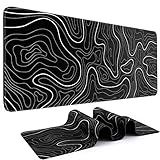

If you play FPS games at low DPI — 400 to 800 is the competitive standard — your mouse travel distance per 360-degree turn can easily exceed 40 centimeters. A standard mousepad simply runs out of real estate mid-flick. That is the problem an XL gaming mousepad solves. These desk-covering mats extend roughly 900mm wide and 400mm tall, giving your mouse room to sweep across your entire field of view without lifting off the pad. But the benefits go further than raw size. An XL pad unifies your keyboard and mouse on a single surface, keeping cable snag off your desk and giving your wrist a consistent, cushioned resting point across long sessions.
Not all XL pads are created equal. Surface texture determines how fast your mouse glides and how precisely it stops. Thickness dictates wrist fatigue over time. Edge stitching decides whether the pad survives a year of daily use or frays after a month. This guide breaks down the five best XL gaming mousepads available in 2026, explains what separates them, and tells you exactly which one fits your playstyle and budget.
In a hurry? See the top-rated XL Gaming Mousepad deals available right now:
🛒 Check Xl Gaming Mousepad Prices on Amazon →🛒 Best Price Today on Amazon
Prime members get fast, free shipping on everything above, plus member-only deals. New members get a 30-day free trial — cancel anytime.
Start 30-Day Prime Free Trial →See Today’s Amazon DealsThe 5 Best XL Gaming Mousepads in 2026
SteelSeries QcK Heavy XXL
The QcK Heavy XXL is the go-to recommendation for players who sit at their desk for six or more hours a day. At 900x300x6mm, it is the thickest pad in this roundup by a meaningful margin. That 6mm foam base is noticeably denser than competitors — press a finger into it and it rebounds slowly, absorbing the micro-vibrations that travel up from your mouse through your wrist during extended play sessions. For players who suffer from wrist fatigue or RSI symptoms, this extra cushion is not a luxury; it is a practical ergonomic upgrade.
The surface uses SteelSeries’ micro-woven cloth, which sits in the control category. It offers enough friction to keep your crosshair planted during precise micro-adjustments, but it does not feel sticky or grabby. Optical and laser sensors both track cleanly on it without jitter. The texture is slightly coarser than budget cloth pads, which means it holds up better to sweat and humidity without turning slick mid-session.
Edge stitching is reinforced with dense thread that has resisted peeling in long-term testing. The underside uses a heavy rubber base that anchors the pad firmly even on glass or lacquered desks. At 900x300mm it is narrower than some competitors in the height dimension, which matters if you prefer your keyboard positioned high on the desk — there may be less vertical clearance for your mouse arm depending on your setup.
Pros: Best-in-class thickness for wrist comfort; durable rubber base; long-lasting micro-woven control surface.
Cons: 300mm height is tighter than 400mm alternatives; heavier and less portable.
Price: ~$40
Logitech G840
The Logitech G840 takes a different philosophy. Where the QcK Heavy prioritizes thickness, the G840 prioritizes surface consistency. At 900x400x3mm, the pad is thinner but offers a substantially wider 400mm vertical footprint — that extra 100mm of height compared to the QcK Heavy gives most users comfortable clearance for both mouse and keyboard without crowding either.
The surface is Logitech’s proprietary cloth, tuned for low friction. This puts it firmly in the speed category. The weave is tighter and smoother than most cloth pads at this price point, and the result is a glide that feels almost frictionless on the initial push. For players who rely on wrist movement rather than arm sweeps, this can feel slightly too slippery at first. Arm players at 400–600 DPI will find it excellent. The surface also stays consistent across the entire pad — center, edges, and corners all behave identically, which matters during high-pressure moments when your mouse drifts toward the pad boundary.
The G840 uses a rubber non-slip base that performs well, though it is slightly less grippy than SteelSeries’ base on smooth surfaces. Stitched edges are present but standard — not the densest stitching in the category, though perfectly functional for regular use. At 3mm it is not a premium wrist-comfort option, but users who do not have wrist sensitivity concerns often prefer the low-profile feel.
Pros: Best surface consistency in the lineup; 400mm height suits most desk setups; clean minimalist aesthetic.

Cons: 3mm thickness provides minimal wrist cushioning; slightly less grip on very smooth desk surfaces.
Price: ~$50
Corsair MM350 Pro Extended XL
The Corsair MM350 Pro Extended XL addresses a real-world problem that cloth pad users inevitably face: spilled drinks. At 930x400x5mm, it is the widest pad in this roundup and uses a spill-resistant surface treatment baked into the cloth weave itself. This is not a waterproof hard pad — the material is still soft cloth — but liquids bead on the surface rather than soaking in immediately, giving you a few seconds to wipe without leaving a permanent moisture stain that degrades sensor tracking.
The micro-texture surface sits between speed and control. It is faster than the QcK Heavy’s cloth but slower than the G840’s low-friction weave, making it the most versatile pick for players who switch between different game genres. VALORANT players who want precision without sacrificing flick speed will find the MM350 Pro’s surface intuitive. The 5mm foam base provides a middle-ground cushioning experience — noticeably more comfortable than 3mm pads, with less bulk than the QcK Heavy’s 6mm base.
At 930mm wide it is the longest pad here, which can be a problem on smaller desks but is excellent for ultrawide monitor setups where keyboard and mouse are spread far apart. The stitched edge work on the Corsair is among the tightest in this price range, with a neat border that shows no fraying after months of use. The rubber base grips well across desk materials.
Pros: Spill resistance is genuinely useful; widest dimensions suit ultrawide setups; balanced speed/control surface.
Cons: Spill resistance degrades slightly over time; premium price for a cloth pad.
Price: ~$45
Razer Gigantus V2 XXL
The Razer Gigantus V2 XXL is the most feature-rich option in this roundup. At 940x410x4mm, it matches or slightly exceeds most competitors on dimensions, and the 410mm height is the tallest pad on this list — a meaningful advantage for players who keep their keyboard positioned toward the back of the desk. Razer offers this pad in multiple sizes, but the XXL is the one worth buying for desk-covering coverage.
The micro-textured surface occupies a control-leaning position while still supporting fast movement. The texture density is carefully calibrated — you feel it under faster swipes, but it does not add noticeable drag during slow precision movements. This dual behavior makes the Gigantus V2 a strong option for battle royale players who need precise building edits and fast tracking shots in the same session. The surface also performs well with high-polling-rate mice (8000Hz and above), where sensor data capture rate magnifies any inconsistency in pad texture.
Razer’s stitched edges are a genuine highlight. The thick reinforced border is visibly more substantial than average, and it contributes to the pad lying completely flat even at the corners — a problem cheaper pads develop over time. Rubber base grip is competitive. The Gigantus V2 is also available with an optional RGB border on select variants, which is unnecessary for performance but appreciated for aesthetic-focused setups.
Pros: Largest dimensions in the roundup; best edge stitching; performs well with high-polling-rate mice; optional RGB.

Cons: Priciest option here; RGB variant adds cost without performance benefit.
Price: ~$55
Glorious XL
The Glorious XL is the budget pick, and it punches well above its $20 price point. At 460x410x3mm it is technically narrower than the other pads here — 460mm wide versus the 900mm+ of the competition — which makes it more of a large pad than a true desk-spanning XL. That distinction matters: players with full-size keyboards and wide arm movements will need more horizontal space. However, for tenkeyless keyboard users or players whose mouse area only extends to the right of the keyboard, the Glorious XL covers exactly what is needed without wasted material.
The smooth cloth surface is the fastest in this roundup. There is minimal texture friction, and the mouse glides freely with very light push force. This suits high-sensitivity players who have recently dropped their DPI and are building arm movement habits, as well as esports-style competitors who favor aggressive flick shots. The tradeoff is that micro-corrections during slow tracking are harder — the low friction means the mouse wants to keep moving when you need it to stop.
At 3mm the Glorious XL offers minimal wrist cushioning, though the foam density is decent for the price. Edge stitching is standard rather than premium but holds up well under normal use. The rubber base grips adequately on most surfaces. For a $20 entry point, this pad competes directly with pads costing twice as much in surface performance.
Pros: Best value in the roundup; fastest surface for flick-heavy playstyles; good edge stitching for the price.
Cons: 460mm width is narrower than true desk-spanning XL pads; no wrist cushioning at 3mm.
Price: ~$20
Comparison Table
| Mousepad | Size (mm) | Thickness | Surface Type |
|---|---|---|---|
| SteelSeries QcK Heavy XXL | 900×300 | 6mm | Control (micro-woven) |
| Logitech G840 | 900×400 | 3mm | Speed (low friction) |
| Corsair MM350 Pro Extended XL | 930×400 | 5mm | Balanced (spill-resistant) |
| Razer Gigantus V2 XXL | 940×410 | 4mm | Control-leaning micro-texture |
| Glorious XL | 460×410 | 3mm | Speed (smooth cloth) |
How to Choose the Best XL Gaming Mousepad
Surface texture: speed vs control
This is the single most important decision. Speed surfaces have tighter, smoother weaves that reduce friction — your mouse glides with less effort, which favors aggressive flick-shot players and those who have recently lowered their DPI and are still building consistent stopping habits. Control surfaces have slightly coarser textures that create deliberate resistance — your mouse slows more predictably, which suits players who rely on precise micro-adjustments and slow tracking. Most players benefit from a control surface when starting out with lower DPI settings, then move to speed surfaces as their muscle memory matures. When in doubt, balanced surfaces like the Corsair MM350 Pro are the safest starting point.
Thickness and wrist comfort
The relationship between thickness and wrist comfort is direct but with diminishing returns. A 3mm pad feels noticeably harder than a 6mm pad during long sessions — your wrist is resting on a thinner cushion above the desk surface. If you play for more than four hours at a stretch, or if you have any history of wrist discomfort, the extra foam of a 4–6mm pad is worth the cost premium. Players who play shorter sessions, or who use a wrist rest separately, will not notice the difference meaningfully and can save money with a thinner option.
Dimensions: width, height, and desk fit
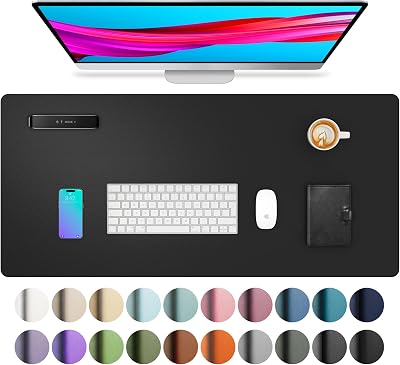
Most XL pads fall between 900–940mm wide and 300–410mm tall. Width matters most for your mouse travel area. Height matters for whether your keyboard fits comfortably on the same pad. Players with full-size keyboards and wide arm sweeps need both dimensions to be large — the Razer Gigantus V2 XXL and the Corsair MM350 Pro are the best options here. Players using tenkeyless or 60% keyboards have more flexibility and can consider the Glorious XL’s narrower 460mm footprint without losing coverage where it counts.
Edge stitching
Unstitched edges fray within weeks of regular use. All five pads on this list use stitched edges, but quality varies. The Razer Gigantus V2 has the most robust border. The Logitech G840 and Glorious XL use lighter stitching that is functional but not premium. If you handle your mousepad roughly, roll it for travel, or use it on a desk with sharp edges, prioritize stitching quality.
Non-slip base
The rubber underside quality determines whether your pad migrates across your desk during intense play. Heavier, denser pads like the QcK Heavy stay put almost regardless of desk surface. Thinner, lighter pads can shift on glass or lacquered surfaces. If your desk has a slippery finish, prioritize pads with thick rubber bases or add a mousepad stopper underneath.
Final Verdict
For most players, the Logitech G840 is the best overall choice. Its consistent low-friction surface works well across game genres, the 900x400mm dimensions fit the widest range of desk setups, and the $50 price point is fair for the quality on offer. It is the pad that adapts to your playstyle rather than requiring you to adapt to it.
If wrist comfort is your primary concern, step up to the SteelSeries QcK Heavy XXL. The 6mm base is a genuine ergonomic advantage for long-session players, and its durable micro-woven surface will outlast most competitors.
For players who want the best dimensions and the most durable edges without compromises, the Razer Gigantus V2 XXL justifies its $55 price. Its 940x410mm footprint is the largest here and its edge stitching sets the standard for the category.
The Corsair MM350 Pro Extended XL is the pick for desk environments where drinks are a real hazard, or for players who need the widest possible surface for an ultrawide monitor setup.
Finally, if budget is the deciding factor, the Glorious XL at $20 delivers surface performance that rivals pads costing three times as much — the only real concession is its narrower 460mm width and minimal wrist cushioning.
Whatever you choose from this list, upgrading to an XL mousepad is one of the most impactful changes a low-sensitivity FPS player can make. More surface means more consistent aim, and more consistent aim means more wins.
Frequently Asked Questions
Why do low-sensitivity gamers use XL mousepads?
Low-sensitivity players make big arm sweeps to aim, which a standard pad cannot contain. An XL desk-covering pad provides uninterrupted mousing space so you never run out of room mid-flick.
What size is an XL gaming mousepad?
XL pads typically span around 900x400mm, covering keyboard and mouse together. Even larger XXL options reach 1200mm wide for full desk coverage.
Are XL mousepads good for the whole desk?
Yes. They create a uniform surface for keyboard and mouse, protect the desk, reduce noise, and give a clean, cohesive look, making them popular for gaming and productivity alike.
Do XL mousepads slide around?
A quality XL pad has a full rubber base that grips the desk and stays put. Cheap pads with thin bases can shift, so look for a textured anti-slip backing.
Related Articles
Looking for more on this topic? Browse the hand-picked guides below — each one applies the same scoring rubric used in this review.
Ready to decide? Our #1 pick for 2026 is the Mousepad.
Live price & availability on Amazon.