- Top Pick: RGB Mousepad Led Mouse Pad, Large Mouse Pad,Led and Big Mouse mat
- Best Value: XXL Mouse Pad with Phone Holder – Black, RGB Desk Mat with 15W Fast Charging, LED Gaming Mousepad with 11 Light Colors, Waterproof Non-Slip Pad for Office & Home
- Premium Choice: TIDALSOIL RGB Gaming Mouse Pad, 31.5×11.8 in Extended LED Desk Mat, Black
Affiliate disclosure: As an Amazon Associate we earn from qualifying purchases. This post contains affiliate links — if you buy through them we may earn a small commission at no extra cost to you. This never affects our recommendations.
As an Amazon Associate we earn from qualifying purchases at no extra cost to you.

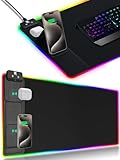


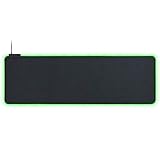


If you’re building a gaming setup in 2026, a plain black mouse pad is a missed opportunity. RGB desk mats have matured well beyond gimmick status — the best ones now combine precise cloth surfaces, full-desk coverage, ecosystem-synced lighting, and in some cases, wireless charging built directly into the pad. This guide cuts through the noise and ranks the top five options based on surface quality, lighting implementation, build durability, and real-world value.
One thing worth settling up front: size matters more than most buyers expect. An XL mat (roughly 35–36 inches wide) covers a standard 60% or TKL keyboard plus a full-size mouse without crowding. XXL (40+ inches) handles full-size keyboards, secondary monitors, and elbow resting room. If your desk is under 48 inches wide, go XL. Anything larger, seriously consider XXL. Don’t buy a mat and discover your keyboard hangs off the edge.
RGB sync is the other factor that separates informed purchases from regret. Corsair iCUE, Razer Synapse, ASUS Aura Sync, and SteelSeries GG all handle lighting coordination differently. If your peripherals are already locked into one ecosystem, stay in it. Cross-ecosystem RGB sync still requires third-party workarounds that break with software updates.
In a hurry? See the top-rated RGB Gaming Desk Mat deals available right now:
🛒 Check Rgb Gaming Desk Mat Prices on Amazon →🛒 Best Price Today on Amazon
Prime members get fast, free shipping on everything above, plus member-only deals. New members get a 30-day free trial — cancel anytime.
Start 30-Day Prime Free Trial →See Today’s Amazon DealsQuick Comparison Table
| Mat | Size | RGB Zones | USB Passthrough | Wireless Charging | Est. Price |
|---|---|---|---|---|---|
| Corsair MM700 RGB | XXL (36.6″ × 15.8″) | 3-zone | Yes (USB-A) | No | ~$70 |
| Razer Firefly V2 Pro | XL (35.4″ × 15.4″) | Chroma (full edge) | No | Yes (Qi) | ~$100 |
| SteelSeries QcK Prism XL | XL (35.4″ × 15.7″) | 2-zone | No | No | ~$60 |
| ASUS ROG Scabbard II Extended | XL (35.4″ × 17.3″) | Edge strip | No | No | ~$55 |
| Logitech G Powerplay | L (13.4″ × 11.8″) | None | No | Yes (POWERPLAY) | ~$120 |
Top 5 RGB Gaming Desk Mats Reviewed
1. Corsair MM700 RGB — Best Overall
The MM700 RGB is the most complete desk mat Corsair has produced. It ships in XXL dimensions that accommodate even full-size keyboards with room to spare, and the three-zone RGB lighting is genuinely well-implemented: left zone, center zone, and right zone each control independently through iCUE, giving you gradient effects, reactive lighting, and static zone colors without looking like a Vegas casino floor.
Specs at a glance:
- Dimensions: 36.6″ × 15.8″ (XXL)
- Surface: Micro-woven cloth
- RGB: 3-zone addressable, iCUE-compatible
- USB passthrough: Yes — one USB-A port on the mat itself
- Cable: Braided, 6-foot length
- Edge stitching: Anti-fray double-stitched
The USB passthrough is the feature most reviews undervalue. It lets you run a USB device (headset, controller, hub) directly from the mat rather than routing cables to the back of your PC. On a cluttered desk this matters. The braided cable is stiff enough to stay routed without kinking, and the anti-fray stitching on the edges has held up through heavy daily use without the fraying you see on cheaper mats within three months.
Surface texture is medium-smooth — fast enough for low-DPI FPS play, stable enough for precision aiming. It does not have the ultra-slick feel of a hard pad, but cloth players will feel at home immediately.
Pros:
- USB passthrough keeps cable routing clean
- Three independent RGB zones through iCUE
- XXL size covers full keyboard + mouse + elbow room
- Anti-fray stitching actually holds long-term
- Strong non-slip rubber base
Cons:
- iCUE software is resource-heavy (RAM, CPU overhead)
- No wireless charging
- Thick (4mm) — noticeable step up at desk edge
Who it’s for: Corsair iCUE ecosystem users, streamers who want clean cable management, and anyone who wants the best-built XXL mat on the market.
2. Razer Firefly V2 Pro — Best for Wireless Charging
The Firefly V2 Pro is Razer’s flagship mat and it earns its premium price by doing something no competitor in this category does as well: combining Chroma RGB edge lighting with a genuine Qi wireless charging surface. Lay a Qi-compatible phone (or Razer’s own wireless-charging peripherals) on the pad and charging begins without plugging anything in.
Specs at a glance:
- Dimensions: 35.4″ × 15.4″ (XL)
- Surface: Micro-textured cloth
- RGB: Razer Chroma 19-zone edge lighting
- USB passthrough: No
- Wireless charging: Yes (Qi, up to 10W)
- Cable: Braided micro-USB, rear-routed
The Chroma lighting is the densest RGB implementation in this roundup. Nineteen individually addressable zones wrap the full perimeter of the mat, producing smooth wave effects, reactive patterns, and Chroma Connect integrations with supported games. If your build is Razer-heavy — keyboard, mouse, headset — the lighting sync is seamless and genuinely impressive.
The micro-textured cloth surface deserves specific mention. It is noticeably different from standard cloth: slightly firmer, more consistent in feel across the entire surface, and it cleans better than soft-weave alternatives. Glide is on the faster side of cloth, which suits players who run DPI in the 400–800 range.

The main drawback is price. At around $100, you’re paying a meaningful premium over comparably sized competitors. And Razer’s Synapse software, like iCUE, carries overhead that lightweight system builders may not want running at startup.
Pros:
- Qi wireless charging built in — genuinely useful
- 19-zone Chroma RGB is the best-looking lighting here
- Micro-textured surface is consistent and easy to clean
- Chroma Connect syncs with 150+ supported games
- Premium build quality throughout
Cons:
- Most expensive mat in this roundup
- No USB passthrough
- Synapse software adds system overhead
- Wireless charging area limited to specific zones on the surface
Who it’s for: Razer ecosystem users, anyone who wants to ditch the phone charging cable on their desk, and setup builders who prioritize aesthetics.
3. SteelSeries QcK Prism XL — Best Value RGB
SteelSeries built its reputation on the QcK line — the non-RGB version has been a staple of competitive gaming for over a decade. The QcK Prism XL takes that proven surface formula and adds dual-zone RGB lighting without abandoning what made the original compelling: consistent, fast cloth that doesn’t degrade noticeably over months of use.
Specs at a glance:
- Dimensions: 35.4″ × 15.7″ (XL)
- Surface: QcK micro-woven cloth
- RGB: 2-zone addressable (top strip + bottom strip), SteelSeries GG-compatible
- USB passthrough: No
- Wireless charging: No
- Base: Anti-slip natural rubber
Two-zone lighting is the honest trade-off at this price point. You get a top LED strip and a bottom LED strip, each independently controllable through SteelSeries GG. It is not as visually complex as Razer’s 19-zone or Corsair’s three-zone, but it is clean, bright, and reliable. The SteelSeries GG software is also notably lighter on system resources than either iCUE or Synapse — a non-trivial advantage if you run background apps while gaming.
The surface itself remains the QcK gold standard: micro-woven cloth that provides consistent glide across the entire surface with no dead spots or tight areas. The anti-slip rubber base is thicker than average, which prevents even the slightest mat movement during aggressive mouse use.
At roughly $60, this is the best-performing surface in the roundup for the price. If RGB lighting is secondary to mouse tracking quality and you want a mat that will outlast the competition, the QcK Prism XL wins on fundamentals.
Pros:
- QcK surface is the benchmark for cloth mouse pad performance
- SteelSeries GG software is lightweight and stable
- Anti-slip rubber base is excellent
- Competitive pricing at ~$60
- Consistent glide with no surface degradation over time
Cons:
- Only 2-zone RGB — less visual complexity than competitors
- No USB passthrough or wireless charging
- Lighting effects library is smaller than Razer/Corsair
Who it’s for: SteelSeries ecosystem users, competitive players who want reliable surface performance over visual flair, and budget-conscious builders who still want RGB.
4. ASUS ROG Scabbard II Extended — Best for Protection
The ROG Scabbard II Extended takes a different angle than the rest of this list. Rather than competing on RGB density or wireless features, ASUS focused on durability: the surface has a nano-coating that resists liquid spills and dust accumulation, the edges use anti-fray stitching, and the entire pad is built to handle environments that would ruin a standard cloth mat in weeks.

Specs at a glance:
- Dimensions: 35.4″ × 17.3″ (XL, notably wider than most)
- Surface: Micro-woven cloth with nano-coating
- RGB: Edge-strip lighting, Aura Sync-compatible
- USB passthrough: No
- Wireless charging: No
- Special features: Splash-resistant, dust-resistant, anti-fray
The width — 17.3 inches versus the industry-standard 15–16 inches — gives meaningful additional vertical real estate. If you have a mechanical keyboard with a wrist rest or prefer high-mounted monitor arms that push your keyboard toward the desk edge, the extra depth prevents keyboard legs from sitting off the pad.
Aura Sync integration works cleanly if your build is ASUS-heavy. The edge lighting strip is a single addressable zone, which limits creative effects compared to multi-zone competitors, but it is consistent and the ARMOURY CRATE software handles Aura Sync reliably without the instability issues that plagued earlier versions.
The nano-coating is the genuine differentiator. Spilled coffee, energy drinks, or dust accumulation that would destroy a standard cloth mat wipes off the Scabbard II with a damp cloth. For desk setups near food, drinks, or in dusty environments (near windows, workshops), this mat provides meaningful practical protection.
Pros:
- Nano-coating genuinely resists spills and dust
- Widest mat in this roundup at 17.3 inches depth
- Anti-fray stitching is well-executed
- Aura Sync integration for ASUS builds
- Competitive price at ~$55
Cons:
- Single-zone edge RGB — least visually complex here
- ARMOURY CRATE software can be heavy
- Nano-coating very slightly affects surface feel vs. bare cloth
- No USB passthrough or wireless charging
Who it’s for: ASUS ROG ecosystem users, anyone who eats or drinks at their desk, and builders in dusty environments who need a mat that can take abuse.
5. Logitech G Powerplay — Best for Logitech Wireless Mouse Users
The G Powerplay operates in an entirely different category than the other four mats. It is not primarily a desk mat — it is a continuous wireless charging system for compatible Logitech mice, and it happens to function as a mouse pad. If you use a G305, G502 X Plus, G703, G903, or other POWERPLAY-compatible mouse, this pad eliminates battery anxiety entirely. Your mouse charges while you play, maintaining 100% charge through every gaming session.
Specs at a glance:
- Dimensions: 13.4″ × 11.8″ (L — mouse-only coverage, not desk coverage)
- Surface: Two included — Hard (Powercore module + Hard pad) or Cloth (Powercore module + Cloth pad)
- RGB: None on the pad itself
- USB passthrough: No
- Wireless charging: Yes — POWERPLAY continuous charging technology
- Compatible mice: G305, G502 X Plus, G703, G903, G Pro Wireless, G Pro X Superlight
The critical caveat is size. At 13.4 × 11.8 inches, this covers a mouse and nothing else. It is not a desk mat in the traditional sense. You will need a separate large mat under your keyboard if you want full-desk coverage. Many Powerplay users pair it with a separate plain XL cloth mat: Powerplay sits on top for the mouse zone, the larger mat provides keyboard and elbow coverage underneath.
No RGB on the pad is a trade-off worth flagging. The pad’s electronics are dedicated entirely to the charging system, and Logitech made the correct call not to add RGB that would compete with the charging coil’s efficiency. If you want lighting, your Logitech G mouse handles that.
At $120, this is the most expensive entry here for the least surface coverage — but for POWERPLAY-compatible mouse owners it is genuinely transformative. Never charging a mouse again is a concrete quality-of-life improvement that no other product in this list can match.
Pros:
- Continuous wireless charging while gaming — genuinely game-changing
- Works with all major Logitech G wireless mice
- Two surface options (hard and cloth) included in box
- Eliminates battery anxiety for wireless mouse users
- Reliable, proven technology in its fifth hardware generation
Cons:

- Small footprint — not a full desk mat
- No RGB on the pad itself
- Most expensive per square inch in this roundup
- Only compatible with Logitech POWERPLAY mice
- Requires separate mat for keyboard coverage
Who it’s for: Logitech wireless mouse users exclusively. If you don’t own a POWERPLAY-compatible mouse, look elsewhere.
How to Choose an RGB Gaming Desk Mat
Size: Match the Mat to Your Desk
The most common buying mistake is undersizing. Measure your desk width before you buy. For desks under 48 inches, an XL mat (35–36 inches wide) leaves breathing room on both sides. For desks 48 inches and wider, go XXL (40+ inches) — the full-coverage look justifies the price difference. Height (depth) matters too: 15 inches accommodates most setups, but if you use a wrist rest or high-profile keyboard, look at mats with 17+ inch depth like the ROG Scabbard II.
RGB Sync: Stay in Your Ecosystem
Cross-brand RGB sync in 2026 still requires Signalrgb or similar third-party software. It works, but it adds a software dependency that breaks periodically. If your keyboard and mouse are Corsair, get the MM700 and use iCUE. If they’re Razer, the Firefly V2 Pro’s Chroma integration is the cleanest available. Mixing ecosystems is fine if you don’t care about synchronized effects — run each brand’s lighting independently and don’t stress about it.
Cable Management
Desk mats with USB passthroughs (the MM700 being the only one in this list) simplify cable routing significantly. The USB-A port on the mat surface lets you run one peripheral cable down to the mat and terminate there, rather than routing everything to the back of your PC. If cable management is a priority and you’re not buying the MM700, plan for a separate cable management solution or a desk with built-in routing channels.
Surface Texture for Mouse Tracking
Cloth mats offer lower glide speed and higher precision — better for controlled aiming at lower DPI. Hard mats offer higher glide speed — better for fast sweeping movement and high-DPI play. Of the five mats here, all are cloth except the Logitech G Powerplay which ships with both options. The Razer Firefly V2 Pro’s micro-textured cloth splits the difference, offering slightly faster glide than standard woven cloth while maintaining precision. Choose based on your gaming style and DPI preferences, not just aesthetics.
Wireless Charging: Useful or Unnecessary?
If you regularly set your phone on your desk while gaming — and most people do — a Qi charging surface removes one cable from your desktop entirely. The Razer Firefly V2 Pro justifies its $100 price partly on this feature alone. The Logitech G Powerplay is in a separate category: it charges your mouse, not your phone. Both are genuinely useful; neither is a gimmick if the use case matches your setup.
Final Verdict
Top Pick: Corsair MM700 RGB
The MM700 wins on the combination of XXL size, three-zone iCUE lighting, USB passthrough, and build quality that holds up long-term. For most gaming setups, it is the right mat at a fair price. If you’re in the Corsair ecosystem, this is an easy call.
Runner-Up: Razer Firefly V2 Pro
If wireless charging matters to you and your setup leans Razer, the Firefly V2 Pro is worth the premium. The 19-zone Chroma lighting is the best-looking implementation in this roundup, and the micro-textured surface outperforms standard cloth on consistency. The price is the only real barrier.
Best Value: SteelSeries QcK Prism XL
At $60, the QcK Prism XL delivers the best surface performance per dollar. The QcK cloth formula is proven, the dual-zone RGB does the job cleanly, and SteelSeries GG software won’t slow your system down. For buyers who want solid RGB without paying the Corsair or Razer premium, this is the answer.
Related Articles
Looking for more on this topic? Browse the hand-picked guides below — each one applies the same scoring rubric used in this review.
Frequently Asked Questions
What is the best gaming desk mat rgb in 2026?
The best gaming desk mat rgb depends on your budget and how you plan to use it. The options compared above are our top-rated picks based on real customer ratings, build quality, and overall value — start with the highest-rated model that fits your budget.
How much should I expect to spend on a gaming desk mat rgb?
Prices vary by brand and features. Budget options cover the essentials, while mid-range and premium models add durability, performance, and extra features. Compare the prices in the list above to find the best value for your needs.
What should I look for when buying a gaming desk mat rgb?
Focus on what matters most for your use case — build quality, compatibility, performance, warranty, and verified customer reviews. Every pick above is selected to balance these factors.
Are budget gaming desk mat rgb options worth it?
Yes. For most people a well-reviewed budget or mid-range gaming desk mat rgb delivers excellent value. You only need to spend more if you specifically require premium materials or top-tier performance.
How did we choose these gaming desk mat rgb picks?
We compare current Amazon ratings, review counts, key features, and price to surface the options with the best real-world value. The list is refreshed as ratings and availability change.