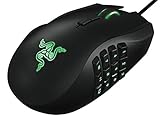
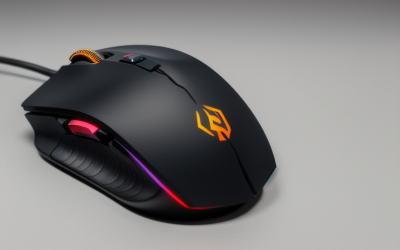
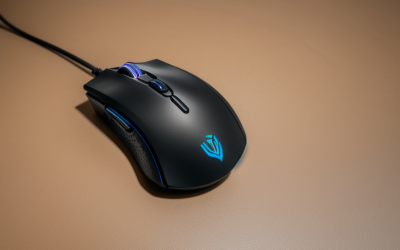
- Top Pick: MELOGAGA Wireless Gaming Mouse, 3-Mode Bluetooth/2.4G/USB-C, 8 DPI -White | 800-6400 DPI, 1000hz Polling, Ultra-Light 71g Design with 120-Hour Rechargeable Battery for PC, Mac, PS5 & Tablets
- Best Value: BENGOO Gaming Mouse Wired with RGB Backlit, Ergonomic PC Computer Mice | 4 Adjustable DPI up to 3600, 6 Programmable Buttons, Optical Gamer Mouse for PC Laptop Windows 7/8/10/XP Vista Linux
- Premium Choice: Redragon M612 Wired RGB Optical Gaming Mouse 8000 DPI Remapping Keys | Stable Lag-Free Connection, Redefine Keybinding Macro, Vibing Backlight, Ergonomic Grip Body Comfort
A gaming mouse under 20 dollars forces a trade that bigger budgets avoid: you can have a wireless connection, a high DPI number, or a famous brand, but rarely all three at once. The first decision is wired versus wireless. Wired models spend their budget on sensor and buttons; wireless ones spend part of it on a battery and radio, so something else gets thinned out. Knowing which side of that trade you are on narrows a crowded shelf quickly.
This guide covers ten mice and is written for students, laptop gamers, and anyone buying a first or backup mouse for 2026 who wants shooters, MOBAs, and everyday browsing covered without overspending. Because listed budgets move around, confirm that the current listing for your pick still sits under 20 dollars before ordering. Everything below is judged only on what each listing states: connection type, DPI, button count, weight, and software.
Quick Picks
As an Amazon Associate we earn from qualifying purchases at no extra cost to you.




| Product | Best for | Key spec from the listing |
|---|---|---|
| MELOGAGA Wireless Gaming Mouse | Wireless with long battery | 71g, 120-hour battery, 3 modes |
| BENGOO Wired Gaming Mouse | Plain wired starter | Up to 3600 DPI, 6 buttons |
| Redragon M612 | Macro-minded wired play | 8000 DPI, remappable keys |
| Typehaven G57 | Tri-mode wireless | 8000 DPI, 80g, 2.4G/Bluetooth/USB-C |
| Razer DeathAdder Essential | Ergonomic wired shape | 6400 DPI, rubber side grips |
| Customizable low-noise wired mouse | Quiet clicks, work and play | 6 DPI levels, 6 buttons |
| WolfLawS KM-1 | Lightweight-look wireless | Honeycomb shell, 2.4G receiver |
| acer Wired Gaming Mouse | Most DPI headroom | 12,800 DPI, 8 buttons |
| Logitech G203 | Brand-backed wired pick | 8,000 DPI, on-board memory |
| Redragon M656 | Simple 2.4G wireless | 4000 DPI, cable-free |
How to Choose
Wired or wireless
Wired mice remove battery weight and the charging chore, and the cable carries the signal without pairing. Wireless models in this group use a 2.4G receiver, Bluetooth, or both. If a listing offers 2.4G, that is the mode to use for games; Bluetooth is better kept for tablets and laptops on the move. Only buy wireless if you are willing to charge it, because the rechargeable ones need a USB-C cable in reach, and a dead battery mid-match is a bigger problem than a visible cable ever was. A wired model also never needs a spare receiver port, which matters on a laptop with two USB ports.
DPI is a ceiling, not a score
Most players run between 400 and 1600 DPI, so a 12,800 DPI label does not make a mouse four times better than one with 3200 DPI. What matters is having several steps you can switch between, ideally with a button on top. Look for at least three levels and a sensor described as optical. Treat the biggest numbers as marketing rather than a performance gap, and use the saved attention on shape and buttons, which you will notice every minute you play.
Buttons, weight, and shape
Five or six programmable buttons cover most games; eight is only useful if you will bind them. For weight, lighter mice around 70 grams ease long sessions, while heavier ones feel steadier in slow aiming. Shape depends on grip: ergonomic right-hand shells fit palm grips, and small honeycomb shells fit claw grips better. If a listing leaves out the weight, assume nothing about it. Several titles here skip it, so compare shape and grip style instead of guessing.
Where budget mice cut corners
Expect plastic switches rated for fewer clicks, no on-board memory, and software that may be Windows-only. Several listings promise Mac or console support, which is worth reading closely. Wireless mice at this level rarely mention polling rate or latency, so pay attention to the ones that do, such as the 1000Hz figure on the MELOGAGA and the Typehaven. Unbranded listings often leave out the sensor name entirely, which makes comparison harder.
The 10 Best Options
MELOGAGA Wireless Gaming Mouse
A tri-mode wireless mouse for players who want one device across a PC, a Mac, a PlayStation 5, and a tablet. The listing shows Bluetooth, 2.4G, and USB-C connections, 800 to 6400 DPI in eight steps, 1000Hz polling, and a 71g body.
- Strength: a 120-hour rechargeable battery means few charging breaks.
- Strength: the 71g weight is among the lightest wireless options here.
- Trade-off: a 6400 DPI top end is lower than some wired rivals.
Skip it if you want the most programmable buttons.
BENGOO Gaming Mouse Wired
A no-frills wired mouse for first-time buyers. The listing names RGB backlighting, four adjustable DPI levels up to 3600, six programmable buttons, an optical sensor, and an ergonomic shape.
- Strength: four DPI steps give a simple way to change sensitivity.
- Strength: six buttons offer room for a few game binds.
- Trade-off: the 3600 DPI ceiling is the lowest of the wired group.
Skip it if you want lots of sensitivity range or Mac-focused marketing.
Redragon M612
A wired option for players who care about customization. The listing highlights 8000 DPI, remappable keys, macro keybinding, a stable connection, a backlight, and an ergonomic grip body.
- Strength: remapping and macro support let you tailor buttons to a specific game.
- Strength: the 8000 DPI figure leaves plenty of sensitivity steps.
- Trade-off: the title does not state a weight or button count.
Skip it if you need a wireless connection or a stated weight.
Typehaven G57 Wireless Gaming Mouse
A wireless pick that spans three connection types. The listing shows 8000 DPI, an 80g rechargeable body, 2.4G, Bluetooth, and USB-C connectivity, and five programmable buttons for PC and Mac.
- Strength: three connection modes cover desktop and laptop setups.
- Strength: 8000 DPI gives wide sensitivity range for a wireless model.
- Trade-off: at 80g it is heavier than the MELOGAGA listing.
Skip it if low weight is your top priority.
Razer DeathAdder Essential
The best-known name in the ergonomic wired category, aimed at players who prefer a familiar shape. The listing cites a 6400 DPI optical sensor, five programmable buttons, rubber side grips, and mechanical mouse switches.
- Strength: rubber side grips help control during fast flicks.
- Strength: mechanical switches are named, which many budget listings skip.
- Trade-off: five buttons is fewer than the eight-button acer.
Skip it if you want RGB lighting or a wireless connection.
Customizable Wired Gaming Mouse with 6 DPI Levels
An unbranded wired mouse for gamers who also use the same device at work. The listing promises six DPI levels, six programmable buttons, low-noise clicks, RGB lighting, and use for gaming, office work, and daily use.
- Strength: low-noise clicks suit shared rooms and offices.
- Strength: six DPI levels offer finer sensitivity steps than the BENGOO.
- Trade-off: the listing gives no brand, sensor name, or top DPI value.
Skip it if you want a known sensor or documented specs.
WolfLawS KM-1 RGB Wireless Gaming Mouse
A wireless mouse with a honeycomb shell, which suggests a lighter, ventilated body. The listing names a 2.4G USB receiver, six buttons, three adjustable DPI levels, a rechargeable battery, and an ergonomic shape for PC, Mac, and laptops.
- Strength: the honeycomb shell sets it apart visually.
- Strength: wireless 2.4G with a rechargeable battery avoids cable drag.
- Trade-off: only three DPI levels are listed, and no weight or top DPI.
Skip it if you need Bluetooth or high DPI range.
acer Wired Gaming Mouse
A feature-heavy wired mouse from a recognizable computer brand. The listing shows 12,800 DPI, an optical sensor, 12 backlight modes, eight programmable buttons, software for DIY keybinds, and rapid fire.
- Strength: eight buttons and software support suit MMO and MOBA binds.
- Strength: the 12,800 DPI figure is the highest in this group.
- Trade-off: the software is the main route to its features, so setup takes time.
Skip it if you want a plug-and-play mouse or wireless freedom.
Logitech G203 Wired Gaming Mouse
A wired mouse from a long-standing peripheral brand. The listing cites 8,000 DPI, six programmable buttons, on-board memory, screen mapping, and PC and Mac compatibility, with a rainbow optical effect.
- Strength: on-board memory keeps settings on the mouse itself.
- Strength: the listing is clear on buttons and DPI.
- Trade-off: it lists no wireless or Bluetooth mode.
Skip it if you need a cable-free setup, and recheck that the listing remains within the 20-dollar limit.
Redragon M656 Wireless Optical Gaming Mouse
A simple wireless mouse for players who want no cable and no pairing menus. The listing mentions 4000 DPI, remappable keys, custom macro keybinds, cable-free operation, and an ergonomic grip body.
- Strength: macro and remapping options are listed for a wireless model.
- Strength: the optical sensor is described as smooth and precise.
- Trade-off: 4000 DPI is lower than the Typehaven or MELOGAGA.
Skip it if you want Bluetooth or a stated battery life.
Which One Fits Your Situation
You game on a laptop and travel
Take the MELOGAGA Wireless: three connection modes, a 71g body, and a long battery listing make it the easiest to carry. The Typehaven G57 is the alternative if you prefer a slightly heavier mouse with a higher DPI ceiling.
You want the most buttons for MMOs and MOBAs
The acer Wired Gaming Mouse lists eight programmable buttons and software for keybinds, so it fits binding-heavy games. The Redragon M612 is a second option when you want macro support without the extra buttons.
You want a trusted shape and brand
Pick the Razer DeathAdder Essential for its ergonomic form or the Logitech G203 for on-board memory; both are wired and straightforward, and neither depends on a battery or a receiver.
You share a room and want quieter clicks
The customizable low-noise wired mouse is the one whose listing speaks directly to quiet operation, though it provides fewer verified details. If you would rather skip cables on a quiet desk, the Redragon M656 and WolfLawS KM-1 both use a simple 2.4G connection.
Common Mistakes
- Buying on the largest DPI number instead of the number of adjustable steps.
- Choosing a wireless mouse and forgetting to plan for charging.
- Ignoring weight when the listing leaves it out.
- Assuming Mac or console support without finding it in the listing.
- Skipping a check that the current listing still falls under the 20-dollar limit.
Frequently Asked Questions
Is a wireless mouse under 20 dollars good enough for games?
Models using a 2.4G receiver can work well for casual and mid-level play. Bluetooth is better for productivity. Read whether a listing offers 2.4G before committing, and expect fewer extras than a wired model at the same budget.
What DPI should I choose?
Most players settle between 400 and 1600 DPI. Pick a mouse with several steps rather than the largest top value.
Do I need programmable buttons?
Five or six cover most games. Eight helps MMOs and MOBAs only if you will use them, and the software needed to bind them is part of the deal.
Are unbranded mice worth considering?
They can suit office-plus-gaming use, but they list fewer verified details. Branded listings state sensor type, memory, and button counts more clearly, which makes them easier to compare side by side.