

- Top Pick: SteelSeries QcK Medium Gaming Mousepad — Black — Non-Slip Silicone Rubber Base — Peak Tracking and Stability — Optimized for Gaming Sensors — 320 mm x 270 mm — FPS, MOBAs, RTS, MMO
- Best Value: SteelSeries QcK Gaming Mouse Pad – XXL Cloth – Peak Tracking and Stability – Esports Mousepad – Never-Slip – Full Desk Coverage
- Premium Choice: Mouse Pad Gaming – Desk Mat for Keyboard and Mouse – Kanagawa Large Mouse Pad for Desk, Japanese Sea Wave Mousepad (31.5 x 11.8inch) with Non-Slip Base, Desks Pad Mat for Game, Office and Home
Affiliate disclosure: As an Amazon Associate we earn from qualifying purchases. This post contains affiliate links — if you buy through them we may earn a small commission at no extra cost to you. This never affects our recommendations.
A gaming mouse pad is one of those components that seems minor until you’ve used a bad one. Inconsistent tracking, mouse feet that catch on rough surfaces, or a mat that slides around mid-game can all cost you crucial in-game moments. In 2025, the mouse pad market spans everything from $10 budget cloth mats to $80 RGB-lit extended desk covers — and surprisingly, expensive doesn’t always mean better for your playstyle.
The right pad depends on your mouse sensor, your grip style, and whether you prefer the smooth speed of a hard surface or the controlled friction of cloth. This guide covers the five best gaming mouse pads across different categories, with a buying guide that explains exactly how to match a pad to your gaming needs.
In a hurry? See the top-rated Gaming Mouse Pads deals available right now:
🛒 Check Gaming Mouse Pads Prices on Amazon →🛒 Best Price Today on Amazon
Prime members get fast, free shipping on everything above, plus member-only deals. New members get a 30-day free trial — cancel anytime.
Start 30-Day Prime Free Trial →See Today’s Amazon DealsTop Picks at a Glance
| Mouse Pad | Surface | Size | Best For |
|---|---|---|---|
| SteelSeries QcK Medium | Cloth | Medium | Budget/general gaming |
| Razer Firefly Hard V2 RGB | Hard | Medium | Speed gamers, RGB setups |
| Razer Goliathus Chroma 3XL | Cloth | 3XL Extended | Full desk RGB coverage |
| Large Extended Gaming Pad | Cloth | Extended | Budget extended coverage |
| Sycoodeal Office Chair Mat | Hard PVC | XXL | Floor protection + desk coverage |
As an Amazon Associate we earn from qualifying purchases at no extra cost to you. Product prices and availability are accurate as of the date shown and are subject to change.



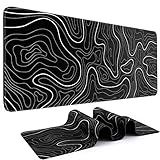



SteelSeries QcK Medium Cloth — Best Budget Gaming Mouse Pad
The SteelSeries QcK has been a competitive gaming staple for over a decade, and in 2025 it remains the gold standard for affordable cloth mouse pads. The micro-woven cloth surface provides consistent, predictable glide that suits both low-DPI FPS players and high-DPI MOBA gamers. At just $10.99, it undercuts nearly every competitor while matching or beating many pricier alternatives in surface consistency. The non-slip rubber base keeps it anchored, and it’s available in multiple sizes from mini to XXL. No RGB, no gimmicks — just a reliable, competition-proven surface.
- Pros: Trusted by pros, consistent glide, non-slip base, multiple sizes, incredible value
- Cons: No RGB, basic aesthetics, cloth surface absorbs oils over time and needs washing
Razer Firefly Hard V2 RGB — Best RGB Hard Surface Pad
The Razer Firefly Hard V2 brings Chroma RGB lighting to a hard polycarbonate surface. At $42.52, it targets players who want speed — the slick hard surface produces lower friction than cloth, enabling fast, sweeping mouse movements with precise stopping. The 19-zone Chroma lighting syncs with Razer’s ecosystem and other Chroma-compatible peripherals. Micro-textured hard surface optimizes all sensor types, and a USB passthrough on the side adds a convenient port. It’s a premium pick for FPS players who prioritize raw speed and want a lit setup.
- Pros: Fast hard surface, 19-zone Chroma RGB, USB passthrough, consistent tracking surface
- Cons: Hard surface won’t suit players who prefer controlled glide, mouse feet wear faster
Razer Goliathus Chroma 3XL — Best Extended RGB Cloth Pad
The Goliathus Chroma 3XL measures a massive 1200mm x 550mm — enough to cover the full surface of most gaming desks and wrap both keyboard and mouse in one unified mat. The cloth surface delivers Razer’s signature controlled glide, and 19-zone Chroma RGB runs around the entire perimeter for a dramatic lighting effect. At $79.99 it’s the premium pick, but for streamers and setup enthusiasts who want a cohesive, visually stunning desk, the Goliathus Chroma 3XL is unmatched in its tier.
- Pros: Massive 3XL coverage, perimeter Chroma RGB, consistent cloth surface, premium aesthetics
- Cons: Expensive for a mouse pad, large size may not fit smaller desks, requires USB for RGB
Large Extended Gaming Mouse Pad — Best Budget Extended Mat
At just $12.57, this large extended cloth mouse pad delivers desk-wide coverage without the RGB tax. Measuring roughly 900mm x 400mm, it fits most mid-size gaming desks and provides a unified cloth surface under both keyboard and mouse. Stitched edges prevent fraying, and the rubberized non-slip base handles extended gaming sessions. It won’t win awards for looks, but for players who want extended coverage without spending more than their lunch, this is the pragmatic choice.
- Pros: Very affordable, extended coverage, stitched edges, non-slip base
- Cons: No RGB, generic branding, cloth quality not as refined as premium options
Sycoodeal Office Chair Mat — Best Hard Floor Protection Mat
Technically a floor mat rather than a traditional mouse pad, the Sycoodeal at $16.99 solves a different problem: protecting hardwood and tile floors from chair wheels while keeping your gaming area unified. At XXL size it covers a generous floor area, and the hard PVC surface rolls smoothly under chair casters — no more scuffed floors or rug indentations. Pair it with a traditional mouse pad on your desk for a complete setup. Ideal for gaming rooms with hard flooring where chair mats are essential.

- Pros: Protects hard floors, smooth chair rolling, large coverage area, affordable
- Cons: Not a mouse tracking surface, purely a floor protector, may shift on very smooth floors
Buying Guide
Mouse pad selection comes down to three main choices: surface material, size, and whether you want RGB. Here’s how to think through each.
Cloth vs. Hard Surface: Cloth mouse pads provide more friction, which gives players better control during precision movements — crucial for low-DPI FPS gamers who make large, sweeping arm movements and need to stop precisely. Hard polycarbonate surfaces reduce friction significantly, enabling faster movements and faster stopping. They’re preferred by players who use high DPI settings and make small, wrist-driven movements. Neither is objectively better — it’s personal preference, and most competitive players have tried both.
Size Matters More Than You Think: Gaming at low DPI (400–800) for FPS precision requires large mouse movements. A small or medium pad will cause your mouse to run off the edge during intense gameplay. If you game at low DPI, choose a large or extended pad — anything under 400mm wide is too small. High-DPI players who make wrist movements can use medium pads comfortably.
Extended Pads Unify Your Setup: Extended pads that cover your full desk aren’t just aesthetically clean — they also eliminate the edge between your mouse pad and desk surface, removing any tracking inconsistency when your mouse crosses the boundary. For setups where your keyboard and mouse are close together, an extended pad is both practical and visually polished.
Thickness and Base Grip: Thicker pads (4–5mm) provide cushioning for wrist comfort during long sessions. Thinner pads (2–3mm) give a more direct surface feel. Regardless of thickness, check that the rubber base is non-slip — cheap pads will creep forward during intense gaming and require constant repositioning.

RGB Mouse Pads: RGB-lit mouse pads require a USB connection for power. They add visual flair and integrate with lighting ecosystems like Razer Chroma or SteelSeries GG. The lighting doesn’t affect tracking performance, so it’s purely aesthetic. Factor in whether you have a spare USB port and whether your other peripherals support the same lighting ecosystem.
Cleaning and Maintenance: Cloth mouse pads accumulate sweat, dust, and oils over time, which degrades their surface consistency. Most can be hand-washed with cold water and mild soap, then air-dried flat. Never put a cloth mouse pad in a dryer — heat warps the rubber base. Hard surface pads just need a quick wipe with a damp cloth.
What is the best mouse pad surface for FPS games?
Most FPS professionals prefer medium-weight cloth surfaces that balance speed and control. A pure speed pad can cause overshooting in precise scenarios like long-range rifle shots, while a pure control surface slows down reactive flick shots. The SteelSeries QcK and similar balanced cloth pads remain the competitive standard. Hard surfaces are preferred by some high-DPI players, but cloth dominates professional play across CS2, Valorant, and similar titles.
Does mouse pad size affect gaming performance?
Yes, significantly for low-DPI players. If you use 400–800 DPI for FPS precision and make large arm movements, a small pad will cause you to run out of space during gameplay. A large or extended pad eliminates this issue. High-DPI players who make small wrist movements can use any size comfortably. In competitive play, most pros use large or extended pads regardless of DPI to give themselves full range of motion.

How often should I replace my mouse pad?
A quality cloth mouse pad lasts 1–2 years with regular cleaning. Signs it needs replacing: surface feels noticeably inconsistent or rough, rubber base no longer grips well, cloth has visible worn patches in the center. Hard surface pads last much longer — 3–5 years — since they don’t absorb materials. If you wash your cloth pad regularly (every 4–6 weeks), you can extend its life significantly.
Is an RGB mouse pad worth it?
RGB on a mouse pad is purely aesthetic — it has zero effect on tracking or gaming performance. Whether it’s worth it depends on your setup and budget. If you already have RGB peripherals and want a cohesive look, a Chroma or similar RGB pad completes the aesthetic. If you’re budget-focused, skip the RGB and spend that money on a better mouse or headset. The Razer Firefly Hard V2 at $42 is reasonable for RGB; anything above $60 just for lighting effects is hard to justify unless aesthetics are a priority.
Verdict
For most gamers, the SteelSeries QcK Medium at $10.99 is the smartest buy — it’s used by professional players worldwide and delivers consistent performance that more expensive pads struggle to beat. If you want RGB or extended coverage, the Razer Firefly Hard V2 and Goliathus Chroma 3XL cover those needs at fair prices. Budget-conscious players who want extended coverage should grab the Large Extended Gaming Pad at $12.57. Match your pad to your DPI and movement style, keep it clean, and it will serve you reliably for years.
Frequently Asked Questions
Cloth or hard gaming mouse pad, which is better?
Cloth pads offer controlled glide and comfort with reliable stopping power, ideal for most gamers. Hard pads provide a faster, slicker surface. It comes down to whether you prefer speed or control.
Should I get an extended mouse pad?
An extended pad covers both keyboard and mouse, giving a uniform surface, more mousing room for low sensitivity, and a tidy look. It is popular with FPS players who make big arm movements.
What thickness mouse pad is best?
3-4mm is the standard, offering a flat, stable feel. Thicker pads of 5mm or more add cushioning for uneven desks and wrist comfort but can feel slightly less stable.
How do I clean a gaming mouse pad?
Cloth pads can be hand-washed with mild soap and cold water, then air-dried flat. Hard pads just need a wipe with a damp cloth. Regular cleaning keeps the glide consistent.
Related Articles
Looking for more on this topic? Browse the hand-picked guides below — each one applies the same scoring rubric used in this review.
Ready to decide? Our #1 pick for 2026 is the SteelSeries QcK Medium.
Live price & availability on Amazon.


