As an Amazon Associate we earn from qualifying purchases.
Escape from Tarkov is not a typical shooter when it comes to hardware. It is famously sensitive to CPU performance and system memory: big maps such as Streets of Tarkov load large amounts of data and punish machines that run short on RAM. The official requirements underline this — the minimum calls for 16 GB of RAM, while the official recommendation jumps to 64 GB alongside a high-end desktop processor, an unusually steep figure that tells you where this game’s bottlenecks sit. That recommendation is unrealistic on a laptop, so the sensible target is 32 GB: double the minimum, with headroom for the game, Discord, and a browser at the same time.
Each laptop below is currently sold on Amazon US, pairs an HX-class processor with an RTX 4060 or RTX 4070 laptop GPU, and uses fast NVMe storage. Two picks ship with 32 GB of RAM; two ship with 16 GB and are included because their processors justify a memory upgrade, with the upgrade situation for each exact model stated honestly. If you are also weighing up a desktop build, our guide to the best CPU for Escape from Tarkov covers the processor side in more depth.
What Tarkov Actually Needs From a Laptop
CPU and RAM come first
In most games the graphics card decides your frame rate. In Tarkov, the processor and memory often decide it first, especially on large maps and in busy firefights. That is why every pick here uses an HX-series processor — Intel Core i7 or i9 HX chips, or AMD’s Ryzen 9 7940HX — rather than lower-power H or U series chips. These HX parts have more cores, larger caches, and higher sustained power limits.
Memory is the second priority. Sixteen gigabytes meets the official minimum, but leaves little room for anything else and can contribute to stutter as maps fill memory. Thirty-two gigabytes is the practical sweet spot; very few gaming laptops ship with the recommended 64 GB, so a model that can be upgraded later beats one sealed at 16 GB.
GPU, display, and storage
An RTX 4060 or RTX 4070 laptop GPU gives enough headroom for 1080p and 1440p-class play, plus DLSS support. GPU power limits matter as much as the chip name — a full-power RTX 4060 can close much of the gap to a restricted RTX 4070 — so the picks note wattage where the seller states it. A 165Hz panel suits a fast-paced extraction shooter, and 2560 x 1600 panels help with spotting movement at distance. Install the game on the internal NVMe SSD: every pick has at least 1 TB.
Comparison Table
| Model | CPU | GPU | RAM | Storage | Display | ASIN |
|---|---|---|---|---|---|---|
| Lenovo Legion Pro 5i Gen 8 | Intel Core i7-13700HX | RTX 4070 8 GB | 32 GB DDR5 | 1 TB PCIe NVMe SSD | 16″ WQXGA 165Hz | B0CDQRY4HX |
| Acer Predator Helios Neo 16 | Intel Core i9-14900HX | RTX 4060 8 GB | 32 GB DDR5-5600 | 2 TB PCIe SSD | 16″ WUXGA 165Hz | B0DJG3QJH5 |
| ASUS ROG Strix G16 (G614JV-AS74) | Intel Core i7-13650HX | RTX 4060 8 GB, 140W Max TGP | 16 GB DDR5-4800 | 1 TB PCIe Gen4 SSD | 16″ FHD 165Hz | B0CRDCXRK2 |
| ASUS TUF Gaming A16 (FA607PI-AS94) | AMD Ryzen 9 7940HX | RTX 4070 | 16 GB DDR5 | 1 TB PCIe Gen4 SSD | 16″ QHD+ 165Hz | B0CRCWY9VT |
The Picks
1. Lenovo Legion Pro 5i Gen 8 — Best Overall for Tarkov

The Legion Pro 5i Gen 8 is the most complete Tarkov laptop here because it gets the two things this game cares about most right at once: a strong processor and 32 GB of memory from the factory. Its Intel Core i7-13700HX is a 16-core, 24-thread chip with 30 MB of cache and boost speeds up to 5.0 GHz — exactly the profile you want for CPU-limited raids. The listing’s product description describes memory support up to 64 GB, so there is a path toward the official recommended figure later if you replace the installed sticks.
Graphics come from an RTX 4070 with 8 GB of GDDR6 memory, and storage is a 1 TB PCIe NVMe M.2 SSD. The 16-inch WQXGA (2560 x 1600) display runs at 165Hz. Ports suit a desk setup: four USB-A 3.2 Gen 1, two USB-C 3.2 Gen 2, RJ-45 Ethernet — worth using for raids, since a wired connection avoids Wi-Fi hiccups mid-fight — plus HDMI and a combo audio jack. Wi-Fi 6 and Bluetooth 5 cover wireless use. The listing does not state specific warranty terms in the details checked, so confirm coverage on the product page before ordering.
See the Lenovo Legion Pro 5i Gen 8 on Amazon (ASIN: B0CDQRY4HX)
2. Acer Predator Helios Neo 16 — Strongest CPU, Biggest SSD

If raw processor power is your top priority, this Predator Helios Neo 16 configuration leads the list. Its Intel Core i9-14900HX is a 24-core chip (8 performance cores) with boost speeds up to 5.8 GHz and a 36 MB cache — the strongest CPU here, and a sensible match for a game often limited by the processor rather than the graphics card. It ships with 32 GB of DDR5-5600 memory in SO-DIMM form, meaning socketed rather than soldered memory, and a roomy 2 TB PCIe SSD, the largest storage in this roundup.
The trade-off is the GPU: an RTX 4060 with 8 GB of GDDR6, one tier below the RTX 4070 machines — defensible for Tarkov, which so often bottlenecks on CPU and RAM first. The 16-inch WUXGA (1920 x 1200) IPS display runs at 165Hz. Ports are a strength: HDMI, two Thunderbolt 4 ports, an SD card reader, RJ-45 Ethernet, and a combo audio jack, with 802.11ax Wi-Fi and Bluetooth 5.3. One caveat: this is a professionally upgraded configuration, and the listing states a 1-year manufacturer warranty from the seller, MichaelElectronics2 — read the warranty wording carefully, because upgraded configurations can differ from factory-sealed machines in how coverage works.
See the Acer Predator Helios Neo 16 on Amazon (ASIN: B0DJG3QJH5)
3. ASUS ROG Strix G16 (G614JV-AS74) — Full-Power RTX 4060, Upgrade the RAM

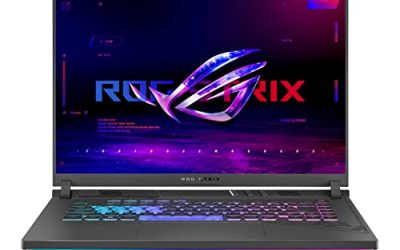
The ROG Strix G16 earns its place on GPU power delivery and cooling. Its RTX 4060 laptop GPU runs at a 140W maximum TGP according to the listing — the full-power version of the chip, not a restricted variant — and ASUS highlights its ROG Intelligent Cooling design with liquid metal on the CPU for sustained performance over long sessions. The processor is a 13th Gen Intel Core i7-13650HX, a proper HX chip that suits Tarkov’s CPU demands.
The honest caveat is memory: this configuration ships with 16 GB of DDR5-4800, the game’s official minimum, not the recommended 32 GB. Amazon’s technical details for the G614JV model list two memory slots, so the practical route is replacing the installed memory with a larger two-stick DDR5 kit rather than expecting an empty slot — verify the exact slot configuration on the product page for the unit you order. Storage is a 1 TB PCIe Gen4 SSD, the display is a 16-inch FHD 165Hz panel with 100% sRGB coverage at 1920 x 1200, and connectivity includes Wi-Fi 6E. Warranty terms were not specified in the listing details checked.
See the ASUS ROG Strix G16 on Amazon (ASIN: B0CRDCXRK2)
4. ASUS TUF Gaming A16 (FA607PI-AS94) — Ryzen 9 Power and a QHD+ Screen

The TUF Gaming A16 is the AMD option, built around a Ryzen 9 7940HX — a 16-core desktop-class mobile processor that suits a CPU-sensitive game — paired with an RTX 4070 laptop GPU with Advanced Optimus support. Its 16-inch QHD+ display (2560 x 1600) runs at 165Hz with NVIDIA G-SYNC, the joint-sharpest panel here, and the listing notes the chassis has passed MIL-STD-810H military-grade durability testing.
Like the Strix, it ships with 16 GB of DDR5 memory and a 1 TB PCIe Gen4 SSD — the game’s minimum, not the recommended target. The listing details checked do not specify the memory slot layout for this exact FA607PI-AS94 configuration, so if you plan to move to 32 GB, confirm the slot configuration on the product page before buying, or choose a 32 GB pick above. Wi-Fi 6 and Windows 11 Home round out the listing; warranty terms were not specified in the details checked.
See the ASUS TUF Gaming A16 on Amazon (ASIN: B0CRCWY9VT)
How to Choose
- You want the least compromise: the Legion Pro 5i Gen 8. It is the only pick here combining an HX processor, an RTX 4070, and 32 GB of RAM in one factory configuration.
- You play mostly on Streets and other heavy maps: the Predator Helios Neo 16, whose Core i9-14900HX and 32 GB of RAM target exactly the CPU and memory pressure those maps create — just read the upgraded-configuration warranty terms first.
- You found the Strix G16 at a good moment: it is a strong full-power RTX 4060 machine, but treat a move to 32 GB of RAM as part of the purchase plan, not an optional extra.
- You prefer AMD and a sharper screen: the TUF Gaming A16 pairs the Ryzen 9 7940HX with a 2560 x 1600 G-SYNC display, with the same 16 GB caveat as the Strix.
Whichever you choose, play plugged in and on Ethernet where possible: laptop CPUs and GPUs cut their power limits on battery.
Verdict
The best gaming laptop for Escape from Tarkov is the one that respects what the game actually stresses: processor, memory, and fast storage, in that order. The Lenovo Legion Pro 5i Gen 8 (ASIN: B0CDQRY4HX) is the top recommendation because it is the most balanced factory package — Core i7-13700HX, RTX 4070, 32 GB of DDR5, and a 165Hz WQXGA display. The Acer Predator Helios Neo 16 is the pick for maximum CPU headroom and storage, while the ASUS ROG Strix G16 and TUF Gaming A16 are capable machines whose 16 GB factory memory should be treated as a starting point, with the upgrade path for each model checked as described above.
FAQ
Is 16 GB of RAM enough for Escape from Tarkov on a laptop?
It meets the official minimum, so the game will run, but 32 GB is the safer target. Tarkov’s larger maps use a lot of memory, and the official recommendation is far higher still. If you buy a 16 GB laptop, choose one whose memory can be upgraded, and check the exact model’s slot layout first.
Is an RTX 4060 laptop enough for Tarkov, or do I need an RTX 4070?
Both appear in the picks above because Tarkov is frequently limited by the CPU and RAM before the GPU. A full-power RTX 4060, such as the 140W version in the Strix G16 listing, is a reasonable choice; an RTX 4070 adds headroom for higher resolutions and settings. Check the GPU wattage in the listing, not just the chip name.
Does Tarkov run better on Intel or AMD laptop processors?
The game rewards strong per-core performance and large caches, and both brands offer suitable HX chips: the Intel Core i7 and i9 HX models and AMD’s Ryzen 9 7940HX in these picks all sit in that class. Prioritise the HX tier, the memory capacity, and the GPU power limit over the brand badge.
Should I install Tarkov on the laptop’s SSD?
Yes. The game needs a large amount of free space and streams assets during raids, and every laptop here includes at least a 1 TB NVMe SSD. Keep the install on the internal drive rather than external storage for the best loading behaviour.
Can these laptops hit high frame rates on every map?
No laptop guarantees that in Tarkov. Performance varies sharply by map, player count, and game updates, and the largest maps are demanding even for high-end desktops. These configurations are chosen to remove the most common laptop bottlenecks — weak processors, limited memory, and slow storage — rather than to promise a specific frame rate.