As an Amazon Associate we earn from qualifying purchases.
A Ryzen 7 gaming laptop is a sweet spot for a lot of players. Most machines below have an eight-core processor — enough headroom for modern games, streaming software, voice chat, and a browser full of guides at the same time, without stepping up to the Ryzen 9 tier. The catch is that “Ryzen 7” covers several generations, and two laptops with the same badge can perform very differently once the graphics chip, its power limit, the display, and the cooling are factored in.
This shortlist covers four machines currently listed on Amazon US, each with a dedicated NVIDIA graphics chip, from an RTX 4050 model aimed at 1080p play to RTX 5060 machines with sharper OLED or high-refresh IPS screens. Every specification below comes from the Amazon listing checked for that exact model, and anything a listing did not state is flagged as unconfirmed rather than filled in with a guess.
How to Choose a Ryzen 7 Gaming Laptop
CPU: Which Ryzen 7 Is Inside?
The name alone is not enough. The Ryzen 7 260 used in the Acer and Lenovo Legion below is an eight-core, 16-thread chip with a boost clock up to 5.1 GHz, according to their listings. The Ryzen 7 7435HS in the Lenovo LOQ is also listed as an octa-core part, while the Ryzen 7 7445HS in the ASUS TUF is a six-core, 12-thread processor. For gaming, the graphics chip usually decides frame rates first, but the extra cores help with streaming, compiling, video work, and heavily threaded games. Check the full processor name on the listing, not just the Ryzen 7 badge.
GPU and Power Limits
A laptop RTX 4050, RTX 4060, and RTX 5060 are not interchangeable, and the same GPU can also run at different power limits in different chassis. Where a listing states a total graphics power figure, it is noted below — the Legion 5 listings for this model family state 115W TGP for the RTX 5060, for example. Where a listing does not publish a power figure, treat performance expectations cautiously and check the manufacturer’s page for that exact model number before buying. A higher power limit generally sustains higher clock speeds for longer sessions, at the cost of more heat and fan noise.
Display, RAM, and SSD
For fast-paced games, refresh rate matters most: the panels below run at 144Hz, 145Hz, 165Hz, or 180Hz. Resolution is the second decision. Full HD and WUXGA (1920 x 1200) are easier for an RTX 4050 or RTX 4060 to drive, while the Legion’s WQXGA (2560 x 1600) OLED panel looks sharper but asks more of its RTX 5060. On memory, 16GB of DDR5 is a workable starting point, 32GB gives more headroom for multitasking and content work, and storage fills quickly with modern game installs, so 1TB is more comfortable than 512GB.
Ports and Warranty
Before buying, confirm the port mix on the exact listing: an HDMI output for an external monitor, USB-C for docks and fast storage, standard USB-A ports for a mouse and headset, and wired Ethernet if your Wi-Fi is unreliable. Warranty terms also differ by brand and by seller, and seller-configured machines may be covered differently from factory-sealed ones. The Legion listing checked below states a one-year courier or carry-in warranty; for the other models, check the warranty line on the product page for the specific seller you buy from.
If you decide a laptop is not the right form factor at all, our guide to the best Ryzen 7 gaming PC builds covers the desktop route instead.
Quick Comparison
| Model | CPU | GPU | Display | RAM / SSD | ASIN |
|---|---|---|---|---|---|
| Acer Nitro V 16S AI | Ryzen 7 260 | RTX 5060 | 16″ WUXGA IPS, 180Hz | 32GB DDR5 / 1TB Gen 4 SSD | B0F195W823 |
| Lenovo Legion 5 Gen 10 | Ryzen 7 260 | RTX 5060 8GB GDDR7 | 15.1″ WQXGA OLED, 165Hz | 16GB DDR5-5600 / 1TB SSD | B0FXMY8FYW |
| Lenovo LOQ 15 | Ryzen 7 7435HS | RTX 4060 8GB | 15.6″ FHD IPS, 144Hz, G-SYNC | 32GB / 1TB SSD (as listed) | B0DNSG8XR2 |
| ASUS TUF Gaming A16 | Ryzen 7 7445HS | RTX 4050 | 16″ WUXGA IPS, 144Hz | 16GB / 1TB SSD (as listed) | B0G34QNB6Q |
The Picks in Detail
1. Acer Nitro V 16S AI — Best All-Round Specification

The Acer Nitro V 16S AI, model ANV16S-41-R2AJ, pairs a Ryzen 7 260 processor with an NVIDIA GeForce RTX 5060 Laptop GPU. Its listing highlights a 16-inch WUXGA (1920 x 1200) IPS display with a 180Hz refresh rate, 32GB of DDR5 memory, a 1TB Gen 4 SSD, and Wi-Fi 6, running Windows 11 Home.
That combination is well balanced. The 32GB of memory is generous for gaming alongside streaming or editing tools, the 1TB drive avoids an immediate storage crunch, and the 180Hz panel is the fastest in this shortlist, which suits competitive titles at 1080p or 1200p. The listing describes the RTX 5060 as delivering 572 AI TOPS, which reflects its support for current NVIDIA AI-assisted rendering features.
On upgradeability, the checked listing information does not state the number of memory slots or whether a second storage bay is fitted on this exact configuration, so treat RAM and SSD upgradeability as unconfirmed and verify it against the model number on Acer’s support pages before planning an upgrade. Check the listing for the port selection and warranty terms offered by the seller at the time you buy.
Buy it here: Acer Nitro V 16S AI on Amazon (ASIN: B0F195W823)
2. Lenovo Legion 5 Gen 10 — Best Display

The Lenovo Legion 5 Gen 10 is the premium screen pick. Its listing specifies a Ryzen 7 260 processor (3.80 GHz, up to 5.10 GHz), an NVIDIA GeForce RTX 5060 Laptop GPU with 8GB of GDDR7 memory, 16GB of DDR5-5600 memory, a 1TB SSD, and a 15.1-inch WQXGA (2560 x 1600) OLED display rated at 500 nits with a 165Hz refresh rate, running Windows 11 Home. The listing also notes a 24-zone RGB backlit keyboard.
OLED brings deep contrast and fast pixel response, and the higher resolution makes text and detailed scenes look noticeably sharper than the 1080p-class panels here. The trade-off is workload: driving 2560 x 1600 in demanding games asks more of the RTX 5060, so some titles will suit reduced settings or upscaling. A related listing for this model family states an RTX 5060 boost clock of 2497MHz and 115W TGP; confirm that figure on the exact product page, since configurations vary.
Upgradeability is clearer here than on most: the listing describes the memory as DDR5-5600 SODIMM and the storage as an M.2 PCIe Gen4 SSD, which are socketed, serviceable form factors rather than soldered parts. The listing does not state how many slots are free as shipped, so check before ordering extra memory. The retail listing checked for this model states a one-year courier or carry-in warranty, with longer coverage available through Lenovo registration as described on that page.
Buy it here: Lenovo Legion 5 Gen 10 on Amazon (ASIN: B0FXMY8FYW)
3. Lenovo LOQ 15 — RTX 4060 Graphics With Generous Memory

The Lenovo LOQ configuration listed here combines an octa-core Ryzen 7 7435HS with a dedicated NVIDIA GeForce RTX 4060 with 8GB of graphics memory. The listed configuration includes 32GB of RAM, a 1TB SSD, a backlit keyboard, and Windows 11 Pro, behind a 15.6-inch Full HD IPS display with a 144Hz refresh rate, 100% sRGB coverage, and G-SYNC support, according to the listing description.
This is the sensible 1080p option in the group. The RTX 4060 sits a step above the RTX 4050 in the ASUS below, the screen’s G-SYNC support helps keep motion smooth when frame rates fluctuate, and the listed memory and storage amounts mean you are not planning an upgrade on day one. Because LOQ machines are sold in many seller-configured variants, double-check that the unit in your cart matches the CPU, GPU, RAM, and storage described here — variant listings under similar titles differ.
On upgradeability, the checked listing for this specific configuration does not state the memory slot count or spare drive bay, so confirm those details for this exact configuration before relying on a future upgrade. Warranty cover on seller-configured listings can also differ from factory configurations, so read the warranty line on the product page carefully.
Buy it here: Lenovo LOQ 15 on Amazon (ASIN: B0DNSG8XR2)
4. ASUS TUF Gaming A16 — Large Screen, RTX 4050 Starting Point

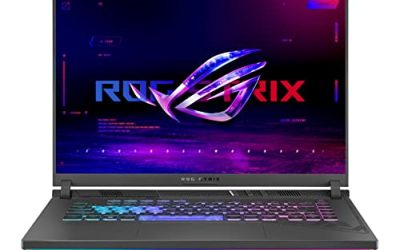
The ASUS TUF Gaming A16 listing checked here specifies a six-core Ryzen 7 7445HS, a GeForce RTX 4050, a 16-inch WUXGA IPS display with a 144Hz refresh rate, 16GB of RAM, a 1TB SSD, an RGB backlit keyboard, and USB4 connectivity, running Windows 11 Pro. The listing rates the RTX 4050 at up to 194 AI TOPS.
The appeal is the bigger 16-inch, 16:10 screen paired with a full terabyte of storage in an entry-level graphics configuration. This is a machine for 1080p and 1200p gaming at adjusted settings rather than maximum detail, and the six-core processor is the modest part of the specification compared with the eight-core chips above — fine for gaming, less ideal for heavy multitasking. Check the exact listing for the warranty terms that apply to this seller and configuration.
On upgradeability, the checked listing does not state the memory slot arrangement or spare storage bay for this exact configuration, so treat both as unconfirmed until you verify them against the full model number. TUF A16 variants differ widely, so match the ASIN rather than the headline name when you compare.
Buy it here: ASUS TUF Gaming A16 on Amazon (ASIN: B0G34QNB6Q)
Verdict
For most buyers, the Acer Nitro V 16S AI is the easiest recommendation: an eight-core Ryzen 7 260, an RTX 5060, the fastest display in this group, and 32GB of memory with a 1TB SSD already fitted. Choose the Lenovo Legion 5 Gen 10 instead if screen quality is your priority — its WQXGA OLED panel is in a different class, and its socketed memory and M.2 storage are described most clearly. The Lenovo LOQ is the balanced 1080p pick with RTX 4060 graphics and generous listed memory and storage, while the ASUS TUF Gaming A16 suits buyers who want a larger 16-inch screen and can accept RTX 4050 performance. In every case, verify the exact configuration, GPU power figure, ports, and warranty on the listing before you buy, because model families here span many variants.
FAQ
Is a Ryzen 7 enough for gaming, or do you need a Ryzen 9?
For gaming, a Ryzen 7 is enough for most players, especially when the money saved goes toward a stronger graphics chip. The GPU decides most frame rates, while the Ryzen 7 chips above still provide six to eight cores for streaming, chat, and background tasks.
Does the RTX 4050, RTX 4060, or RTX 5060 matter more than the CPU?
Usually, yes. All four machines here use a Ryzen 7, but their graphics chips span three tiers, and that gap will show up in game settings and frame rates far more than the difference between the six-core and eight-core processors in this list.
How much RAM and storage should a Ryzen 7 gaming laptop have?
Aim for 16GB of DDR5 as a minimum and 32GB if you stream, edit video, or keep many applications open. For storage, 1TB is the comfortable choice for a growing game library; every pick above lists 1TB as configured.
Can you upgrade these laptops later?
It depends on the exact model. The Legion 5 listing describes SODIMM memory and an M.2 SSD, which are serviceable form factors. For the Acer, LOQ, and ASUS configurations here, the checked listings did not state slot counts, so confirm upgradeability for the precise configuration before buying with an upgrade in mind.
Why do listings for the same laptop name show different specifications?
Manufacturers and sellers offer the same model family in many configurations, with different processors, graphics chips, memory, storage, and even displays. Always match the ASIN and the full specification on the product page to the configuration you intend to buy.