For Civilization 6, the laptop decision that matters most is not graphics power but how quickly the machine clears late-game AI turns, when dozens of civilizations, city-states, and stacked cities turn a short wait into a long pause between clicks. That work leans heavily on single-core CPU speed, so a newer processor with a high boost clock shortens the wait more than extra cores alone. Fast storage matters alongside it, cutting load times for huge saves, expansion content, and mod-heavy starts.
This guide serves three kinds of players: marathon players on large and huge maps, desk players who want a larger, clearer view of the map, and value-focused players who still refuse slow turns on standard maps. Every pick below was chosen from the names and specifications shown on its Amazon product page, then checked against the game’s published requirements, which all three exceed comfortably on processor, memory, graphics, and storage, leaving the real choice between screen size, storage capacity, and upgrade room.
Quick Picks
As an Amazon Associate we earn from qualifying purchases.
| Product | Best for | Key spec from title |
|---|---|---|
| Acer Nitro V 15 (ANV15-51-73B9) | Fast turns on standard and large maps without graphics overspend | Intel Core i7-13620H |
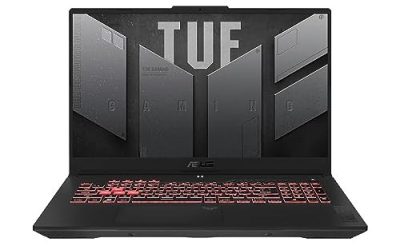
| ASUS TUF Gaming A15 (FA507NV-EH74) | Large game libraries and long sessions away from the desk | 1TB PCIe 4.0 NVMe M.2 SSD |
| HP Victus 16 (16-r0010nr) | Huge maps pushed deep into the late game | Intel Core i7-13700H, up to 5.0 GHz |
How to Choose
Single-Core CPU Performance for Turn Times
Turn processing is the bottleneck in Civilization 6, and it does not scale neatly across every core a processor offers. Prioritise per-core speed and generation first: the HP Victus 16 uses an Intel Core i7-13700H listed at up to 5.0 GHz, the Acer Nitro V 15 uses an i7-13620H at up to 4.9 GHz, and the ASUS TUF Gaming A15 uses an AMD Ryzen 7 7735HS at up to 4.7 GHz. Against the game’s recommended fourth-generation Core i5 baseline, all three bring far newer designs, so judge this section by boost clock and architecture rather than core count alone.
RAM and SSD for Huge Maps
Start at 16GB of RAM, double the game’s recommended 8GB, because huge maps, many opponents, a browser, and voice chat quickly compete for memory during long sessions. All three picks start at 16GB in two sticks, with the ASUS listed for 32GB maximum across two SO-DIMM slots and the Acer chassis also offering two SO-DIMM slots. For storage, speed shapes how fast games, saves, and mods load, while capacity decides how much stays installed. The ASUS provides 1TB, the Acer and HP provide 512GB each, and the Acer adds a second M.2 slot for later expansion.
Display Size and Refresh Trade-Off
Screen choice changes how much of your empire you can read at once, not how fast turns resolve. The HP Victus 16 gives the widest view here, with a 16.1-inch FHD IPS panel at 144Hz and 7ms response time. Both 15.6-inch alternatives also run at 144Hz, which keeps map scrolling fluid, while the ASUS panel adds 100% sRGB coverage and the Acer uses an FHD IPS panel in a smaller chassis. Choose 16.1 inches for desk-bound reading comfort, or 15.6 inches when the laptop also travels between rooms, classes, workspaces, or friends’ homes regularly.
Cooling and Power Limits Under Sustained Load
A high boost clock only helps if the laptop can sustain useful performance through a long late-game session, so plan to play plugged in and use the performance mode provided by the maker rather than a battery-saving profile. Power limits on battery can cap the processor just when turn times need it most. Before buying, check where the vents exhaust, whether your desk setup leaves them clear, and whether the supplied adapter and port layout suit long desk sessions. The ASUS carries a 90Wh battery for time away from the outlet, but sustained turn speed remains a plugged-in priority.
The 3 Best Options
Acer Nitro V 15 (ANV15-51-73B9)
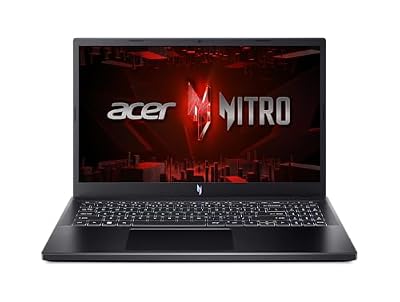
The Acer suits players who want the turn-processing hardware Civilization 6 actually rewards, without building the purchase around graphics headroom the game cannot use. Its Intel Core i7-13620H is a 10-core H-series processor listed at up to 4.9 GHz, so standard and large maps keep moving, while the GeForce RTX 4050 still sits several generations beyond the game’s recommended GTX 770-class card. Two SO-DIMM slots and two M.2 slots in this chassis make it especially appealing if you expect a huge-map habit, a growing mod folder, or a larger game library to demand more memory and storage later.
Specs
- CPU: Intel Core i7-13620H, 10 cores, up to 4.9 GHz (per Acer)
- GPU: NVIDIA GeForce RTX 4050 Laptop GPU, 6GB GDDR6
- Display: 15.6-inch FHD (1920 x 1080) IPS, 144Hz
- Memory: 16GB DDR5, two SO-DIMM slots
- Storage: 512GB PCIe Gen 4 SSD, two M.2 slots in the ANV15-51 chassis
- Ports: Thunderbolt 4 USB-C (65W power delivery, DisplayPort out), HDMI 2.1, USB Type-A ports
- Wireless: Wi-Fi 6 and Bluetooth (per Acer listing)
- Operating system: Windows 11 Home
Best for: Value-focused players on standard and large maps who want fast turns now and the easiest storage expansion later.
Watch out for: Confirm the exact ANV15-51-73B9 configuration on the listing, because Nitro V 15 model names cover multiple CPU, GPU, memory, and storage combinations.
ASIN: B0CMRGBXM9
ASUS TUF Gaming A15 (FA507NV-EH74)

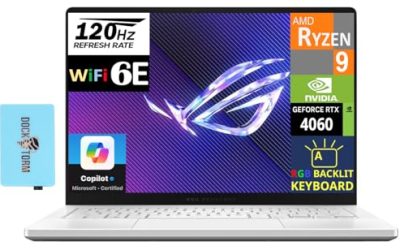
The ASUS fits players who split time between Civilization 6 and a broader library, or who keep several large saves and expansion installs ready at once. Its AMD Ryzen 7 7735HS is an 8-core processor listed at up to 4.7 GHz, giving turns a modern, high-clock foundation, and the 1TB SSD removes the storage juggling the 512GB models can require. A 90Wh battery supports longer sessions away from the desk, while two SO-DIMM slots, up to 32GB of memory, USB4, DisplayPort output, HDMI 2.1, and Ethernet make it the most flexible all-rounder here for desk and travel use alike.
Specs
- CPU: AMD Ryzen 7 7735HS, 8 cores, up to 4.7 GHz (per ASUS)
- GPU: NVIDIA GeForce RTX 4060 Laptop GPU, 8GB GDDR6, up to 140W with Dynamic Boost in this family (per ASUS)
- Display: 15.6-inch FHD (1920 x 1080), 144Hz, 100% sRGB
- Memory: 16GB DDR5-4800 (2 x 8GB), two SO-DIMM slots, 32GB maximum
- Storage: 1TB PCIe 4.0 NVMe M.2 SSD
- Battery: 90Wh, 4-cell (per ASUS FA507 specifications)
- Ports: HDMI 2.1, USB4 Type-C, USB 3.2 Gen 2 Type-C with DisplayPort, 2 x USB Type-A, RJ-45 Ethernet
Best for: Players with large libraries, long sessions away from the desk, and a mix of Civilization 6 and other games.
Watch out for: Check the exact FA507NV-EH74 configuration and warranty term shown for this listing, since TUF A15 variants differ in processor, graphics, memory, and storage.
ASIN: B0CJSY4PLN
HP Victus 16 (16-r0010nr)

The HP is the pick for players whose campaigns routinely reach the Information Era on huge maps, where every extra second per turn compounds across an evening. Its Intel Core i7-13700H is a 14-core processor listed at up to 5.0 GHz, the highest boost clock in this group, which matches the single-core profile turn processing rewards. The 16.1-inch screen shows more of the map at once, easing the constant reading of borders, yields, and unit movement. Memory arrives as two 8GB DDR5-5200 sticks in two accessible slots, so moving beyond 16GB later remains a straightforward swap rather than a replacement decision.
Specs
- CPU: Intel Core i7-13700H, 14 cores, up to 5.0 GHz (per HP)
- GPU: NVIDIA GeForce RTX 4060 Laptop GPU, 8GB GDDR6
- Display: 16.1-inch FHD (1920 x 1080) IPS, 144Hz, 7ms response time
- Memory: 16GB DDR5-5200 (2 x 8GB), two accessible RAM slots
- Storage: 512GB PCIe Gen 4 NVMe M.2 SSD
- Operating system: Windows 11 Home
Best for: Huge-map marathon players who prioritise the shortest late-game waits and a larger view of the map.
Watch out for: Verify the 16-r0010nr model code and its 512GB storage before buying, and plan for a second drive or external library if you keep many large games installed.
ASIN: B0BZRS77SZ
Which One Fits Your Situation
You Play Huge Maps Deep Into the Late Game
Choose the HP Victus 16. Its i7-13700H reaches the highest listed boost clock here, at up to 5.0 GHz, which targets the single-core work behind AI turn processing. The 16.1-inch display also helps when the map fills with cities, units, and overlays. Keep it plugged in, select a performance profile, and leave vents unobstructed so a long session does not lose momentum just as the map reaches its busiest, most calculation-heavy stages of the campaign.
You Keep a Big Library and Play Away From Your Desk
Choose the ASUS TUF Gaming A15. The 1TB SSD holds Civilization 6, its expansions, saves, and other games without constant uninstall decisions, while the 90Wh battery suits longer stretches away from an outlet. Its Ryzen 7 processor still brings up to 4.7 GHz for turns, and the port mix covers Ethernet, HDMI 2.1, USB4, and DisplayPort output. That combination makes it the easiest pick to move between sofa, desk, and another room.
You Want Fast Turns and Room to Grow Later
Choose the Acer Nitro V 15. The i7-13620H, at up to 4.9 GHz, keeps the processor priority intact for standard and large maps, while the RTX 4050 remains far beyond the game’s recommended graphics baseline. What separates it is expansion: two SO-DIMM slots and two M.2 slots let you add storage and revisit memory later. That path suits players whose mod folder and save archive keep growing, but who do not need the largest drive on day one.
You Play at a Desk With an External Monitor
Choose the ASUS TUF Gaming A15 if one laptop must drive your desk and travel with you, because HDMI 2.1, USB4, a second Type-C port with DisplayPort, USB Type-A ports, and RJ-45 Ethernet cover a monitor, peripherals, and wired networking. If the external screen matters less than the built-in view, the HP’s 16.1-inch panel is the alternative. Either way, confirm your monitor’s input type and cable before ordering, especially for DisplayPort output through USB-C.
Common Mistakes
- Buying by core count alone: extra cores do not guarantee shorter Civilization 6 turns, because turn processing leans heavily on single-core performance, processor generation, and sustained boost behaviour.
- Overspending on the GPU while underspending on the CPU: the game recommends a GTX 770-class card, so an RTX 4050 or RTX 4060 already clears graphics needs while CPU choice shapes waiting time.
- Assuming an SSD shortens AI turns: fast NVMe storage cuts launches, save loads, and mod-heavy starts, but it does not process rival civilizations’ moves for you between turns.
- Ignoring upgrade slots and storage capacity: huge saves, expansions, and other games accumulate quickly, so a second M.2 slot, accessible SO-DIMM slots, or 1TB fitted from the start can prevent an early compromise.
- Playing long sessions on battery power: power limits can reduce sustained processor performance, so use the adapter and a performance profile when late-game turn speed matters most.
Frequently Asked Questions
Does a better graphics card make AI turns faster?
No. AI turn processing is processor work, and Civilization 6 leans heavily on single-core performance rather than graphics power. A stronger GPU improves map detail, leader scenes, resolution headroom, and smoothness, but it will not clear rival moves sooner. Compare boost clock and processor generation first, then confirm the graphics card exceeds the recommended GTX 770-class baseline, as every laptop in this guide does by a wide margin.
Is 16GB of RAM enough for large maps?
For most players, yes. Sixteen gigabytes doubles the game’s recommended 8GB and gives a late-game session room alongside a browser and voice chat. Huge maps with many opponents can reward more memory, which is why upgrade slots matter. All three picks use two SO-DIMM slots, and the ASUS specification lists support up to 32GB, so you can start at 16GB and expand later if campaigns demand it.
Should I prioritise SSD speed or SSD capacity?
Prioritise a fast PCIe Gen 4 NVMe drive for game launches and save loads, then choose capacity for how much you keep installed. The ASUS includes 1TB, which suits a broad library, while the Acer and HP include 512GB. The Acer’s second M.2 slot offers an expansion path. Remember that storage speed improves loading, not AI calculation, so do not trade away the stronger processor your turn times need.
What if I am also considering Civilization on Linux?
These laptops ship with Windows 11 Home in the configurations listed, so buy them for Windows play unless you have checked your installation plans. Platform support and workarounds change separately from hardware. Before letting Linux influence the purchase, read our explainer on the current state of Civilization on Linux, then decide whether you need a Windows-first machine, a dual-purpose setup, or hardware priorities for how you play.