At this tier, the badge on the lid matters less than two choices buried in the specification: how much power the graphics chip may draw, and how good the display in front of it really is. Two laptops can share the same GPU name yet deliver different frame rates because one runs that chip at a higher wattage, while a fast panel with narrow colour coverage can make a strong machine feel ordinary every day.
This guide serves students, home players, and first-time buyers who want smooth 1080p play, plus owners who plan to add memory or storage later rather than replace the whole machine. Each pick was chosen from the model names and specifications shown on its Amazon product page, matched to an exact model code. Readers stepping up from a smaller budget can compare this tier with our guide to the best gaming laptop under 500 first.
Quick Picks
As an Amazon Associate we earn from qualifying purchases
| Product | Best for | Key spec from title |
|---|---|---|
| Lenovo LOQ 15 (83DX00B2US) | Colour work alongside gaming, ready to play as shipped | RTX 4050, 16GB RAM, 512GB SSD |
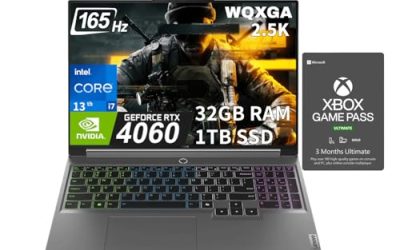
| GIGABYTE G6 KF (G6 KF-H3US853SH) | A larger 16-inch view for games and coursework | RTX 4060, 16GB RAM, 512GB SSD |
| Acer Nitro V 15 (ANV15-41-R5N6) | The value route in, with a planned memory upgrade | RTX 4050, 8GB RAM, 512GB SSD |
| Acer Nitro V 15 (ANV15-52-586Z) | The fastest display here, plus Thunderbolt 4 | RTX 4050, 165Hz display, 8GB RAM |
How to Choose
GPU model and its wattage
A GPU name alone does not fix performance, because manufacturers set a maximum graphics power for each chassis. In this group the Lenovo LOQ 15 runs its RTX 4050 at 105W, while both Acer Nitro V 15 models and the GIGABYTE G6 KF sit at 75W for their respective chips. That gap narrows the usual distance between an RTX 4050 and an RTX 4060, so compare wattage beside the chip name every time. Also weigh video memory: the G6 carries 8GB, against 6GB on the three RTX 4050 machines, which matters more in texture-heavy titles.
Display refresh rate and panel quality
Refresh rate decides how many frames the screen can actually show, but panel quality decides how those frames look. The GIGABYTE G6 KF and the newer Acer Nitro V 15 reach 165Hz, while the Lenovo LOQ 15 and the older Nitro V stop at 144Hz, still ample for 1080p play. Size and shape differ too: the G6 uses a 16-inch 1920 x 1200 panel, giving extra vertical room, whereas the others use 15.6-inch 1920 x 1080 screens. Colour coverage separates them further, since the LOQ lists full sRGB coverage and the G6 lists 45% NTSC.
RAM, storage, and upgrade slots
Memory as shipped splits this group cleanly. The Lenovo and GIGABYTE arrive with 16GB, ready for games alongside voice chat, a browser, and recording tools, while both Acer models ship with 8GB and need a second module sooner. Storage starts at 512GB everywhere, which fills quickly with modern installs. Upgrade slots rescue the weaker starting points: every pick here provides two DDR5 SO-DIMM slots and two M.2 slots, though maximum memory differs, at 32GB on the Lenovo and Acer listings and up to 64GB on the GIGABYTE, so confirm the ceiling for your exact code.
Ports, cooling layout, and warranty
A desk setup quickly exposes thin port layouts, so count connections before ordering. Wired Ethernet removes dependence on congested wireless, HDMI 2.1 feeds an external monitor cleanly, and a USB-C port with DisplayPort output adds a second display route; the newer Nitro V adds Thunderbolt 4, while the older one offers USB4. Cooling cannot be judged from a listing photograph, so leave headroom by choosing the configuration whose power limits suit the chassis rather than chasing a headline chip. Finally, read the warranty line for your exact model, because terms vary by model and region here.
The 4 Best Options
Lenovo LOQ 15 (83DX00B2US)

Buyers who want the least compromised RTX 4050 configuration in this group should start here. Its Ryzen 7 8845HS, eight cores, and 105W graphics power give it the strongest published power limit among the RTX 4050 picks, and it arrives with 16GB of memory, so no immediate upgrade is required. The 144Hz panel adds full sRGB coverage, which suits players who also edit photos or video on the same machine. Two memory slots and support for two M.2 drives keep later upgrades straightforward, making this the most complete as-shipped package here.
Specs
- CPU: AMD Ryzen 7 8845HS, 8 cores / 16 threads, up to 5.1 GHz boost
- GPU: NVIDIA GeForce RTX 4050 Laptop GPU, 6GB GDDR6, 105W TGP (LOQ 15AHP9 family specification)
- Display: 15.6-inch Full HD (1920 x 1080) IPS, 144Hz, 300 nits, 100% sRGB
- Memory and storage: 16GB DDR5 RAM; 512GB PCIe SSD
- Upgradeability: 2x DDR5 SO-DIMM slots (32GB maximum on this listing); support for 2x M.2 SSDs
- Ports: 3x USB-A (USB 3.2 Gen 1), 1x USB-C (USB 3.2 Gen 2, DisplayPort 1.4, power delivery), 1x HDMI 2.1, 1x Ethernet (RJ-45), 1x headphone/microphone combo jack
- Operating system and wireless: Windows 11 Home; Wi-Fi 6
Best for: Players who want a ready-to-use machine with the strongest RTX 4050 power limit here and a panel suited to colour work.
Watch out for: Confirm the exact warranty term on the listing for this model code before ordering, because the sources found did not state a single US duration.
ASIN: B0CWB2LWRN
GIGABYTE G6 KF (G6 KF-H3US853SH)

Choose this model when screen size shapes the purchase as much as frame rates do. The 16-inch, 16:10 panel gives games a larger view and coursework more vertical space than any 15.6-inch rival here, and its 165Hz refresh rate is joint fastest in the group. Its RTX 4060 brings 8GB of video memory, although its 75W maximum graphics power tempers the advantage that chip name suggests. With 16GB of dual-channel memory, Wi-Fi 6E, and the widest port selection here, it suits a desk-based setup especially well.
Specs
- CPU: Intel Core i7-13620H, up to 4.9 GHz
- GPU: NVIDIA GeForce RTX 4060 Laptop GPU, 8GB GDDR6, 75W maximum graphics power
- Display: 16-inch WUXGA (1920 x 1200), 16:10, 165Hz, 45% NTSC
- Memory and storage: 16GB DDR5-4800 (2 x 8GB); 512GB Gen4 M.2 SSD
- Upgradeability: 2x DDR5 SO-DIMM slots, up to 64GB; 2x M.2 SSD slots
- Ports: 2x USB Type-C (USB 3.2 Gen 2), 1x USB 3.2 Gen 1 Type-A, 1x USB 2.0 Type-A, 1x HDMI, 1x Mini DisplayPort 1.4, 1x RJ-45 Ethernet, 1x microSD card reader, audio and microphone jacks
- Warranty: 1-year limited warranty (parts and labour, per the Newegg listing for this model)
- Wireless and battery: Intel Wi-Fi 6E, Bluetooth 5.2; 54Wh battery, 150W adapter
Best for: Players who want the larger 16-inch, 16:10 display and the extra video memory of an RTX 4060.
Watch out for: Check the 45% NTSC colour coverage against any photo or video work you plan, since it is the narrowest gamut in this group.
ASIN: B0CJK3YVB2
Acer Nitro V 15 (ANV15-41-R5N6)

This Nitro V 15 makes sense as the value entry point, provided the memory upgrade is part of the plan from day one. Its Ryzen 5 7535HS and 75W RTX 4050 form a sensible 1080p pairing, and the 144Hz IPS display covers the essentials without extravagance. Only 8GB of memory is fitted as standard, yet two DDR5 slots with a stated 32GB maximum make adding a matching module simple and officially supported. A USB4 Type-C port, HDMI 2.1, and Ethernet give it a desk layout that compares well with dearer rivals here.
Specs
- CPU: AMD Ryzen 5 7535HS, 6 cores, up to 4.55 GHz boost
- GPU: NVIDIA GeForce RTX 4050 Laptop GPU, 6GB GDDR6, 75W (per LaptopMedia’s specification for this model)
- Display: 15.6-inch Full HD (1920 x 1080) IPS, 144Hz
- Memory and storage: 8GB DDR5 RAM; 512GB PCIe Gen 4 SSD
- Upgradeability: 2x DDR5 slots, 32GB maximum; 2x PCIe M.2 slots
- Ports: 1x USB Type-C supporting USB4 (up to 40 Gbps) with charging and power delivery, 3x USB 3.2 Gen 1 Type-A in total, 1x HDMI 2.1, 1x Ethernet (RJ-45), 1x headphone/speaker jack, 1x Kensington lock slot
- Operating system and wireless: Windows 11 Home; Wi-Fi 6
Best for: Buyers taking the value route in who are comfortable adding a second memory module soon after purchase.
Watch out for: Do not judge it on the as-shipped 8GB alone without planning that upgrade, and confirm the warranty term shown for this exact SKU.
ASIN: B0CX2PS48B
Acer Nitro V 15 (ANV15-52-586Z)

The newer, Intel-based Nitro V 15 suits buyers who value display speed and modern connections over memory fitted at the factory. Its 165Hz panel is joint fastest here, and Thunderbolt 4 through its USB-C port simplifies docking and external display use. The Core i5-13420H pairs with an RTX 4050 at up to 75W, a combination aimed squarely at 1080p play. Like the other Nitro V, it ships with 8GB, so the same two-slot upgrade path matters. Its listing also states the warranty plainly, removing one common uncertainty from the purchase.
Specs
- CPU: Intel Core i5-13420H, 8 cores, up to 4.6 GHz
- GPU: NVIDIA GeForce RTX 4050 Laptop GPU, 6GB GDDR6, up to 75W maximum graphics power (ANV15-52 family specification)
- Display: 15.6-inch Full HD (1920 x 1080) IPS, 165Hz
- Memory and storage: 8GB DDR5 RAM; 512GB PCIe Gen 4 SSD
- Upgradeability: 2x DDR5 slots, 32GB maximum; two M.2 slots (one PCIe Gen 4, one PCIe Gen 3)
- Ports: 1x USB Type-C with Thunderbolt 4, DisplayPort output and USB charging, 3x USB 3.2 Gen 1 Type-A in total, 1x HDMI 2.1, 1x Ethernet (RJ-45), 1x headphone/speaker jack, 1x Kensington lock slot
- Warranty: One-year International Travelers Limited Warranty (per the Amazon listing)
- Weight and wireless: 4.66 pounds; Wi-Fi 6
Best for: Players who want a 165Hz display and Thunderbolt 4, and who accept a planned memory upgrade.
Watch out for: Allow for adding memory beyond the shipped 8GB, and check that the second M.2 slot’s PCIe Gen 3 speed suits your storage plan.
ASIN: B0F5KTGDS9
Which One Fits Your Situation
You want the strongest configuration as shipped
Pick the Lenovo LOQ 15 (83DX00B2US). It combines 16GB of memory with the 105W RTX 4050, so nothing essential needs changing before you start playing, and its full sRGB panel covers colour work that the other displays handle less well. For a buyer who dislikes opening a new laptop, that completeness is the deciding argument.
You study and play at the same desk
Pick the GIGABYTE G6 KF (G6 KF-H3US853SH). The taller 16-inch, 16:10 screen leaves more room for documents and timelines, 16GB is already fitted, and its broad port selection, Ethernet, and microSD reader suit a fixed desk with accessories attached. Wi-Fi 6E also helps on crowded campus or home networks when the router supports it properly.
You want the lowest entry point and enjoy upgrading
Pick the Acer Nitro V 15 (ANV15-41-R5N6), then add memory. Its starting specification is deliberately lean, yet two DDR5 slots, two M.2 slots, USB4, and HDMI 2.1 mean the chassis itself is not the limitation. Buyers comfortable fitting a matching module get a balanced 1080p machine without paying upfront for capacity they can add later.
You dock with one cable and chase fast frames
Pick the Acer Nitro V 15 (ANV15-52-586Z). Thunderbolt 4 makes docking and display connections simpler, the 165Hz panel matches fast-paced play, and the stated one-year International Travelers Limited Warranty is clear before purchase. Plan the same memory upgrade as the other Nitro V, and the specification becomes well rounded for desk and travel use.
Common Mistakes
- Comparing GPU names without checking wattage, so a lower-power RTX 4060 and a full-power RTX 4050 get judged as if the badge alone settled performance.
- Buying an 8GB configuration for long-term use without budgeting for a second, matching memory module to restore dual-channel operation.
- Choosing on refresh rate alone and ignoring colour coverage, panel size, and aspect ratio, which affect daily work as much as gaming.
- Assuming every laptop in the same family shares one specification, instead of matching the full model code against the listing before ordering.
- Filling the single 512GB drive and only then discovering game sizes, rather than checking that a second M.2 slot is present and which speed it runs.
Frequently Asked Questions
Is an RTX 4050 enough for 1080p gaming in this class?
Yes, at the power limits recorded for these picks. The 75W and 105W versions are aimed at high-refresh 1080p play, and the chip supports DLSS, which can help in demanding titles. Be cautious with any separate listing that hides its graphics power entirely, because a lower-power version of the same chip will behave differently in practice.
Does the 8GB of memory in the Nitro V models matter?
Yes, and it should shape the purchase plan rather than block it. Both Nitro V models provide two DDR5 slots and a 32GB maximum, so adding a matching module restores dual-channel operation and relieves pressure from games running beside chat, browser, and recording tools. Without that upgrade, multitasking will feel constrained much sooner.
Should you choose the 75W RTX 4060 or the 105W RTX 4050?
Treat them as close rivals rather than a clear hierarchy. The GIGABYTE’s RTX 4060 offers 8GB of video memory against 6GB in the Lenovo, which helps texture-heavy games, while the LOQ’s higher power limit strengthens its RTX 4050 considerably. Decide by display next: larger 16:10 screen, or full sRGB coverage.
What should you check before ordering any of these laptops?
Match the full model code, such as 83DX00B2US or ANV15-52-586Z, against the listing title first. Then confirm memory, storage, display refresh rate, graphics power where stated, port layout, and warranty term on that exact listing. Sellers reuse family names across sharply different configurations, so the code is the safeguard against ordering the wrong machine.