A workstation laptop for CAD is a different purchase from a general business laptop. The deciding parts are a processor that can sustain work on large assemblies, a professional graphics card with drivers aimed at CAD applications, enough memory for the drawing set, and a chassis that can be upgraded over a long working life. The four machines below are mobile workstations listed on Amazon US, judged on their listing specifications: CPU and graphics, power, display, RAM and SSD, ports, warranty, and upgradeability for that exact model.
As an Amazon Associate we earn from qualifying purchases
How to Choose a Workstation Laptop for CAD
CPU and GPU come first
CAD viewports lean on the graphics card, while rebuilds and exports lean on the processor. These listings pair a high-core-count Intel HX or Core Ultra processor with an NVIDIA RTX Ada Generation professional card, from RTX 2000 Ada to RTX 4000 Ada class. More graphics memory helps with larger models, so match the card to your assembly size.
Check power limits, not just chip names
The same processor name can behave differently depending on the chassis and adapter. Battery capacities here run from 83Wh to 94Wh; thicker machines suit sustained plugged-in desk work, while the lighter one trades headroom for portability. Confirm adapter wattage on the exact listing.
RAM, SSD, display, ports, and warranty
For serious CAD work, 32GB of RAM is a sensible floor and 64GB is comfortable for large assemblies. Storage should be a PCIe NVMe SSD of at least 1TB; every machine below meets those marks. A 16-inch panel at 1920 x 1200 is workable, but 2560 x 1600 or 3840 x 2400 gives more room for detail. Look for Thunderbolt, HDMI, USB-A, and wired Ethernet on desk-bound machines. Warranty varies by listing, from a one-year manufacturer term to seller cover on upgraded parts. If your work also covers rendering, our guide to the best workstation laptops for CAD and 3D rendering looks at the same class of machine from that angle.
The Four Workstation Laptops
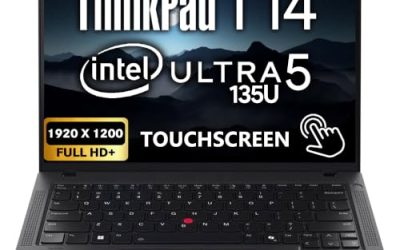
1. Lenovo ThinkPad P16 Gen 2 (Core i7-14700HX, RTX 2000 Ada, 32GB RAM, 1TB SSD)

- Amazon: https://www.amazon.com/dp/B0D8MVHPZ8
This configuration pairs a 14th-generation Intel Core i7-14700HX processor, with performance cores listed up to 5.50 GHz, with an NVIDIA RTX 2000 Ada Generation laptop GPU carrying 8GB of GDDR6 memory. Memory is 32GB of DDR5 in SO-DIMM form, fitted as two 16GB modules, and storage is a 1TB M.2 2280 PCIe Gen4 Performance SSD. The 16-inch WQUXGA display runs at 3840 x 2400 with an IPS panel, anti-glare finish, HDR 400, full DCI-P3 coverage, and 800 nits of brightness, the sharpest screen in this group for detailed drawing work.
Upgradeability is a strength of this exact model. Listings for the P16 Gen 2 describe four DDR5 SO-DIMM slots supporting up to 192GB, and two M.2 2280 slots, so RAM and SSD can grow well beyond the shipped configuration. At about 2.95 kg it is a desk-first machine. A related 64GB configuration lists a 94Wh battery and one-year courier or carry-in warranty; confirm both on this listing, as seller-upgraded configurations can differ.
2. HP ZBook Fury 16 G11 (Core i9-13950HX, RTX 4000 Ada, 64GB RAM, 2TB SSD)

- Amazon: https://www.amazon.com/dp/B0D9HS4W2S
The ZBook Fury 16 G11 listing, model A6UN0UT#ABA, is built around an Intel Core i9-13950HX vPro processor with 64GB of DDR5 memory and a 2TB SSD. Its graphics are listed as the RTX 4000 Ada Generation class with 12GB of graphics memory, the largest graphics allocation in this roundup, suiting buyers who work with big assemblies or GPU-assisted tasks alongside CAD. The 16-inch display runs at 3840 x 2400 with a 120Hz refresh rate listed, and the machine weighs 5.29 pounds in the listing details.
On upgradeability, the listing states four RAM slots in total with two available, so memory can expand beyond 64GB without removing the fitted modules. Connectivity covers USB, Thunderbolt, HDMI, Mini DisplayPort, Ethernet, Wi-Fi, and Bluetooth. Warranty is listed simply as manufacturer cover, so check the exact term on the listing.
3. Dell Precision 7680 (Core i9-13950HX, RTX 2000 Ada, 64GB RAM, 2TB SSD)

- Amazon: https://www.amazon.com/dp/B0GMQ4D131
This Dell Precision 7000 7680 configuration lists an Intel Core i9-13950HX vPro processor with 24 cores and 32 threads, a turbo speed up to 5.5GHz, and 36MB of cache. Graphics come from a dedicated NVIDIA RTX 2000 Ada Generation card with 8GB of GDDR6 memory. Memory is 64GB of LPCAMM2 DDR5, storage is a 2TB SSD, the display is a 16-inch FHD+ panel, and the battery is a 6-cell 83Wh unit. The machine weighs 5.9 pounds, with dimensions of 14.02 x 10.18 x 1.03 inches in the listing.
Memory format is the key upgrade point here: the listing specifies LPCAMM2 DDR5 rather than SO-DIMM sticks, so a future memory change means replacing the CAMM module itself; confirm module availability for the 7680 first. Dell positions Precision with ISV certifications for popular software applications, part of the appeal for offices needing certified driver support. It ships with Windows 11 Pro, adapter, and manual.
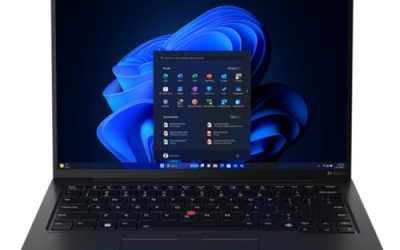
4. Lenovo ThinkPad P1 Gen 7 (Core Ultra 7 155H, RTX 2000 Ada, 32GB RAM, 1TB SSD)

- Amazon: https://www.amazon.com/dp/B0DJ3SRWLL
The ThinkPad P1 Gen 7 is the portable option here. This listing pairs an Intel Core Ultra 7 155H processor, with performance cores up to 4.80 GHz, with an NVIDIA RTX 2000 Ada Generation GPU with 8GB of GDDR6 memory. It carries 32GB of LPDDR5X-7500 memory in CAMM2 form and a 1TB PCIe Gen4 SSD. The 16-inch WQXGA display runs at 2560 x 1600 with an IPS panel, 500 nits of brightness, and a 165Hz refresh rate. At about 4.03 pounds and 0.67 inches thick, with a 90Wh battery, it is the only machine here that is realistic for daily carrying between office, home, and site.
Upgradeability is narrower than on the P16. Listings describe memory as a single CAMM2 module, upgradable to 64GB by replacing it, while storage uses M.2 2280 slots, with a related factory configuration describing two slots and up to 8TB in total. Ports include two Thunderbolt 4, USB-C 3.2 Gen 2, USB-A, and HDMI. The listing states unopened retail packaging as configured by Lenovo, a one-year Lenovo warranty, and the option to add up to five years of Premier Support on registration.
Comparison at a Glance
| Model | CPU | GPU | RAM | SSD | Display |
|---|---|---|---|---|---|
| ThinkPad P16 Gen 2 | Core i7-14700HX | RTX 2000 Ada 8GB | 32GB DDR5 SO-DIMM | 1TB | 16-inch 3840 x 2400 IPS |
| HP ZBook Fury 16 G11 | Core i9-13950HX | RTX 4000 Ada 12GB | 64GB DDR5 | 2TB | 16-inch 3840 x 2400 |
| Dell Precision 7680 | Core i9-13950HX | RTX 2000 Ada 8GB | 64GB LPCAMM2 DDR5 | 2TB | 16-inch FHD+ |
| ThinkPad P1 Gen 7 | Core Ultra 7 155H | RTX 2000 Ada 8GB | 32GB LPDDR5X CAMM2 | 1TB | 16-inch 2560 x 1600 IPS |
The three full-size machines trade weight for expansion slots and, in the ZBook’s case, a larger graphics card, while the P1 Gen 7 keeps the same class of GPU in a chassis roughly two pounds lighter.
Who Each Laptop Is For
- Large assemblies at a fixed desk: The HP ZBook Fury 16 G11 fits buyers who want the most graphics memory in this group, 64GB of RAM out of the box, and free memory slots for later expansion.
- Maximum upgrade headroom: The Lenovo ThinkPad P16 Gen 2 suits engineers who expect to raise memory and storage over the machine’s life, thanks to its four SO-DIMM slots and two M.2 slots, and who want a high-resolution 800-nit display.
- Certified-driver offices: The Dell Precision 7680 is aimed at teams that value ISV certification and a 24-core HX processor, and who accept the CAMM module format for memory.
- Mobile professionals and site visits: The Lenovo ThinkPad P1 Gen 7 is for CAD users who carry their workstation daily and can work within a single-module memory ceiling in exchange for a 4.03-pound chassis.
Final Notes Before You Order
Workstation listings are often specific configurations, and some are seller-upgraded, which can split warranty between manufacturer and seller. Before ordering, confirm processor, graphics card, memory size and format, and SSD capacity on the product page, check adapter wattage, and read the warranty line for that listing, not the model family. Matched against your CAD package’s certified hardware list, these four cover the main workstation shapes: maximum expansion, maximum graphics memory, certified office deployment, and genuine portability.