A gaming laptop computer under $1,000 is a spec-sheet puzzle: the same GPU name appears at wildly different power limits, some machines ship with a single memory stick in a single slot, and the display is usually the first place makers save money. The four laptops below are all sold on Amazon US in the configurations described, and they were chosen because their listings and maker datasheets publish the figures that actually decide performance — GPU wattage, memory layout, panel refresh rate — rather than hiding them. Every figure in the Specs blocks comes from the Amazon listing or the maker’s published specification. Listings change, so confirm the exact configuration, and that it still sits within the $1,000 cap, on the product page before ordering.
Disclosure: As an Amazon Associate we earn from qualifying purchases.
What to Check Before You Buy
- GPU power limit. A laptop GPU’s wattage matters as much as its name. The picks below span a 45W RTX 2050 up to a 95W RTX 5050, and that spread is the honest performance ranking in this group. Always compare the wattage figure, not just the badge.
- VRAM. 8GB of video memory is the comfortable figure for current releases at 1080p; 6GB copes with settings discipline, and 4GB cards are esports and older-library machines. All four picks state their VRAM plainly.
- Memory layout. 16GB is the target. Two sticks in two slots is the flexible layout; one stick in one slot — the Lenovo below — means an upgrade replaces the stick rather than adding to it.
- Display. Every pick here runs at 144Hz or faster, which is the right match for these GPUs at 1080p. The Acer stretches to a taller 1920 x 1200 panel at 180Hz.
- Ports. HDMI for a monitor, USB-C, and a wired RJ-45 Ethernet port for stable online play are all present across this group in some combination — check the per-pick lists against your desk.
- Warranty. US listings in this class generally state a one-year limited warranty. On marketplace-sold configurations especially, confirm whose warranty applies before ordering.
The Picks
1. Acer Nitro V 16 AI (ANV16-41) — the newest GPU under the cap

The Nitro V 16 AI is the only machine here built on NVIDIA’s current Blackwell generation. Its RTX 5050 carries 8GB of GDDR7 memory, and Acer’s specification sheet for the Nitro V 16 AI runs it at an 80W base graphics power with 15W of Dynamic Boost on top — a 95W maximum graphics power, the fullest figure Acer publishes for this chassis. Acer also fits a MUX switch, so the discrete GPU can drive the internal display directly. The Ryzen 5 240 is a six-core Zen 4 chip, and the 16-inch 1920 x 1200 IPS panel runs at 180Hz, giving a little more vertical room for work between games than the 1080p panels below. Memory is the healthy layout: 16GB of DDR5-5600 across two slots, with Acer’s listing supporting up to 64GB.
Specs
- CPU: AMD Ryzen 5 240 (6 cores, 12 threads, up to 5.0 GHz boost per the listing)
- GPU: NVIDIA GeForce RTX 5050, 8GB GDDR7, up to 95W maximum graphics power (80W + 15W Dynamic Boost per Acer’s spec sheet), MUX switch
- Display: 16″ WUXGA (1920 x 1200) IPS, 180Hz, matte anti-glare
- Memory: 16GB DDR5-5600, two slots, up to 64GB per the listing
- Storage: 512GB PCIe Gen 4 SSD
- Ports and wireless: HDMI, USB-C and USB-A (four USB ports total per the listing), Wi-Fi 6, Bluetooth
- Warranty: 1-year limited per the listing
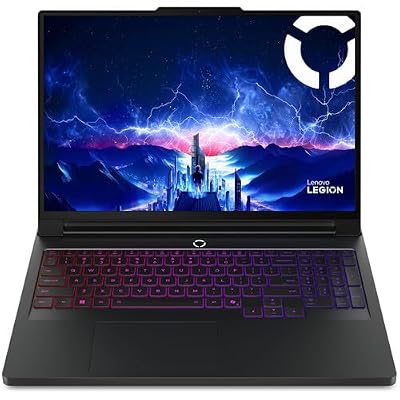
2. Lenovo LOQ Essential (15IAX9E) — the HX processor pick

Lenovo’s LOQ Essential pairs the RTX 4050 with a desktop-class HX processor, the Core i5-12450HX, which is the strongest CPU in this group for simulation and strategy titles that lean on processor cores. Lenovo’s datasheet for the 15IAX9E runs the RTX 4050 at 65W — a middle figure for this GPU — and the 15.6-inch IPS panel pairs its 144Hz refresh with full sRGB coverage and a 300-nit figure, both published by Lenovo. The honest catch is memory: the machine ships with one 8GB DDR5-4800 stick in its only SO-DIMM slot, so the upgrade path is a single larger stick, still running single-channel, and storage sits in a single M.2 2242 slot. Budget for that memory swap and this is a strong esports and 1080p machine; the port set, including HDMI 2.1 and wired Ethernet, is complete.
Specs
- CPU: Intel Core i5-12450HX (8 cores, 16 threads)
- GPU: NVIDIA GeForce RTX 4050, 6GB GDDR6, 65W per Lenovo’s datasheet
- Display: 15.6″ Full HD (1920 x 1080) IPS, 144Hz, 100% sRGB, 300 nits per Lenovo’s datasheet
- Memory: 8GB DDR5-4800, single SO-DIMM slot — upgrades replace the stick
- Storage: 512GB SSD, one M.2 2242 PCIe Gen 4 slot
- Ports and wireless: 2x USB-A 3.2, 1x USB-C 3.2, HDMI 2.1, RJ-45 Ethernet, 3-in-1 card reader, Wi-Fi 6
- Battery: 57Wh with Rapid Charge Pro per Lenovo’s datasheet
- Warranty: 1-year per Lenovo’s datasheet
3. HP Victus 15 — the 16GB-from-the-box pick

The Victus 15 is the pick for buyers who want nothing to upgrade on day one: this configuration ships with 16GB of DDR5 already fitted as two 8GB sticks, behind a Ryzen 5 7535HS and a 144Hz anti-glare IPS panel. The trade-off sits in the graphics. The RTX 2050 is an older entry-level GPU with 4GB of GDDR6, and HP does not headline a wattage figure for it in this configuration — treat it as the esports-and-library option in this group rather than the machine for current big releases at high settings. In exchange, the Victus keeps the full working port set, including wired Ethernet, and the sober chassis is the easiest here to carry into an office or classroom.
Specs
- CPU: AMD Ryzen 5 7535HS (6 cores, 12 threads, up to 4.55 GHz boost per the listing)
- GPU: NVIDIA GeForce RTX 2050, 4GB GDDR6 (HP publishes no headline wattage figure for this configuration)
- Display: 15.6″ Full HD (1920 x 1080) IPS, 144Hz, anti-glare micro-edge
- Memory: 16GB DDR5-4800 (2 x 8GB per HP’s published specification)
- Storage: 512GB PCIe M.2 SSD
- Ports and wireless: HDMI, RJ-45 Ethernet, USB Type-C and Type-A, Wi-Fi 6, backlit keyboard, webcam per the listing
- Warranty: check the listing — terms vary by seller on this configuration
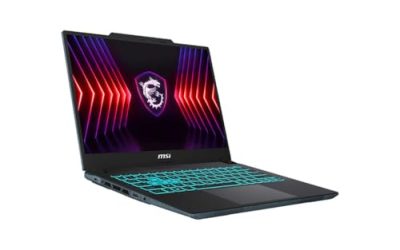
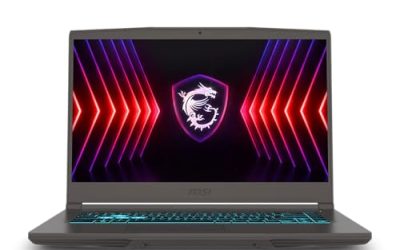
4. MSI Thin 15 (B12UCX-2041US) — the slim pick

MSI’s Thin 15 is the portability answer in this group: a slim chassis built around efficiency rather than maximum wattage. Its RTX 2050 runs at up to 45W maximum graphics power with Dynamic Boost, per MSI’s specification sheet — the lowest figure here, and the reason this machine suits esports titles, older libraries and lighter current games rather than demanding releases. What it gives back is 16GB of memory fitted from the start, a 144Hz panel, and MSI’s Cooler Boost 5 cooling in the thinnest body of the four. Memory is DDR4 rather than DDR5 in this generation of the Thin line — a real spec difference from the other picks, stated plainly so the comparison is honest.
Specs
- CPU: Intel Core i5-12450H (8 cores, 12 threads)
- GPU: NVIDIA GeForce RTX 2050, 4GB GDDR6, up to 45W maximum graphics power with Dynamic Boost per MSI’s spec sheet
- Display: 15.6″ Full HD (1920 x 1080), 144Hz
- Memory: 16GB DDR4, SO-DIMM (not soldered) per MSI’s specification
- Storage: 512GB NVMe PCIe Gen 4 SSD
- Cooling: Cooler Boost 5 per the listing
- Ports and wireless: USB-C, USB-A, HDMI, Wi-Fi 6 class wireless per the listing family specification
- Warranty: check the listing for the seller’s stated term
How They Compare
The Acer is the performance ceiling of this group: the newest GPU architecture, the joint-highest VRAM figure, the highest wattage and the fastest, tallest display. The Lenovo counters with the strongest processor and a colour-accurate panel, held back by a memory layout that needs one planned swap. The HP and the MSI share the older RTX 2050 but split on intent — the Victus is the complete, sober all-rounder with nothing to fix on day one, while the Thin 15 trades wattage for a slim chassis that travels better. If your library is esports and last decade’s releases, all four cope; if it is current releases at high settings, the ranking follows the GPU wattage exactly as listed above.
How to Choose
Start with the games. Current demanding titles at 1080p point to the Acer’s 8GB card and 95W figure. Strategy and simulation players who keep a machine for years should weigh the Lenovo’s HX processor, with the memory swap planned into the purchase. Buyers who want a finished product with no upgrade homework take the HP. Buyers who carry the machine daily and play lighter titles take the MSI. Whichever you choose, if your shortlist is still open, our wider roundup of laptops for gaming under the $1,000 mark covers the neighbouring configurations worth comparing before you order.
Verdict
Under the $1,000 cap, the Acer Nitro V 16 AI is the default recommendation: it is the only current-generation GPU here, it runs at the highest published wattage, and its memory layout needs no fixing. The Lenovo LOQ Essential is the smart alternative for processor-heavy games once its single memory stick is swapped for a larger one. The HP Victus 15 and MSI Thin 15 serve narrower briefs — completeness and portability respectively — and both state their older GPU honestly. Pick by the games you actually play, verify the wattage and memory layout on the listing, and every machine here will do the job its specs promise.