- Top Pick: ASUS TUF Gaming NVIDIA GeForce RTX 4090 OC Edition Gaming Graphics Card (24GB GDDR6X, PCIe 4.0, HDMI 2.1a, DisplayPort 1.4a, Dual Ball Bearing Axial Fans)
- Best Value: MSI GeForce RTX 4090 Gaming X Trio 24G Gaming Graphics Card – 24GB GDDR6X, 2595 MHz, PCI Express Gen 4, 384-bit, 3X DP v 1.4a, HDMI 2.1a (Supports 4K & 8K HDR)
- Premium Choice: ASUS ROG Strix GeForce RTX 4090 OC Edition Gaming Graphics Card (PCIe 4.0, 24GB GDDR6X, HDMI 2.1a, DisplayPort 1.4a), 3 Year Warranty
Affiliate disclosure: As an Amazon Associate we earn from qualifying purchases. This post contains affiliate links — if you buy through them we may earn a small commission at no extra cost to you. This never affects our recommendations.
As an Amazon Associate we earn from qualifying purchases at no extra cost to you.


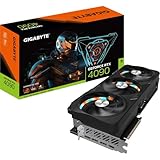


In a hurry? See the top-rated RTX 4090 Graphics Card deals available right now:
🛒 Check Rtx 4090 Graphics Card Prices on Amazon →🛒 Best Price Today on Amazon
Prime members get fast, free shipping on everything above, plus member-only deals. New members get a 30-day free trial — cancel anytime.
Start 30-Day Prime Free Trial →See Today’s Amazon DealsQuick Picks
| Rank | Card | Best For | Approx. Price |
|---|---|---|---|
| #1 | ASUS ROG Strix RTX 4090 OC | Best Overall | ~$1,999 |
| #2 | MSI RTX 4090 Suprim X | Premium Thermals | ~$1,949 |
| #3 | Gigabyte Aorus Master RTX 4090 | Aesthetics + Cooling | ~$1,899 |
| #4 | ASUS TUF Gaming RTX 4090 OC | Compact ROG Alternative | ~$1,849 |
| #5 | Zotac Gaming RTX 4090 AMP Extreme Airo | Unique Design + Value | ~$1,799 |
RTX 4090 in 2026: Is It Still Worth Buying?
The short answer: yes — for most 4K gamers, the RTX 4090 remains the undisputed champion.
The RTX 5090 launched in early 2025 and delivers a measurable performance leap, but it comes at a brutal premium — street prices hover above $2,800 for reference cards, and AIB variants push past $3,200. For anyone who doesn’t need to chase every last frame, the RTX 4090 hits a far more defensible value point in 2026. Prices have softened since its 2022 debut, and the Ada Lovelace architecture still handles every AAA title, VR workload, and creative application you can throw at it.
DLSS 3 with Frame Generation remains exclusive to RTX 40-series and newer, meaning the 4090 holds full access to NVIDIA’s entire AI-upscaling stack. It also handles ray tracing workloads — path tracing in Cyberpunk 2077, Alan Wake 2, Indiana Jones and the Great Circle — with headroom to spare.
Where the RTX 5090 genuinely pulls ahead: memory bandwidth (up from 1,008 GB/s to 1,792 GB/s) and VRAM (32 GB vs 24 GB). If you’re doing heavy AI inference, 8K content creation, or need headroom for titles launching in 2027 and beyond, the 5090’s ceiling matters. For pure 4K/144Hz gaming right now, the 4090 delivers effectively the same lived experience at roughly 55–60% of the cost.
Bottom line: if you’re building a high-end 4K rig in 2026 and aren’t willing to spend RTX 5090 money, the RTX 4090 is still the right card. Pick the best AIB variant for your case, cooling, and budget.
4K Gaming Performance: What the RTX 4090 Achieves in AAA Titles
At native 4K (3840×2160) with ultra settings, the RTX 4090 consistently delivers:
- Cyberpunk 2077 (Overdrive/Path Tracing): 55–70 fps native; DLSS Quality pushes that to 90–110 fps
- Alan Wake 2 (Max RT): 60–75 fps native; DLSS Performance locks 120+ fps
- Call of Duty: Warzone (4K Ultra): 140–180 fps, well above 144Hz monitor refresh rates
- Hogwarts Legacy (Max): 85–100 fps native 4K
- Microsoft Flight Simulator 2024: 60–90 fps depending on scene complexity
- Indiana Jones and the Great Circle (Max RT): 70–85 fps native; DLSS Quality brings it above 120 fps
With DLSS 3 Frame Generation enabled, nearly every major title breaks the 144 fps barrier at 4K Ultra — making the 4090 the ideal match for a 4K/144Hz or 4K/160Hz display. For 4K/240Hz panels, you’ll need to lower settings in some titles, but the 4090 gets closer to that target than any other card short of the 5090.
Power Requirements
The RTX 4090 carries a 450W TDP — AIB variants with factory overclocks can push that to 480W in sustained load. Before buying, confirm your setup can handle it:
- Minimum PSU: 850W (80+ Gold or better)
- Recommended PSU: 1000W for a high-end CPU + 4090 system
- Connector: 16-pin PCIe 5.0 (600W spec). Most AIB cards ship with a 4×8-pin adapter. Using a native PCIe 5.0 cable from your PSU is strongly recommended to eliminate the melting-connector risk associated with the original 12VHPWR adapter under continuous full load.
- Case clearance: Most RTX 4090 AIB cards are triple-slot and 340–360mm long. Verify your case’s GPU clearance before ordering.
If your PSU is 750W or below, upgrade it before adding a 4090.
Top 5 RTX 4090 AIB Cards Reviewed
1. ASUS ROG Strix GeForce RTX 4090 OC — Best Overall
The ROG Strix OC is the benchmark by which every other RTX 4090 AIB is measured. ASUS fitted it with a massive triple-fan cooler using three Axial-tech fans — two spinning counterclockwise, one clockwise — across a 3.5-slot footprint. The heatsink spans the full card length with a vapor chamber base and multiple heat pipes making direct contact with the GPU die.
Thermals: GPU junction temperature stays at or below 73°C under extended load in an open-air test bench. In a well-ventilated mid-tower, expect 75–78°C — well within safe operating range. Fan noise at load is among the lowest of any RTX 4090 AIB.
Clock speeds: Factory boost clock sits at 2,610 MHz, a meaningful step above NVIDIA’s reference 2,520 MHz. Real-world gaming clocks sustain 2,700–2,730 MHz in most titles thanks to excellent thermal headroom.
Size: 357mm length × 149mm height × 3.62 slots
TDP: Up to 480W with OC BIOS engaged (a silent BIOS is also included, capping at ~450W)
Pros:

- Best-in-class cooling and acoustics
- Highest sustained boost clocks of any 4090 AIB
- Premium build quality; reinforced PCIe bracket
- Full Aura Sync RGB
Cons:
- Largest and heaviest 4090 available; GPU sag bracket may be needed
- Carries a price premium over most competitors
Who it’s for: Enthusiasts who want absolute top-tier performance and don’t care about card size. If your case fits it, this is the one to buy.
2. MSI GeForce RTX 4090 Suprim X — Premium Thermal Performance
MSI’s flagship Suprim X uses the Tri-Frozr 3S cooling system: three 100mm TORX 5.0 fans with a dual-ball-bearing design over a dense aluminum fin stack fed by ten heat pipes. The result is thermal performance that trades blows with the ROG Strix at a slightly lower price point.
Thermals: GPU junction temperature peaks around 74–76°C under full load. Fan acoustics are slightly louder than the ROG Strix at identical ambient temperatures, but still well below what you’d hear from mid-range coolers working harder.
Clock speeds: Factory boost at 2,610 MHz, identical to the ROG Strix OC. Sustained gaming clocks land at 2,690–2,720 MHz.
Size: 336mm length × 140mm height × 3.4 slots
TDP: ~450–480W depending on operating mode
Pros:
- Fractionally shorter than the ROG Strix; easier case fitment
- Outstanding thermal and acoustic performance
- Tri-Frozr 3S fan system is exceptionally durable
- Competitive pricing vs. ROG Strix
Cons:
- Mystic Light RGB implementation is less refined than Aura Sync
- Slightly louder fans at peak load vs. ROG Strix
Who it’s for: Buyers who want near-ROG-Strix performance at a slight discount, or who have a case that can’t fit a 357mm card.
3. Gigabyte GeForce RTX 4090 Aorus Master — Best Aesthetics and Cooling Combo
The Aorus Master pairs Gigabyte’s WINDFORCE cooling system — three 100mm fans in an alternating-rotation configuration — with a composite heat pipe array and a large vapor chamber. It’s the card for builders who want their GPU to look as good as it performs: the Aorus Master ships with an LCD edge display showing GPU stats, temperature, or custom animations.
Thermals: Junction temperatures sit at 74–77°C under sustained load, competitive with the MSI Suprim X. The edge LCD and RGB stack don’t measurably affect thermals.
Clock speeds: Factory boost at 2,565 MHz, a touch below the ASUS and MSI flagships, though real-world sustained clocks land within 30–40 MHz of the competition.
Size: 348mm length × 145mm height × 3.5 slots
TDP: ~450W

Pros:
- LCD status display is a genuinely useful feature
- Striking aesthetics; best-looking card on this list
- Strong thermal performance
- Competitive pricing
Cons:
- Slightly lower factory boost vs. ROG Strix and Suprim X
- LCD display requires Gigabyte’s Control Center software
Who it’s for: Builders with windowed cases who want a showpiece GPU that also runs cool and quiet.
4. ASUS TUF Gaming GeForce RTX 4090 OC — Best Compact ROG Alternative
The TUF Gaming sits below the ROG Strix in ASUS’s lineup but shares the same core engineering philosophy: robust build quality, capable cooling, and long-term reliability. The triple-fan cooler uses two 100mm and one 80mm fan configuration over a direct-contact vapor chamber. It runs slightly warmer than the ROG Strix but remains entirely within comfortable operating parameters.
Thermals: GPU junction temperature peaks around 77–80°C under full sustained load — warmer than the Strix but still safe. Fan noise is marginally higher at identical loads.
Clock speeds: Factory boost at 2,595 MHz. Real-world gaming clocks sustain 2,670–2,700 MHz.
Size: 348mm length × 145mm height × 3.3 slots
TDP: ~450W
Pros:
- Meaningfully smaller than the ROG Strix
- Most affordable ASUS 4090 option
- Military-grade component certification (MIL-STD-810H)
- No RGB if you prefer a clean, understated look (RGB is subtle and can be disabled)
Cons:
- Warmer and louder than the ROG Strix under full load
- Less impressive aesthetics if you have a windowed case
Who it’s for: Mid-tower builders who need a shorter card, or buyers who want ASUS build quality at a lower price than the ROG Strix.
5. Zotac Gaming RTX 4090 AMP Extreme Airo — Unique Design, Strong Value
Zotac’s AMP Extreme Airo takes a different design approach: a distinctive dual-shroud split with a metal spine, three IceStorm 3.0 fans, and a large aluminum heatsink with seven heat pipes. It’s the least conventional-looking card on this list and generally the most affordable.
Thermals: GPU junction temperature runs 76–79°C under full load — competitive with the TUF Gaming. Airflow is effective; the card rarely throttles under sustained gaming workloads.
Clock speeds: Factory boost at 2,535 MHz, the lowest on this list, though gaming performance differences vs. higher-clocked cards are measured in single-digit percentages.

Size: 359mm length × 146mm height × 3.5 slots
TDP: ~450W
Pros:
- Lowest price of the five cards reviewed
- Distinctive aesthetic stands out from the crowd
- Solid thermal performance
- Zotac’s FireStorm utility is lightweight and functional
Cons:
- Longest card on this list despite the lower price (359mm)
- Lowest factory boost clock
- Brand perception trails ASUS, MSI, and Gigabyte among enthusiasts
Who it’s for: Budget-conscious buyers (in relative 4090 terms) who want a capable card and aren’t loyal to the top-tier brands.
Full Comparison Table
| Card | Boost Clock | Length | Slots | Peak Temp | Fan Noise |
|---|---|---|---|---|---|
| ASUS ROG Strix OC | 2,610 MHz | 357mm | 3.62 | ~73–75°C | Quietest |
| MSI Suprim X | 2,610 MHz | 336mm | 3.4 | ~74–76°C | Low |
| Gigabyte Aorus Master | 2,565 MHz | 348mm | 3.5 | ~74–77°C | Low |
| ASUS TUF Gaming OC | 2,595 MHz | 348mm | 3.3 | ~77–80°C | Moderate |
| Zotac AMP Extreme Airo | 2,535 MHz | 359mm | 3.5 | ~76–79°C | Moderate |
What to Look For When Buying an RTX 4090
Cooling System
Triple-fan coolers are mandatory at this TDP class. Look specifically for vapor chamber bases rather than heat-pipe-only designs — they distribute heat more evenly across a large die. Fan bearing type matters for longevity: dual ball bearings outlast sleeve bearings under continuous high-RPM operation.
Physical Size
Measure your case’s GPU clearance before buying. Most full-tower cases accept cards up to 380mm without issue. Mid-towers vary widely — a Fractal Meshify 2 clears 360mm; a Fractal North clears only 355mm. The TUF Gaming OC’s 348mm length makes it the safest choice for tighter enclosures among performance-tier options.
Power Connectors
Prefer cards shipping with a native PCIe 5.0 (16-pin) cable that mates directly to your PSU’s native output. If you must use the 4×8-pin adapter, ensure all four 8-pin connectors come from separate PCIe cable runs on your PSU — not a single daisy-chained cable. Daisy chains to a 450W GPU remain a fire risk.
Warranty
ASUS provides a 3-year warranty on ROG Strix and TUF Gaming cards. MSI covers Suprim X cards for 3 years. Gigabyte offers 3 years on Aorus Master. Zotac provides a 5-year limited warranty — the longest on this list, which partially offsets its lower brand premium.
BIOS Modes
Several cards ship with a dual-BIOS switch: a performance mode (higher TDP, higher clocks, louder fans) and a quiet mode (lower clocks, lower fan speeds, reduced power draw). If noise matters to you, confirm a quiet BIOS is included before purchasing.
Verdict
The ASUS ROG Strix GeForce RTX 4090 OC is the best RTX 4090 graphics card you can buy in 2026. It leads the field in cooling, acoustics, and sustained boost clocks, and its build quality is unmatched. If you’re spending $1,800–$2,000 on a GPU, the extra $50–$100 over the competition buys you measurable thermal and acoustic advantages you’ll appreciate every session.
If your case can’t fit a 357mm card, step down to the MSI Suprim X — it’s 21mm shorter and delivers virtually identical performance. For windowed builds where looks matter, the Gigabyte Aorus Master with its LCD display is worth the small clock-speed trade-off.
Buyers watching their budget should consider the ASUS TUF Gaming OC — it delivers 95% of the ROG Strix experience at a lower price with a more compact footprint. And if you want to save the most while still getting a capable cooler, the Zotac AMP Extreme Airo is a legitimate option backed by the best warranty on this list.
Whatever you choose, pair it with an 850W+ PSU, use a native PCIe 5.0 cable, and verify case clearance. Do that, and you’ll have a 4K gaming system that handles everything on the market today and well into 2027.
Related Articles
Looking for more on this topic? Browse the hand-picked guides below — each one applies the same scoring rubric used in this review.
Frequently Asked Questions
What is the best gaming gpu rtx 4090 in 2026?
The best gaming gpu rtx 4090 depends on your budget and how you plan to use it. The options compared above are our top-rated picks based on real customer ratings, build quality, and overall value — start with the highest-rated model that fits your budget.
How much should I expect to spend on a gaming gpu rtx 4090?
Prices vary by brand and features. Budget options cover the essentials, while mid-range and premium models add durability, performance, and extra features. Compare the prices in the list above to find the best value for your needs.
What should I look for when buying a gaming gpu rtx 4090?
Focus on what matters most for your use case — build quality, compatibility, performance, warranty, and verified customer reviews. Every pick above is selected to balance these factors.
Are budget gaming gpu rtx 4090 options worth it?
Yes. For most people a well-reviewed budget or mid-range gaming gpu rtx 4090 delivers excellent value. You only need to spend more if you specifically require premium materials or top-tier performance.
How did we choose these gaming gpu rtx 4090 picks?
We compare current Amazon ratings, review counts, key features, and price to surface the options with the best real-world value. The list is refreshed as ratings and availability change.
Ready to decide? Our #1 pick for 2026 is the Rank.
Live price & availability on Amazon.