

- Top Pick: Mavark 4K Gaming PC Desktop Intel i9-13900K RTX 4090 24GB
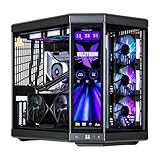
- Best Value: Velztorm Black Praetix 3D Custom Built Y60 Gaming Desktop PC (GeForce RTX 5080 16GB (>4090), Liquid Cooled AMD Ryzen 7 9800X3D, 32GB DDR5, 2TB PCIe SSD, 1000W PSU, WiFi 7, Win11Home)
- Premium Choice: AVGPC Blizzard Gaming PC – Intel® CPU Core i9 11900KF, RTX 5060 Ti, 32GB DDR4, 1TB NVME M.2 SSD, 360mm Liquid Cooler, ARGB Fans, WiFi/AC, TD500 Mesh White Case, Windows 11 Home i9 5060 Ti
Affiliate disclosure: As an Amazon Associate we earn from qualifying purchases. This post contains affiliate links — if you buy through them we may earn a small commission at no extra cost to you. This never affects our recommendations.
As an Amazon Associate we earn from qualifying purchases at no extra cost to you.




The RTX 4090 is still the undisputed king of consumer graphics cards in 2026. With up to 82.6 TFLOPS of shader performance and 24 GB of GDDR6X memory, it can chew through any game at 4K and push triple-digit framerates in demanding titles at 1440p. But all that GPU horsepower is wasted if your CPU can’t keep up — or more accurately, if you choose the wrong CPU for the wrong resolution.
Here’s the nuance most guides miss: at 4K, the RTX 4090 is almost never CPU-bottlenecked, even by mid-range processors. The GPU does so much heavy lifting at that resolution that the CPU’s job shrinks dramatically. The bottleneck story changes significantly at 1440p and especially at 1080p, where high refresh rate gaming demands serious CPU throughput.
This guide cuts through the noise. We compared the top five CPUs for RTX 4090 builds across resolutions, use cases, and price points — so you can spend your money where it actually matters.
In a hurry? See the top-rated CPU for RTX 4090 deals available right now:
🛒 Check Cpu For Rtx 4090 Prices on Amazon →🛒 Best Price Today on Amazon
Prime members get fast, free shipping on everything above, plus member-only deals. New members get a 30-day free trial — cancel anytime.
Start 30-Day Prime Free Trial →See Today’s Amazon DealsQuick Comparison Table
| CPU | Cores | Boost Clock | Platform | Est. Price |
|---|---|---|---|---|
| AMD Ryzen 7 7800X3D | 8C / 16T | 5.0 GHz | AM5 (DDR5) | ~$299 |
| Intel Core i9-14900K | 24C (8P+16E) / 32T | 6.0 GHz | LGA1700 (DDR5/DDR4) | ~$389 |
| AMD Ryzen 9 7950X3D | 16C / 32T | 5.7 GHz | AM5 (DDR5) | ~$549 |
| Intel Core i7-14700K | 20C (8P+12E) / 28T | 5.6 GHz | LGA1700 (DDR5/DDR4) | ~$319 |
| AMD Ryzen 9 9950X | 16C / 32T | 5.7 GHz | AM5 (DDR5) | ~$549 |
Our Top 5 CPU Picks for RTX 4090 Builds
1. AMD Ryzen 7 7800X3D — Best Overall Gaming CPU
The Ryzen 7 7800X3D is the CPU the RTX 4090 deserves for pure gaming. AMD’s 3D V-Cache technology stacks an additional 64 MB of L3 cache directly on top of the processor die, bringing the total to 96 MB of L3 cache — a number that sounds absurd until you see what it does to game performance.
That massive cache dramatically reduces the CPU’s need to reach out to slower main memory for game data. The result is smoother, more consistent frame delivery with virtually zero stutter in cache-sensitive titles like Microsoft Flight Simulator, Hogwarts Legacy, and any CPU-heavy open-world game.
Key Specs
- Architecture: Zen 4 + 3D V-Cache
- Cores / Threads: 8C / 16T
- Base / Boost Clock: 4.2 GHz / 5.0 GHz
- L3 Cache: 96 MB (64 MB 3D V-Cache + 32 MB standard)
- TDP: 120W
- Platform: AM5, DDR5
- PCIe: 5.0
Pros:
- Highest single-threaded gaming performance of any CPU available
- Near-zero CPU bottleneck at 1080p and 1440p paired with RTX 4090
- Runs cool and efficient for an 8-core chip
- AM5 platform has a long upgrade path
Cons:
- Only 8 cores — not the best for heavy video editing or 3D rendering
- Streaming at high bitrates may show limits with complex scenes
- No integrated graphics
Who It’s For: Gamers who want to max out every frame the RTX 4090 can produce. If your primary workload is gaming — full stop — the 7800X3D is the answer at any resolution. At 1080p and 1440p, no other CPU keeps up in gaming-specific benchmarks. At 4K, it’s more than sufficient and costs hundreds less than the alternatives.
2. Intel Core i9-14900K — Best for Streaming + Gaming
If you’re building a rig that doubles as a streaming workstation, the i9-14900K enters the conversation immediately. With 24 cores (8 Performance cores + 16 Efficiency cores) and Intel’s highest-ever consumer clock speeds — boosting to 6.0 GHz on P-cores — this CPU brings both single-threaded brute force and multi-threaded scale that the 7800X3D simply cannot match.

Intel’s Thread Director assigns game threads to P-cores while the E-cores handle background tasks like OBS encoding, Discord, and browser tabs. In practice, this means you can stream at 1080p60 with software encoding and still game at high framerates without the dropped frame spikes that plague 8-core builds under load.
Key Specs
- Architecture: Raptor Lake Refresh
- Cores / Threads: 24C (8P + 16E) / 32T
- Base / Boost Clock: 3.2 GHz / 6.0 GHz
- L3 Cache: 36 MB
- TDP: 125W (up to 253W under sustained load)
- Platform: LGA1700, DDR5 or DDR4
- PCIe: 5.0
Pros:
- Exceptional multi-threaded performance for streaming, content creation, and rendering
- Record-breaking single-core boost speeds
- DDR4 compatibility lowers total build cost if needed
- Strong for CPU-intensive titles like RTS games and city builders
Cons:
- Very high power draw — 200W+ under load is common
- Runs hot; requires a 360mm AIO or top-tier air cooler
- Gaming performance behind 7800X3D in cache-sensitive titles
- LGA1700 platform is at end of life — no upgrade path
Who It’s For: Streamers, content creators, and anyone who needs their gaming PC to pull double duty as a workstation. If you’re encoding video, running virtual machines, or doing 3D rendering alongside gaming, the i9-14900K’s core count pays dividends daily. Just budget for good cooling.
3. AMD Ryzen 9 7950X3D — Best for Power Users
The Ryzen 9 7950X3D is the CPU for people who refuse to compromise. It combines AMD’s 3D V-Cache technology with a 16-core dual-CCD design — one chiplet carries the 64 MB 3D V-Cache stack for gaming, while the second handles compute-heavy workloads. The result is a processor that trades blows with the 7800X3D in games while also humiliating it in rendering, compilation, and simulation workloads.
AMD’s scheduler intelligently routes game threads to the cache-equipped CCD and compute threads to the standard CCD, giving you the best of both worlds with minimal manual configuration. Boost clocks hit 5.7 GHz on the compute CCD, which is particularly useful for video encoding and code compilation where clock speed matters more than cache.
Key Specs
- Architecture: Zen 4 + 3D V-Cache (dual CCD)
- Cores / Threads: 16C / 32T
- Base / Boost Clock: 4.2 GHz / 5.7 GHz
- L3 Cache: 128 MB total (64 MB 3D V-Cache CCD + 64 MB standard CCD)
- TDP: 120W
- Platform: AM5, DDR5
- PCIe: 5.0
Pros:
- Gaming performance essentially identical to the 7800X3D
- 16 cores handle professional workloads without breaking a sweat
- Surprisingly power-efficient for a 16-core chip
- AM5 upgrade path still open
Cons:
- Significantly more expensive than the 7800X3D (~$250 premium)
- Pure gaming users won’t see a meaningful difference vs. the cheaper sibling
- Requires a premium X670E motherboard to get the most out of it
Who It’s For: Video editors, 3D artists, architects, and engineers who also game. If you spend your weekdays in DaVinci Resolve or Blender and your evenings in gaming sessions with an RTX 4090, the 7950X3D is the only CPU that doesn’t force you to choose between work and play performance.
4. Intel Core i7-14700K — Best Price-to-Performance
The i7-14700K is the value champion in this lineup — a 20-core processor that slots comfortably below the i9-14900K in price while delivering surprisingly close performance in most workloads. Intel added 4 additional Efficiency cores over its predecessor, bringing the total to 8 P-cores and 12 E-cores, which gives it a meaningful advantage in multi-threaded tasks compared to older 12th and 13th-gen i7 chips.

In gaming, the i7-14700K keeps pace with the i9-14900K to within a few percent at 1440p and above — the extra E-cores on the flagship don’t contribute meaningfully to gaming framerates. At 4K with an RTX 4090, the difference between these two chips is measured in single-digit percentages. You’re essentially getting flagship-tier 4K gaming at a $70 discount.
Key Specs
- Architecture: Raptor Lake Refresh
- Cores / Threads: 20C (8P + 12E) / 28T
- Base / Boost Clock: 3.4 GHz / 5.6 GHz
- L3 Cache: 33 MB
- TDP: 125W (up to 253W under load)
- Platform: LGA1700, DDR5 or DDR4
- PCIe: 5.0
Pros:
- Excellent gaming performance — within 3–5% of the i9-14900K at 4K
- Strong multi-threaded output for streaming and content creation
- DDR4 support keeps build costs down
- Widely available at aggressive prices in 2026
Cons:
- Still runs hot under load — good cooling required
- Falls behind 7800X3D in cache-sensitive games at 1080p/1440p
- LGA1700 platform reaching end of life
- E-cores can cause scheduling quirks in a handful of older games
Who It’s For: Budget-conscious 4090 builders who want a capable all-rounder. If you’re pairing this chip with a 4090 for 4K gaming and light creative work — and you don’t want to pay the premium for an i9 or top AMD chip — the i7-14700K is one of the smartest buys in this tier.
5. AMD Ryzen 9 9950X — Best Efficient Powerhouse
The Ryzen 9 9950X represents AMD’s Zen 5 architecture at its peak — a 16-core processor with a 65W base TDP that sips power compared to Intel’s competition while delivering class-leading compute performance. Zen 5’s redesigned front-end and wider execution pipelines deliver roughly 16% better IPC (instructions per clock) than Zen 4, making the 9950X a meaningful generational leap in raw throughput.
The trade-off is that the 9950X does not feature 3D V-Cache, which means it trails the 7800X3D and 7950X3D in cache-sensitive games at lower resolutions. At 4K with a 4090, however, the gap is negligible — the GPU is the bottleneck, and the 9950X’s CPU throughput is more than adequate. Where it truly distinguishes itself is in sustained workloads: video encoding, AI inference, scientific simulation, and code compilation all run faster and cooler than on competing Intel chips.
Key Specs
- Architecture: Zen 5
- Cores / Threads: 16C / 32T
- Base / Boost Clock: 4.3 GHz / 5.7 GHz
- L3 Cache: 64 MB
- TDP: 65W base / 170W PPT
- Platform: AM5, DDR5
- PCIe: 5.0
Pros:
- Exceptional performance-per-watt — runs far cooler than Intel competition
- Zen 5 IPC gains deliver genuine productivity improvements
- AM5 platform longevity: future Zen 6 CPUs will drop right in
- Best thermals of any high-core-count CPU in this roundup
Cons:
- No 3D V-Cache means it’s not the top pick for pure gaming at 1080p/1440p
- Premium price without V-Cache gaming benefits
- A 9950X3D would be the better gaming pick if AMD releases one in time
Who It’s For: Future-focused builders and productivity-first users who also want a great gaming PC. If you’re building a long-term workstation that does demanding professional work, runs AI tools locally, and games at 4K on an RTX 4090, the 9950X’s efficiency and compute headroom make it a compelling choice.
How to Choose the Right CPU for Your RTX 4090
Resolution Matters More Than You Think
The single most important factor in CPU selection for an RTX 4090 build is the resolution you’ll be gaming at:
- 4K gaming: The RTX 4090 is GPU-bound at 4K in virtually every title. The CPU becomes nearly irrelevant for framerates — any of the five CPUs in this guide will produce within 5–8% of the same results. You could pair a 4090 with a mid-tier CPU like the Ryzen 7 7700 at 4K and lose very little performance. Save your money on CPU and invest it elsewhere.
- 1440p high refresh rate: Here the CPU starts to matter. Competitive and fast-paced games at 165Hz+ will begin to show meaningful differences between a 7800X3D and the slower chips in this list. Aim for at minimum a 7800X3D or i9-14900K.
- 1080p esports / max refresh rate: This is where the 7800X3D’s dominance becomes clear. If you’re chasing 240Hz or 360Hz in titles like CS2, Valorant, or Apex Legends, the 7800X3D’s cache architecture makes a measurable difference.
Gaming-Only vs. Dual-Use Builds
If your machine is a dedicated gaming rig, the Ryzen 7 7800X3D at ~$299 is the answer. It wins on framerates, runs cool, and saves you $250+ versus the 7950X3D for identical gaming results.
If your machine doubles as a creative workstation or streaming PC, the equation shifts toward the i9-14900K, Ryzen 9 7950X3D, or Ryzen 9 9950X depending on your workflow and power tolerance.
Platform Longevity
AMD’s AM5 platform (used by all three AMD CPUs here) supports DDR5 and PCIe 5.0 and will receive Zen 6 processors — meaning you can upgrade the CPU without replacing the motherboard. Intel’s LGA1700 platform (used by the i7-14700K and i9-14900K) is reaching end of life in 2026; its successor platform will require a new motherboard. If you’re planning to upgrade CPUs again in 2–3 years, AMD’s platform offers better longevity.
Don’t Overspend on CPU for a 4K Build
A common mistake is pairing a $549 Ryzen 9 7950X3D or 9950X with a 4090 purely for gaming at 4K, expecting a noticeable performance boost over a $299 7800X3D. At 4K, you won’t see one. Spend the difference on a faster NVMe SSD, more RAM, or a better monitor.
Final Verdict
For most gamers building an RTX 4090 rig in 2026, the AMD Ryzen 7 7800X3D is the CPU to buy. Its 3D V-Cache architecture eliminates CPU bottlenecks at every resolution, its 8-core TDP keeps your system cool and quiet, and its ~$299 price point leaves money in the budget for everything else. It is purpose-built for gaming, and the RTX 4090 deserves a gaming-first partner.
If you stream, create content, or run demanding professional workloads alongside gaming, move up to the Ryzen 9 7950X3D or the Ryzen 9 9950X depending on whether you prioritize gaming headroom (3D V-Cache) or efficiency and IPC (Zen 5). The i9-14900K remains a strong streaming pick but carries a high power bill and an end-of-life platform.
The i7-14700K is the sleeper value pick — at 4K, it’s within 3–5% of the i9-14900K at a lower price, and its 20-core design handles light content creation without complaint.
The takeaway: at 4K, the RTX 4090 is rarely limited by your CPU. Choose the chip that fits your full workload, not just the highest benchmark number — and don’t pay a premium for cores you won’t use.
Prices are estimates as of 2026 and may vary by retailer. Always verify current pricing before purchasing.
Related Articles
Looking for more on this topic? Browse the hand-picked guides below — each one applies the same scoring rubric used in this review.
Frequently Asked Questions
What is the best gaming cpu rtx 4090 pairing in 2026?
The best gaming cpu rtx 4090 pairing depends on your budget and how you plan to use it. The options compared above are our top-rated picks based on real customer ratings, build quality, and overall value — start with the highest-rated model that fits your budget.
How much should I expect to spend on a gaming cpu rtx 4090 pairing?
Prices vary by brand and features. Budget options cover the essentials, while mid-range and premium models add durability, performance, and extra features. Compare the prices in the list above to find the best value for your needs.
What should I look for when buying a gaming cpu rtx 4090 pairing?
Focus on what matters most for your use case — build quality, compatibility, performance, warranty, and verified customer reviews. Every pick above is selected to balance these factors.
Are budget gaming cpu rtx 4090 pairing options worth it?
Yes. For most people a well-reviewed budget or mid-range gaming cpu rtx 4090 pairing delivers excellent value. You only need to spend more if you specifically require premium materials or top-tier performance.
How did we choose these gaming cpu rtx 4090 pairing picks?
We compare current Amazon ratings, review counts, key features, and price to surface the options with the best real-world value. The list is refreshed as ratings and availability change.
Ready to decide? Our #1 pick for 2026 is the CPU.
Live price & availability on Amazon.












