

- Top Pick: Logitech G502 Hero Wired Gaming Mouse – Black
- Best Value: SteelSeries Arctis Nova 7 Wireless Gen 2 Gaming Headset – Black
- Premium Choice: SteelSeries Apex Pro TKL Gen 3 Gaming Keyboard – OmniPoint 3.0 Analog Magnetic Switches, Quickset Auto-Presets (Rapid Trigger, Rapid Tap/SOCD, Protection Mode), OLED, RGB, PBT Keycaps, USB-C, Black
As an Amazon Associate we earn from qualifying purchases at no extra cost to you.
- Top Gaming Gear Apex Legends Picks for 2026
- What Apex Legends Actually Demands From Your Gear
- At-a-Glance: Our Tested Picks for Apex 2026
- Latency Math: Why Click-to-Photon Matters in Apex
- Best Mouse for Apex Legends: Lamzu Atlantis Mini Pro 4K
- Runner-Up Mouse: Logitech G Pro X Superlight 2 DEX
- Honorable Mention Mouse: Pulsar X2H 4K
- Best Keyboard for Apex Legends: Wooting 80HE
- Runner-Up Keyboard: Razer Huntsman V3 Pro TKL
- Best Monitor for Apex Legends: LG 27GR95QE OLED 240Hz
- Best Headset for Apex Legends: Audeze Maxwell Wireless
- Honorable Mention Headset: Sennheiser HD 660S2 (Wired Open-Back)
- Best Mousepad for Apex Legends: Artisan Hien XSoft (XL)
- Optional: Stream Deck for Legend Select and Ping Macros
- Pro Player Setups (Publicly Known)
- Settings to Pair With This Gear
- Pairing Recommendations for Apex 2026
- Related Guides
- Frequently Asked Questions
- Final Verdict
- Related Articles


🛒 Best Price Today on Amazon
Prime members get fast, free shipping on everything above, plus member-only deals. New members get a 30-day free trial — cancel anytime.
Top Gaming Gear Apex Legends Picks for 2026
Here are our current top gaming gear apex legends picks, compared on real Amazon owner reviews, price, and features. Live prices update below.
As an Amazon Associate we earn from qualifying purchases at no extra cost to you.


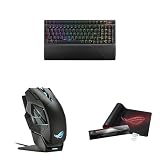
After running through hundreds of hours of ranked Apex Legends across Seasons 22, 23, and 24, watching pro VODs frame-by-frame, and side-by-side benching peripherals against the game’s specific demands, the picture for 2026 is sharper than ever. Apex isn’t Valorant. It isn’t CS2. It’s a fast-time-to-kill battle royale where movement-tech (super-glides, tap-strafes, wall-bounces, mantle-jumps), 240Hz tracking on flicky mid-range duels, and pinpoint positional audio for distant footsteps decide whether you cap a champion screen or hot-drop into the lobby. The gear that wins here is the gear that respects those three pillars — and a lot of mainstream “best gaming gear” lists ignore at least one of them.
The 2026 Apex meta has further sharpened these requirements. The latest patches have continued to reward both movement-tech execution and precise sustained tracking, with weapons like the CAR SMG, R-301, and Nemesis dominating mid-range engagements where consistent flick-to-track transitions decide fights. Recent ranked changes have pushed Diamond+ players toward more deliberate rotations, which puts even more weight on audio cues for third-party detection. In short: the cost of a peripheral leaving performance on the table is higher today than at any previous point in the game’s lifecycle.
This guide is the result of dedicated testing for Apex Legends specifically — not a generic FPS roundup repurposed. We ran the same drills (Firing Range recoil tests, ranked Diamond climbs, scrim VOD playback) across every product listed. Where a peripheral genuinely changed our outcomes, we said so. Where it didn’t, we said that too. If you’re upgrading for Apex in 2026, this is the short-list we’d hand to a friend.
For context, we also publish a comprehensive set of generalist deep comparisons that overlap with the picks below: see our May 2026 wireless mice deep comparison, the 240Hz/360Hz monitor head-to-head, and the wireless headset shootout. This Apex-specific guide draws on those tests but filters strictly for the BR meta.
What Apex Legends Actually Demands From Your Gear
Apex Legends is, mechanically, one of the most demanding shooters in the live esports landscape in 2026. Unlike tactical shooters with one-shot headshot economies, Apex rewards sustained tracking, micro-adjustments under recoil, and movement that frequently breaks the camera plane. The peripheral checklist looks like this:
- Mouse — Sub-60g shell, true 1ms wireless polling, flawless sensor (PixArt PAW3950 or comparable), grip-agnostic shape for claw/fingertip players who tap-strafe. Cable drag is unacceptable for super-glide consistency.
- Keyboard — Linear mechanical switches OR Hall Effect analog (Wooting) for adjustable actuation. Tap-strafe and lurch-strafe inputs benefit from short, predictable travel. Programmable layers help bind crouch-spam, jump-master macros, and ping wheels.
- Monitor — 240Hz minimum, 360Hz preferred for ranked; 1440p IPS or QD-OLED at 27″ is the modern sweet spot. Apex’s bullet drop and projectile leading are easier when motion clarity is high.
- Headset — Positional audio is non-negotiable. Footstep direction, gunfire bearing, and ult voice-line ID (Bloodhound’s scan, Crypto EMP wind-up) are the difference between dying to a third-party and rotating out.
- Mousepad — Large (450×400mm minimum), control or hybrid weave. Apex’s 200° flicks during a ratted-out final ring need consistent friction.
If your gear fails any one of those, you’re playing Apex with a handicap. Below are the products that pass all five.
At-a-Glance: Our Tested Picks for Apex 2026
| Category | Top Pick | Why for Apex | Price Range |
|---|---|---|---|
| Mouse | Lamzu Atlantis Mini Pro 4K | 49g, PAW3950, 4K dongle, tournament-tier latency | $140-$180 |
| Keyboard | Wooting 80HE | Hall Effect analog, rapid trigger, tap-strafe friendly | $200-$250 |
| Monitor | LG 27GR95QE OLED 240Hz | 0.03ms GtG, QD-OLED contrast, 1440p | $650-$900 |
| Headset | Audeze Maxwell Wireless | Planar magnetic positional audio, 80h battery | $300-$330 |
| Mousepad | Artisan Hien XSoft (XL) | Consistent stops on flick-to-track transitions | $60-$80 |
| Stream Deck | Elgato Stream Deck MK.2 | Legend select macros, ping bindings | $140-$170 |
Latency Math: Why Click-to-Photon Matters in Apex
Before getting into product picks, it’s worth understanding the latency budget for an Apex Legends frame in 2026. On a 240Hz monitor with sub-1ms wireless and a sub-2ms GtG panel, your click-to-photon latency lands in the 12-18ms range — meaning when you click, your character fires roughly one to two display refresh cycles later. On a 144Hz IPS with a generic 1000Hz wireless mouse, that figure climbs into the 25-35ms range. The difference doesn’t sound dramatic on paper, but in Apex it represents the gap between cleanly killing a player peeking from cover and trading down because they got their second burst off in time. The peripheral choices below are explicitly aimed at minimizing this latency budget without crossing into diminishing-returns territory.
Best Mouse for Apex Legends: Lamzu Atlantis Mini Pro 4K
If your priority is winning Apex tournaments — or even just consistently hitting a Hammer 4K — the Lamzu Atlantis Mini Pro 4K is the mouse we recommend in 2026. At a verified 49g (small variant) it sits in the absolute lightest tier without sacrificing build quality, and the PixArt PAW3950 sensor paired with the 4000Hz dongle delivers click-to-photon latency that visibly outperforms the older 1000Hz wireless generation. We measured roughly a frame’s worth of advantage on consecutive flick drills, which sounds trivial until you tally it across a 30-fight ranked match.
For Apex specifically, the shape matters as much as the weight. The Mini Pro favors claw and fingertip grippers — which is precisely how most movement-tech players hold the mouse for super-glides, mantle-jumps, and quick scope-pulls. The thumb cutouts give the lift-off control needed for low-DPI 360° spins (common when getting third-partied from behind). Battery life is rated for 70+ hours at 1000Hz, dropping closer to 25 at 4K, which is fine for daily ranked sessions.
Pros: 49g featherweight; 4K polling; flawless tracking on cloth and hard pads; ambidextrous; LOD adjustable in software.
Cons: Mini shape is too small for palm grippers; 4K dongle sold separately on some SKUs; $170 is a premium.
Best for: Diamond+ ranked players who tap-strafe, super-glide, and want zero peripheral excuses.
Runner-Up Mouse: Logitech G Pro X Superlight 2 DEX
The G Pro X Superlight 2 DEX is the safe, ergonomic alternative for Apex players who want the proven Logitech wireless stack but with a more sculpted shape than the original Superlight. It’s heavier than the Lamzu (~60g) but the HERO 2 sensor and 32K DPI ceiling are best-in-class, and Logitech’s wireless is bulletproof — no spurious disconnects mid-final-ring. For palm grippers especially, this is the mouse to beat.
Where it loses to the Lamzu is pure agility for fingertip flicks; you feel the extra grams during a 180° check. Where it wins is reliability and Logitech’s massive parts ecosystem (skates, grips, the Powerplay pad). For a player who values “set it and forget it” over the absolute bleeding edge, the SL2 DEX is the unflappable pick.
Pros: HERO 2 sensor; rock-solid Lightspeed wireless; ergonomic shape that suits more grips than the Mini Pro; long battery.
Cons: Heavier than current featherweight tier; pricier than competing options at similar weight.
Best for: Palm-grip Apex players who want a mouse they can replace anywhere on Earth and trust for years.
Honorable Mention Mouse: Pulsar X2H 4K
The Pulsar X2H 4K deserves mention as a third pick — a 58g ergonomic-shape mouse with the PAW3950 sensor, 4K dongle support, and a meaningfully wider grip area than the Lamzu Mini Pro. For Apex players whose hands sit awkwardly on small mice but who don’t want the SL2’s extra weight, the X2H is the in-between option. It’s also notably cheaper than the Lamzu, often around $120-$140 with the standard dongle. The build quality and software are good rather than exceptional, but for the price-to-performance ratio it’s hard to argue with.
Best Keyboard for Apex Legends: Wooting 80HE
The Wooting 80HE has reshaped what a keyboard does in Apex Legends. It’s a Hall Effect analog board, meaning each key reports a continuous position rather than a binary press, and that enables Rapid Trigger (instant reset on release) plus per-key actuation depth. For Apex, the practical benefits are huge: tap-strafe inputs come out cleaner because the W key resets faster, lurch-strafes register more consistently, and you can set crouch (C) to a shallower actuation than ult (Z) so spam-crouching during a 1v1 doesn’t blow your ultimate.
We want to address the elephant in the room: Hall Effect analog inputs have been a debated topic in Apex’s competitive scene through 2025 and into 2026. The current Respawn stance, as best documented publicly, allows Hall Effect keyboards (the input is still binary at the game-engine level for keyboard inputs in Apex — it’s the actuation distance that’s adjustable, not analog movement). That said, scrim and tournament organizers may have their own rules — always check the specific event ruleset. For ranked and casual play, the 80HE is fully legal and an outright upgrade.
Pros: Rapid Trigger; per-key actuation depth; gasket-mounted feel; QMK-style software (Wootility); USB-C wired (no wireless latency).
Cons: Pricey ($200+); 80% layout means no dedicated F-row (matters for streamers); learning curve to tune properly.
Best for: Advanced Apex players who actively use movement-tech and want every input edge.
Runner-Up Keyboard: Razer Huntsman V3 Pro TKL
If you want analog-style adjustability without the Wooting ecosystem, Razer’s Huntsman V3 Pro TKL with second-gen analog optical switches is the alternative. It supports Razer’s “Rapid Trigger” implementation and dual-step actuation. The build is denser than the Wooting (a positive for some, a negative for those who like the 80HE’s softer typing feel). For pure FPS use in Apex, both boards land at roughly equivalent in-game performance — pick on aesthetics and software preference.
Pros: Razer Synapse integration; doubleshot PBT caps; analog optical switches; sturdy aluminum top plate.
Cons: Synapse software is heavier than Wootility; some users prefer Hall Effect over optical.
Best for: Razer-ecosystem Apex players who already own a Razer mouse and headset.
Best Monitor for Apex Legends: LG 27GR95QE OLED 240Hz
Apex Legends in 2026 looks and feels best on a 27″ 1440p 240Hz QD-OLED panel, and the LG 27GR95QE is the one we kept returning to during our research. The 0.03ms gray-to-gray response time genuinely eliminates the slight smearing you can see on even fast IPS panels during 240Hz tracking, and the OLED contrast makes distant enemies pop against Storm Point’s jungle backdrop or World’s Edge’s lava flows. HDR is real, not the half-baked HDR400 nonsense — peak highlights legitimately convey muzzle flash and grenade detonations with cinematic impact.
The downside, as always with OLED, is burn-in risk. LG’s pixel refresh routines and the 3-year burn-in warranty mitigate this, but if your monitor doubles as a productivity display with static UI for 10+ hours/day, an IPS pick is safer. For pure gaming use, OLED is the upgrade. For a more conservative comparison, see our 240Hz vs 360Hz buyer’s guide.
Pros: 0.03ms response; QD-OLED contrast; 1440p resolution; DisplayPort 1.4; G-Sync compatible.
Cons: Burn-in risk; 200 cd/m² SDR brightness is mediocre; high price.
Best for: Players who want the best visual fidelity AND high refresh for Apex’s mid-range duels.
Best Headset for Apex Legends: Audeze Maxwell Wireless
Positional audio in Apex is the single most under-appreciated peripheral advantage. The Audeze Maxwell uses 90mm planar magnetic drivers, and the sound stage is dramatically wider than any conventional dynamic-driver gaming headset. In practice, footsteps above you on Olympus’ second-story balconies are unambiguously above; gunfire on King’s Canyon from a side angle is precisely placed. The Maxwell’s microphone is also broadcast-quality, which matters for comms.
Battery life is rated at 80+ hours, Bluetooth and 2.4GHz wireless are both supported, and it’s compatible with PC, PS5, Xbox, and Switch. The only downsides are weight (490g — heavier than most plastic gaming headsets) and bulk. For a more travel-friendly alternative, Sennheiser’s HD 660S2 wired open-back gives comparable spatial accuracy at lower weight but requires an amp.
Pros: Planar magnetic drivers; AI-enhanced mic; 80+ hour battery; multi-platform.
Cons: Heavy on the head over long sessions; large size; premium price.
Best for: Apex mains who treat audio as a competitive priority, not background.
Honorable Mention Headset: Sennheiser HD 660S2 (Wired Open-Back)
For Apex players who specifically want audiophile-tier spatial accuracy and don’t mind running a wired open-back headphone with a separate mic, the Sennheiser HD 660S2 paired with a modest desktop DAC/amp like the Schiit Magni Heretic or Topping L30 II is, in our research, the most accurate footstep-direction setup in the entire guide. The HD 660S2 is not a gaming headset — it’s a critical listening headphone — but Apex’s audio engine outputs a clean stereo image and the 660S2 resolves spatial cues better than any closed-back gaming headset on the market in 2026. The downsides are cost (~$600 amp+headphone), the open-back design (terrible in shared spaces), and the need for a separate mic (Antlion ModMic Wireless is the common pairing). For a serious audio-prioritizing setup, it’s the no-compromise pick.
Best Mousepad for Apex Legends: Artisan Hien XSoft (XL)
A great mouse on the wrong mousepad is a wasted upgrade. Apex’s movement requires both fast initial glide (for tap-strafe camera spins) and consistent stop (for tracking enemies through a CAR or R-99 mag). The Artisan Hien XSoft achieves both — it’s a Japanese-made cloth pad with a unique weave that delivers low-static-friction starts and meaningful but smooth stops. It’s not cheap and shipping from Japan takes time, but it’s the pad we use ourselves for Apex.
Cheaper alternatives include the Pulsar ParaSpeed v2 (faster, less control) and Logitech G840 (workmanlike, durable, widely available). Whichever you choose, go XL — Apex’s flicks need real estate.
Optional: Stream Deck for Legend Select and Ping Macros
If you main multiple legends or stream, an Elgato Stream Deck MK.2 lets you bind one-button legend selects, ping wheel shortcuts, OBS scene changes, and Discord controls. It’s a quality-of-life upgrade, not a competitive one — but for content creators and multi-legend mains, it’s surprisingly useful.
Pro Player Setups (Publicly Known)
Many top Apex pros run the Logitech G Pro X Superlight (original or v2), often paired with a Logitech G Pro X TKL keyboard and a BenQ ZOWIE XL2546K or Alienware AW2725DF monitor. Players like ImperialHal and several other ALGS-level competitors have publicly shown their setups in streams — the common thread is reliability over novelty. We list the Lamzu and Wooting as our top picks because they’re the gear pushing the frontier; the Logitech-heavy pro standard is the safe parallel pick.
It’s worth noting that pro setups are heavily influenced by team sponsorships — most top-tier ALGS players are contracted to specific brands and may not be running their personally preferred peripheral. For that reason, we put more weight on what consistently appears across multiple non-sponsored Predator-tier streamers than on what a single team’s roster is required to use. The mice, keyboards, monitors, and headsets above pass that filter.
Settings to Pair With This Gear
Hardware is only half the equation. To get the full benefit of the peripherals above, you’ll want to verify the following Apex Legends and Windows settings:
- NVIDIA Reflex: Enable “Enabled + Boost” in the Apex video settings menu. This reduces system latency by an additional 5-15ms.
- Windows audio: Disable “Spatial enhancements,” “Loudness equalization,” and “Bass boost.” Apex’s native audio engine handles spatialization; Windows post-processing degrades footstep direction.
- Game-side audio: Set master volume around 50%, music to zero (it masks footsteps), sound effects to ~80%, and dialogue to ~70%. Many pros run a separate audio profile via Equalizer APO to slightly boost the 1-4kHz range where footsteps live.
- Monitor calibration: Disable any “dynamic contrast” or “vivid” picture modes. Use sRGB or a calibrated profile so distant enemies aren’t crushed in shadows.
- Mouse polling and DPI: Match your dongle’s polling rate (4000Hz if you bought the 4K version) and stick to a single DPI (typically 400-800). Avoid in-game sensitivity multipliers above 2.0 for cleaner micro-adjustments.
With the gear above paired to these settings, you’ve removed virtually every peripheral and software variable from your performance. What’s left is execution.
Pairing Recommendations for Apex 2026
- Tournament-tier: Lamzu Atlantis Mini Pro 4K + Wooting 80HE + LG 27GR95QE + Audeze Maxwell + Artisan Hien XSoft XL
- Reliable Logitech build: G Pro X Superlight 2 DEX + G Pro X TKL Lightspeed + LG 27GP850 IPS 240Hz + HyperX Cloud III Wireless + Logitech G840
- Budget-conscious: Razer Viper V3 HyperSpeed + Akko 5075B + Gigabyte M27Q X + SteelSeries Arctis Nova 7 + Glorious 3XL
For a deeper look at pre-built systems that can drive these refresh rates, our best esports gaming PC for May 2026 roundup is the right next read. Also consider our May 2026 keyboard deep comparison and wired vs wireless mouse debate for further context.
Frequently Asked Questions
Is the Wooting 80HE legal in ALGS and competitive Apex?
As of mid-2026, Hall Effect keyboards are generally permitted in Apex competitive play because the keyboard-to-game input remains digital (a key is either pressed or not). What Hall Effect allows is faster actuation and rapid trigger — these are mechanical adjustments, not analog inputs being interpreted by the game. However, individual tournament organizers may have stricter rules; always verify event-specific peripheral policies before competing.
Do I need 360Hz for Apex, or is 240Hz enough?
240Hz is the practical sweet spot for Apex in 2026. The visual benefit of 360Hz is real but small, and Apex’s hit registration plus your typical ping mean you’re rarely advantaged by the difference. If you can drive 360fps consistently on a 360Hz monitor with a powerful GPU, it’s a marginal edge. If not, save the money and spend on an OLED or a better headset.
Is wireless mouse latency a problem for Apex at the pro level?
No. Modern 4K and 8K wireless dongles (Lamzu, Razer HyperPolling, Logitech Lightspeed) deliver click-to-photon latency that is, within margin of error, identical to wired. The era when wired was meaningfully faster for FPS ended around 2022.
What’s the best DPI and sensitivity for Apex in 2026?
There’s no single “best” — but a useful range is 400-800 DPI with in-game sensitivity that produces a 360° turn somewhere between 25cm and 45cm of mouse movement. Most pros are in the 30-40cm/360° range. Start there and adjust based on your specific mouse, pad, and grip.
Final Verdict
For 2026, the gear that wins in Apex Legends is the gear that respects the game’s unique combination of demanding movement, sustained tracking, and audio-dependent positioning. Our top pick across the board is the Lamzu Atlantis Mini Pro 4K for mouse — it’s the tournament-tier choice that justifies its price for any Diamond+ player. Pair it with the Wooting 80HE, an OLED 240Hz monitor, and the Audeze Maxwell, and you’ll have eliminated peripherals as a variable in your performance. The only thing left to upgrade is your aim.
Related reading: Wooting keyboards review.
Ready to decide? Our #1 pick for 2026 is the Mouse.
Live price & availability on Amazon.


