

- Top Pick: N-GEN GAMING Gaming Chair with Footrest, Lumbar, High-Back, All Black
- Best Value: GTPLAYER Gaming Chair with Footrest, Ergonomic Computer Game Desk Chair, Reclining Gamer Chair Seat Height Adjustment, Swivel Rocker with Headrest and Lumbar (Blue)
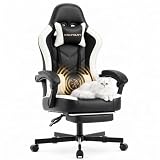
- Premium Choice: Gaming Chair for Adults Gamer Game Ergonomic PC Chair, 7-Point Support
The best gaming chair on Amazon in 2026 combines ergonomic support, durable materials, and comfort that holds up through marathon sessions. With countless options competing for attention, it helps to know which chairs genuinely deliver lumbar support and build quality versus which just look flashy. This roundup breaks down five of the top-rated gaming chairs available on Amazon right now.
As an Amazon Associate I earn from qualifying purchases.
Related guide: Best budget gaming chairs
As an Amazon Associate we earn from qualifying purchases at no extra cost to you.




🛒 Best Price Today on Amazon
Prime members get fast, free shipping on everything above, plus member-only deals. New members get a 30-day free trial — cancel anytime.
As an Amazon Associate we earn from qualifying purchases at no extra cost to you.

What Makes the Best Gaming Chair on Amazon
A great gaming chair is not just about aesthetics; it is about supporting your spine, neck, and arms through hours of play. The best gaming chair on Amazon offers adjustable lumbar support, a reclining backrest, height-adjustable armrests, and a sturdy base rated for your weight. Materials matter too, with breathable mesh or quality PU leather affecting both comfort and longevity. Poor posture during long sessions leads to back pain and fatigue, so investing in proper seating pays dividends. Pair your chair with the tips in our gaming desk ergonomics guide to build a truly comfortable battlestation.
Best Gaming Chair on Amazon: Top 5 Compared
| Product | Best For | Standout Feature | Rating |
|---|---|---|---|
| Secretlab Titan Evo | Premium all-day comfort | Integrated adjustable lumbar | |
| Razer Iskur V2 | Lumbar support seekers | Adaptive built-in lumbar arch | |
| Corsair TC100 Relaxed | Budget comfort | Breathable fabric at low cost | |
| Herman Miller x Logitech Embody | Posture and ergonomics | Science-backed spine support | |
| Homall Ergonomic Chair | Value-focused gamers | Affordable racing-style recline |
Secretlab Titan Evo: The Best Gaming Chair on Amazon Overall
The Secretlab Titan Evo has earned near-universal praise for its integrated adjustable lumbar system, which dials in support exactly where your lower back needs it. The magnetic head pillow, firm-yet-comfortable seat base, and durable NEO Hybrid Leatherette make it a long-term investment. It comes in multiple sizes so you can match the chair to your body, a rare and valuable feature. For gamers who sit for hours daily, this best gaming chair delivers unmatched all-day comfort. Combine it with our monitor height positioning guide for perfect posture.
Razer Iskur V2: Superior Lumbar Support
The Iskur V2 is built around Razer’s adaptive lumbar arch, a curved support that flexes with your spine rather than pressing a fixed shape into it. This makes it one of the most back-friendly options and a top contender for the best gaming chair on Amazon. The dense foam and multi-tilt recline round out a genuinely ergonomic package. Players who struggle with lower-back fatigue will feel the difference immediately. See how good seating complements our healthy gaming habits guide.
Corsair TC100 Relaxed: Best Budget Comfort
The Corsair TC100 Relaxed proves you do not need to spend a fortune for a comfortable, well-built chair. Its breathable fabric variant keeps you cool during heated sessions, and the wide seat base suits a range of body types. While it lacks the advanced lumbar systems of premium models, it includes a supportive pillow and solid recline. As an affordable best gaming chair on Amazon pick, it punches above its price. Pair it with the accessories in our budget battlestation guide.
Herman Miller x Logitech Embody: Ergonomic Excellence
Co-developed by ergonomics leaders, the Embody Gaming Chair prioritizes long-term spinal health over racing-style aesthetics. Its pixelated support system distributes pressure and encourages movement, reducing the stiffness that comes from sitting still for hours. This best gaming chair is aimed at players and professionals who treat their body as seriously as their aim. The premium price reflects genuine ergonomic engineering. Learn why posture matters in our preventing gaming injuries article.
Homall Ergonomic Chair: Best Value Racing Style
For gamers who want the classic racing-chair look without the premium cost, the Homall Ergonomic Chair is a perennial Amazon best-seller. It offers a full recline, removable lumbar and headrest pillows, and a sturdy base at a very accessible price. While the materials are not top-tier, the value is excellent for newcomers or secondary setups. As an entry-level best gaming chair on Amazon, it is a smart first purchase. Explore complete affordable setups in our starter gaming setup guide.
How to Choose the Best Gaming Chair on Amazon
Start with lumbar support, since your lower back bears the most strain during long sessions; adjustable or adaptive systems beat fixed pillows. Check the chair’s weight and height ratings to ensure a proper fit for your body. Decide between breathable fabric, which stays cooler, and PU leather, which is easier to wipe clean. Finally, read Amazon reviews focusing on long-term durability, because assembly quality and material wear vary widely, and a chair that feels great on day one should still support you a year later.
How the Main Picks Compare at a Glance
Use this table to narrow the field before reading the detail. Lumbar type matters more than looks: built-in lumbar stays where it is set, while a loose pillow needs moving every time someone else uses the chair. Armrest movement matters just as much, because arms that cannot reach desk height leave shoulders raised for hours.
| Chair | Lumbar support | Armrests | Recline | Footrest | Best for |
|---|---|---|---|---|---|
| Secretlab Titan Evo | Built-in adjustable | Adjustable | Deep recline | No | Long daily sessions |
| Razer Iskur V2 | Adaptive built-in arch | Adjustable | Deep recline | No | Lower-back support |
| Corsair TC100 Relaxed | Pillow | Adjustable | Recline | No | Warm rooms and value |
| Herman Miller x Logitech Embody | Built-in spinal support | Adjustable | Limited recline | No | Posture-first work and play |
| Homall Ergonomic Chair | Pillow | Adjustable | Full recline | No | First racing-style chair |
| RESPAWN 110 Pro | Pillow, with headrest pillow | Padded | Recline to 155 degrees | Yes | Rest breaks between sessions |
| DXRacer Drifting L | Pillow, with headrest | Adjustable | Recline | No | Taller sitters who run warm |
If two chairs look similar, choose the one whose lumbar type, seat width, and armrest range match the way you sit, not the one with the bolder colour. A chair that fits upright play and still allows a relaxed lean-back position is more useful than a chair that only does one of those well.
Sizing and Compatibility Checklist
Measure before ordering, because a gaming chair is bulky to return and awkward to move through a narrow doorway. Start with hip width while seated, thigh length from the back of the hip to the back of the knee, and total height. Compare those numbers with the listing seat width, seat depth, and backrest height. Leave a small gap between the seat edge and the back of the knees, so the edge does not press into the legs during a long session.
Check the weight rating and leave a margin above body weight, especially if the chair will be used every day. Check the seat-height range against desk height: feet should rest flat, knees should sit roughly level with hips, and elbows should rest near a right angle when hands are on the keyboard. If armrests cannot slide under the desk, they will push the chair too far back or lift the shoulders.
Check floor space as well. Allow clearance behind the chair for recline, room to swivel, and space for a footrest to pull out. On hard floors, soft-tread casters or a chair mat protect the surface and stop the chair drifting. On thick carpet, a rigid mat makes rolling easier. If more than one person will share the chair, favour models with quick height, armrest, and lumbar changes over models that need tools for every adjustment.
More Picks Worth Considering
RESPAWN 110 Pro Ergonomic Gaming Chair with Footrest for Adults – Comfortable Office Gaming Recliner with Lumbar Support and Headrest, Racing Style Video Game Chairs for Computer Gamer – Gray Fabric
The RESPAWN 110 Pro in gray fabric suits gamers who want a reclining chair with a pull-out footrest for breaks between matches, without a narrow racing bucket. Its lumbar and headrest pillows are separate pieces, so they can be moved to meet the lower back and neck, or removed when they get in the way. Fabric breathes better than smooth faux leather in a warm room, and the high back gives shoulder and upper-back coverage for taller sitters. The backrest reclines to 155 degrees for rest. It fits best for average to larger frames who sit upright for play and lean back to rest. Skip it if you need built-in adjustable lumbar rather than loose pillows, if you prefer a firm seat, or if a footrest is not useful in a tight room where the chair cannot recline fully.
DXRacer Drifting L Ergonomic Video Gaming Chair with Lumbar Support and Headrest, Reclining Computer Gamer Chair for Adults (Water-Resistant Fabric, Light Grey)
The DXRacer Drifting L in light grey water-resistant fabric suits players who run warm and want a wider large-size racing chair. The fabric resists light spills and stays cooler than sealed leatherette, while the large size gives broader sitters more room. Lumbar support and a headrest are included, and the backrest reclines, with height adjustment to match different desk heights. The listed weight capacity is 275 pounds, so check that figure against body weight before ordering. It fits best for taller or broader sitters who find standard racing seats tight, and for home offices where the same chair is used for work and play. Skip it if you need a footrest, if you want built-in lumbar that adjusts in depth without a pillow, or if the light colour will show marks easily.
Setup and Care
Assemble the chair on a clear floor with a second person nearby for the heavy steps, and keep the box until every part has been checked against the parts list. Tighten bolts in the order shown in the manual, then sit in the chair and check height, recline, tilt tension, and armrest position before a long session. Set seat height so feet rest flat and thighs sit level. Move lumbar support until it fills the natural curve of the lower back without pushing the body forward. Set armrests level with the desk so shoulders stay relaxed.
Recheck bolts after the first few weeks, because new chairs settle and fasteners can loosen. Listen for creaks during recline, which often point to a loose bolt or a dry pivot rather than a broken frame. Clean fabric with a vacuum brush attachment and treat marks promptly. Wipe faux leather with a mild cleaner recommended by the maker, and avoid harsh chemicals that dry or crack the surface. Keep the chair out of direct sun, clear hair and dust from casters, and replace a sinking gas lift or a failing tilt mechanism rather than continuing to use a chair that no longer holds its height.
Who Should Skip a Racing-Style Gaming Chair
A racing-style chair is not the right shape for every body or every room. Skip it if side bolsters press into hips or thighs, if the seat is too deep for legs to reach the backrest, or if a high back pushes the head forward. People who sit upright for most of the day, work at a desk for long stretches, or need fine seat-depth adjustment may be more comfortable in a flatter ergonomic office chair with a mesh back and a wider range of lumbar movement.
Skip a deep-recline racing chair if there is no room behind it to lean back, if the footrest cannot extend, or if the chair must roll over thick carpet all day. Households that share one chair between a teenager and an adult should also think twice about a model with a fixed lumbar pillow and limited armrest travel, because the setup that fits one person will rarely fit the other. In those cases, adjustability matters more than styling.
Common Mistakes When Buying a Gaming Chair
The most common mistake is buying on looks alone. A bold racing design does not guarantee lumbar support, and a chair that feels soft in the first minutes can flatten after months of daily use. Another mistake is ignoring seat depth: a seat that is too deep stops the back reaching the backrest, while a seat that is too narrow squeezes the hips. Choosing a chair only by weight rating is also risky, because two chairs with the same rating can have very different seat widths, backrest heights, and armrest ranges.
Buyers also forget the desk. Armrests that sit too high, a seat that cannot drop low enough, or a base that will not fit under the desk all create poor posture that no pillow can fix. Finally, many people skip the return and warranty terms. Because chairs are heavy and bulky, check the return window, whether the chair must go back in its original box, what the warranty covers, and whether replacement parts such as casters and gas lifts are available before ordering.
Questions to Ask Before You Buy
Does the lumbar support adjust in height and depth, or is it a fixed pillow that must be repositioned by hand? Does the seat width and depth match hip width and thigh length, with a small gap behind the knees? Does the weight rating leave a margin, and is the gas lift rated for daily adjustment? Can the armrests move up and down, forward and back, and inward, and do they clear the desk edge? Is the upholstery fabric, mesh, or faux leather, and which of those suits the room temperature and cleaning routine?
Ask about recline as well: does the backrest lock at several angles, does tilt tension adjust to body weight, and is there room behind the chair to use the full recline? Ask whether a footrest is built in or must be bought separately, whether the headrest adjusts, and whether casters suit the floor type. Finally, ask what happens if something fails: how long is the warranty, what does it exclude, and how are replacement parts ordered? A clear answer to those questions is a better guide than any single feature on the listing page.
Frequently Asked Questions
Are gaming chairs actually good for your back?
Quality gaming chairs with proper lumbar support and adjustability can be good for your back, encouraging better posture than a basic office chair. However, no chair fixes bad habits alone; you still need correct monitor height, regular breaks, and movement. Ergonomic-focused chairs like the Embody prioritize spinal health, while racing-style chairs vary, so choose based on genuine support features.
Is fabric or leather better for a gaming chair?
Fabric chairs breathe better and stay cooler during long sessions, making them ideal for warm rooms or players who run hot. PU leather looks premium and wipes clean easily but can feel warm and sticky over time. Your choice depends on your climate and preference; both can be durable if you pick a reputable brand with quality materials.
How much should I spend on a gaming chair?
You can find comfortable budget chairs around the lower price tier that serve casual gamers well, while premium ergonomic models cost considerably more. If you game for many hours daily, investing in a quality chair with adjustable lumbar support pays off in comfort and long-term back health. Occasional players can be perfectly happy with a well-reviewed budget option.
Do gaming chairs have a weight limit?
Yes, every gaming chair lists a maximum weight capacity, typically ranging from around 130kg to over 180kg depending on the model. Exceeding it risks premature wear or failure of the gas lift and base. Always check the rating before buying, and if you are near the upper limit, choose a chair specifically built for larger frames with a reinforced steel base.

















