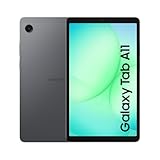
- Top Pick: HUION Drawing Tablet H420X Graphics Tablet with 8192 Level Pen Pressure | Battery-Free Stylus, 4.17×2.6 IN Digital Art Tablet for OSU Game, Design, Drawing, Teaching, Work with PC, Mac, Linux, Mobile
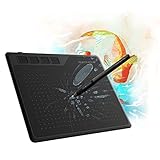
- Best Value: XOPPOX Graphics Drawing Tablet, 10×6 Inch Large Active Area with Battery-Free Stylus, 8192 Levels of Pen Pressure and 12 Hot Keys, Compatible with PC/Mac/Android for Painting, Design & Online Teaching
- Premium Choice: wacom Intuos CTL6100WLK0 Creative Pen Tablet Bluetooth – Medium, Black (Renewed)
Manga and comic work asks different things of a drawing tablet than painting or photo retouching. You inked long panel borders, you lean on a ruler or snapping tool, and you put in hours on clean line weight, so a tablet needs a usable work surface, a pen that reads pressure smoothly, and a layout that does not fight your wrist. The first decision is format: a pad you draw on while watching a monitor, a pen display with the image under the nib, or a standalone tablet that runs its own apps.
This guide is for hobby cartoonists, students working through a first webcomic, and artists who want a second drawing surface for thumbnails and inking. Ten tablets are compared below, judged solely on what each listing states: active area, pressure levels, shortcut keys, screen type, and platform compatibility. Whatever you choose in 2026, match the surface size to the page size you sketch at.
Quick Picks
As an Amazon Associate we earn from qualifying purchases at no extra cost to you.





| Product | Best for | Key spec from the title |
|---|---|---|
| Huion H420X | Compact first pad | 4.17 x 2.6 in, 8192 pressure levels |
| XOPPOX 10 x 6 Tablet | Roomy screenless inking | 10 x 6 in, 12 hot keys |
| Wacom Intuos CTL6100WLK0 | Wireless, established brand | Bluetooth, Medium size (Renewed) |
| XPPen Magic Pro 13 | Drawing without a computer | 12.95 in 3K display, 120Hz, Android 16 |
| Gaomon S620 | Travel sketching | 6.5 x 4 in, 4 hot keys |
| UGEE M708 | High-resolution pen input | 10 x 6 in, 16384 levels, 8 hot keys |
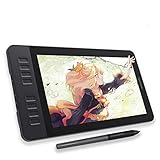
| Gaomon PD1161 | Learning on a screen | 11.6 in FHD, tilt, anti-glare |
| Frunsi T8 | Beginners wanting standalone | 8 in, octa-core CPU, drawing apps pre-installed |
| XPPen Artist12 Pro | Pen display for inking | 11.6 in laminated screen, 72% NTSC |
| Wacom One Medium | Cross-platform beginners | Bluetooth, battery-free pen, Chromebook support |
How to Choose
Active area against page size
For manga, an active area near 10 x 6 inches is a comfortable starting point because your arm can move rather than your wrist twitching. Pads around 6 x 4 inches are fine for lettering, thumbnails, or travel but can feel cramped for full pages. Remember that the active area maps to your monitor, so a wider surface lets you use larger strokes for the same line. Check your desk depth too, since a pad this size needs a clear stretch of table in front of the keyboard.
Pressure levels, tilt, and the stylus
Look for 8192 levels as a baseline and treat 16384 as a bonus rather than a requirement. Battery-free styluses are lighter and never need charging. Tilt support, listed on some screen models, lets you shade with the pen side, which helps with screentone effects and soft backgrounds.
Screenless, pen display, or standalone
Screenless pads are the simplest route to good line control but take some practice for hand-eye coordination. Pen displays show your line under the pen tip, which makes inking faster to learn. Standalone tablets work without a computer but depend on their own app ecosystem, so check that your drawing software runs on the listed operating system.
Shortcuts, compatibility, and budget trade-offs
Hot keys help with undo, brush size, and zoom, and pens with side buttons can toggle erasers. Confirm compatibility with Windows, macOS, Android, Linux, or Chromebook in the listing. Budget tablets tend to skimp on screen color range, shortcut keys, and driver polish, so inspect those lines before deciding.
The 10 Best Options
Huion H420X
A small screenless pad with a 4.17 x 2.6 inch area, 8192 pressure levels, and a battery-free stylus. It works with PC, Mac, Linux, and mobile, so it suits someone curious about whether a pen suits their workflow before committing to a bigger surface.
- Strength: pocketable size and broad platform support.
- Strength: 8192 levels of pressure for varied line weight.
- Trade-off: the small work area is limiting for full manga pages.
Skip it if you plan to ink whole pages with long strokes. It works best for lettering, rough thumbnails, and quick character studies, where a short reach is an advantage rather than a limit.
XOPPOX 10 x 6 Inch Tablet
A larger screenless pad with a 10 x 6 inch active area, a battery-free stylus, 8192 pressure levels, and 12 hot keys. It fits manga artists who want room for sweeping panel lines and a keyboard-free shortcut routine.
- Strength: the roomy area suits long inking strokes.
- Strength: 12 hot keys cut down on keyboard reach.
- Trade-off: no screen means you watch the monitor while drawing.
Skip it if hand-eye coordination across a separate display bothers you. Artists who already draw with a pad in other programs will adapt quickly, since the 12 hot keys can be mapped to undo, brush, and eraser commands.
Wacom Intuos CTL6100WLK0
This renewed Medium Intuos adds Bluetooth, handy for clearing cables off the desk. It suits artists who prefer an established tablet brand and a wireless link.
- Strength: Bluetooth connectivity reduces desk clutter.
- Strength: Medium size gives a workable area for pages.
- Trade-off: it is renewed, and the title lists few feature numbers.
Skip it if you want listed hot keys or detailed pressure specs. The renewed condition also means you should read the seller’s notes on wear before ordering, especially for the pen and cable.
XPPen Magic Pro 13
A standalone tablet with a 12.95 inch 3K display, 8GB of RAM, 256GB of storage, a 120Hz refresh rate, and Android 16, driven by a 16K X4 stylus. It targets artists who sketch away from a desk.
- Strength: no computer is needed.
- Strength: a nano-etched glass surface is listed for a paper-like feel.
- Trade-off: it runs Android apps, so check your preferred comic software exists there.
Skip it if you rely on a specific desktop program. It suits artists who value a self-contained device on the sofa or the train, and who can finish line work and layouts in an Android comic or sketching app.
Gaomon S620
An ultra-slim 6.5 x 4 inch pad with 8192 pressure levels, 4 hot keys, and a battery-free stylus, pitched at beginners, students, and note-takers.
- Strength: slim and portable for lap or bag use.
- Strength: four hot keys cover the essentials.
- Trade-off: the small area is tight for page-size work.
Skip it if you want a large drawing surface. A student who also takes notes or signs documents with the pen will get more mileage out of it than a full-time comic artist.
UGEE M708
A 10 x 6 inch pad with 8 hot keys and a passive stylus listing 16384 pressure levels. It is a sound screenless pick for manga artists who want large strokes plus refined pen response.
- Strength: 16384 pressure levels are the highest listed among the pads.
- Strength: 8 hot keys plus a large area.
- Trade-off: no tilt or screen is mentioned in the title.
Skip it if you want to see your line under the pen. Newer artists sometimes find screenless input awkward for the first few weeks, though it rewards steady practice with smoother, more confident strokes.
Gaomon PD1161
A pen display with an 11.6 inch FHD anti-glare screen, tilt, 8 shortcut keys, and 8192 pressure levels, compatible with Mac and Windows. It suits newcomers who want drawing directly on a screen.
- Strength: drawing happens beneath the pen tip.
- Strength: anti-glare coating helps in bright rooms.
- Trade-off: it must stay tethered to a computer.
Skip it if you want to draw without a PC or Mac. Because it is a display rather than a computer, it needs a laptop or desktop nearby, along with its cables and a free port.
Frunsi T8
An 8 inch standalone tablet with an octa-core CPU and pre-installed drawing apps and tutorials. It is aimed at beginners and students who want to start without a computer.
- Strength: tutorials and apps are included.
- Strength: no computer required.
- Trade-off: the 8 inch size is compact for manga layouts.
Skip it if you need professional comic software. It is better understood as a learning device for fundamentals than a replacement for a full production workstation.
XPPen Artist12 Pro
An 11.6 inch full-laminated pen display with tilt, 8 shortcut keys, 8192 pressure levels, and 72% NTSC color. It is a good match for artists who ink with reference to color.
- Strength: a laminated screen reduces the gap between pen and line.
- Strength: 8 shortcut keys and tilt support.
- Trade-off: 72% NTSC is modest for color-critical illustration.
Skip it if you need wide color accuracy. Manga artists working mostly in black and white will care about that figure far less than those preparing full-color covers or webtoons.
Wacom One Medium
A Bluetooth Medium tablet with a battery-free pen, bundled software, and support for Mac, Windows, and Chromebook. It fits creative beginners, students, and office users.
- Strength: broad compatibility includes Chromebook.
- Strength: bundled software helps newcomers.
- Trade-off: it lists no shortcut keys.
Skip it if you want a hot-key row. Keyboard shortcuts will have to cover undo and zoom, which is manageable but slower than programmable buttons on the tablet itself.
Which One Fits Your Situation
A beginner on a tight desk
The Gaomon S620 and Huion H420X occupy the least space. Choose the S620 for four hot keys, or the Huion for broader platform support.
A manga artist inking full pages
The UGEE M708 and XOPPOX 10 x 6 inch offer the largest screenless area, while the XPPen Artist12 Pro adds a laminated screen for direct inking.
Someone who sketches while traveling
The XPPen Magic Pro 13 works without a computer, and the Frunsi T8 offers a lighter standalone entry with tutorials built in. If you carry a laptop anyway, the Gaomon S620 slips into the same bag with almost no added bulk.
A Chromebook or school user
Wacom One Medium lists Chromebook support, making it a natural choice for classroom setups. Pair it with a browser-based drawing tool and a student can start sketching panels without installing anything heavy.
Common Mistakes
- Buying a tiny pad and then struggling to draw full-page panels.
- Assuming a higher pressure level always improves your lines more than surface size.
- Ignoring operating system compatibility on standalone Android tablets.
- Skipping tilt support if you shade with the side of the pen.
- Forgetting that screenless pads take weeks of practice to feel natural.
Related guides
- Battery Operated Smoke And Carbon Monoxide Detectors
- Combination Smoke And Carbon Monoxide Detectors
- Aio Liquid Coolers For High Performance Gaming
Frequently Asked Questions
Do I need a pen display for manga?
No. Many professionals ink on screenless pads, and the larger pads in this list give plenty of room. A pen display just shortens the learning curve, which is why the Gaomon and XPPen screen models suit newcomers.
How many pressure levels are enough?
8192 is plenty for most line work, including tapered ink strokes and soft sketching. Higher numbers such as 16384 add only subtle differences that many artists will not notice in practice.
Can a standalone tablet replace a computer setup?
For sketching and basic inking, yes, if your software runs on its operating system. Large files and desktop programs still favor a PC or Mac.
What active area suits comics?
Around 10 x 6 inches is comfortable for page-level work, while 6 x 4 inches fits sketches and lettering.