Choosing a dimmer desk lamp is less about how bright it gets at noon and more about how low it can go at midnight, and how the control feels when you are half asleep. A lamp that stops at a still-harsh level, or jumps in coarse steps, leaves you squinting or reaching for a different light. The real decision is the dimming floor, the smoothness of the adjustment, and whether you can find that control by touch in a dark room.
This guide serves late readers who need a page lit without waking the room, monitor users who want light on paper but not on the screen, and anyone sharing a small desk after hours. Picks come from Amazon listing names and stated specs, covering rotary, touch and stepped controls. Note that bulb-based dimmer lamps need dimmable bulbs to work smoothly; every pick here uses built-in LED light, so dimming comes from the lamp itself.
Quick Picks
As an Amazon Associate we earn from qualifying purchases
| Product | Best for | Key spec from title |
|---|---|---|
| BenQ ScreenBar Plus | Monitor desk with a dial you can turn without looking | 2700K to 6500K, USB powered, auto-dimming |
| Micomlan Architect Clamp Lamp | Wide desk or dual-monitor corner needing reach | 24W, three light bars, stepless 20 to 100 percent |
| BOHON Desk Lamp with Wireless Charger | Compact study desk that also charges a phone overnight | 12W, wireless charging pad, 2700K to 6000K |
| BOHON LED Desk Lamp with Rotary Knob | Night reading at the lowest possible glow | Stepless 5 to 100 percent, up to 900 lumens |
| LEPOWER DL-13 | Readers who like repeatable stepped presets | 10 brightness levels, 5 colour temperatures, 800 lumens |
How to Choose
Dimming Style: Stepless Versus Stepped
Stepless control slides through every level between minimum and maximum, so you can stop at the exact glow that lets you read a page without lighting the whole room. A rotary knob does this by feel, while a touch slider needs a glance but moves just as smoothly. Stepped control jumps between fixed levels, which is simpler to repeat night after night, yet the gap between the two lowest steps decides whether the lamp feels gentle or still too bright. If you read late often, favour stepless; if you always return to one preset, stepped memory can be enough.
How Low the Night Setting Goes
Maximum brightness gets the headline, but the minimum decides comfort after dark. A lamp that dims to 5 percent can sit at a true glow for checking notes or reading in bed, while one that stops at 20 percent may still feel strong in a dark bedroom. Check the stated floor in the listing rather than assuming all dimmers reach the same low point. Pair a low floor with a warm setting for the calmest effect, and remember that a lamp aimed at the page, not at your eyes, will feel dimmer at the same percentage.
Colour Temperature Range
Colour temperature shapes how a dimmed lamp feels as much as brightness does. Settings near 2700K to 3000K look warm and relaxed, suiting evening reading and wind-down work. Mid settings around 4000K stay neutral for paperwork, while 5500K to 6500K looks cooler and helps daytime focus when daylight is weak. A wide range, such as 2700K to 6500K, lets one lamp cover both moods. A narrower set of three or five fixed modes is fine if those modes include a genuinely warm option for night use, so check the lowest Kelvin figure before buying.
Power Source and Control Placement
Where power comes from and where the control sits change daily use. USB-powered bars draw from a monitor or dock and sleep when the computer sleeps, which suits a single-screen desk but not bedside reading. Adapter-powered lamps work independently at any hour. Placement matters too: a desktop dial stays within reach without moving the lamp, a base knob can be found by touch, and a panel control on a clamp arm may sit higher than you expect. Before ordering, picture reaching for the control in the dark and confirm the cable or clamp fits your desk edge and layout.
The 5 Best Options
BenQ ScreenBar Plus

This bar hangs on top of a monitor instead of standing on the desk, so it adds light without taking surface space. Its separate desktop dial is the heart of the design: turn it for fine manual steps, or use automatic dimming and let the sensor settle near a comfortable level for the room. Because light falls on the desk rather than the display, dimmed output stays useful for paper notes beside a keyboard late at night. It suits a single-monitor setup where desk space is tight and adjustments need to happen without reaching up to the screen.
Specs
- Dimming: Desktop rotary dial plus automatic sensor dimming
- Colour temperature: 2700K to 6500K
- Illuminance: 930 lux centre at 45 cm height
- Power: USB, 5V and 1A, 5W maximum
- Mounting: Monitor clamp for bezels 0.4 to 1.2 inches thick
- Light source: Built-in dual-colour LED
Best for: A monitor-centred desk where you adjust brightness often during late sessions.
Watch out for: Measure your monitor bezel thickness first; the clamp fits 0.4 to 1.2 inches, and curved or unusually thick screens may not hold it securely.
ASIN: B07DP7RYXV
Micomlan Architect Clamp Lamp

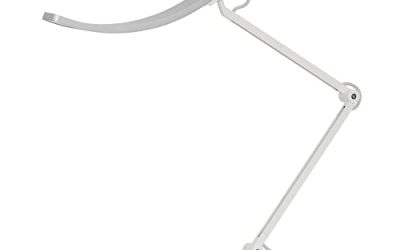
Built for reach, this clamp lamp stretches across a wide surface on a frame with seven rotatable joints and three light bars. Dimming works two ways, which gives you a choice in the dark: tap through five levels for a quick preset, or press and hold for stepless travel between 20 and 100 percent. That 20 percent floor is higher than the lowest here, yet the angled bars point light at the desk and away from eyes and screens, so lower settings still feel comfortable. It fits a broad desk, a drafting corner, or a dual-monitor layout that one small lamp cannot cover.
Specs
- Dimming: Touch panel, 5 steps or stepless from 20 to 100 percent
- Colour temperature: 3000K to 6500K, stepless adjustment
- Output: 24W across three light bars
- Colour rendering: CRI above 90
- Power: Corded electric supply
- Mounting: Desk clamp with seven rotatable joints
Best for: A wide desk or dual-monitor corner that needs light spread across a large area.
Watch out for: Check that your desk edge has a solid lip for the clamp and enough clearance behind it; thin or rounded edges can let a tall clamp lamp wobble.
ASIN: B0BNHNG5CY
BOHON Desk Lamp with Wireless Charger

This freestanding BOHON model pairs stepless touch dimming with a base that doubles as a charging hub. Hold the touch control to slide brightness smoothly with no fixed steps, which makes finding a low night level straightforward, and memory returns to your last setting when you switch it back on. Five colour modes run from warm to cool white for reading or paperwork. The base adds a wireless charging pad plus USB ports, so a phone can top up while you read, and a short timer helps when the lamp doubles as a bedside light on a compact desk.
Specs
- Dimming: Stepless touch dimming with memory function
- Colour modes: 5 modes, 2700K to 6000K
- Output: 12W maximum, 60 LED beads
- Power: Corded electric with included 12V adapter
- Extras: Wireless charging pad, USB-C and USB-A ports, 30-minute timer
- Colour rendering: CRI above 90
Best for: A compact study or dorm desk where the lamp should also charge a phone.
Watch out for: Confirm your phone supports wireless charging and that a thick case will still charge on the pad; otherwise you will rely on the wired ports instead.
ASIN: B0CM5MDY3Z
BOHON LED Desk Lamp with Rotary Knob

The second BOHON lamp takes the opposite approach, with a physical rotary knob on the base giving stepless dimming from 5 to 100 percent. That 5 percent floor is the gentlest minimum in this guide, suited to night work when you only need enough light to read a page or find a keyboard. Pressing the knob switches the lamp on and off, so the whole control can be worked by touch. Three colour modes cover warm, natural and white light, the flexible neck bends toward a book, and a base USB port can charge a phone while you read.
Specs
- Dimming: Rotary knob, stepless from 5 to 100 percent
- Colour modes: 3 modes, 3000K to 5500K
- Output: 10W maximum, up to 900 lumens, 56 LED beads
- Power: Corded electric with included 5V and 2A adapter
- Extras: Auto-dimming mode, USB charging port, flexible neck
- Colour rendering: CRI above 90
Best for: Night readers who want the lowest glow and a knob they can find without looking.
Watch out for: Note that knob adjustment pauses while the auto-dimming mode is active, so turn that mode off if you prefer full manual control at night.
ASIN: B08SK4DMHR
LEPOWER DL-13

The DL-13 is a gooseneck lamp built around repeatable stepped control, with a touch slide for smoother moves between stops. Five colour temperatures combine with ten brightness levels for fifty combinations in total, and memory keeps your last pairing so a favourite low evening setting is one tap away. The wide head spreads light across a broad desk, while the gooseneck aims it at paperwork or a laptop without shifting the base. It will not land between steps as precisely as a stepless lamp, but for readers who return to the same setting nightly, that consistency is the appeal.
Specs
- Dimming: 10 brightness levels with touch slide control and memory
- Colour modes: 5 colour temperatures, 50 combinations in total
- Output: 12W, up to 800 lumens
- Power: Corded electric with included adapter
- Design: Flexible gooseneck with wide light panel
- Eye care: RG0 rated light source per the listing
Best for: Readers who prefer returning to the same stepped preset every evening.
Watch out for: If you need a glow below the lowest fixed step, a stepless model will suit you better; check the step spacing matters more than the step count. If you are comparing shapes and bases as well, see our wider guide to desk lamps for home workspaces before you settle.
ASIN: B0BKT611XR
Which One Fits Your Situation
Reading in Bed or Beside a Sleeping Partner
Pick the BOHON LED Desk Lamp with Rotary Knob. Its 5 percent floor gives the gentlest glow here, the warm mode keeps that glow calm, and the knob can be turned down by touch without lighting a panel or reaching for a phone. The flexible neck points the light at your page and away from the rest of the bed, which matters more than raw brightness in this setting.
Working Late at a Monitor Without Glare
Choose the BenQ ScreenBar Plus. It lights the desk surface rather than the display, so paper notes stay readable while the screen keeps its contrast. The desktop dial sits where your hand already rests, making small reductions easy as the room darkens, and automatic dimming handles the adjustment when you would rather not think about it during a long session.
Covering a Wide Desk or Two Screens
Go with the Micomlan Architect Clamp Lamp. Three bars and a jointed frame spread light across a surface that a single-head lamp leaves patchy, and clamping to the edge keeps the middle of the desk clear for keyboards and notebooks. Use the hold gesture for stepless dimming when you settle in for the evening, and tap through steps when you just need a quick preset.
Small Desk That Must Charge a Phone Too
Take the BOHON Desk Lamp with Wireless Charger. One base handles light and overnight charging, which saves a socket and a cable on a crowded dorm or study desk. Stepless touch dimming with memory means your low evening level is waiting when you switch it on, and the timer is handy if you tend to fall asleep while reading.
Common Mistakes
- Judging a dimmer lamp by maximum brightness alone and ignoring the stated minimum percentage, which decides night comfort.
- Assuming stepped and stepless controls feel the same, then finding the lowest fixed step is still too bright in a dark room.
- Buying a bulb-based dimmer lamp with a non-dimmable bulb, which can flicker or refuse to dim; built-in LED models avoid that pairing problem.
- Forgetting to measure monitor bezel thickness, desk edge depth or clamp clearance before ordering a bar or clamp lamp.
- Picking a USB-powered lamp for bedside use, then finding it sleeps whenever the computer or monitor sleeps.
Frequently Asked Questions
Which dimmer type is best for night work?
A stepless control, either a rotary knob or a touch slider, usually works best because it can stop at the exact low level you want rather than the nearest fixed step. Stepped lamps remain a good choice when their lowest step is already dim enough for your room and you value returning to the same preset each night without fine adjustment.
Do these lamps remember the last brightness setting?
Some do and some handle it differently, so check the listing for the model you choose. The BOHON and LEPOWER picks here list a memory function that restores the last brightness and colour setting at switch-on. The ScreenBar Plus instead offers automatic dimming through its sensor, which resets the level to suit the room rather than recalling your previous manual choice.
Can a dimmer lamp run from a laptop USB port?
Only models designed for USB power should run from a laptop, monitor or dock port, such as the monitor bar in this guide. Adapter-powered lamps need their included supply to dim correctly and safely. Using the wrong supply can cause flicker, limited range or damage, so match the lamp to the power source named in its listing before plugging it in elsewhere.
Why does a bulb lamp flicker on its dimmer?
A traditional dimmer lamp needs a bulb marked as dimmable. A non-dimmable LED bulb often flickers, buzzes or dims across only part of the range because its driver is not built for reduced power. Fitting a dimmable bulb of the correct size and base usually resolves it. Every lamp in this guide uses built-in LED light, so that pairing issue does not apply here.