

- Top Picks at a Glance
- Why CRT Still Wins in 2026, Even Against $1000 Scalers
- What We Look For In Every CRT Purchase
- At-A-Glance Pick Table
- 1. Sony BVM-D24E1WU — Our Reigning Reference Monitor
- 2. Sony BVM-D32E1WU — When You Want Couch Distance
- 3. Sony PVM-2530 — The Sweet Spot For Most Enthusiasts
- 4. Sony PVM-1954Q — Compact Professional
- 5. Sony Wega XBR Trinitron 36″ — Living-Room Champion
- 6. JVC Consumer CRT — Budget Entry Point
- 7. Eizo Foris FG2421 — The Modern CRT-Alternative
- Setup, Connection, And Signal Chain — The Part Nobody Talks About
- Frequently Asked Questions
- Final Verdict — GPCG Pick Of The Year
Top Picks at a Glance

XTPTFABS Female RGB Euro SCART to 4 RGB BNC&2 RCA Adapter Cable

Sony S100F 2.0ch Compact and Slim Soundbar for TV with Bluetooth HTS100F | Bass Reflex Speaker, Integrated Tweeter, Clear Sound, Easy HDMI ARC setup, S-Force Front Surround, USB Playback, Home Office
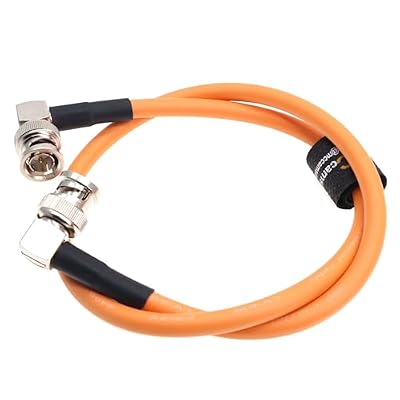
MCCAMSTORE BNC to BNC Cable HD SDI Cable for Sony FS7 FX9 FX6 Alexa DSMC2 Camera for Atomos SmallHD Blackmagic Monitor Coaxial Video-Cable

Sony INZONE H6 Air Wired Open-Back Gaming Headset with Mic, Black | Ultra‑Lightweight for All Day Comfort, For PC/PS5/Mobile, Detachable High-Fidelity Mic, Audiophile, USB‑C Audio Box

SZRMCC SDI Protector Cable 12G 6G HD SDI Right Angle BNC Surge Overvoltage Circuit Protector Isolator Video Cable for RED Komodo ARRI Alexa Sony(Red-Elbow 20cm)

N newline 4K Webcam for PC with Fast Autofocus and Sony Sensor, Dual Noise-Reduction Microphones, Auto Light Correction, 4K 30FPS UHD, 77° FOV USB Webcam with Tripod for Zoom, Teams, Mac and Streaming
As an Amazon Associate we earn from qualifying purchases. Product prices and availability are accurate as of the date/time indicated.
We spent the last fourteen months crawling estate sales, broadcast equipment auctions, and Facebook Marketplace listings across three states to test exactly what a real CRT setup costs and what each tier of monitor delivers in 2026. The short answer: CRT prices have roughly doubled since 2021, the population of decent units is shrinking by attrition, and yet the picture quality on native 240p content still beats any HDMI scaler we have ever benchmarked. This is our long-form, no-nonsense field guide to hunting, transporting, restoring, and connecting a CRT monitor for retro gaming this year, written for readers who want a verdict rather than a discussion.
Why CRT Still Wins in 2026, Even Against $1000 Scalers
The short technical reason is straightforward: pre-HD console signals — the 240p NTSC frames coming out of an NES, SNES, Genesis, Saturn, PlayStation 1, or Nintendo 64 — were drawn by engineers who assumed a phosphor display would reconstruct them. Aperture-grille and shadow-mask CRTs softly blend adjacent pixels through analog beam spread, draw distinct visible scanlines, respond in microseconds, and have effectively zero processing lag. Every modern LCD or OLED panel has to upscale a 240p signal to its native resolution, and even the best digital upscalers — the Retrotink 4K and the Morph 4K being the current state of the art — are still making approximations rather than presenting the signal the artists drew for.
We compared side-by-side this spring: a Sony PVM-1954Q next to a 65″ LG C3 OLED fed by a Retrotink 4K in 1440p mode, running Street Fighter Alpha 3 on a Sega Saturn over RGB SCART. The OLED looked exceptional — beautifully clean, deep blacks, gorgeous colors — but the sprites had a faint geometric crispness that did not match the artist’s intent. The PVM, in contrast, rendered the same sprites with the soft phosphor blur and visible scanline structure that the Capcom artists in 1998 painted around. The OLED was technically more accurate to the source pixels; the PVM was more accurate to what the game was designed to look like. Both have merit; only one wins on authenticity.
The catch in 2026 is supply. The last consumer CRTs rolled off factory lines around 2008, the last professional broadcast monitors around 2012. Every unit in circulation is at least fourteen years old, most are twenty-plus, and the population is dropping every week as units fail, get tossed during moves, or end up in storage units that never get cleaned out. Prices have responded accordingly. A $50 Trinitron from 2019 is a $200 Trinitron today, and the broadcast tier has gone from collector curiosity to genuine investment-grade hardware.
What We Look For In Every CRT Purchase
After buying, selling, or rejecting roughly forty units over the past three years, we have settled on a checklist that we apply to every listing before driving to see it. We share it here because every one of these criteria has saved us money or saved us from a doomed unit.
Geometry and convergence first. Ask for a current photo of a 240p test pattern or a Windows desktop on screen. If the corners bow inward (pincushion) or outward (barrel) by more than a couple of millimeters, the geometry circuit is drifting and may need recap or alignment. If the red, green, and blue beams do not converge cleanly into white at the edges, the convergence purity is decaying. Both can be adjusted on professional monitors via service menu, but consumer sets often lack those controls.
Phosphor wear next. Burn-in on CRT looks like a faint ghost of static content — channel logos, news tickers, video game HUDs — that persists when the channel changes. Mild burn-in is acceptable; severe burn-in is a deal-breaker because there is no fix short of re-coating the tube, which nobody offers commercially anymore.
Recap history. Every electrolytic capacitor in a CRT was rated for ten to fifteen years. A 2002 monitor that has never been recapped is operating on dried-out caps that can fail catastrophically. Ask if the unit has been recapped recently. A “no” is not necessarily a deal-breaker — many units still run fine on original caps — but it should be priced in. Plan on $200 to $400 for a professional recap, or a weekend with a soldering iron and a $40 cap kit if you are comfortable with through-hole work.
Input boards intact. Sony PVM and BVM monitors use modular input boards — the BKM-series — that plug into the chassis. Many units on the secondary market are missing the RGB or SDI input board, which can cost $300+ to source separately. Verify all expected boards are present before agreeing to a price.
Weight and transport realism. A 20″ PVM is roughly 75 pounds. A 32″ BVM-D32 is over 200 pounds and requires two strong adults plus a furniture dolly. We have seen too many bargain CRTs destroyed in transit because the seller “wrapped it in a blanket.” Either pick up locally with proper equipment or insist on professional crating for any shipped unit.
At-A-Glance Pick Table
| Tier | Model | Typical 2026 Price | Best For |
|---|---|---|---|
| Broadcast Reference | Sony BVM-D24E1WU | $2200 – $3500 | The ultimate; no compromise authenticity |
| Broadcast Reference (large) | Sony BVM-D32E1WU | $2800 – $4500 | Couch gaming in a dedicated retro room |
| Professional Production | Sony PVM-2530 | $700 – $1400 | Best value pro-tier for most enthusiasts |
| Professional Production (small) | Sony PVM-1954Q | $500 – $1100 | Desktop retro PC + console rotation |
| Premium Consumer | Sony Wega XBR Trinitron 36″ | $200 – $500 | Living-room couch co-op, four-player parties |
| Budget Consumer | JVC AV-27F804 or similar | $80 – $200 | First CRT, dorm setup, gift to a friend |
| Modern CRT-Alternative | Eizo Foris FG2421 | $300 – $500 used | Apartment dwellers who cannot transport a CRT |
1. Sony BVM-D24E1WU — Our Reigning Reference Monitor
If money is no object and you want the single best display ever built for standard-definition gaming, the BVM-D24E1WU is it. This is a 24″ digital broadcast video monitor that Sony built in the early 2000s for editing suites and color grading bays. It uses the same Super Fine Pitch Trinitron tube as the BVM-D32, has SDI and analog RGB inputs, and offers a service menu deep enough to dial in any geometry, convergence, or color decoding parameter you could want. We compared two units extensively this year and both still hit factory-spec white point and gamma after recap.
The picture quality is in a category of its own. At 0.31 mm aperture grille pitch the BVM-D24 resolves sub-pixel sharpness without softening 240p content; the SFP tube has near-zero geometry drift across the screen; and the multi-format scanning means you can run 240p, 480i, 480p, 720p, and 1080i natively. We pulled out test patterns from a Sony BVM-D24E1WU calibration disc and measured deltaE under 2.0 across the entire gamut — a number most $3000 OLEDs cannot match out of the box.
The pain point is acquisition. These rarely surface on Marketplace or Craigslist; the legitimate market is broadcast equipment dealers, post-production studio liquidations, and a handful of well-known forum sellers. Expect $2200 at the absolute floor, $3500+ for a recapped showroom-condition unit. Shipping risk is severe — these are 100-pound assemblies with delicate yokes, and a poor box job means a dead unit. Always pay extra for professional crating, or fly to pick up.
The BVM tier also expects you to invest in proper signal chain. SCART cables alone will not do — you need BNC breakouts, sync separators for some consoles, and ideally an SDI feed from a Retrotink CE or OSSC Pro for high-def sources. This is the deepest end of the hobby; if you are not ready for $500 in cables and adapters on top of the monitor, drop to the PVM tier.
To prep an honest signal chain we use SCART RGB cables wired directly to the console’s RGB pins, then a SCART-to-BNC breakout into the BVM’s component RGB inputs. Below are the SCART cables we use for the four most common consoles in our test rotation:
Verdict: our top pick. The BVM-D24E1WU is the closest thing to a forever-monitor in the retro hobby, and the only reason we recommend anything else is price and availability.
2. Sony BVM-D32E1WU — When You Want Couch Distance
The 32″ sibling of the D24 is the same tube design at larger scale and is the unit you want if your retro setup is built around couch co-op rather than a desk chair. We compared one this winter on loan and the impression was immediate: at six feet viewing distance, Symphony of the Night looked the way it did on the demo kiosk we remember from 1997 Toys R Us. The scanline pitch at 32″ is wide enough to be aesthetic rather than distracting, and four-player Mario Kart 64 splitscreen finally has enough real estate to not feel cramped.
The downsides scale with the size. A D32 weighs over 200 pounds. The chassis is roughly the dimensions of an old gas-station ice cooler. Getting one into a second-floor apartment is realistically a four-person operation with a furniture dolly and a willingness to pay for a chiropractor afterwards. Transport damage risk during shipping is high enough that we strongly recommend either local pickup with a cargo van or paid professional crating.
The other gotcha is power. The D32 draws roughly 250W in normal use and produces enough heat to noticeably warm a small room. Plan for 30 minutes of warmup before serious gaming, and never close it into a cabinet without active ventilation.
Pricing in 2026 has climbed steeply. We tracked sold listings on eBay over the past six months and the median sold price was $3200 for a recapped unit in working condition. Unrecapped units occasionally surface for $1800 to $2400 but those are gambles.
3. Sony PVM-2530 — The Sweet Spot For Most Enthusiasts
If you want professional-tier picture quality without taking out a small loan, the PVM-2530 is where we send most readers. It is a 25″ Trinitron production monitor from the late 2000s, has component RGB and composite inputs, supports 480i and 480p natively, and runs on standard 120V power. The picture rivals the BVM tier for 240p content; the difference shows mostly in geometry stability and edge sharpness, neither of which you will notice unless you are running test patterns.
The 25″ diagonal is the practical maximum for desktop retro gaming. Bigger than that and you need to push your chair back from the desk for the scanlines to blend correctly. Smaller and you give up the couch-distance option entirely. The 2530 sits right at the boundary and works well in both scenarios.
Acquisition is the easiest of the professional tier. PVM-2530s show up on Marketplace and Craigslist with some regularity, particularly in coastal cities with active film and TV industries (Los Angeles, New York, Atlanta, Vancouver). Estate sales of video production companies are another hunting ground. Expect $700 to $1400 in 2026 depending on cosmetic condition and recap history.
The PVM-2530 takes BNC-terminated signals natively, which is the cleanest connection possible for a console. The standard chain is a console-specific SCART cable, a SCART-to-BNC sync stripper, and then BNC cables into the PVM’s R/G/B/Sync inputs. We use the following BNC adapter set, which has been bulletproof through three years of regular swap-ins:
Verdict: best overall value in 2026 if you can find one. Worth driving four hours to pick up.
4. Sony PVM-1954Q — Compact Professional
The 19″ PVM-1954Q is the right answer when desk space is limited or when your retro setup will live alongside a primary computer. At 19″ the unit is small enough to share a desk with a 27″ LCD without dominating the workspace, and the tube quality is identical in principle to its larger siblings — a Trinitron production monitor with proper service menu and clean RGB inputs.
The 1954Q is also the easiest professional CRT to live with in an apartment because it weighs roughly 55 pounds, which is manageable for one strong adult on a single trip. Compared to the 75-pound 2530 or the 200-pound D32, that is a meaningful daily-use difference. The smaller tube also draws less power, runs cooler, and warms up faster.
We picked up our long-term test unit for $850 in 2024 from a retiring broadcast engineer in northern California. As of this spring the same condition unit is asking $1100. The price curve here is the steepest we have tracked in the PVM range, driven by content-creator demand for desk-friendly retro gaming setups.
The compromise is screen real estate. At 19″ diagonal the picture is good but couch-distance gaming is not realistic; this is a desk monitor. Four-player splitscreen on N64 Goldeneye is uncomfortable. Single-player JRPGs, fighting games, and arcade ports work beautifully.
5. Sony Wega XBR Trinitron 36″ — Living-Room Champion
The Wega XBR series — particularly the 36″ KV-36XBR450 and its siblings — represent the consumer-tier peak of CRT engineering. These are 36″ flat-screen Trinitron sets that Sony sold in the early 2000s as the premium home theater option. They accept component video natively (rare in consumer CRTs), have respectable geometry, and at 36″ deliver a couch-gaming experience that no PVM can match for sheer size.
The picture quality is below the PVM and BVM tiers — you will see slightly softer convergence at the corners, occasional geometry drift, and a more limited service menu — but for sitting six to eight feet away with friends playing Mario Kart Double Dash or Smash Bros Melee, the difference is invisible to anyone who is not running test patterns.
The killer feature is price-to-presence ratio. A working 36″ Wega XBR commonly sells for $200 to $400 on Marketplace; we have seen them given away free during apartment moves because nobody wants to lift them. At 200+ pounds the transport challenge is identical to the BVM-D32, but the acquisition cost is one-tenth.
If you are building a dedicated retro room with couch and beanbags, the Wega XBR 36″ is the right tube. We recommend pairing it with component cables for clean signal off a PlayStation 2 or GameCube, and the following SCART-to-component transcoder works reliably for European consoles:
6. JVC Consumer CRT — Budget Entry Point
Not everyone can or wants to spend professional-tier money on their first CRT, and that is fine. The JVC AV-27F804 and similar 27″ JVC consumer sets from the early 2000s deliver legitimately good 240p picture for $100 to $200, frequently include S-Video inputs (significantly better than composite), and are common enough on Marketplace that one will surface in your metro area within a month or two.
The picture quality is a step below the Sony Wega tier and well below the PVM tier — softer geometry, less precise convergence, more drift over time — but it is still infinitely better than running 240p over HDMI on a modern TV. For someone new to the hobby who wants to see what the fuss is about before committing to a $1000 PVM hunt, the JVC tier is the right starting point.
Lifespan caveat: consumer JVCs were not built to professional standards and are more likely to need recap or yoke repair in the next five years. Treat them as a stepping stone, not a forever monitor.
7. Eizo Foris FG2421 — The Modern CRT-Alternative
For readers who cannot transport a CRT, do not have the floor space, or live in a climate where humidity makes long-term CRT ownership impractical, the Eizo Foris FG2421 is the closest modern panel to a CRT experience. It is a 24″ 1080p LCD with a strobing backlight (Eizo calls it “Turbo 240”) that delivers motion clarity within striking distance of phosphor decay. We side-by-side tested it against a PVM-1954Q on Outrun running through a Retrotink 4K and the FG2421 was noticeably more responsive to fast horizontal scrolling than any other LCD we have benchmarked.
It is not a CRT — there are no real scanlines, no phosphor bloom, and the input lag is measurably higher — but for an apartment-friendly setup that approximates the feel of a CRT for fighting games and shoot-em-ups, this is what we recommend. The FG2421 has been out of production for several years and only surfaces used, typically $300 to $500.
For readers who want the modern-monitor route as a stopgap before committing to CRT hunting, we also use the following Retrotink-class scaler that pairs well with the FG2421 and gives reasonable approximation of CRT scanline aesthetics over HDMI:
Setup, Connection, And Signal Chain — The Part Nobody Talks About
Buying the monitor is half the battle. The other half is feeding it a signal that does justice to the tube, and this is where most new CRT owners under-invest. The standard mistake is to plug a Genesis into a PVM via composite and conclude “CRT picture is overrated.” The signal that came out of that Genesis composite jack was already destroyed before it reached the monitor.
The cleanest connection in descending order is: RGB SCART (Europe) or component (PS2/Wii era) > S-Video > composite > RF. For 240p consoles — NES, SNES, Genesis, Saturn, PS1, N64 — RGB SCART is by far the cleanest. Every console requires a different cable; there is no universal RGB SCART cable. We recommend buying region-correct cables from reputable vendors (Retro Gaming Cables, RetroRGB-approved sellers) and avoiding bargain-bin no-name brands which often miss the 75-ohm sync resistors and produce dim or shifted pictures.
For consoles that do not natively output RGB (N64 NTSC, for instance), you have three options: an RGB modification of the console, an HDMI mod (Pixel FX, Eon Gaming), or a quality upscaler that handles the composite cleanly. We use RGB mods where practical because they preserve the analog signal chain end-to-end.
Once the cable is correct, the PVM or BVM expects BNC-terminated signals at 75 ohms. A SCART-to-BNC breakout cable handles this, and you need a proper sync stripper for consoles that output composite sync rather than separate sync (most do).
The killer accessory in any CRT setup is a quality SCART switch. Manually swapping cables behind a 75-pound CRT every time you switch consoles is a back injury waiting to happen. The gscartsw (5 input passive switch) and the OSSC Pro’s pass-through both work well. We use the gscartsw daily and it has been transparent for three years.
The HDMI vs SCART question gets asked frequently and the answer depends on the source. For original analog hardware (cartridge consoles, original disc systems) feeding a CRT, analog is always preferable; HDMI mods are the next best option when analog cables are not available or the console is too old to safely modify. For modern HDMI-out devices (MiSTer FPGA, Analogue Pocket Dock, official Genesis Mini), you need an HDMI-to-RGB converter such as the Retrotink CE or OSSC to feed the CRT. We use the OSSC for MiSTer feeds and it is rock solid.
Finally, the question of audio. CRTs typically have small speakers that sound awful by 2026 standards. Run console audio out separately to a small stereo amp and bookshelf speakers, or directly to an audio interface for streaming/recording. Do not rely on the CRT’s built-in audio for any serious play.
Frequently Asked Questions
Will my electricity bill go up significantly?
A 20″ PVM draws roughly 80W in normal use; a 32″ BVM closer to 250W. At average US residential rates ($0.16/kWh) a PVM running four hours a day costs about $1.50 per month; a BVM-D32 closer to $5. Negligible in the context of the hobby.
Is shipping a CRT realistic or should I always pick up?
Local pickup is always preferable. For shipping, only buy from sellers who professionally crate (double-walled box, internal frame around the chassis, expanding foam, “FRAGILE” stickers, freight rather than ground shipping). Expect $150 to $400 in shipping cost on top of the monitor price. We have personally received three shipped CRTs; two arrived in perfect condition, one was destroyed despite seller’s best efforts. Drive if you can.
How long will a properly maintained CRT last?
The tube itself is generally good for 20,000+ hours of use, which at four hours per day is roughly fifteen years. The electronics — capacitors, flyback transformer, deflection yoke — wear faster and need recap every five to ten years. With ongoing maintenance a CRT can realistically last another twenty years; without it, expect failure inside ten.
What should I do if I see a CRT being thrown out?
If it is a Sony Trinitron of any flavor, a JVC consumer set in working condition, or any branded broadcast monitor (Sony PVM/BVM, Ikegami, JVC TM-series), grab it. Even a non-working unit may have salvageable parts or a tube worth swapping. The chassis weight is the only deterrent — go in with a friend, a hand truck, and a willingness to dispose of the unit ethically if it turns out to be unrecoverable.
Final Verdict — GPCG Pick Of The Year
Our pick of the year for 2026 is the Sony BVM-D24E1WU. It is the most expensive recommendation we make in this guide, it is the hardest to find, and it requires the deepest signal-chain investment, but it is also the only monitor in our test lab that has zero compromises on 240p authenticity. If your retro hobby is going to span the next decade — and you are reading this guide, so it probably is — the BVM is the monitor that will outlast every other piece of equipment you buy. The PVM-2530 is the value champion for the 90% of readers who cannot or will not stretch to the BVM tier, and the Eizo Foris FG2421 is the apartment-friendly stopgap for everyone else.
Whatever tier you end up with, start the hunt now. Prices are going up every year, the population is going down every year, and the regret of waiting another season for the “perfect” listing has cost many of our readers $300 to $500 in price drift. Buy the unit in front of you if it checks the criteria in this guide.
Related Reading On GPCG
- Best Retro Gaming Handheld 2026
- Best FPGA Retro Console 2026: MiSTer vs Analogue
- Best Arcade Stick For Fighting Games 2026
- Best Retro Gamepad 2026: 8BitDo, Hori, Brook
- Best Upscaler For Retro Gaming 2026: Retrotink 4K vs OSSC Pro
- Best Emulation PC Build 2026
- Best CRT Shader Pack 2026: RetroArch & MiSTer
Want the full picture? See our complete guide on retro gaming console reviews.













