

- Top Pick: AMD Ryzen 7 7800X3D
- Runner-up: AMD Ryzen 9 9900X
- Also consider: Intel Core i7-14700K
A gaming PC rarely feels slow during quiet moments. It feels slow when a crowded city scene loads in, when a big team fight fills the screen, or when a stream and a browser full of tabs compete with the game for attention. This rung is where those rough moments get smoothed out, because 3D cache gaming chips and double-digit core counts finally meet in the same shortlist.
The five processors below cover three platforms and three ideas of value. One leans on a huge stacked cache to protect minimum frame rates. Two bring 12 full cores for people who play and produce on the same machine. Two more pack 20 cores into hybrid layouts that chew through background work. Every model here usually sells under this rung’s target, but listings move around, so check the current price on the Amazon product page before you commit.
As an Amazon Associate, we earn from qualifying purchases.
Quick answer
For pure gaming, pick the AMD Ryzen 7 7800X3D: its stacked 3D V-Cache keeps minimum frame rates high in busy scenes. If your PC also renders, streams, and compiles all day, the Ryzen 9 9900X and its 12 cores are the stronger all-round buy. Intel fans should look at the Core i7-14700K.
How to choose
Begin with the kind of slowdown that bothers you. If your frame rate looks fine on average but dips hard in busy areas, cache is the fix to shop for. A chip with a large L3 cache, especially a 3D-stacked one, keeps more game data beside the cores, so the processor waits less on memory and the lows hold up better. If your slowdown arrives when you alt-tab, export a video, or stream while you play, core count matters more, and a 12-core or 20-core part earns its place.
Platform decides the rest of the bill. Socket AM5 chips need DDR5 memory and a DDR5 board, on a socket with room for future drop-in upgrades. The Core i7-14700K sits on LGA 1700, where many boards accept DDR4, so an older memory kit can carry over. The Core Ultra 7 265K uses the newer LGA 1851 socket and DDR5 only. None of the five ships with a cooler, so leave room for a capable tower cooler and a power supply sized for parts that boost well past base figures under full load.
At 1440p and 4K the graphics card does most of the heavy lifting, and the CPU’s job shifts toward guarding the lows and feeding the card without hiccups. Pick a chip that still makes sense after your next graphics card upgrade.
AMD Ryzen 7 7800X3D

This is the gaming specialist of the group. The 7800X3D stacks extra cache on top of its eight Zen 4 cores, giving it 104 MB of total cache, far beyond a conventional chip. Games lean on that pool constantly, and the payoff shows up where it matters most: minimum frame rates in crowded scenes and simulation titles. The smoothness is the real story, which is why this chip anchors so many high-refresh builds.
The trade-offs are honest ones. Eight cores and 16 threads cover gaming and everyday multitasking, yet heavy rendering runs quicker on the 12-core and 20-core picks below. Clocks sit lower than the non-X3D Ryzen parts, with a 5.0 GHz max boost. A listed 120 W draw keeps cooling simple. If the PC exists mainly to play, this is the top pick of the rung.
Specs:
– Cores / threads: 8 cores, 16 threads
– Base clock: 4.2 GHz
– Max boost clock: up to 5.0 GHz
– Cache: 104 MB total (8 MB L2 + 96 MB L3 with 3D V-Cache)
– Socket: AM5
– TDP: 120 W
– Integrated graphics: AMD Radeon Graphics
AMD Ryzen 9 9900X
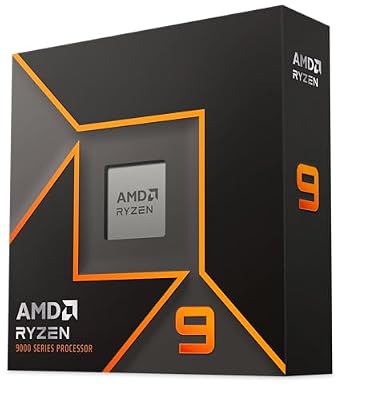
The 9900X is the all-rounder for people whose PC works as hard as it plays. Twelve Zen 5 cores and 24 threads give it serious throughput for rendering, compiling, video work, and streaming, while a boost clock of up to 5.6 GHz keeps single-thread speed high for games. It carries 76 MB of total cache rather than a stacked cache, yet in GPU-bound 1440p and 4K play the gap to the 7800X3D narrows, and in everything outside games this chip pulls well ahead.
It shares the AM5 platform with the 7800X3D, and its listed 120 W draw is easy to cool for a 12-core part. It takes the place of a flagship-class Intel part in this lineup, because that model usually sells above this rung while the 9900X usually sits comfortably under it. Choose it if your day mixes gaming with heavy multitasking.
Specs:
– Cores / threads: 12 cores, 24 threads
– Base clock: 4.4 GHz
– Max boost clock: up to 5.6 GHz
– Cache: 76 MB total (12 MB L2 + 64 MB L3)
– Socket: AM5
– TDP: 120 W
– Memory support: DDR5-5600
– Integrated graphics: AMD Radeon Graphics
Intel Core i7-14700K

Intel’s entry is a hybrid heavyweight: 8 performance cores plus 12 efficiency cores, for 20 cores and 28 threads in total. The performance cores drive the game while the efficiency cores absorb the stream, the browser, and the chat apps, and a max turbo of 5.6 GHz keeps responsiveness sharp. For a creator who games, or a gamer who creates, few chips at this rung feel this flexible.
The platform story is its other strength. LGA 1700 boards are plentiful, and many accept DDR4 memory, so upgraders from older Intel systems can sometimes keep their memory kit. The honest cautions: LGA 1700 is a finished platform with no newer generation coming to it, the chip draws heavy power under full multicore load, and you should update the motherboard BIOS to a current microcode release for stability.
Specs:
– Cores / threads: 20 cores (8 P-cores + 12 E-cores), 28 threads
– Base clock: 3.4 GHz
– Max turbo clock: up to 5.6 GHz
– Cache: 33 MB Intel Smart Cache
– Socket: LGA 1700
– Base power: 125 W
– Integrated graphics: Yes
Intel Core Ultra 7 265K

The 265K is Intel’s newer architecture on the LGA 1851 socket, with 20 cores split into 8 performance and 12 efficiency cores and 20 threads in total. It boosts to 5.5 GHz, carries 66 MB of total cache, and adds a neural processing unit for AI-assisted apps. Its multicore throughput is excellent for the rung, and it draws power more gently than the 14700K in everyday mixed use.
Gaming is where it gives a little ground: in several popular titles it trails the 7800X3D, because its tile-based design leans more toward productivity. Treat it as the pick for a brand-new Intel build that leans creator-first, with gaming a close second. It supports DDR5 only and includes integrated Intel graphics. Its 250 W maximum turbo power figure still demands a sturdy cooler and power supply.
Specs:
– Cores / threads: 20 cores (8 P-cores + 12 E-cores), 20 threads
– P-core base clock: 3.9 GHz
– Max turbo clock: up to 5.5 GHz
– Cache: 66 MB total (36 MB L2 + 30 MB L3)
– Socket: LGA 1851
– Base power: 125 W (maximum turbo power 250 W)
– Integrated graphics: Intel Graphics
AMD Ryzen 9 7900X

The 7900X is the previous-generation 12-core flagship recipe at a rung-friendly level. Its 12 Zen 4 cores boost to 5.6 GHz from a high 4.7 GHz base, it carries the same 76 MB total cache as the 9900X, and it multitasks fiercely: game on it all evening, then let all 24 threads loose on an export or a compile and it finishes quickly.
Two cautions keep it in last place here rather than first. It draws a listed 170 W and runs warm under sustained load, so it wants a strong cooler and good case airflow. The newer 9900X does the same job with better efficiency, so the 7900X makes the most sense when its listing sits clearly below the newer chip’s on the day you buy. You still get AM5 upgradability and DDR5 support.
Specs:
– Cores / threads: 12 cores, 24 threads
– Base clock: 4.7 GHz
– Max boost clock: up to 5.6 GHz
– Cache: 76 MB total (12 MB L2 + 64 MB L3)
– Socket: AM5
– TDP: 170 W
– Integrated graphics: AMD Radeon Graphics
When to Step Up or Down a Rung
This rung is a sweet spot, not an obligation. Step down if your gaming happens at 4K with a midrange graphics card: the card will set your frame rate almost everywhere, and the chips in Best CPUs Under $350 for High Refresh Gaming and Streaming will feed it just as well while freeing money for a better card or monitor. Step down, too, if you play esports titles at 1080p and rarely multitask.
Step up if you want the flagship tier: a 16-core creator hybrid or a no-compromise chip to pair with the very top graphics cards for years. That is the territory of Best CPUs Under $550 for Flagship Gaming and Creator Work. The $450 rung earns its keep when you want protected minimum frame rates and real multitasking headroom without paying flagship money.
Who should skip
Skip this rung if you already own a recent Ryzen 7000 or Intel 13th or 14th generation chip; the gains will not justify a new motherboard. Skip it if your build budget is tight, because a cheaper processor plus a stronger graphics card games better overall. Skip it if you only play at 4K with a midrange card and never stream or create, since the graphics card will limit you long before these CPUs do. And skip the unlocked Intel parts if you dislike BIOS updates; a simpler locked chip may suit you better.
FAQ
Do any of these processors include a cooler in the box?
No. All five picks ship without a cooler, so plan on a capable tower air cooler at minimum, and consider a large dual-tower model or liquid cooling for the hotter picks under sustained loads.
Can I keep my DDR4 memory with any of these chips?
Only with the Core i7-14700K, on an LGA 1700 motherboard built for DDR4. The AM5 Ryzen chips and the Core Ultra 7 265K all require DDR5, so factor new memory into those builds.
Does 3D V-Cache still matter at 4K?
Yes, though its role changes. At 4K the graphics card leads, but busy scenes and simulation titles still lean on the processor, and the 7800X3D’s cache keeps minimum frame rates steadier there. With a midrange card at 4K, a cheaper rung will serve you just as well.
Do the Intel chips need a BIOS update before use?
Often, yes. Many LGA 1700 and LGA 1851 boards need a current BIOS to support these processors and to carry the newest stability microcode. Check the board maker’s support page for your model and follow its update steps.
Final verdict
For a gaming-first PC, the Ryzen 7 7800X3D is the pick of this rung: nothing else here protects minimum frame rates like its stacked cache. For a machine that plays and produces in equal measure, the Ryzen 9 9900X is the strongest all-round buy, with the 7900X as its value understudy. Intel builders should take the 14700K for platform flexibility, or the 265K for the newest socket and creator-leaning efficiency. Whichever you choose, check the current price on the Amazon product page before ordering, since listings for this rung move often.










