The Radeon RX 7800 XT is a 1440p graphics card first and foremost. AMD built it with 60 compute units, 16GB of GDDR6 memory on a 256-bit bus and a 263W total board power rating, which puts it in the tier where the graphics card does most of the heavy lifting at 1440p and the CPU mainly needs to stay out of the way. That does not mean any old processor will do: a slow CPU caps frame rates at 1080p and hurts frame-time consistency in CPU-heavy games, while an oversized flagship adds platform cost this card can never convert into extra frames.
As an Amazon Associate we earn from qualifying purchases.
This guide picks five CPUs that make sense next to an RX 7800 XT, spread across the three platforms a buyer might realistically be on: a current AM5 build, an existing AM4 system that deserves one more upgrade, and Intel’s LGA1700 socket. If you are still weighing up the card itself, our breakdown of the RX 7800 XT and its place among gaming GPUs covers its specs and performance tier in detail.
What the RX 7800 XT Actually Needs From a CPU
The pairing logic starts with resolution. At 1440p with high settings, the RX 7800 XT is usually the limiting component, a pattern reflected in the CPU gaming hierarchies published by Tom’s Hardware, where the gaps between modern mid-range and flagship processors compress sharply as resolution rises. In practical terms, a modern six-core CPU with strong single-thread performance is enough to keep this card fed at 1440p in the large majority of games.
At 1080p the picture flips. The card finishes frames faster and the CPU sets the ceiling, especially in esports titles and simulation games where frame-time spikes show up as stutter. This is where cache-heavy processors earn their keep: GamersNexus and TechPowerUp testing of AMD’s X3D chips has consistently shown that the large stacked L3 cache improves average frame rates and, more noticeably, low-percentile frame times in CPU-limited scenarios. Those gains shrink at 1440p, which is why the picks below are ordered by use case rather than raw benchmark position.
Two platform facts matter before choosing. First, AM5 requires DDR5 memory, so moving to a Ryzen 7000 or 9000 processor from an older system also means a new motherboard and memory kit. Second, Intel’s LGA1700 boards exist in both DDR4 and DDR5 variants, giving Intel buyers a cheaper reuse path.
1. AMD Ryzen 7 7800X3D — Best Overall

The Ryzen 7 7800X3D is the strongest gaming processor that still makes economic sense next to an RX 7800 XT. Its eight Zen 4 cores carry 96MB of L3 cache thanks to AMD’s 3D V-Cache, and that cache is exactly what CPU-limited games respond to. In the gaming hierarchies published by Tom’s Hardware, the 7800X3D sits near the very top of the charts, ahead of far more expensive chips, because games benefit from cache capacity more than from extra cores. Paired with the 7800 XT, it delivers the cleanest frame times at 1080p high-refresh and leaves nothing on the table at 1440p.
The trade-off is threaded work: long video renders run faster on chips with more cores. For a gaming-first build, that is the right compromise.
Specs (manufacturer-published):
- Architecture: AMD Zen 4 with 3D V-Cache
- Cores / threads: 8 / 16
- Base clock: 4.2 GHz; boost clock: up to 5.0 GHz
- Cache: 96MB L3 (104MB total cache)
- Socket: AMD AM5
- Memory support: DDR5-5200
- Default TDP: 120W
- Integrated graphics: AMD Radeon Graphics
See the Ryzen 7 7800X3D on Amazon
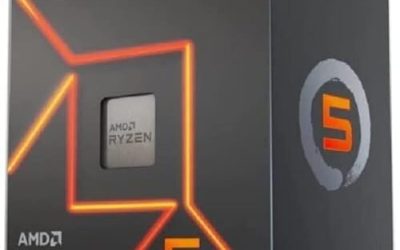
2. AMD Ryzen 5 9600X — Best Current-Generation AM5 Value

The Ryzen 5 9600X is the sensible default for a new AM5 build. Its six Zen 5 cores boost to 5.4 GHz, and AMD’s per-clock improvements mean it trades blows with older eight-core chips in many games while drawing just 65W. At 1440p, where the RX 7800 XT is normally the limit, Tom’s Hardware’s hierarchy testing shows modern six-core parts running within a few percent of flagship processors, because the graphics card cannot use the extra headroom. You also get a current platform with years of upgrade runway.
Six cores is the ceiling here, so streamers who encode on the CPU should look at an eight-core option instead. For pure gaming, the 9600X is all this card needs.
Specs (manufacturer-published):
- Architecture: AMD Zen 5
- Cores / threads: 6 / 12
- Base clock: 3.9 GHz; boost clock: up to 5.4 GHz
- Cache: 32MB L3 (38MB total cache)
- Socket: AMD AM5
- Memory support: DDR5-5600
- Default TDP: 65W
- Integrated graphics: AMD Radeon Graphics
See the Ryzen 5 9600X on Amazon
3. AMD Ryzen 5 7600X — Best Entry Point to AM5

The Ryzen 5 7600X is the original AM5 value pick and remains a sound pairing. It shares the six-core, twelve-thread layout of the 9600X with slightly lower clocks and the earlier Zen 4 architecture, and in GPU-bound 1440p gaming the difference between the two is small, because the RX 7800 XT is doing the limiting. What you give up is a little 1080p headroom and efficiency, since the 7600X carries a 105W TDP against the newer chip’s 65W.
Choose the 7600X when it is the cheaper route onto AM5 or appears in a motherboard bundle; choose the 9600X when the two are close in cost.
Specs (manufacturer-published):
- Architecture: AMD Zen 4
- Cores / threads: 6 / 12
- Base clock: 4.7 GHz; boost clock: up to 5.3 GHz
- Cache: 32MB L3 (38MB total cache)
- Socket: AMD AM5
- Memory support: DDR5-5200
- Default TDP: 105W
- Integrated graphics: AMD Radeon Graphics
See the Ryzen 5 7600X on Amazon
4. AMD Ryzen 7 5700X3D — Best AM4 Drop-In Upgrade

If your RX 7800 XT already lives in an AM4 system, the Ryzen 7 5700X3D is the smartest CPU purchase on this list. It drops into most B450, B550 and X570 motherboards after a BIOS update, keeps your existing DDR4 memory, and brings the same 96MB of L3 cache as its AM5 sibling. GamersNexus testing found it delivering the large majority of the 5800X3D’s gaming performance, and that cache-driven performance is precisely what an ageing Ryzen 5 3600 or 5600 system lacks at 1080p and in frame-time consistency at 1440p.
Clocks are modest at up to 4.1 GHz, there is no integrated graphics, and AM4 is a finished platform. None of that matters if the goal is to extend a working system: this is the one pick that avoids a motherboard and memory purchase entirely.
Specs (manufacturer-published):
- Architecture: AMD Zen 3 with 3D V-Cache
- Cores / threads: 8 / 16
- Base clock: 3.0 GHz; boost clock: up to 4.1 GHz
- Cache: 96MB L3 (100MB total cache)
- Socket: AMD AM4
- Memory support: DDR4-3200
- Default TDP: 105W
- Integrated graphics: none
See the Ryzen 7 5700X3D on Amazon
5. Intel Core i5-14600KF — Best Intel Option

Intel buyers are not left out. The Core i5-14600KF combines six performance cores with eight efficiency cores for 20 threads total, boosts to 5.3 GHz, and sits on LGA1700, where motherboards come in both DDR4 and DDR5 flavours. The DDR4 option matters: it lets an Intel builder reuse an existing memory kit, the same trick the 5700X3D pulls on the AMD side. In gaming, Tom’s Hardware’s hierarchy places the 14600KF comfortably in the tier that fully feeds this card at 1440p, and the extra efficiency cores help if you stream or record while gaming.
The KF suffix means no integrated graphics, so a discrete card is mandatory, which is no hardship here. LGA1700 is at the end of its road, so treat this as a value platform rather than a long-term upgrade base.
Specs (manufacturer-published):
- Architecture: Intel Raptor Lake Refresh
- Cores: 14 (6 performance + 8 efficiency); threads: 20
- Performance-core base clock: 3.5 GHz; max turbo: up to 5.3 GHz
- Cache: 24MB Intel Smart Cache (L3), 20MB L2
- Socket: Intel LGA1700
- Memory support: DDR5-5600 or DDR4-3200, depending on motherboard
- Processor base power: 125W; maximum turbo power: 181W
- Integrated graphics: none
See the Core i5-14600KF on Amazon
Platform Cost: The Part Spec Sheets Leave Out
The processor is rarely the whole bill. Moving to AM5 from an older system means a new motherboard and a DDR5 memory kit on top of the CPU, which is why the 5700X3D and a DDR4-based 14600KF build deserve their places here: both let the budget stay where it belongs, on the graphics card. Conversely, building new on AM5 buys a socket AMD continues to support, and that runway has real value.
Cooling is the other hidden line item. None of these five processors ships with a cooler in the box, and the 120W 7800X3D and 125W-base 14600KF both deserve a competent tower air cooler at minimum.
Which CPUs Are Overkill for This Card?
Flagship processors such as AMD’s Ryzen 9 X3D models or Intel’s Core Ultra 9 are excellent chips, but next to an RX 7800 XT at 1440p they are mostly wasted money: the card reaches its limit long before those CPUs do, a point the gaming hierarchies from Tom’s Hardware and TechPowerUp make clearly. The exception is a deliberate two-step plan, buying a top CPU now and a faster GPU next year. Otherwise, the savings are better spent on a faster graphics card tier or a better monitor.
Verdict: Which CPU Should You Buy?
- Building new on AM5 for gaming first: Ryzen 7 7800X3D. The cache makes it the best partner this card can use.
- Building new on AM5 on a tighter budget: Ryzen 5 9600X, or the 7600X when it is meaningfully cheaper.
- Upgrading an existing AM4 system: Ryzen 7 5700X3D, no contest. It is the only pick that skips the motherboard and memory purchase.
- Prefer Intel, or gaming plus streaming: Core i5-14600KF, ideally on a DDR4 board if you already own a good memory kit.
Whichever route you take, the rule is the same: at 1440p the RX 7800 XT should be the component doing the limiting, and every CPU here achieves that.
Product and ASIN Reference
| Product | ASIN |
|---|---|
| AMD Ryzen 7 7800X3D | B0BTZB7F88 |
| AMD Ryzen 5 9600X | B0D6NN6TM7 |
| AMD Ryzen 5 7600X | B0BBJDS62N |
| AMD Ryzen 7 5700X3D | B0CQ4H4H7X |
| Intel Core i5-14600KF | B0CGJ4MLC8 |
FAQ
What is the minimum CPU for an RX 7800 XT?
A modern six-core processor with strong single-thread performance, such as a Ryzen 5 7600X or an Intel Core i5 from the 12th generation onward, is the practical floor. Older chips still run games, but they cap frame rates at 1080p and worsen frame-time consistency in CPU-heavy titles.
Will a Ryzen 7 7800X3D bottleneck an RX 7800 XT?
No. The relationship runs the other way: at 1440p the graphics card is the limiting component in most games, and the 7800X3D has more gaming performance than this card can use. That headroom helps at 1080p high-refresh and for a future GPU upgrade on the same platform.
Can I pair an RX 7800 XT with my old AM4 motherboard?
Yes. For the CPU, a Ryzen 7 5700X3D is the strongest drop-in option for most B450, B550 and X570 boards. Check the board maker’s CPU support list and install the required BIOS update before fitting the new processor.
Does the CPU choice matter more at 1080p or 1440p?
At 1080p. Lower resolutions let the graphics card finish frames faster, so the CPU sets the ceiling and differences between processors are at their widest. At 1440p the RX 7800 XT becomes the bottleneck in most games, and the gap between a good six-core CPU and a flagship narrows sharply.