The Radeon RX 7700 XT is built first and foremost for 1440p gaming, and that shapes what it needs from a processor. At 1440p, the graphics card does most of the heavy lifting in most games, so you do not need a flagship CPU to get the best out of it. What you do need is a processor that keeps frame rates smooth, fits your platform, and leaves you a sensible upgrade path.
As an Amazon Associate we earn from qualifying purchases.
This guide compares five CPUs across three platforms — AMD AM4, AMD AM5 and Intel LGA1700 — covering the main situations builders face: upgrading an existing AM4 system, starting a new AM5 build with room to grow, or building an Intel system that reuses DDR4 memory. Each pick lists only manufacturer-published specifications, verified against the product listings.
What the RX 7700 XT Asks From a CPU
AMD publishes the RX 7700 XT with 12GB of GDDR6 memory on a 192-bit interface, 54 compute units and a total board power of 245W, and positions it as a 1440p card. In other words, this is a mid-range GPU, not a 4K flagship that demands the fastest processor money can buy.
In practice, the balance shifts with resolution. At 1440p with high settings, most games are limited by the GPU, and published testing from outlets such as Tom’s Hardware and GamersNexus consistently shows the gap between mid-range and high-end CPUs narrowing as resolution rises. At 1080p with a high-refresh monitor, the picture flips: frame rates climb, and CPU speed and cache size start to decide how smooth play feels, especially in competitive and simulation titles.
Still deciding on the graphics card itself? Start with our full guide to the RX 7700 XT and the gaming GPUs around it. Note the card is PCIe 4.0 x16, so it runs at full speed in any PCIe 4.0 or 5.0 slot.
Quick Comparison
| CPU | Socket | Cores / Threads | Max Boost | Cache (L2 + L3) | Memory | TDP |
|---|---|---|---|---|---|---|
| AMD Ryzen 5 7600 | AM5 | 6 / 12 | 5.1 GHz | 6MB + 32MB | DDR5 | 65W |
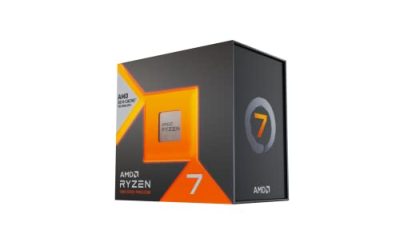
| AMD Ryzen 7 7800X3D | AM5 | 8 / 16 | 5.0 GHz | 8MB + 96MB | DDR5 | 120W |
| AMD Ryzen 5 9600X | AM5 | 6 / 12 | 5.4 GHz | 6MB + 32MB | DDR5 | 65W |
| Intel Core i5-12400F | LGA1700 | 6 / 12 | 4.4 GHz | 7.5MB + 18MB | DDR4 or DDR5 | 65W |
| AMD Ryzen 5 5600 | AM4 | 6 / 12 | 4.4 GHz | 3MB + 32MB | DDR4 | 65W |
1. AMD Ryzen 5 7600 — Best Overall for Most Builders

For a brand-new build centred on the RX 7700 XT, the Ryzen 5 7600 is the easiest recommendation on this list. Its six Zen 4 cores boost to 5.1 GHz, comfortably fast enough to keep a 7700 XT fed at 1440p and to hold high frame rates at 1080p. Just as importantly, it drops you onto AM5, so the motherboard and DDR5 memory you buy today can carry a faster CPU later.
The 7600 is also simple to live with: a 65W TDP, modest cooling demands, and a Wraith Stealth cooler included in the box. Its basic integrated Radeon Graphics are handy for troubleshooting; the RX 7700 XT does all the gaming work.
Specs (manufacturer-published):
- Architecture: Zen 4, 6 cores / 12 threads
- Base clock 3.8 GHz, max boost up to 5.1 GHz
- Cache: 6MB L2 + 32MB L3
- Socket: AM5; memory: DDR5-5200
- TDP: 65W; PCIe 5.0 support
- Integrated graphics: AMD Radeon Graphics (basic)
- Cooler: Wraith Stealth included
View the AMD Ryzen 5 7600 on Amazon
2. AMD Ryzen 7 7800X3D — Best for High-Refresh and Future GPU Upgrades

The Ryzen 7 7800X3D is more CPU than an RX 7700 XT strictly needs at 1440p. Where it earns its place: high-refresh play in CPU-sensitive games, and builds where a stronger graphics card is planned later. Its eight Zen 4 cores carry 96MB of L3 cache thanks to AMD’s 3D V-Cache stacking, and published gaming benchmarks from Tom’s Hardware and GamersNexus have consistently placed it at or near the top of gaming CPU charts, with the largest gains in minimum frame rates rather than averages.
At 1440p with a 7700 XT, expect the difference versus the Ryzen 5 7600 to be small in GPU-bound titles and more noticeable in esports, simulation and strategy games. It runs a 120W TDP and ships without a cooler, so budget for a capable tower air cooler or liquid cooler.
Specs (manufacturer-published):
- Architecture: Zen 4 with 3D V-Cache, 8 cores / 16 threads
- Base clock 4.2 GHz, max boost up to 5.0 GHz
- Cache: 8MB L2 + 96MB L3
- Socket: AM5; memory: DDR5-5200
- TDP: 120W; PCIe 5.0 support
- Integrated graphics: AMD Radeon Graphics (basic)
- Cooler: not included
View the AMD Ryzen 7 7800X3D on Amazon
3. AMD Ryzen 5 9600X — Best Newer-Generation AM5 Option

The Ryzen 5 9600X is the Zen 5 counterpart to the 7600: the same six-core, twelve-thread layout and 65W TDP, but with a higher 5.4 GHz max boost, faster DDR5-5600 support and the per-clock gains of the newer architecture. With an RX 7700 XT it delivers strong 1080p high-refresh performance and everything the card needs at 1440p.
Choose it over the 7600 if you are building new and want the current-generation part on AM5; the two chips sit in a similar class for this GPU. No cooler is included, so an aftermarket air cooler belongs on the parts list.
Specs (manufacturer-published):
- Architecture: Zen 5, 6 cores / 12 threads
- Base clock 3.9 GHz, max boost up to 5.4 GHz
- Cache: 6MB L2 + 32MB L3
- Socket: AM5; memory: DDR5-5600
- TDP: 65W; PCIe 5.0 support
- Integrated graphics: AMD Radeon Graphics (basic)
- Cooler: not included
View the AMD Ryzen 5 9600X on Amazon
4. Intel Core i5-12400F — Best Intel Option, DDR4 or DDR5

The Core i5-12400F is the flexibility pick: a six-core, twelve-thread Alder Lake processor for LGA1700 whose memory controller uniquely supports both DDR4 and DDR5, depending on the motherboard. A DDR4 board lets you reuse memory you own; a DDR5 board keeps a foot in the newer standard. Either way, at 1440p this CPU is rarely the limiting factor for a 7700 XT.
Two details to know. The “F” suffix means no integrated graphics, so the RX 7700 XT must be installed for any display output. Intel’s product description for the boxed version lists the Laminar RM1 cooler as included, and the 65W base power (117W maximum turbo power) keeps cooling modest. It works with 600-series and 700-series chipset boards.
Specs (manufacturer-published):
- Architecture: Alder Lake, 6 performance cores / 12 threads (no efficiency cores)
- Base clock 2.5 GHz, max turbo up to 4.4 GHz
- Cache: 7.5MB L2 + 18MB Intel Smart Cache (L3)
- Socket: LGA1700; memory: DDR4-3200 or DDR5-4800
- Processor base power: 65W; maximum turbo power: 117W
- Integrated graphics: none — discrete graphics card required
- Cooler: Intel Laminar RM1 listed as included with the boxed version
View the Intel Core i5-12400F on Amazon
5. AMD Ryzen 5 5600 — Best for Existing AM4 Owners

If you already own an AM4 motherboard and DDR4 memory, the Ryzen 5 5600 is the low-friction route to an RX 7700 XT build: drop it into your existing board (check the board maker’s CPU support list for any BIOS update first), keep your RAM, and spend the rest of the budget on the graphics card. Its six Zen 3 cores boost to 4.4 GHz with 32MB of L3 cache.
Set expectations correctly, though. AM4 is a finished platform, so this is an upgrade for a system you already have, not the foundation of a new build. In GPU-bound 1440p gaming the 5600 keeps pace well; in CPU-heavy titles at 1080p, the newer chips above pull ahead. A Wraith Stealth cooler is included.
Specs (manufacturer-published):
- Architecture: Zen 3, 6 cores / 12 threads
- Base clock 3.5 GHz, max boost up to 4.4 GHz
- Cache: 3MB L2 + 32MB L3
- Socket: AM4; memory: DDR4-3200
- TDP: 65W; PCIe 4.0 support
- Integrated graphics: none — discrete graphics card required
- Cooler: Wraith Stealth included
View the AMD Ryzen 5 5600 on Amazon
Platform Notes: AM4 vs AM5 vs LGA1700
The CPU decision here is really a platform decision. AM5 (Ryzen 5 7600, 7800X3D, 9600X) requires a new motherboard and DDR5 memory, but AMD has committed to supporting the socket across multiple generations, making it the strongest base for upgrades. AM4 (Ryzen 5 5600) only makes sense when you already own the board and DDR4 memory — it reuses the most parts, but has no further headroom. LGA1700 (Core i5-12400F) sits between the two: both DDR4 and DDR5 boards exist, and it supports Intel’s 12th, 13th and 14th generation processors, though the platform has since been succeeded by a newer socket.
Before ordering, confirm three things: the motherboard’s CPU support list and BIOS version, the memory generation the board uses, and whether a cooler is in the CPU box.
Verdict: Which CPU Should You Pair With an RX 7700 XT?
- Building new on a sensible budget: the Ryzen 5 7600. It fully serves the RX 7700 XT at 1440p, includes a cooler, and puts you on AM5.
- Chasing high refresh rates or planning a bigger GPU later: the Ryzen 7 7800X3D. Its extra cache shows up most in CPU-sensitive games and minimum frame rates.
- Want the current Zen 5 generation: the Ryzen 5 9600X, a like-for-like alternative to the 7600 with higher clocks and faster memory support.
- Prefer Intel or want to reuse DDR4 in a new build: the Core i5-12400F, the only pick here offering a choice of memory generations.
- Already own AM4: the Ryzen 5 5600. Keep your board and RAM, add the RX 7700 XT, and play.
For a single default answer: most RX 7700 XT builders should buy the Ryzen 5 7600.
Product and ASIN Reference
| Product | ASIN |
|---|---|
| AMD Ryzen 5 7600 | B0BMQJWBDM |
| AMD Ryzen 7 7800X3D | B0BTZB7F88 |
| AMD Ryzen 5 9600X | B0D6NN6TM7 |
| Intel Core i5-12400F | B09NPJRDGD |
| AMD Ryzen 5 5600 | B09VCHR1VH |
FAQ
What is the best CPU for the RX 7700 XT overall?
For most builders, the AMD Ryzen 5 7600. Its six Zen 4 cores are fast enough that the RX 7700 XT remains the limiting factor at 1440p in most games, and AM5 leaves room for a faster CPU later.
Will a Ryzen 5 5600 bottleneck an RX 7700 XT?
At 1440p, in most GPU-bound games, any limitation is small, which is why it works well as an AM4 upgrade. At 1080p in CPU-heavy titles — strategy games, simulations and esports games at very high frame rates — the newer AM5 chips pull ahead.
Does the RX 7700 XT need a PCIe 5.0 motherboard?
No. AMD specifies the card as PCIe 4.0 x16, and it runs at full speed in a PCIe 4.0 slot. Every CPU in this guide supports at least PCIe 4.0, so none restricts the card’s connection.
Is the Ryzen 7 7800X3D overkill for an RX 7700 XT?
For 1440p gaming today, largely yes — the graphics card will usually be the limit. It becomes a sensible buy if you play CPU-sensitive games at high refresh rates, care about minimum frame rates, or expect to upgrade to a faster graphics card while keeping the same CPU.