- Top Pick: Canon PIXMA TR160 Color Wireless Portable Printer | 50-Sheet Paper Tray & 1.44" Display, Lightweight & Compact – Print On-The-Go
- Best Value: HP DeskJet 2923 Color Inkjet Printer | Wireless | All-in-One | Easy Home Printing | Color Documents | Mobile Compatibility | Print, Scan & Copy | Ideal Home Use
- Premium Choice: Canon PIXMA TS6520 Wireless Color Inkjet Printer, 1.42" OLED Display, White | Print, Scan, Copy, 1.42” OLED Display, Intuitive Control Panel, Compact for Home Design
A compact printer earns its place in a small apartment, a dorm room, or a desk already crowded with a monitor, a console, and a stack of cables. The word “compact” can mean two quite different things, though. Some models are small home all-in-one machines that sit on a shelf and stay plugged in. Others are truly portable printers with a battery or a thermal mechanism, built to travel with a laptop. Knowing which kind you need decides almost everything else.
This guide covers eight models for 2026, from pocketable thermal printing to slim all-in-one inkjets from Canon and HP. The notes rely on the listed specs only, so use them to narrow the field, then confirm paper size, ink type, and connection options on the product page before you commit. Printer listings tend to bury the details that matter, such as whether a model prints in color, whether it scans, and whether it needs an outlet, so the comparison table below pulls those points into one place. Gamers and PC builders often need a printer only for warranty forms, shipping labels, and the occasional manual, which makes a small, low-maintenance unit the sensible choice.
Quick Picks
As an Amazon Associate we earn from qualifying purchases at no extra cost to you.


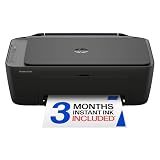


| Product | Best for | Key spec from the title |
|---|---|---|
| Canon PIXMA TR160 | Portable printing on the go | 50-sheet tray, 1.44-inch display |
| HP DeskJet 2923 | Light home printing | Wireless, print, scan, copy |
| Canon PIXMA TS6520 | Small desks that want a screen | 1.42-inch OLED display |
| HP Envy 6155 | Homework-heavy households | Duplex printing, wireless |
| Canon PIXMA TS4320 | Simple home photos and documents | Print, copy, scan, easy setup |
| HP DeskJet 2955 | Second small-office printer | Wireless all-in-one |
| HP OfficeJet 250 | Mobile office work | Battery included |
| TATTMUSE A285M Thermal | Receipts and travel prints | Inkless, Bluetooth, letter size |
How to Choose
Decide between shelf-compact and truly portable
A shelf-compact all-in-one measures roughly a foot or more on each side and needs a wall outlet. A portable model is smaller and may run on a battery, but it usually drops the scanner and holds fewer sheets. If you only print at home and never travel, the all-in-one wins on convenience. If your work moves between sites, portable wins. Measure the shelf or desk spot first, including the room needed for the output tray to open and for the lid to lift.
Check the paper path and tray
Look for the tray capacity, since a 50-sheet tray is fine for a few pages a day but irritating for a class of students. Duplex printing, where listed, prints on both sides automatically and saves paper. Confirm the paper size the title supports; thermal printers often use special rolls or sheets, while inkjets take standard letter stock. A printer that only accepts small photo stock will frustrate anyone who mainly prints documents.
Connection and software
Wireless printing is the standard for compact machines, and mobile compatibility means phone apps can send jobs directly. Bluetooth suits printers that pair with a single phone or laptop. A small display, like the 1.42-inch or 1.44-inch screens in this group, makes settings and error messages far easier than blinking lights. If you share the printer with roommates, a screen also lets each person see which network and which paper tray is active.
Ink, consumables, and what to ignore
Inkjets use cartridges that you replace over time; a thermal unit uses specialty paper instead of ink. Check which cartridge numbers a model uses before buying, because compact printers often ship with starter cartridges that run out sooner than full-size ones. Subscription trials, such as the free introductory period listed on one HP model, are only worth considering if you print regularly. Ignore vague phrases like “easy home printing” and focus on supported tasks, paper handling, and which cartridges the printer needs.
The 8 Best Options
Canon PIXMA TR160
A color wireless portable printer with a 50-sheet paper tray and a 1.44-inch display, described as lightweight and compact for printing on the go.
- Strength: A real paper tray keeps it more practical than most travel printers.
- Strength: The small display makes status and settings visible without an app.
- Trade-off: The title lists printing only, with no scanner or copier.
Skip it if you need to scan or copy documents. It is a pick for a consultant or student who prints boarding passes, forms, and reports away from a desk, and who values a printer that slides into a backpack next to a laptop without turning the bag into a brick.
HP DeskJet 2923
A wireless color inkjet all-in-one that prints, scans, and copies, with mobile compatibility and a focus on home use.
- Strength: Three functions in one machine suit a small household.
- Strength: Mobile compatibility makes printing from a phone straightforward.
- Trade-off: The listing is short on tray, speed, and duplex details.
Skip it if you print large batches or need automatic two-sided output. It is the entry-style option for occasional school forms and shipping labels, the kind of printer that sits idle most of the week and only needs to work when a deadline appears.
Canon PIXMA TS6520
A white wireless color inkjet with a 1.42-inch OLED display, a control panel, and print, scan, and copy functions in a compact body described as suited to home design.
- Strength: The OLED screen and intuitive panel simplify daily operation.
- Strength: A white finish blends into a bedroom or living-room shelf.
- Trade-off: The title does not mention duplex printing or a document feeder.
Skip it if you plan high-volume printing. It suits a style-conscious desk where the printer sits in plain view, and a person who likes to change settings from a screen on the device itself rather than opening an app every time.
HP Envy 6155
A wireless all-in-one color inkjet that prints, scans, copies, and includes duplex printing. The listing also mentions a three-month Instant Ink trial and an AI-capable label.
- Strength: Automatic duplex printing is the key convenience here.
- Strength: Home-oriented design with a trial subscription for regular printers.
- Trade-off: The title does not describe its physical size as compact.
Skip it if desk space is very limited. Families with school reports and double-sided handouts get the most from it, and so do home workers who print contracts and want a tidy stack of two-sided pages instead of a pile of single sheets.
Canon PIXMA TS4320
A wireless color inkjet that prints, copies, and scans, described as a multifunction photo printer for home use with a compact design and easy setup.
- Strength: Easy setup is helpful for a first printer.
- Strength: Photo-friendly framing suits hobbyists printing snapshots.
- Trade-off: No display or duplex feature is listed in the title.
Skip it if you want a screen on the printer. It suits a beginner who wants a simple machine for documents plus the occasional photo, and who would rather follow a short setup routine than learn a long menu of advanced options.
HP DeskJet 2955
A near twin of the 2923 on paper: wireless, color inkjet, all-in-one, with printing, scanning, and copying and mobile compatibility.
- Strength: The familiar DeskJet line is designed for simple home setups.
- Strength: Scan and copy functions cover everyday paperwork.
- Trade-off: The listing barely differs from the 2923, so compare other details.
Skip it if you already considered the 2923 and found no difference. Choose whichever is available in your region, and compare the cartridge type each one uses, because that ongoing detail matters more than the model number on the box.
HP OfficeJet 250 Mobile
A mobile inkjet all-in-one that is wireless and includes a battery, aimed at people who print, scan, and copy away from an outlet.
- Strength: The battery makes it usable without a nearby outlet.
- Strength: Scanning in a portable body is uncommon in this group.
- Trade-off: The title is sparse and omits tray size and print speed.
Skip it if you want a screen-equipped or duplex model. Field workers and traveling professionals are the target buyer, particularly those who sign, scan, and send paperwork from a client site or a vehicle.
TATTMUSE A285M Thermal Printer
An inkless portable thermal printer with Bluetooth, supplied with 21 sheets of paper in one roll, for letter-size 8.5 x 11 output. It lists compatibility with iPhone and laptops.
- Strength: No ink cartridges to buy or dry out.
- Strength: Truly pocketable for travel, receipts, and quick notes.
- Trade-off: Thermal printing typically means single-color output on special paper.
Skip it if you need color or standard office paper. It fits a traveler who prints tickets, shipping slips, or reference sheets and wants nothing to dry out in a bag between trips.
Which One Fits Your Situation
You print away from a desk
The Canon PIXMA TR160 and HP OfficeJet 250 both target mobile use, so either one can ride along in a work bag. The Canon adds a tray and display, while the HP adds scanning and a battery.
You print schoolwork every week
The HP Envy 6155 offers duplex printing, which cuts the paper pile on long reports and keeps a stapled packet from becoming bulky.
You want the simplest shelf printer
The Canon PIXMA TS6520 combines a small OLED screen with print, scan, and copy functions in a tidy body. If you want the Canon look but a simpler layout, the TS4320 is the plainer alternative.
You hate buying ink
The TATTMUSE thermal printer avoids ink entirely, which suits a seasonal printer that sits unused for months, though thermal output is typically single-color on specialty paper.
Common Mistakes
- Assuming “compact” means portable when it only describes a shelf-size machine, and forgetting that an open paper tray can double the desk space it needs.
- Ignoring the consumables a printer needs before buying the device.
- Expecting a scanner from a model whose title lists only printing.
- Buying a thermal printer and expecting color or plain-paper output, which the format generally cannot deliver.
- Skipping wireless setup steps and relying on a cable that is not included.
Related guides
- Combination Smoke And Carbon Monoxide Detectors
- Aio Liquid Coolers For High Performance Gaming
- Graphics Cards For Low Wattage Power Supplies
Frequently Asked Questions
Is an inkjet or thermal printer better for a small desk?
Inkjets handle color and standard paper. Thermal printers are smaller and need no ink, but print in one color on special paper.
Do compact printers print from a phone?
Wireless and Bluetooth models listed here can, using mobile apps or system printing. Check that your phone brand is supported, and note that Bluetooth-only units like the thermal model pair with one device at a time, while WiFi printers can serve several people on the same network.
Is duplex printing worth looking for?
It is helpful if you print long documents, because it halves the sheets used. Casual users rarely miss it, but anyone who prints reports, manuals, or school packets will notice the saved paper after a few weeks, and the lighter stack is easier to carry and file.
Is a scanner necessary in a compact printer?
Only if you digitize receipts, forms, or school papers on a regular basis. Print-only models are smaller and simpler, and a phone camera app can handle the occasional one-off scan.