

- Top Pick: VENTION USB Sound Card, External Stereo Sound Card with Volume Control, USB to 3.5mm Jack Audio Adapter for Windows, Mac, PC, Laptop, Desktop, Headset, Switch and More
- Best Value: SABRENT USB-C to 3.5mm Audio Adapter, USB Sound Card, Mono Mic (AU-UCMA) | USB-C, External Sound Card, 24-bit/96kHz, Stereo Out & Mono Mic In, For Windows, macOS, Linux, Aluminum, Plug and Play
- Premium Choice: Cubilux 7.1 USB Surround Sound Card- 48KHz-384KHz Sample Rate for Headphones, Full Aluminum Alloy USB A External Sound Card for Laptop PC-Supports Line-in & Stereo Mic in
A budget external sound card solves a narrow problem: the headphone or microphone jack on your PC, laptop, or console dock is dead, noisy, or missing, and you want a small dongle that fixes it without opening a case. Because the whole category is budget territory, the real decision is not which model is fanciest. It is which connector, which channel layout, and which extras you actually need, so you do not buy a 7.1 box when a simple stereo adapter would do.
This guide is written for gamers with a worn-out front panel, laptop owners who lost their combo jack to a thin chassis, and anyone building a spare-parts drawer for 2026 setups. Every pick below is judged only from the specifications in its listing title, so use the notes as a shortlist and confirm the fine print on the product page before you commit.
Quick Picks
As an Amazon Associate we earn from qualifying purchases at no extra cost to you.


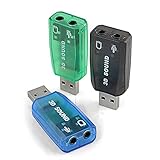


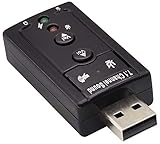

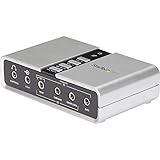
| Product | Best for | Key spec from the title |
|---|---|---|
| VENTION USB Sound Card | Simple headset fix | Stereo, volume control, USB to 3.5mm |
| SABRENT AU-UCMA | USB-C laptops | 24-bit/96kHz, stereo out, mono mic in |
| Cubilux 7.1 USB | Line-in and mic users | 48KHz-384KHz sample rate, aluminum |
| VizGiz 3 Pack | Multi-machine households | 5.1 channel, three adapters |
| Micolindun Sound Card Hub | Port-starved laptops | USB hub plus 3.5mm and mic jacks |
| Generic 7.1 USB Sound Card | PS4 and PC swaps | 7.1 channel, no drivers needed |
| Optimal Shop 5.1 Adapter | Digital output users | 6 channel, S/PDIF |
| zdyCGTime 7.1 Virtual | Louder headphones | Internal amplifier, volume controls |
| QAJOPFN USB Audio Adapter | Plain mic and headphone jack | USB to 3.5mm, plug and play |
| StarTech ICUSBAUDIO7D | Brand-name reliability seekers | Up to 7.1, SPDIF plus analog 3.5mm |
How to Choose
Match the connector to your port
Count your free ports first, and look at where they sit on the case. A dongle hanging off a front-panel port is easy to bump, so rear ports suit a permanent install. Most budget cards use a USB-A plug, but newer thin laptops often have only USB-C, which is why the SABRENT listing specifically names USB-C. A USB-A card on a USB-C laptop needs a separate adapter, and that extra link is one more thing to lose.
Skip channels you cannot hear
Stereo headphones and most desktop speakers need only two channels. A 5.1 or 7.1 label means the card presents more channels to the OS, and several listings describe the surround as virtual. The extra channels matter only if you own a multi-speaker analog or digital setup. For a plain headset, stereo is enough.
Look for sample rate and bit depth
A listing that states 24-bit/96kHz or a 48KHz-384KHz range tells you the converter specification. Spec sheets at the budget tier rarely go further than that, so treat these numbers as the ceiling, not a promise of audible improvement. A card with no stated numbers is not necessarily worse, but you have less to compare. Anything beyond 24-bit/96kHz is rarely audible through gaming headsets.
Check the microphone path
Some cards give one combined headset jack, others split speaker and microphone into separate 3.5mm sockets, and a few add line-in. Confirm that your headset plug type matches the socket layout. Skip any model whose title does not mention microphone support if voice chat matters to you.
The 10 Best Options
VENTION USB Sound Card
This one targets the buyer who just wants a working headset jack back. The title lists stereo output, a volume control, and a USB to 3.5mm connection, plus compatibility with Windows, Mac, PC, laptops, desktops, headsets, and Switch.
- Strength: the volume control is listed, so level changes do not depend on the software mixer.
- Strength: the broad device list covers both computers and a handheld console.
- Trade-off: stereo only, so it offers nothing for surround speakers.
Think of it as a like-for-like replacement for a failed motherboard jack. Skip it if you need S/PDIF or line-in, since neither appears in the title, or if you plan to drive a multi-speaker system.
SABRENT AU-UCMA
The AU-UCMA is the USB-C answer for modern laptops. Its title spells out 24-bit/96kHz, stereo output, a mono microphone input, an aluminum build, and support for Windows, macOS, and Linux.
- Strength: the stated converter spec is easy to compare against rivals.
- Strength: Linux is named, which many budget cards leave out.
- Trade-off: the microphone input is mono, so stereo capture is off the table.
It also suits streamers who record a single voice and want a defined sample-rate spec on paper. Skip it if your computer only has USB-A ports, because the connector is the whole point of this model.
Cubilux 7.1 USB Surround Sound Card
Cubilux leans toward people who want more than a bare headphone jack. The title mentions a 48KHz-384KHz sample rate range, a full aluminum alloy shell, USB-A, line-in support, and a stereo microphone input.
- Strength: line-in and stereo mic input widen what you can plug in.
- Strength: the metal shell suits a bag or desk drawer.
- Trade-off: 7.1 branding adds little for a two-channel headset user.
Musicians with a keyboard or a phone feeding the line input are the natural audience. Skip it if you only need a headphone output, since you would be carrying features you never touch.
VizGiz 3 Pack USB Sound Card Adapter
Three adapters in one listing suit a house with several machines or a builder who keeps spares. The title lists 5.1 channel 3D output, a USB to 3.5mm jack, headset and microphone support, plug and play use, and compatibility with Raspberry Pi, Windows, Mac, and Linux.
- Strength: the three-pack covers a desktop, a laptop, and a spare.
- Strength: Raspberry Pi is named explicitly.
- Trade-off: no volume control or sample-rate figure appears in the title.
It also fits classroom or lab setups where several identical adapters make swapping simple. Skip it if you only need one adapter, or if you want a volume control built into the dongle.
Micolindun External Sound Card Hub
This model blends a sound card with extra USB ports. The title describes an audio adapter with a USB port, a 3.5mm audio jack, and a microphone jack, in blue, with plug and play setup.
- Strength: the added USB port helps when a laptop is short on sockets.
- Strength: separate audio and microphone jacks avoid headset-plug mismatches.
- Trade-off: the title gives no channel count or sample rate.
It works best as a problem-solver for a cramped desk rather than a sound upgrade. Skip it if you want a spec sheet with converter details, or if a plain single-function stick is all you need.
Generic 7.1 Channel USB Sound Card
An unbranded listing aimed at quick swaps. The title promises 7.1 channel output, an external microphone jack, compatibility with PC, laptop, Mac, and PS4, and no drivers needed.
- Strength: no driver install keeps setup simple.
- Strength: PS4 is named, which suits console players.
- Trade-off: no maker is named in the title, so support is unclear.
Console and laptop owners who just want a swap-and-go fix are the target, along with anyone building a spare kit. Skip it if brand backing matters to you, because the title names no maker to contact for support.
Optimal Shop USB 2.0 Sound Card
This is the pick for anyone who wants a digital output. The title lists USB 2.0, six channel 5.1 surround, and an S/PDIF connection for PC use.
- Strength: S/PDIF can feed a receiver or soundbar with a digital input.
- Strength: six channels match a basic 5.1 speaker layout.
- Trade-off: no microphone or headphone details appear in the title.
It reads as a bridge between a PC and a home theater receiver. Skip it if your main goal is a headset with a microphone, because the title says nothing about a mic input.
zdyCGTime Hi-Speed USB 2.0 7.1 Adapter
The distinguishing line here is the internal amplifier. The title also lists 7.1-channel virtual surround, 3.5mm audio and microphone ports, and volume controls.
- Strength: the amplifier mention is useful for headphones that need more drive.
- Strength: dedicated volume controls are listed.
- Trade-off: the surround is described as virtual, not discrete.
Headphone-focused desk users get the most out of it, particularly when the source device has weak output on its own. Skip it if you want true multi-channel analog outputs, or if you never raise your headphone volume past a modest level.
QAJOPFN USB Audio Adapter
A plain adapter for people who dislike complication. The title names a USB microphone adapter to 3.5mm, headphone, speaker, and microphone jack support, and plug and play use.
- Strength: the feature list is short and clear.
- Strength: one adapter handles headphones, speakers, and a mic.
- Trade-off: no channel count, sample rate, or volume control is stated.
Parents buying for a student laptop or office workers on video calls fit the profile. Skip it if you need numbers to compare against other cards, since the title leaves out the converter details.
StarTech ICUSBAUDIO7D
StarTech is the established-brand entry. The title lists up to 7.1 surround, digital SPDIF, and analog 3.5mm connections for laptop or PC use.
- Strength: both digital and analog outputs are listed.
- Strength: a recognized model number makes support lookups and driver searches easier.
- Trade-off: the format is bulkier than a stick-style dongle.
It suits an equipment rack, a home theater PC, or a workstation where the box stays put. Skip it if you only want a pocket-sized headset fix, because the larger format is wasted on that job.
Which One Fits Your Situation
You have a USB-C laptop and a headset
Go with the SABRENT AU-UCMA. The USB-C plug, stated 24-bit/96kHz, and mono mic input cover the common headset case without extra adapters.
You run a 5.1 speaker system with a digital input
The Optimal Shop adapter or the StarTech ICUSBAUDIO7D fits best, since both list S/PDIF. StarTech adds analog 3.5mm outputs, so it is the more flexible of the two.
You need spares for several machines
The VizGiz 3 Pack gives you three units in one listing. Keep one in the bag, one on the desktop, and one for a Raspberry Pi project.
Your headphones sound quiet
Consider the zdyCGTime adapter, whose title highlights an internal amplifier and volume controls. Pair it with headphones you already own and adjust the level on the device.
Common Mistakes
- Buying 7.1 for a stereo headset and expecting a better result from the channel count alone.
- Ignoring the port type, then needing a second adapter for USB-C.
- Assuming every card handles a headset microphone, when some titles list only output jacks.
- Leaving the wrong default playback device selected after plugging the card in.
- Treating virtual surround as true discrete channels.
Related guides
- Battery Operated Smoke And Carbon Monoxide Detectors
- Combination Smoke And Carbon Monoxide Detectors
- Aio Liquid Coolers For High Performance Gaming
Frequently Asked Questions
Will an external sound card improve audio quality?
It can replace a noisy or broken built-in jack with a cleaner path, but results depend on the converter and your headphones. At the budget tier, expect a fix more than an upgrade.
Do these cards need drivers?
Several titles say plug and play or no drivers needed, which points to standard USB audio support. Check the listing for your OS, especially Linux or macOS.
Can I use one with a console?
Some titles name Switch or PS4, so those are the safest picks. Console support varies, so confirm the exact console before ordering.
Is a three-pack useful?
If you own several computers or like having a spare, yes. For a single machine, one adapter from a model with a volume control is usually enough.







