

What “cheap” actually means for 1440p 144Hz right now
A 1440p 144Hz monitor stopped being a luxury item a while ago. You can get into one for $180-230 if you’re willing to take a VA panel, or $230-280 for a decent IPS. Anything cheaper than that and you’re usually looking at a 165Hz-rated panel that doesn’t actually hold up at 144Hz without dropping frames, or a scaler chip that struggles with chroma subsampling at the higher refresh rate over HDMI 2.0. The $150 panels exist, but they’re almost always previous-generation stock being cleared out, and the quality control on those is noticeably worse. Expect more dead pixels, more backlight bleed, and worse warranty support.
The other thing “cheap” buys you less of is accuracy. Budget 1440p 144Hz panels are factory calibrated loosely at best. If you’re doing color-critical work alongside gaming, budget this category only for gaming and don’t trust the out-of-box color.
As an Amazon Associate we earn from qualifying purchases at no extra cost to you.


VA vs IPS vs TN at this price point
At $200-300, you’re choosing between three panel types, and the right one depends on what you actually play.
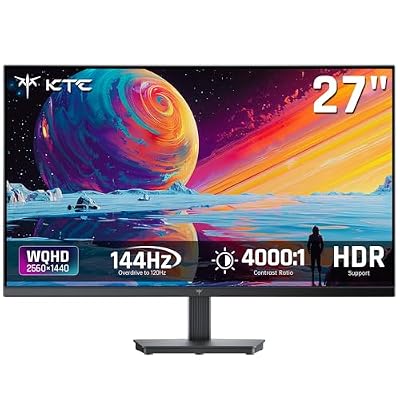
VA panels dominate the cheap end of 1440p 144Hz. They have the best contrast ratio you’ll get without paying for OLED, typically 3000:1 to 4000:1, so blacks look genuinely black in dark games. The catch is response time. Even “fast” VA panels show smearing in high-contrast transitions, like a dark character moving against a bright sky. If you play competitive shooters, this matters. If you play single-player, story-driven, or slower-paced games, it mostly doesn’t.
IPS panels at this price have gotten good. Color and viewing angles are better than VA, and response times have closed most of the gap. The trade-off is contrast, usually around 1000:1, so blacks look more like dark grey in a dim room. IPS glow (a haze near the corners when viewing off-angle in the dark) is also still common on budget units.
TN panels still show up under $200 and are fading out for good reason. They’re the fastest responding of the three, but color and viewing angles are noticeably worse, and most buyers today prefer IPS even at a small refresh rate or latency cost. Only consider TN if you’re buying purely for input lag in competitive play and the price gap is significant.
| Panel type | Contrast | Response time | Best for | Watch out for |
|---|---|---|---|---|
| VA | 3000:1-4000:1 | Moderate, smearing in dark transitions | Single-player, atmospheric games | Black smear in fast dark scenes |
| IPS | ~1000:1 | Fast, minor overshoot on cheap panels | Competitive and general use | IPS glow, washed-out blacks in the dark |
| TN | ~700:1-1000:1 | Fastest | Pure competitive FPS on a tight budget | Weak color, narrow viewing angles |
What’s actually worth paying extra for
Past the base $200-230 tier, a few upgrades are worth the extra $30-80 rather than cosmetic.
Actual VRR range matters more than the FreeSync or G-Sync Compatible sticker. Plenty of budget monitors are certified for adaptive sync but only operate it across a narrow range, like 48-144Hz, which means anything below 48fps drops out of VRR and you get tearing or stutter again. If a listing specifies the VRR range, that’s a better signal of a monitor that was actually tested than one that just says “FreeSync Premium” on the box.
HDR support below $300 is mostly marketing. “HDR400” certification doesn’t require local dimming or meaningfully higher peak brightness, so you’re not getting real HDR contrast, just a brightness mode that can look washed out. Don’t pay a premium for an HDR badge at this price; wait until you’re looking at monitors with actual local dimming zones.
Stand quality is the most underrated spec. Cheap stands often only tilt, with no height or swivel adjustment, which matters if your desk setup isn’t already at the right height. Check for VESA mount compatibility (100x100mm is standard) as a fallback if the stand is bad, since a $15 monitor arm fixes a lot of ergonomic problems a $20 monitor budget cut.
What to actually buy
If you’re building a budget gaming setup from scratch, decide your panel type first based on what you play, then shop within that category rather than chasing a specific brand. For VA options in this range, browse 1440p 144Hz VA monitors and check the listed contrast ratio and response time spec, not just the refresh rate. For IPS, look at 1440p 144Hz IPS gaming monitors and read recent reviews for glow complaints before committing. If your GPU can’t push 1440p at high frame rates anyway (anything below an RTX 3060 class card struggles in demanding titles), a 1080p 144Hz panel in the 1080p 144Hz gaming monitor category will actually run at its full refresh rate more consistently, and costs less.
Check the return window before buying regardless of panel type. Dead pixels and backlight bleed are common enough in this price tier that you want at least two weeks to catch them, and a lot of budget monitor brands make this harder than mainstream ones. If a listing’s return policy is vague or short, that’s worth factoring into the decision as much as the spec sheet.















