

- Top Pick: Seagate IronWolf Pro 4TB NAS Internal Hard Drive HDD – 3.5 Inch SATA 6Gb/s 7200 RPM 128MB Cache for RAID Network Attached Storage, Data Recovery Service – Frustration Free Packaging (ST4000NEZ01)
- Best Value: Seagate IronWolf Pro 12TB NAS Internal Hard Drive HDD – 3.5 Inch SATA 6Gb/s 7200 RPM 256MB Cache for RAID Network Attached Storage Data Recovery Service – Frustration Free Packaging (ST12000NEZ008)
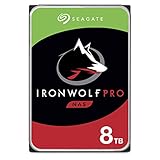
- Premium Choice: Seagate IronWolf Pro 8TB NAS Internal Hard Drive HDD – 3.5 Inch SATA 6Gb/s 7200 RPM 256MB Cache for RAID Network Attached Storage, Data Recovery Service – Frustration Free Packaging (ST8000NEZ01)
If you’re building or upgrading a PC in 2024, the SSD vs 7200 RPM question isn’t really a question anymore for most people. But “most people” isn’t everyone, and there are still real reasons to buy a 7200 RPM hard drive on purpose. Here’s what actually changes when you swap one for the other, and where your money is better spent.
As an Amazon Associate we earn from qualifying purchases at no extra cost to you.



The core difference
A 7200 RPM hard drive is a mechanical device. A spinning platter, a read/write head on an arm, and a motor keeping it all at 7200 revolutions per minute. Data access requires physically moving that arm (seek time) and waiting for the right spot on the platter to rotate underneath it (latency). That’s why HDDs are slow at random reads, things like loading an OS, opening a game level, or searching through thousands of small files.
An SSD has no moving parts. It’s flash memory chips and a controller. Any block of data is reachable in roughly the same tiny amount of time, which is why SSDs crush HDDs at random access and feel instant for everyday use.
Real-world numbers
Specs on a box don’t tell the story, so here’s what you’ll actually see in daily use.
| Metric | 7200 RPM HDD | SATA SSD | NVMe SSD |
|---|---|---|---|
| Sequential read/write | 120-160 MB/s | 500-560 MB/s | 2,000-7,000+ MB/s |
| Random 4K read (real-world feel) | 0.5-1 MB/s | 40-90 MB/s | 50-150+ MB/s |
| Windows cold boot | 30-50 sec | 10-15 sec | 8-12 sec |
| Typical latency | 10-15 ms | 0.1 ms | 0.01-0.05 ms |
| Price per TB (2024) | $18-25 | $45-60 | $55-80 |
The sequential numbers look close-ish between HDD and SSD on paper, but random access is where hard drives fall apart. Loading a game level, launching an app, or Windows indexing your files all hammer random reads, not big sequential ones. That’s the gap you feel.
How they actually fail
HDDs fail mechanically. Bearings wear out, heads can crash into platters (especially after a drop while spinning), and you’ll often get warning signs: clicking noises, grinding, slow degradation, bad sectors showing up gradually. Backblaze’s drive stats, which track tens of thousands of drives in production, generally show annualized failure rates in the 1-2% range for healthy models, climbing noticeably after 3-4 years of continuous use.
SSDs fail differently. Flash memory has a finite number of write cycles per cell, but for a typical desktop user doing normal computing, you’d need to rewrite the entire drive’s capacity every day for years to hit the rated endurance (usually 300-600 TBW for a 1TB consumer drive). The more common SSD failure is sudden and total: controller dies, drive just disappears from the system with little warning. No gradual clicking noise to tip you off.
Practical takeaway: neither is immune to failure, so backups matter regardless of which you buy. HDDs tend to give you more warning before they die; SSDs tend to just stop.
When a 7200 RPM drive still makes sense
Bulk, cold storage is the one place HDDs still win clearly. If you’re storing a media library, backups, or archival footage you access occasionally, a 7200 RPM drive gives you far more capacity per dollar. An 8TB 7200 RPM hard drive costs a fraction of an 8TB SSD, and for sequential large-file access (copying video files, backup jobs), the speed difference matters a lot less than for an OS drive.
NAS boxes and secondary bulk drives are the other sensible use case. You don’t need instant random access for a drive that’s mostly sitting there holding your Blu-ray rips.
When to just buy the SSD
Boot drive, always. If your OS and main applications are still on a spinning disk in 2024, that single upgrade will make an old PC feel new again, more than a CPU or RAM upgrade in most cases. A 1TB SATA SSD is the easy, cheap-enough upgrade for any laptop or older desktop still running on a hard drive. If your motherboard has an M.2 slot, a NVMe SSD costs only a little more and gives you much higher sequential speeds, useful for large game installs and video editing, though you won’t feel much difference over SATA for everyday browsing and office work.
Gaming benefits from SSDs mostly in load times and texture streaming, not frame rates. Going from HDD to SATA SSD is a bigger jump than going from SATA to NVMe for most games.
The practical setup for most builds
The common-sense approach for a desktop: a smaller NVMe or SATA SSD (500GB-1TB) for Windows and the apps/games you use most, paired with a larger 7200 RPM HDD for mass storage, media, and anything you don’t need instantly. You get the speed where it counts and the cheap capacity where it doesn’t. Trying to put everything on one SSD gets expensive fast once you’re past 2TB; trying to run your OS off a hard drive just wastes your own time, every single day, in small annoying increments that add up.














