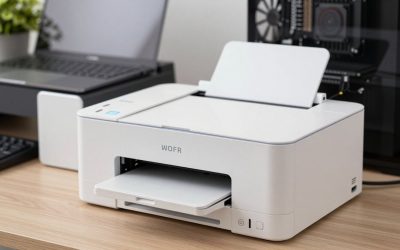
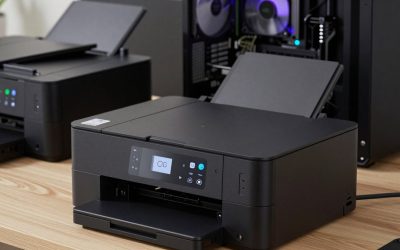
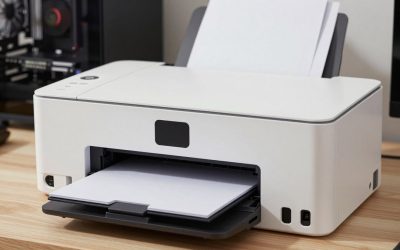
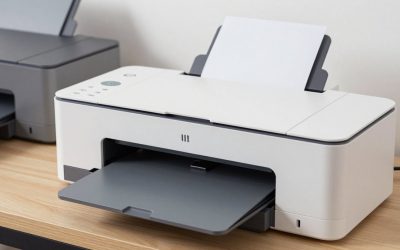
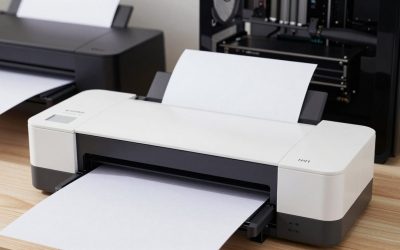
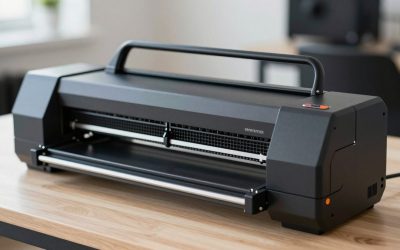
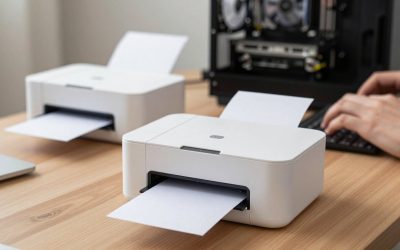
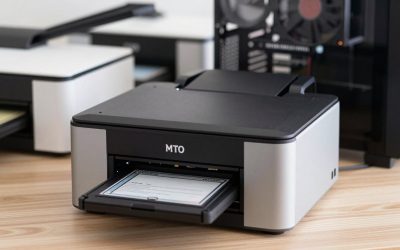
- Top Pick: Epson EcoTank Photo ET-8550 Wireless Wide-Format All-in-One Tank Printer | Cartridge-free 6-color wide-format photo print, scan, copy; up to 16 ppm, 13 x 19 in.; ideal for creators and home studios
- Best Value: Epson Expression Photo HD XP-15000 Wireless Wide-Format Inkjet Printer | 6-color wide-format photo printing; up to 9.2 ppm, 13 x 19 in., auto 2-sided; ideal for photographers and home studios
- Premium Choice: CANON PRO 2100 24 WIDE, FORMAT FINE ART PRINTER
For most hobbyists who want gallery-style 13×19 prints, the Epson SureColor P700 and the Canon imagePROGRAF PRO-310 are the dedicated photo choices, while the Epson EcoTank Photo ET-8550 is the sensible pick if the same machine also has to scan, copy and print everyday pages at a low ink cost. If you mainly print big documents, charts or flyers rather than photographs, the HP OfficeJet Pro 9730e or the Epson EcoTank Pro ET-16650 make more sense. This guide sorts the current A3 and wide format options by what you actually plan to print.
As an Amazon Associate we earn from qualifying purchases at no extra cost to you.


A3, A3+, 11×17 and 13×19: What the Sizes Mean
A3 is roughly 11.7 by 16.5 inches, and 11×17 (tabloid or ledger) is close to it. A3+ and “Super B” describe 13×19 inch sheets, which is the size most hobby photo printers top out at. When a maker says a printer is “wide format” at the consumer level, it normally means one of these two paper sizes. True large format machines that print 17 inches wide or more, such as the Epson SureColor P900, are a separate and more expensive category and are mentioned only as an upgrade path here.
Two practical points matter before you shop. First, check whether the printer prints borderless at 13×19, because some office-oriented models only print borderless up to 11×17. Second, decide whether you need a scanner. Dedicated photo printers such as the P700 and PRO-310 do not include one, so a flat document scan means keeping a second device.
At a Glance: A3 and Wide Format Printers Compared
| Model | Best for | Key stated specs | Limits |
|---|---|---|---|
| Epson SureColor P700 | Serious photo and fine art prints | 10 UltraChrome PRO10 pigment inks, borderless to 13×19, roll adapter included, 4.3 inch touchscreen | No scanner, ink is a major running expense |
| Canon imagePROGRAF PRO-310 | Pigment prints with a scratch-resistant finish on glossy media | Nine pigment inks plus Chroma Optimizer, 14.4 ml tanks, borderless to 13×19 | No scanner, small tanks need replacing often, slow on documents |
| Canon PIXMA PRO-200S | Vivid dye-based glossy photos | Eight dye inks, borderless to 13×19, 3 inch LCD, Wi-Fi and Ethernet | Canon lists the line as a previous generation, so stock varies |
| Epson EcoTank Photo ET-8550 | Photos plus scanning and copying | Six-colour Claria ET Premium refillable tanks, A3+ borderless, flatbed scanner | No ADF, no fax, slower at 16 ppm black |
| Epson EcoTank Pro ET-16650 | High-volume office documents at A3+ | Pigment ink bottles, 25 ppm, 500-sheet front tray, fax | Pigment ink suits documents more than glossy photos |
| HP OfficeJet Pro 9730e | 11×17 documents, copies and light photos | 22 ppm black, 35-page ADF, duplex, borderless to 11×17 | Reviewers describe photos as oversaturated, not 13×19 capable |
| Epson SureColor P900 | Upgrade path to 17 inch prints | Same 10-ink set as the P700, 17 inch width | Larger, heavier, and a bigger ink outlay |
Epson SureColor P700: The Photographer’s 13 Inch Choice
The P700 uses Epson’s ten-cartridge UltraChrome PRO10 pigment set, with separate channels for matte black and photo black so the printer does not have to swap between them. The maker lists borderless prints up to 13×19, a 4.3 inch touchscreen, USB, Ethernet and Wi-Fi, a roll-feed adapter in the box and a 30-sheet photo paper auto feeder. Epson also describes it as roughly 30 percent smaller than the previous generation and the first 13 inch A3+ model with a replaceable maintenance box.
Reviewers who compared the 13 inch P700 with the wider P900 found the colour and black-and-white results for prints up to 13 inches to be nearly identical, which is why the P700 is generally the pick unless you need 17 inch width. The trade-off is ink: ten small cartridges are an ongoing expense, and Red River Paper’s published testing of the P900 puts a 13×19 print at a much higher ink cost than a 4×6. Pigment ink on fine art paper is the reason to buy this printer, so it suits people who print regularly enough to keep the heads working.
Canon imagePROGRAF PRO-310: Newer Pigment Alternative
Canon launched the PRO-310 in early 2025 as a 13 inch pigment printer. It uses the LUCIA PRO II system with nine pigment colours and a Chroma Optimizer, in PFI-5100 tanks that Canon lists at 14.4 ml each. Retail descriptions say the ink contains wax for scratch resistance, though Canon limits that claim to glossy and semi-glossy media. Borderless printing runs up to 13×19, and the FINE print head is user-replaceable.
The same review coverage points out the limits plainly: it is a photo printer first, with no scanner, slow document output, and small tanks that all need to be installed. If you print only a handful of large photos a month, that is manageable. If you print weekly, expect to buy tanks often. Between the PRO-310 and P700, the decision usually comes down to which ink character and paper ecosystem you prefer, since both target the same hobbyist and enthusiast buyer.
Canon PIXMA PRO-200S: Dye Ink for Glossy Prints
The PRO-200S uses eight dye-based ChromaLife100+ inks, three of them monochrome (black, gray and light gray), with borderless sizes up to 13×19 and custom lengths up to 13×39. Canon lists a 3 inch colour LCD, plus USB, Ethernet and Wi-Fi. A bordered A3+ print takes roughly 90 seconds according to the maker. Dye ink tends to give saturated results on glossy paper, which many casual photographers like. Canon USA’s own page now marks this model as no longer available, and independent retailers still list it, so treat it as a previous generation printer and compare it with the PRO-310 before buying whatever stock you find.
Epson EcoTank Photo ET-8550: Budget A3 with a Scanner
The ET-8550 is the answer for readers asking for a budget A3 printer that still produces good photos. It uses six Claria ET Premium inks in refillable tanks, supports borderless output up to A3+ (13×19), and includes a flatbed scanner and 4.3 inch touchscreen. The maker lists 16 ppm black and 12 ppm colour, a 100-sheet front tray for plain paper, and a rear feed for thicker photo stock. It has no ADF and no fax.
The advantage is running cost. Instead of small cartridges, you refill from bottles, and reviewers consistently describe photo output as strong for the money. The limit is that the six-colour set does not match the tonal range of a ten-ink pigment printer, and the print speed is modest. For a household that wants to print a poster, a school project, and the occasional 13×19 photograph, this is usually the most practical single machine.
Wide Format for Documents and Office Work
Epson EcoTank Pro ET-16650
This is a pigment tank all-in-one for 13×19 sheets. The maker lists 25 ppm, a 500-sheet front tray, a 4.3 inch touchscreen and fax. In the US, Epson lists the 542 black bottle at 7,500 pages and the colour bottles at 6,000 pages, with lower included-bottle yields on the European version. Pigment ink resists smearing, which suits spreadsheets and floor plans, but it is not tuned for glossy photographs the way the ET-8550 is.
HP OfficeJet Pro 9730e
HP lists this as an 11×17 all-in-one with a 35-sheet ADF that scans both sides in a single pass, automatic duplex, and a 4.3 inch touchscreen. It uses HP 936 cartridges and also accepts high-yield 936e versions. RTINGS reports low cost per print and sharp text, but also slow first pages, crooked ADF scans and oversaturated photos. TechRadar notes the starter cartridges yield only about 800 colour pages.
Wide format laser
If you want a wide format laser printer, the market is mostly office A3 machines. One example is the Kyocera ECOSYS M8124cidn, a colour A3 multifunction unit that reviewers list at 24 ppm with duplex and up to 11×17 media. These are built for workgroups, they are large and heavy, and laser output is not the right route for photographs. They make sense when toner economics and speed on documents outweigh photo quality.
Running Costs Without the Price Tag
Ink dominates the total cost of a photo printer. A few points help compare models fairly:
- Cartridge systems with ten small tanks, such as the P700 and PRO-310, cost the most per large print because each 13×19 consumes a visible share of several colours.
- Refillable tank systems like the ET-8550 and ET-16650 change the economics for people who print often, since bottles hold far more ink than cartridges.
- Maintenance cycles use ink even when idle. A printer left unused for weeks may spend ink on head cleaning, so very occasional printers favour tank models or a lab service.
- Paper matters nearly as much as ink. Fine art and baryta papers cost far more than plain sheets, so budget for test prints.
Setup, Fit and Compatibility Notes
- Footprint: 13×19 printers need a deep surface and clearance at the back for a rear feed. Measure your desk first.
- Weight: the ET-8550 is listed at about 11 kg, and office A3 machines are much heavier.
- Colour management: photo printers work best with printer profiles supplied by paper makers and with calibrated displays.
- Software: all of these work with Windows and macOS, and the Epson and Canon models include mobile apps. Confirm that your operating system version is supported in the maker manual before purchase.
- Roll paper: the P700 includes the adapter, which matters for panoramas and banners.
Pick X If… Decision Table
| If you… | Pick | Why |
|---|---|---|
| Print gallery-quality photos on fine art paper | Epson SureColor P700 | Ten pigment inks and a roll adapter |
| Want a newer Canon pigment printer | Canon imagePROGRAF PRO-310 | Nine pigments plus Chroma Optimizer, 13×19 borderless |
| Prefer saturated glossy dye prints | Canon PIXMA PRO-200S | Eight dye inks, if you can find stock |
| Need A3 photos and a scanner on a budget | Epson EcoTank Photo ET-8550 | Refillable tanks, flatbed scanner |
| Print big spreadsheets and plans daily | Epson EcoTank Pro ET-16650 | Pigment bottles, 500-sheet tray, 25 ppm |
| Only need 11×17 copies and documents | HP OfficeJet Pro 9730e | ADF, duplex, 11×17 scanning |
| Print posters beyond 13 inches | Epson SureColor P900 | 17 inch width |
Alternatives to Consider
- Brother MFC-J5955DW and related wide models: Brother lists this A3 printing all-in-one with 30 ppm black, dual trays and an A4 document feeder, though specifications differ by region and it is aimed at offices rather than photographers.
- Epson WorkForce Pro WF-7840: a cartridge-based 13×19 office printer, useful when documents outweigh photos.
- A print lab: for the occasional poster, ordering from a lab avoids buying a printer at all.
Frequently Asked Questions
What is the best A3 photo printer for a hobbyist?
The Epson SureColor P700 and Canon imagePROGRAF PRO-310 are the dedicated choices, with the Epson EcoTank Photo ET-8550 as the cheaper-to-run all-rounder. Pick the dedicated pair if print quality matters most and the ET-8550 if you also need a scanner.
Is a budget A3 printer good enough for photos?
Yes, for family prints and posters. A six-colour tank printer like the ET-8550 produces strong results, though it will not match the tonal range of a ten-ink pigment machine on fine art paper.
Can an office A3 printer print photos?
It can, but reviewers note oversaturation and loss of detail on models such as the HP OfficeJet Pro 9730e. Office units are tuned for documents, so use a photo-focused model if prints will be framed.
Are 13×19 printers worth it for beginners?
They are if you will print large sizes regularly. Otherwise a standard-size photo printer plus occasional lab orders is often cheaper, since large printers also use ink during maintenance cycles.
Dye or pigment ink for large prints?
Dye inks usually look more saturated on glossy paper, while pigment inks are valued for longevity claims and matte or fine art stock. Follow each maker’s paper recommendations, and see its manual for display and storage guidance.
Do these printers need special paper?
They print on plain paper, but photo and fine art results depend on matching paper to the ink type. Use the paper profiles supplied by the paper manufacturer and the printer maker.