

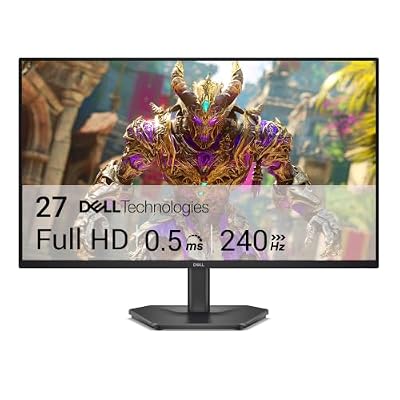
- Top Pick: Dell 27 240Hz Gaming Monitor – SE2726HG – 27-inch FHD (1920×1080) Display, in-Plane Switching (IPS) Technology, AMD FreeSync Premium, TÜV 3-Star, 2X HDMI, DisplayPort 1.4, Tilt
- Best Value: Amzfast 27 inch 240Hz Curved Monitor, FHD 1080p Gaming Monitor, Built-in Speakers, FreeSync, MPRT 1ms, 130% sRGB, 4000:1, 1500R, VESA Mount, HDMI 2.0&DP 1.4, 12 Months Warranty, AMZG27C1 Pro
- Premium Choice: msi MAG 274CF X24 27-inch 1920 x 1080 (FHD) Gaming Monitor, 240Hz, AMD FreeSync Premium, HDR Ready, HDMI, VGA Port, VESA, Tilt, 0.5ms, Black
240Hz at 27 inches is the sweet spot for competitive shooters right now. You get enough pixel density to read text comfortably at desk distance, and the panel size is small enough that most 240Hz-capable GPUs can actually push frames to match. Go bigger than 27 inches at this refresh rate and you’re either stepping down to 1080p (bad idea on a large screen) or asking a lot more of your graphics card to keep frame rates near the panel’s ceiling.
The honest starting point: 240Hz only matters if you’re playing something competitive and twitchy, and only if your PC can actually hit 200+ fps consistently. If you’re mostly playing single-player games or your GPU tops out around 100-120 fps in your main titles, a 165Hz panel will look and feel almost identical day to day, and you’ll save real money. This article assumes you’ve already decided 240Hz is worth it.
As an Amazon Associate we earn from qualifying purchases at no extra cost to you.


Panel types at 27 inches, 240Hz
Three panel technologies show up in this category, and they behave differently enough that it affects which one you should buy.
IPS is the default choice now. Modern fast-IPS panels have closed most of the response time gap with VA and TN, color and viewing angles are the best of the three, and most 27-inch 1440p 240Hz monitors sold today use some flavor of IPS. The main weakness is black levels and contrast, typically around 1000:1, so blacks look more charcoal than black in a dark room.
VA panels get you much better contrast, often 3000:1 or higher, which matters a lot in horror games, dark RPGs, or any dim-room setup. The trade-off is slower pixel response at the margins, which can show up as smearing in high-contrast fast motion, like a dark character moving against a bright sky. At 240Hz this is more noticeable than it is at 60 or 144Hz, because the panel has less time per frame to settle.
TN is mostly fading out of the 27-inch 240Hz tier. It’s still the fastest pixel response of the three and cheapest to manufacture, but color and viewing angles are noticeably worse, and the IPS panels in this class are now fast enough that TN’s speed advantage isn’t worth the compromise for most people. If you see a 27-inch 240Hz TN panel priced close to an IPS competitor, skip it.
| Panel | Contrast | Motion clarity | Color/viewing angle | Best for |
|---|---|---|---|---|
| IPS | ~1000:1 | Very good | Best | Default pick, mixed use |
| VA | 3000:1+ | Good, some dark-scene smearing | Good | Dim rooms, contrast-heavy games |
| TN | ~1000:1 | Fastest | Weakest | Pure budget, fading out |
1080p vs 1440p at this refresh rate
At 27 inches, 1080p looks soft. Pixel density drops to about 82 PPI, and text and UI elements look visibly fuzzy compared to a laptop or phone screen. It’s still common in budget 240Hz monitors because 1080p is far easier to push to 240 fps, especially on mid-range GPUs. If your card is a few generations old or you’re running an entry-level current GPU, 1080p 240Hz is a legitimate choice and nobody should feel bad about it, you’ll hit the refresh ceiling more often than you will at 1440p.
1440p is the better match for a 27-inch panel visually, with roughly 109 PPI giving sharp text and detail. The cost is GPU load: to actually see 240 fps at 1440p in a demanding competitive title, you generally need something in the upper-mid to high-end GPU tier. In lighter esports titles like Valorant or CS2, mid-range cards can get there. In something like a busy Battlefield or Apex match, you’ll need more headroom.
4K at 240Hz exists at 27 inches now but it’s a niche, expensive option, and almost no GPU can sustain 240 fps at 4K in anything demanding. It mostly matters for people doing a mix of high-refresh competitive play and detailed single-player or creative work on the same screen, and who are willing to turn settings down hard to chase frame rate when it counts.
What else actually matters
Response time numbers on spec sheets (1ms, 0.5ms) are measured in ideal lab conditions and are not directly comparable across brands. What matters more in practice is whether the panel has well-tuned overdrive settings, since overly aggressive overdrive causes inverse ghosting (pale halos trailing bright objects), which is arguably worse than mild blur. Reviews that show actual pursuit-camera photos are more useful here than the spec sheet.
Adaptive sync matters too. Confirm whether a monitor is certified for G-Sync or FreeSync, and more importantly whether it works cleanly with your specific GPU brand, since cross-brand adaptive sync compatibility is inconsistent outside of official certification ranges. Also check HDR claims carefully: a lot of 240Hz monitors list “HDR400” or similar, which is really just HDR input support without the brightness or local dimming to produce a meaningfully better HDR image. Don’t pay extra for HDR on this spec sheet unless it’s a higher tier like HDR600 with real local dimming zones.
Stand and ergonomics are an easy thing to overlook when you’re focused on panel specs. Height, tilt, and swivel adjustment matter for sitting comfortably at eye level for hours, and VESA mount compatibility is worth checking if you already own or plan to buy a monitor arm.
What to actually buy
For most people building around a mid-range to high-end GPU, a 27-inch 1440p IPS panel at 240Hz is the right default. It balances sharpness, speed, and GPU demand better than the alternatives. Shop 27-inch 1440p 240Hz IPS monitors and check current pricing against the panel’s response time reviews rather than the spec sheet alone.
If your room is dark and you play a lot of atmospheric or horror-adjacent games, it’s worth looking at 27-inch 240Hz VA monitors for the contrast improvement, accepting a bit more risk of dark-scene smearing in fast games.
If your GPU is older or budget-constrained, don’t force 1440p. A 27-inch 1080p 240Hz monitor will actually let you see that refresh rate in action rather than being GPU-bottlenecked below it, and that’s a better outcome than a sharper panel sitting at 150 fps.

















