As an Amazon Associate we earn from qualifying purchases.

Sixteen gigabytes of DDR5 remains the sensible starting point for a gaming PC in 2026. It covers current games, leaves room for a browser and voice chat beside the game, and keeps the memory budget low enough to put more toward the graphics card or SSD. The catch is that not every 16GB kit behaves the same way: a single 16GB stick and a matched pair of 8GB sticks both add up to 16GB, yet they load the memory controller differently, and a kit that needs an overclocking profile only reaches its listed speed once the profile is on in the BIOS.
This guide compares five 16GB DDR5 kits still sold on Amazon US, with specs taken from their listings. Each suits a different build, from a compact AMD system that needs low-profile memory to a first build where a second stick is added later. First, how to match a kit to a board, a CPU, and a cooler.
How to Pick a 16GB DDR5 Kit
Capacity and Channel Layout
A 16GB kit comes as one 16GB stick or two matched 8GB sticks. Two sticks run in dual-channel mode, giving the CPU two paths to memory instead of one, while a single stick runs in single-channel mode until a second matching stick joins it. The two-stick kit is the straightforward choice when the board has four slots and no upgrade is planned. The single-stick kit is better when an identical 16GB stick will be added later for 32GB total, since it leaves the second channel slot free. A later stick should match the first in model, speed, timings, and voltage, since kits are sold as matched sets.
Speed and Timings
DDR5 speed is printed as a transfer figure such as DDR5-5200 or DDR5-6000. Higher numbers move data faster, but the CAS latency number matters beside it: a DDR5-6000 kit at CL36 answers requests faster than a DDR5-5200 kit at CL40, with the gap showing most in CPU-bound scenes. For AMD Ryzen 9000, DDR5-6000 lines up with the memory controller design, while DDR5-5600 matches the JEDEC baseline. For Intel 13th and 14th generation Core processors, DDR5-5600 is the listed baseline, and Core Ultra 200S processors list DDR5-6400. A kit above the baseline speed needs its XMP or EXPO profile enabled to run at the listed figure, since without a profile it falls back to a slower JEDEC speed.
XMP, EXPO, and Your BIOS
Intel XMP and AMD EXPO are the profile systems that set a kit to its listed speed, timings, and voltage with one BIOS setting. XMP is the Intel system, EXPO is the AMD system, and many kits carry both. A kit that lists only XMP can still work on an AMD board, but the board may need manual settings or a BIOS update to reach the listed speed, so AMD builders should favour kits naming EXPO. BIOS version matters too: later releases widened support for faster DDR5. Before buying, open the board maker’s memory support list and check the exact kit model number and the BIOS version it was validated against. If the kit is absent from the list, it can still work, but the listed speed is not guaranteed.
Socket, Slots, and Clearance
DDR5 only fits DDR5 boards, and the slot count shapes the choice. Most ATX boards have four DIMM slots, while many Mini-ITX boards have two. On a four-slot board, a two-stick kit belongs in the second and fourth slots from the CPU, usually labelled A2 and B2, for the cleanest signal path. A tall heatsink or RGB bar can clash with a large air cooler overhanging the first slot, so measure the clearance or pick a low-profile kit for compact builds. Also confirm the board’s maximum capacity per slot, which matters when the plan is to grow to 64GB later. Finally, confirm the socket: AM5 takes Ryzen 7000, 8000, and 9000 processors, LGA1700 takes 12th, 13th, and 14th generation Intel Core processors, and LGA1851 takes Core Ultra 200S processors. DDR5 is not interchangeable with DDR4, and the notch prevents a DDR5 stick from seating in a DDR4 slot.
The 5 Kits at a Glance
| Kit | Capacity | Speed | Timings | Voltage | Profiles |
|---|---|---|---|---|---|
| CORSAIR Vengeance RGB | 16GB (1x16GB) | DDR5-5200 | CL40 | 1.25V | Intel XMP |
| G.SKILL Flare X5 | 16GB (1x16GB) | DDR5-6000 | CL36 | 1.35V | AMD EXPO, Intel XMP |
| Kingston FURY Beast | 16GB (2x8GB) | DDR5-5600 | CL36 | 1.25V | AMD EXPO |
| Crucial UDIMM | 16GB (1x16GB) | DDR5-5600 | CL46 | 1.1V | JEDEC |
| TEAMGROUP T-Force Vulcan | 16GB (2x8GB) | DDR5-5200 | CL40 | 1.25V | Intel XMP, AMD EXPO |
1. CORSAIR Vengeance RGB DDR5 16GB — Best RGB Single Stick
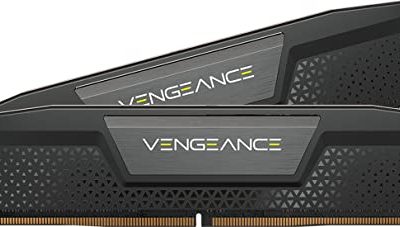
The CORSAIR Vengeance RGB DDR5 16GB stick suits a builder who wants lighting and a clear upgrade path. One 16GB module leaves the second channel slot open for an identical stick later, taking the build to 32GB. The RGB bar is controlled through CORSAIR iCUE software, and the module runs at DDR5-5200 with CL40 timings at 1.25V once its Intel XMP profile is enabled; without XMP it falls back to a slower JEDEC speed. It fits an Intel LGA1700 build best, since its listing names Intel XMP and iCUE. AMD builders can use it, but the listing for this exact variant does not name AMD EXPO, so confirm EXPO support on the listing before buying for an AM5 board. Check clearance against a large air cooler overhanging the first slot.
Specs
- Capacity: 16GB (1x16GB)
- Speed: DDR5-5200
- Timings: CL40-40-40-77
- Voltage: 1.25V
- Profile: Intel XMP 3.0
- Lighting: iCUE-controlled RGB
- Form factor: 288-pin DIMM
- Model: CMH16GX5M1B5200C40
- ASIN: B0D9LWZ3ZC — https://www.amazon.com/dp/B0D9LWZ3ZC
2. G.SKILL Flare X5 DDR5 16GB — Best Speed for AMD Builds
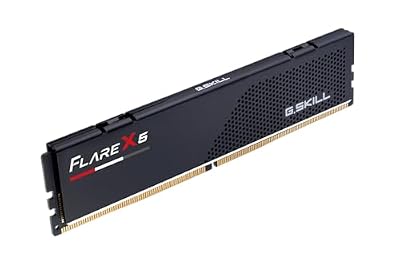
The G.SKILL Flare X5 is the fastest kit in this guide and the natural match for an AMD Ryzen 9000 build. A single 16GB module runs at DDR5-6000 with CL36-36-36-96 timings at 1.35V, the speed AMD builders aim for on AM5. It carries both AMD EXPO and Intel XMP 3.0, so the listed speed is reachable on either platform with one BIOS setting, and its low-profile matte black heatsink stays clear of most air coolers.
As a single stick it runs in single-channel mode, so the trade-off is speed against channel width. A builder who plans to add a second identical module later gets dual-channel mode at DDR5-6000; one who never will should pick a two-stick kit below. Check the board maker’s memory support list for model F5-6000J3636F16GX1-FX5 before ordering.
Specs
- Capacity: 16GB (1x16GB)
- Speed: DDR5-6000
- Timings: CL36-36-36-96
- Voltage: 1.35V
- Profiles: AMD EXPO and Intel XMP 3.0
- Heatsink: Low-profile, matte black
- Form factor: 288-pin U-DIMM
- Model: F5-6000J3636F16GX1-FX5
- ASIN: B0G7QYZ95R — https://www.amazon.com/dp/B0G7QYZ95R
3. Kingston FURY Beast DDR5 16GB — Best Dual-Channel Starter Kit
The Kingston FURY Beast kit is the straightforward dual-channel choice. Two matched 8GB sticks run in dual-channel mode from day one, the layout most gaming builds should start with. The kit runs at DDR5-5600 with CL36 timings at 1.25V, matching the JEDEC baseline for Ryzen 9000 and for Intel 13th and 14th generation Core processors. AMD EXPO is named on the listing, and the low-profile heatsink keeps the modules clear of large air coolers.
This kit suits a mid-range AM5 or LGA1700 build where the memory should work at its listed speed once the profile is on. Against the faster Flare X5, the trade-off is speed, though the dual-channel layout closes part of that gap. The upgrade path is a second matched kit, though one matched 32GB set is more certain than mixing two kits. Confirm model KF556C36BBEK2-16 on the board maker’s memory support list.
Specs
- Capacity: 16GB (2x8GB)
- Speed: DDR5-5600
- Timings: CL36
- Voltage: 1.25V
- Profile: AMD EXPO
- Heatsink: Low-profile
- Form factor: 288-pin DIMM
- Model: KF556C36BBEK2-16
- ASIN: B0BRTJCLBJ — https://www.amazon.com/dp/B0BRTJCLBJ
4. Crucial DDR5 16GB UDIMM — Best No-Fuss JEDEC Kit

The Crucial DDR5 16GB module is the pick for a builder who wants memory that runs at its listed speed with no profile to enable. It is a standard JEDEC module: 16GB on one stick at DDR5-5600 with CL46 timings at 1.1V, and it carries no XMP or EXPO profile. That makes it the simplest option for a prebuilt upgrade or a machine that also plays games, where the BIOS may never be opened again, and the safe choice when the board’s memory support list is thin.
The trade-off is latency: CL46 is looser than the CL36 and CL40 timings here, so this module gives up some responsiveness in CPU-bound scenes. In return it draws less voltage, runs cool without a heatsink, and avoids profile questions. It fits Intel LGA1700 and LGA1851 boards and AM5 boards alike, and leaves the second channel slot free for an identical module later. Confirm model CT16G56C46U5 on the listing before ordering, and match any second stick to the same model.
Specs
- Capacity: 16GB (1x16GB)
- Speed: DDR5-5600
- Timings: CL46
- Voltage: 1.1V
- Profile: JEDEC, no XMP or EXPO
- Heatsink: None
- Form factor: 288-pin UDIMM
- Model: CT16G56C46U5
- ASIN: B0BLTH3KWV — https://www.amazon.com/dp/B0BLTH3KWV
5. TEAMGROUP T-Force Vulcan DDR5 16GB — Best Budget Dual-Channel Kit
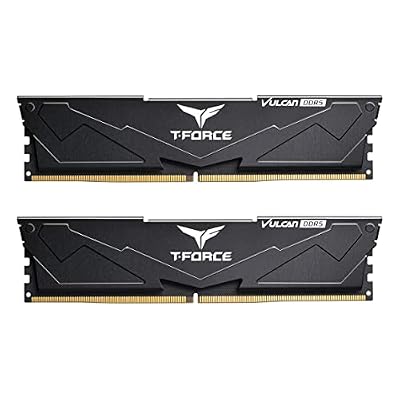
The TEAMGROUP T-Force Vulcan kit is the dual-channel option for a tight build budget. Two matched 8GB sticks run at DDR5-5200 with CL40-40-40-76 timings at 1.25V, and the kit carries both Intel XMP 3.0 and AMD EXPO, so the listed speed is reachable on either platform with one BIOS setting. The aluminium heatsink is a plain black slab with no lighting, keeping the module height modest and the look neutral.
DDR5-5200 is the slowest speed in this guide, the compromise for the lower tier. In GPU-bound games the difference against faster kits is small, while in CPU-bound scenes the gap is larger. For a first build on a strict budget, the dual-channel layout matters more than the speed gap, and the money saved can go toward a better graphics card or SSD. Install the sticks in slots A2 and B2, enable the profile, and confirm model FLBD516G5200HC40CDC01 on the board maker’s memory support list.
Specs
- Capacity: 16GB (2x8GB)
- Speed: DDR5-5200
- Timings: CL40-40-40-76
- Voltage: 1.25V
- Profiles: Intel XMP 3.0 and AMD EXPO
- Heatsink: Aluminium, black
- Form factor: 288-pin DIMM
- Model: FLBD516G5200HC40CDC01
- ASIN: B0BRQ32X4V — https://www.amazon.com/dp/B0BRQ32X4V
Which Kit Fits Your Build
Match the kit to the platform first and the speed second. AMD Ryzen 9000 builders should start with the G.SKILL Flare X5 for its DDR5-6000 speed and EXPO support, or the Kingston FURY Beast when dual-channel operation from day one matters. Intel LGA1700 builders can use any kit here, with the CORSAIR Vengeance RGB as the lighting choice and the TEAMGROUP Vulcan as the budget choice. Builders who will not open the BIOS should take the Crucial JEDEC module, since it needs no profile. Whichever kit is chosen, check the memory support list for the exact model number, confirm the BIOS version, install two-stick kits in slots A2 and B2, and enable the profile after installation. For a wider look beyond 16GB kits, see our guide to best DDR5 RAM for gaming in 2026.
Frequently Asked Questions
Is 16GB of DDR5 enough for gaming?
Yes, 16GB covers current games alongside a browser and voice chat. Heavier multitasking, such as streaming while gaming with many tabs open, is where 32GB earns its place, so treat 16GB as the starting point.
Should a 16GB kit be one stick or two sticks?
Two matched 8GB sticks are better when no upgrade is planned, because they run in dual-channel mode from day one. One 16GB stick is better when an identical second stick will be added later for 32GB total.
Does DDR5 speed matter more than capacity?
Capacity matters first, because too little memory causes stutter that no speed can fix. Once capacity is sufficient, speed and timings decide how quickly the CPU gets data, with the gain showing most in CPU-bound scenes.
Do XMP and EXPO profiles need manual enabling?
Yes, the profile must be turned on in the BIOS after installation in most cases. Without it, the kit runs at a slower JEDEC speed instead of the speed printed on the box, so check the BIOS setting first.
Conclusion
The best 16GB DDR5 kit is the one that matches the board, the CPU, and the upgrade plan, not simply the fastest one on the shelf. The G.SKILL Flare X5 leads on speed for AMD builds, the Kingston FURY Beast and TEAMGROUP Vulcan cover dual-channel builds at two tiers, the CORSAIR Vengeance RGB adds lighting with a path to 32GB, and the Crucial JEDEC module removes the profile step entirely. Check the memory support list, fit the sticks in the right slots, and enable the profile.