BALL x PIT is Kenny Sun and Friends’ brick-breaking roguelite, published by Devolver Digital and released on 15 October 2025. It is also a useful test case for Linux buyers, because its Steam record answers the platform question differently for two of its three operating systems. The Mac version is real, specified and shipped inside the package. The Linux version is not there at all, and every layer of the record agrees once you read past the paperwork pointing the other way.
That split matters because the stray signals around this game lean Linux-friendly: ProtonDB’s page carries its “Natively Supports:” heading, both soundtrack apps flag Linux as true, and the Mac build invites the assumption that a Linux build sits beside it. None of that survives the depot census. What Linux players get is a Windows build with a strong Proton record and a top-grade Deck badge.
As an Amazon Associate, we earn from qualifying purchases.
Quick answer
BALL x PIT has no native Linux build. Steam’s record flags Windows and macOS true but Linux false, the Linux requirements tab is an empty shell, and the depot census holds only a Windows and a macOS build. On Linux it runs under Proton with a Platinum record across 95 reports, and Valve rates it Steam Deck Verified.
The record, platform by platform
Start with the flags. Steam’s appdetails record for app 2062430 reads windows true, mac true, linux false. Flags alone have misled before, so the requirements tabs come next. The Windows tab is genuinely populated in both tiers: Windows 10 64-bit, a Core i5-2500K floor, 8 GB of RAM and 600 MB of storage at minimum. The Mac tab is just as real: macOS 10.15 or later, Apple M1 or Intel processors, 8 GB of RAM, and the osextended field names macos64 and macosapplesilicon. The Linux tab, by contrast, is a populated-but-empty shell: Minimum and Recommended headings with nothing under either. A shell is not a specification.
The depot census settles what the tabs suggest. The package holds exactly two content depots: depot 2062431, the Windows 64-bit build at 605.93 MiB, and depot 2062432, the macOS 64-bit build at 581.04 MiB. There is no Linux depot in any form: no dedicated depot, no shared depot, no zero-byte placeholder. SteamDB detects a Unity build with IL2CPP, an engine that makes a Linux export cheap, and the developer still did not ship one. The registered assets close the last door: a clienticon, a clienttga and an icon, and no LinuxClientIcon in any form — the clean kind of absence, neither a fossil nor an inverse case.
The only Linux flags in the family belong to the soundtracks
The downloadable content array holds three apps, each read on its own record. The one piece of game content, BALL x PIT: Risen Ballbylon (app 4008250), flags Windows and macOS true and Linux false, matching the base game exactly. The other two are music apps, and both break the pattern: the BALL x PIT Soundtrack (4091070) and the Risen Ballbylon Soundtrack (5437630) each flag Windows, macOS and Linux all true. Those are the only Linux flags anywhere in the family.
This is the soundtrack trap in its standard shape. A soundtrack app is a folder of audio files, and audio plays identically on every platform, so soundtrack records routinely carry all-true flags that say nothing about the game they accompany. Anyone skimming the family’s records can walk away believing BALL x PIT supports Linux natively. It does not: the game apps flag Linux false, hold no Linux depot, and publish no Linux requirements. The ruling follows the game.
Steam Deck: Verified, on a pre-launch test
Valve’s own compatibility record, read from the Deck ajax endpoint, gives BALL x PIT its top category: Verified, resolved category 3, with all four checks passing. The default controller configuration is fully functional, the game shows Steam Deck glyphs, the interface text is legible, and the default graphics configuration performs well. SteamOS compatibility is separately marked Compatible, with no manual keyboard invoke and no launcher navigation.
Two qualifications belong beside the badge. First, the test metadata, read through SteamDB’s republication of Valve’s sheet and disclosed as such here, dates the test to 26 September 2025 against build 20076054, with proton-10.0-beta as the recommended runtime: Valve graded a pre-launch build, and the public branch has moved well past it since. The badge certifies an earlier copy than the one on sale today, which makes this a paperwork-supplement candidate rather than a current-build certification. Second, the configuration notes the primary player is not controller slot 0, so an external pad may need a manual switch before it takes over.
ProtonDB: Platinum, and a heading that overclaims
ProtonDB’s summary record for this app was read in full, with the control app answering normally alongside it. The settled tier is Platinum, the best-reported tier is Platinum, the trending tier is Platinum, and the file holds 95 reports with strong confidence. That is about as settled as a Proton record gets, and the reports match it: filing after filing on Proton 10.0-3 describes an out-of-the-box run.
The honest colour matters too. One Linux Mint filing hit a black screen in fullscreen and fixed it with the launch option -screen-fullscreen 0. One Debian filing found the game would not launch on the default Proton and moved to Proton Experimental. Two specific, soluble problems inside a 95-report Platinum file, not a pattern. The one claim this article does not repeat is on ProtonDB’s own page header: the page carries the stray “Natively Supports:” heading, and Steam’s record contradicts it on every layer. The heading is wrong; the Platinum tier underneath it is real, and it describes the Windows build under Proton, the only way this game runs on Linux.
On anti-cheat there is little to say. BALL x PIT is single-player, its record names no anti-cheat, and the AreWeAntiCheatYet database, read in full across 1,167 entries, holds no entry for it in either direction: documentation silence, not a clearance, but for an offline title there is no anti-cheat layer anyway.
The gear that fits a Verified, pad-first game
Steam’s record lists full controller support for BALL x PIT, with DualShock and DualSense categories named, so the picks below are built around the handheld and the pad.
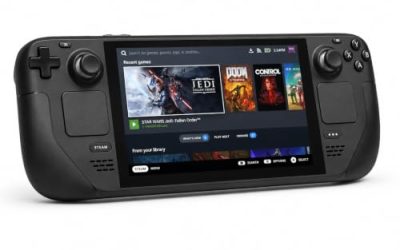
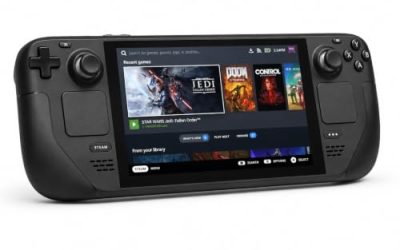
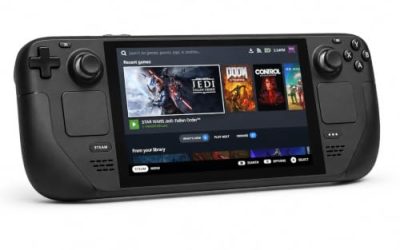
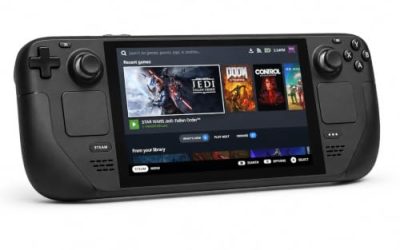
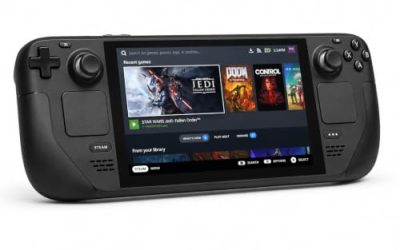
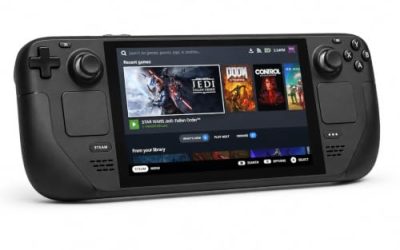
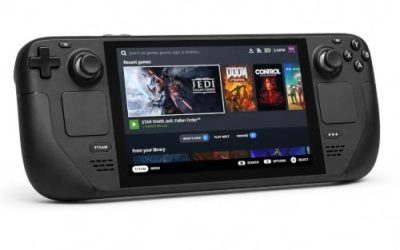
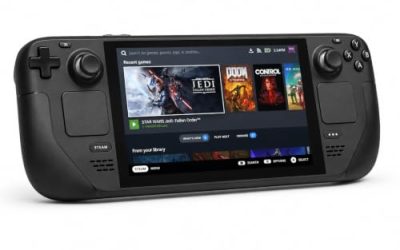
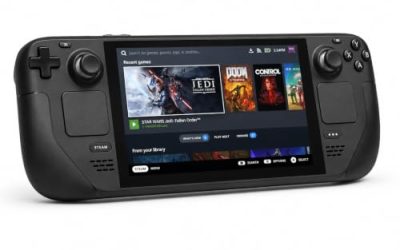
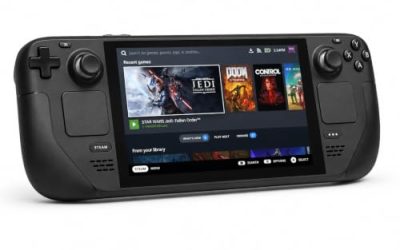
Steam Deck OLED

The native home of this game on Linux-adjacent hardware: Verified, with legible text and a performant default configuration.
Specs
- Display: 7.4-inch HDR OLED, 1280 by 800, up to 90 Hz
- Processor: AMD Zen 2 and RDNA 2 custom APU
- Memory: 16 GB LPDDR5
- Storage: 512 GB NVMe, plus a microSD slot
- Wireless: Wi-Fi 6E and Bluetooth
- Channel note: Valve sells the Deck mainly through its own store, so Amazon listings are third-party sellers
8BitDo Ultimate 2 Bluetooth Controller
The docked and desktop pad pick. Steam lists full controller support for the game, and this pad covers the couch case with modern sticks and triggers plus back buttons.
Specs
- Connectivity: Bluetooth wireless and USB-C wired
- Joysticks: TMR electromagnetic, anti-drift design
- Triggers: Hall effect, with mode switching
- Extras: two remappable back buttons, motion control
- In the box: charging dock included
Xbox Wireless Controller, Carbon Black
The safest guest pad in PC gaming: Steam Input support is universal, the glyphs match what most games display, and it pairs over Bluetooth or its own wireless standard. On the handheld, an external pad may need a manual Quick Access Menu switch before it takes over.
- Connectivity: Xbox Wireless and Bluetooth
- Port: USB-C for wired play
- Controls: hybrid D-pad, dedicated Share button
- Power: AA batteries or optional rechargeable pack
Logitech G502 HERO
BALL x PIT is a pad game first, but its menus and fusion screens are pointer-friendly, and at a desk a precise wired mouse turns long sessions into single clicks. Eleven programmable buttons cover the inputs a long session repeats.
Specs
- HERO optical sensor, up to 25,600 DPI
- 11 programmable buttons
- Adjustable weight system
- Wired USB connection
- On-board memory profiles
Samsung T9 Portable SSD 2TB
For moving a Linux game library between machines, or keeping an offline backup of installers, a fast USB-C drive is the simple answer. The headline figure needs a Gen 2×2 host port; on a lesser port the drive runs at that ceiling.
Specs
- Capacity: 2 TB portable SSD
- Interface: USB 3.2 Gen 2×2, USB-C connector
- Maker-rated speeds: up to 2,000 MB per second read, 1,950 MB per second write
- Features: Dynamic Thermal Guard, maker-rated drop resistance
How to choose
Choose the Steam copy, because it is the only PC edition on sale. There is no GOG edition: the game’s natural GOG address resolves to the store’s general catalogue rather than a product page, and GOG’s catalogue records surface no product for this title. On a Linux desktop or laptop, install under Proton and leave the compatibility tool at its default; a settled Platinum tier across 95 reports says the current build runs well, and the two reported faults each have a named fix, a windowed-mode launch option for the fullscreen black screen and Proton Experimental for the one launch failure. On a Steam Deck, the Verified badge means no configuration work is expected: install and launch, and only touch controller settings if you pair an external pad. Mac owners should note the asymmetry: the Mac build in the same package is native and needs none of this.
Who should skip
Skip this one if you are shopping for a native Linux BALL x PIT: there is none, whatever the soundtrack flags and the ProtonDB heading suggest, and the record offers no sign of one in preparation. Skip it if you want a DRM-free offline installer, because no GOG edition exists. Skip the Deck plan if a badge earned on a pre-launch build is not certification enough for you. And skip it if the two tinkering reports matter more than the other ninety-plus.
FAQ
Is BALL x PIT native on Linux?
No. Steam’s record for app 2062430 flags Linux false, the Linux requirements tab is an empty shell, and the depot census holds only a Windows and a macOS build. The only Linux flags in the family belong to the two soundtrack apps, which are audio files and say nothing about the game.
How well does BALL x PIT run under Proton?
Very well. ProtonDB’s summary reads Platinum on the settled, best-reported and trending tiers across 95 reports with strong confidence. Two filings report soluble faults: a fullscreen black screen fixed with a windowed launch option, and one launch failure cured by switching to Proton Experimental.
Is BALL x PIT Steam Deck Verified?
Yes. Valve’s record gives the game its top category, Verified, with all four checks passing and SteamOS marked Compatible. The test ran in September 2025 against a pre-launch build, so the badge grades an earlier copy than the current public build, and an external pad may need a manual switch.
Does the Mac version tell us anything about a Linux version?
Only that the developer ships more than one platform: the macOS build is real, specified in both tiers and delivered as its own depot. No equivalent Linux artefact exists anywhere on the record, so the Mac build is evidence of willingness in general, not of a Linux port in particular.
Final verdict
BALL x PIT is not a native Linux game, and the cleanest way to see that is to follow the depots: a Windows build and a Mac build, fully specified, and nothing else. The Linux-friendly signals around it, the ProtonDB heading and the all-true soundtrack flags, are paperwork artefacts named here rather than repeated. What remains is still an easy recommendation: a settled Platinum Proton file with strong confidence, a Verified Deck badge whose only caveat is its pre-launch test date, and full controller support from the game’s own record. Buy it on Steam for Proton or the Deck, and do not buy it expecting a native Linux port.
Product and ASIN Reference
| Product | ASIN |
|---|---|
| Steam Deck OLED | B0CQ3RWQQZ |
| 8BitDo Ultimate 2 Bluetooth Controller | B0F194QFT2 |
| Xbox Wireless Controller, Carbon Black | B08DF248LD |
| Logitech G502 HERO | B07GBZ4Q68 |
| Samsung T9 Portable SSD 2TB | B0CHFS9K14 |