

The real question
A 250GB SSD and a 500GB HDD often cost about the same, which is exactly why this comparison keeps coming up. On paper the hard drive looks like the better deal: twice the space, same price. In practice, capacity is the least important number here. What matters is what you’re doing with the drive, because these two options behave completely differently once you’re actually using them.
Short version: if this is your main drive for Windows or your daily programs, the 250GB SSD wins even with half the space. If you need bulk storage for files you rarely touch, the 500GB HDD is fine and arguably the smarter buy.
As an Amazon Associate we earn from qualifying purchases at no extra cost to you.
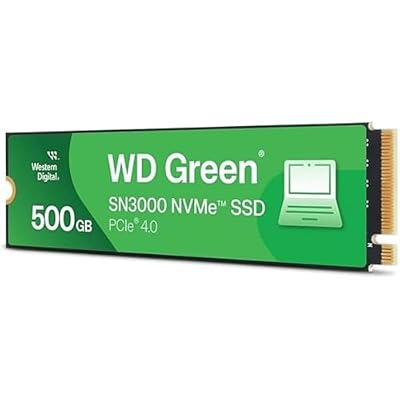
The speed difference is not subtle
A 7200RPM HDD reads and writes sequentially at roughly 150-200MB/s, and that’s the best case. Random access, which is what happens when an OS boots or a program loads hundreds of small files, drops HDD performance hard because the drive has to physically move a read head across spinning platters. That mechanical seek time, typically 8-12ms per operation, is the bottleneck.
A SATA SSD has no moving parts and does 500-550MB/s sequential, with random access times measured in microseconds instead of milliseconds. That’s not a 2x or 3x improvement, it’s closer to 10-20x for the operations that actually make a PC feel fast: booting, opening apps, loading game levels.
| Metric | 250GB SSD (SATA) | 500GB HDD (7200RPM) |
|---|---|---|
| Sequential read/write | ~500-550 MB/s | ~150-200 MB/s |
| Random access time | ~0.1 ms | ~8-12 ms |
| Windows boot time | 10-15 sec | 35-60 sec |
| Noise | Silent | Audible seek clicks/whine |
| Shock resistance | High (no moving parts) | Low (platters can be damaged by drops) |
| Typical cost per GB | Higher | Lower |
| Best use | OS, programs, active projects | Backups, media libraries, archives |
Where 250GB actually gets tight
250GB sounds small next to 500GB, and it will feel small if you’re not paying attention. Windows 11 itself takes up 20-30GB before you install anything, and updates accumulate more over time. A handful of modern games can each eat 50-100GB. If you’re installing Windows, your main applications, and two or three current games, you can hit the ceiling on a 250GB drive faster than you’d expect.
That doesn’t mean 250GB is unusable, it means it’s a boot-and-apps drive, not a do-everything drive. People who run into trouble are the ones who try to install their entire Steam library and keep years of downloads on it. People who are fine with it treat it as the drive for the OS and the 3-4 programs they use daily, with everything else living elsewhere.
Where the 500GB HDD still makes sense
Hard drives aren’t obsolete, they’re just in a different job now. If you need to store a music library, photo backups, downloaded videos, or old project files you access a few times a year, a 500GB HDD does that job for less money per gigabyte and the slower speed barely matters because you’re not waiting on random access for a static backup.
The honest case for the cheaper option: if your PC already has a fast SSD for the OS and you just need extra space to dump files, buying a bigger internal hard drive is the right call over spending more for SSD capacity you don’t need for that purpose. There’s no reason to pay a premium for microsecond access times on files you open twice a year.
How they actually fail
HDDs fail mechanically. Bearings wear out, read heads can crash into platters, and a drop while the drive is spinning can cause physical damage. They also tend to give warning signs: clicking noises, slow degradation, SMART errors building up over months. Average lifespan is commonly cited around 3-5 years of regular use, though plenty run longer.
SSDs fail electrically, usually at the controller or through NAND wear from write cycles. Consumer SATA SSDs are rated for hundreds of terabytes written (TBW), which for typical use translates to years of daily use before wear becomes a real concern. The scarier part is that SSD failure is often sudden and total, with no clicking noise to warn you. Neither drive type is a backup strategy. Both WILL eventually fail, so anything irreplaceable needs a copy somewhere else regardless of which drive you choose.
The setup that actually works
For most people building or upgrading a PC, the answer isn’t choosing one of these, it’s using both. Put the OS and your main programs on an SSD, even a smaller one, and use a hard drive for bulk storage. A 250GB or 500GB SATA SSD as your boot drive paired with a larger HDD for storage costs less combined than one giant SSD, and you get speed where it matters and cheap capacity where it doesn’t.
If you’re only buying one drive and the system is a laptop or a budget build with a single bay, go SSD even at lower capacity. The daily experience of using a computer, how fast it boots, how quickly apps open, how responsive the whole thing feels, comes from storage speed far more than storage size. You can always add external storage later; you can’t easily add back the years of using a slow drive as your main one. If budget is the deciding factor, check current pricing on a budget 250GB SSD before assuming the HDD is the cheaper path. The gap has narrowed enough that it often isn’t.














