

This comparison comes up constantly because the numbers look similar on paper: a 256GB SSD costs about the same as a 500GB HDD, sometimes less. But capacity is the least important difference between them. If you’re trying to decide which one to put in a budget build, a laptop upgrade, or a secondary drive, the real decision point is what you’re storing and how often you need to get at it fast.
As an Amazon Associate we earn from qualifying purchases at no extra cost to you.
What’s actually different
An SSD (solid state drive) stores data on flash memory chips with no moving parts. A 500GB mechanical hard drive (HDD) stores data on spinning platters read by a physical arm, the same basic design that’s been around since the 1980s, just denser. That mechanical difference drives almost every practical difference you’ll feel day to day.
A SATA SSD typically reads and writes in the 500-560 MB/s range. A 7200RPM HDD tops out around 150-190 MB/s, and that’s sequential speed under ideal conditions. Random access, which is what actually happens when your OS boots or an app loads scattered files, is where HDDs really fall apart: seek times of 8-12ms per request versus a fraction of a millisecond for SSDs. That’s the gap you feel as “this computer is slow.”
Side by side
| Factor | 256GB SSD | 500GB HDD |
|---|---|---|
| Capacity | 256GB (usable ~238GB) | 500GB (usable ~465GB) |
| Sequential speed | 450-560 MB/s (SATA), higher for NVMe | 150-190 MB/s |
| Boot time (Windows 11) | 8-15 seconds | 35-60+ seconds |
| Noise/vibration | None | Audible clicking/whirring |
| Shock resistance | High, no moving parts | Low, drop risk while spinning |
| Typical price (2024) | $20-30 | $35-45 |
| Cost per GB | ~$0-0.12 | ~$0-0.09 |
| Typical lifespan | 5-10 years, wear-leveled flash | 3-5 years average, mechanical wear |
Where 256GB runs out
256GB sounds like plenty until you actually install things. Windows 11 alone takes 20-30GB after updates. A modern AAA game can run 50-150GB by itself (Call of Duty titles routinely exceed 100GB). Add a browser cache, a few creative apps, and some photos, and a 256GB drive fills up faster than people expect. If you’re running an OS-only drive and keeping media or games elsewhere, 256GB is fine. If it’s your only drive, you’ll be managing free space within a year.
500GB on an HDD gives you more breathing room in raw numbers, but it’s the wrong kind of space for anything latency-sensitive. It’s fine for bulk storage: documents, photo libraries, video files you edit occasionally, game installs you don’t mind loading slower, backups.
How they actually fail
HDDs fail mechanically and often give warning signs: clicking noises, slow responsiveness, bad sectors showing up in SMART data. They’re also vulnerable to physical shock, which matters if the drive is in a laptop that gets moved around. Annualized failure rates for HDDs in large-scale studies (Backblaze publishes these yearly) run around 1-2% per year for drives in the first few years, climbing after year 3-4.
SSDs fail differently, often with no warning at all. Flash memory has a finite number of write cycles, but for normal consumer use that limit (usually rated in hundreds of terabytes written) takes years to approach. The more common SSD failure is a controller or firmware issue that can make the drive unreadable instantly. Neither drive type is a backup strategy. If data matters, it needs to exist in at least two places regardless of what it’s stored on.
When the HDD is the right call
Don’t let SSD enthusiasm talk you out of a hard drive when it’s genuinely the better tool. If you need cheap bulk storage for a NAS, backups, security camera footage, or a media server, HDDs still win on cost per gigabyte once you get into multi-terabyte sizes (the 500GB tier isn’t where that advantage is biggest, but the principle holds). Spinning drives also have a long track record for cold storage: data sitting untouched for long periods, as long as the drive is powered on occasionally to avoid lubricant and bearing issues.
Where the HDD stops making sense is as your primary, everyday drive. The speed difference isn’t marginal, it’s the difference between a computer that feels responsive and one that makes you wait on basic tasks.
The practical recommendation
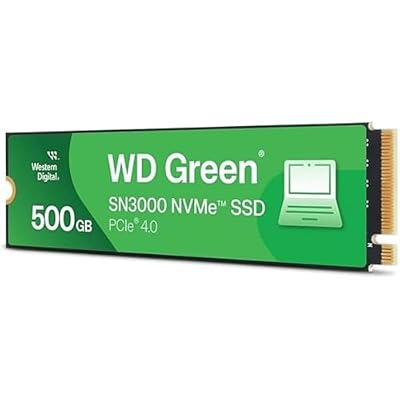
For a primary drive running your OS and the apps you use daily, an SSD is worth the small price premium, full stop. Capacity-wise, 256GB is tight for a single-drive setup in 2024; 500GB or 1TB SSDs have come down enough in price that they’re the more comfortable choice if your budget allows it. You can browse current 500GB SSD options or step up to a 1TB NVMe SSD if your motherboard supports it, which adds another speed tier over SATA for not much more money.
If you’re building a two-drive setup, the smart move is often an SSD for the OS and active applications plus an HDD for storage that doesn’t need speed. A 2TB internal hard drive gives you far more room per dollar for files that just need to sit there. That combination, rather than picking one technology for everything, is usually the right answer for anyone trying to balance cost against performance.
If you only have budget for one drive and the choice is strictly 256GB SSD versus 500GB HDD, take the SSD unless you specifically need the extra capacity for large media files and don’t mind a slower system. Everyday usability almost always matters more than an extra 244GB of slow storage.















