

- Top Pick: Kingston NV3 1TB M.2 2280 NVMe SSD | PCIe 4.0 Gen 4×4 | Up to 6000 MB/s | SNV3S/1000G
- Best Value: SIX NVME M.2 SSD PCIe 4.0-1TB m.2 2280 ssd, Read UP to 7350MB/s 1TB for Gaming PS5 Memory Storage Expansion with Heatsink, Internal Solid State Hard Drive PCIe gen 4×4 Nvme for Laptop Desktop pc
- Premium Choice: WD_BLACK SN850X 1TB NVMe SSD – M.2 2280, Up to 7,300 MB/s Read speeds, Up to 6,300 MB/s write speeds, Gaming Expansion, High Performance Internal Solid State Drive – WDS100T2X0E
This comparison comes up constantly because the price overlap is almost perfect right now: a 1TB SATA or NVMe SSD and a 4TB 7200RPM HDD often sit within $10-20 of each other. That makes the decision less about budget and more about what you’re actually doing with the drive. Here’s how to think about it without getting lost in spec sheets.
As an Amazon Associate we earn from qualifying purchases at no extra cost to you.

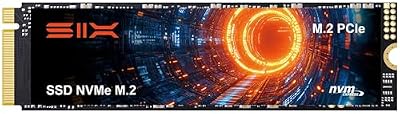

Speed: not even close
A 4TB HDD, even a good one, tops out around 150-220MB/s sequential and falls apart on random access, typically 0.5-2MB/s on small 4K reads. That’s not a typo. Mechanical drives are fine for large sequential transfers (copying a folder of video files) and terrible for anything involving lots of small files or random access, which is most of what an OS actually does when booting or launching software.
A 1TB SATA SSD runs 500-560MB/s sequential and, more importantly, somewhere around 50,000-90,000 random IOPS. A 1TB NVMe SSD on a modern PCIe 3.0 or 4.0 interface goes further, often 2,000-7,000MB/s sequential. In practice this is the difference between a 30-second boot and a 8-second boot, or a game loading screen that takes 25 seconds versus 6.
If you’ve ever used a laptop with an HDD and then switched to one with an SSD, you know this isn’t marketing. It’s the single biggest “feel” upgrade in consumer computing, bigger than most CPU or RAM upgrades.
Capacity per dollar
This is the HDD’s one real advantage, and it’s a big one. A 4TB HDD gives you 4x the storage of a 1TB SSD, usually for similar or even less money. If you’re storing a large media library, game backups, raw video footage, or anything bulk and infrequently accessed, cost per gigabyte still massively favors spinning disks. SSD pricing has dropped a lot, but it hasn’t caught up to HDDs at the high-capacity end, and probably won’t for a while.
| Factor | 1TB SSD | 4TB HDD |
|---|---|---|
| Typical price range | $45-$90 | $70-$110 |
| Cost per TB | Higher | Lower |
| Sequential speed | 500-7,000MB/s | 150-220MB/s |
| Random access | Excellent | Poor |
| Noise/vibration | None | Audible seek noise, vibration |
| Shock sensitivity | Low | High (moving parts) |
| Typical lifespan | 5-10 years, wear-leveling limited | 3-6 years, mechanical wear |
| Best use | OS, apps, active projects | Bulk storage, backups, archives |
How they actually fail
These two drive types die differently, and it matters for how you plan backups.
HDDs fail mechanically. Bearings wear out, read heads can click and fail (the infamous “click of death”), and physical shock from drops or even hard bumps can cause head crashes that scratch the platters. Heat and constant spin-up/spin-down cycles also take a toll. HDD failure is often sudden and total, though sometimes you get warning signs: clicking, grinding, or slow degradation in SMART stats.
SSDs fail electrically. NAND flash cells wear out after a finite number of write cycles, though for a typical user this takes years to matter; a 1TB SSD rated for 300-600TBW (terabytes written) will outlast most people’s ownership of the PC. SSDs are more likely to fail abruptly due to controller or firmware issues than gradual wear, and when they do fail, data recovery is harder and more expensive than with HDDs, where platters can sometimes be physically recovered.
Neither drive type is “safe.” Both need backups. An HDD gives you more warning before death; an SSD gives you more years before wear becomes a factor but less warning when something does go wrong.
Which one to actually buy
If you’re building or upgrading a PC and only buying one drive, get the SSD. A 1TB 1TB NVMe SSD as your only drive is enough for Windows, your main applications, and several modern games, and the speed difference affects literally everything you do on the machine. 1TB is tight if you install a lot of large games, but it’s a sane starting point.
If you need both speed and bulk storage, the right move isn’t choosing one, it’s running both: a small-to-midsize SSD for the OS and active programs, and a 4TB hard drive for everything else, media, backups, archived projects. This is how most desktop builds have worked for over a decade, and it still makes sense. Desktops have the drive bays and SATA ports to support this cheaply; laptops often don’t, so laptop users usually have to pick one drive and live with it, or use an external drive for bulk storage.
If you’re specifically weighing a 1TB SSD against a 4TB HDD as a single secondary drive for backups or media, and speed genuinely doesn’t matter for that use case, buying the HDD is not a wrong decision. Nobody needs NVMe speeds to store a Plex library or a backup archive. That’s exactly the situation HDDs are still good at, and spending extra for SSD speed there is wasted money.
Where people get this wrong is buying an HDD as their only drive in a new build to save money, or buying a small SSD and expecting it to also hold a large game and media library. Match the drive to the job: fast and small for what you use daily, cheap and large for what you store. If your budget allows for an upgrade path, consider a 2TB SATA SSD as a middle ground that avoids needing a second drive at all.














