Our Short List of 3

- Display: 7.4-inch HDR OLED, 1280 by 800, up to 90 Hz
- Processor: AMD Zen 2 and RDNA 2 custom APU
- Memory: 16 GB LPDDR5
- Storage: 512 GB NVMe, plus a microSD slot

- Connectivity: Bluetooth wireless and USB-C wired
- Joysticks: TMR electromagnetic, anti-drift design
- Triggers: Hall effect, with mode switching
- Extras: two remappable back buttons, motion control

- Connectivity: Xbox Wireless and Bluetooth
- Port: USB-C for wired play
- Controls: hybrid D-pad, dedicated Share button
- Power: AA batteries or optional rechargeable pack
All 5 Picks at a Glance
| Product | Specs | Action |
|---|---|---|
| Valve Steam Deck OLED 512GB |
| Check price on Amazon |
| 8BitDo Ultimate 2 Bluetooth Controller |
| Check price on Amazon |
| Xbox Wireless Controller, Carbon Black |
| Check price on Amazon |
 Logitech G502 HERO |
| Check price on Amazon |
 Samsung T9 Portable SSD 2TB |
| Check price on Amazon |
Most games in this series need an argument. The flags say one thing, a leftover icon says another, and the depot table settles it. X-Plane 11 needs no argument at all. Laminar Research shipped this flight simulator with a real Linux build in March 2017, and every layer of Steam’s record still says so today: the platform flags, the published requirements, the depot table and even Valve’s Steam Deck test sheet, which names the native runtime as the one it graded.
That makes this article a verification exercise rather than a detective story. The checks still matter, because a native flag can hide an emptied depot or a package that quietly drops the Linux content. Here they run in the usual order: the store record, the depots inside the package actually sold, all 129 add-on apps read one by one, the ProtonDB file and the Deck sheet.
As an Amazon Associate, we earn from qualifying purchases.
Quick answer
X-Plane 11 is native on Linux. Steam flags Windows, Mac and Linux, publishes full Linux system requirements, and the purchase package includes a dedicated Linux depot beside the shared base data. Valve rates it Playable on Steam Deck using the native runtime, and ProtonDB classifies it Native, with a Platinum file describing the Windows build.
The status at a glance
| Question | Answer from the record |
|---|---|
| Native Linux build | Yes — flags, requirements, depot and package all agree |
| Linux depot | Depot 269954, about 94 MB, inside the sold package |
| Add-on apps | 129 read individually; 120 flag Linux, 9 airport packs do not |
| ProtonDB record | Native classification; Platinum headline, 10 reports |
| Steam Deck verdict | Playable, tested September 2022, build still current |
| GOG edition | None |
| Anti-cheat | None named; no tracker entry either way |
What Steam’s own record says
Steam’s appdetails record for X-Plane 11 (app 269950) names Laminar Research as developer and publisher, with a store release date of 30 March 2017. The platform flags read Windows true, Mac true, Linux true. Unlike the populated-but-empty shells tracked elsewhere in this series, the Linux requirements field here is fully written out: Ubuntu 16.04 LTS is the tested distribution, the minimum tier asks for 8 GB of memory and a proprietary-driver NVIDIA or AMD card, and the recommended tier raises that to a Core i5-class chip, 16 GB of memory and a card with 4 GB of video memory. Storage guidance runs from 20 GB with one scenery area installed to 65 GB with the world filled in.
The depot table backs the flags with content. Depot 269951 holds the shared base data at about 10.77 GB, beside three platform depots: 269952 for Windows, 269953 for macOS and 269954 for Linux at about 94 MB. That Linux depot is not stranded outside the product, either: the single purchase package on the record, package 35815, lists all four base depots among its contents. A dedicated LinuxClientIcon asset exists as well, and for once it is not a fossil. The record’s own controller field reads partial support, with tracked controller support listed for VR.
The add-on shelf: 129 DLC, read one by one
X-Plane 11 carries one of the largest add-on arrays in this catalogue: 129 DLC apps, every one typed as DLC, and every one read individually for this article. The six Global Scenery packs, covering Africa, Asia, Australia, Europe, North America and South America, all flag Windows, Mac and Linux true, which is what a Linux buyer needs, since those packs carry the world terrain. In total, 120 of the 129 add-ons flag Linux true.
Nine do not. Seven are FSDG airport packs (Bremen, Sharm El-Sheikh, Graz, Mauritius, Dakar, Cape Town and Agadir) plus FlyLogic’s Bern-Belp, and one Aerosoft pack, Airport Bali, flags Windows only and drops Mac as well. These are third-party sceneries whose flags were set by their own publishers, and the honest reading is narrow: the base simulator and its world scenery are native and complete on Linux, while a small shelf of individual airport add-ons was never flagged for the platform. Nothing in the nine changes the ruling on the game itself, but a Linux buyer collecting specific airports should check each pack’s flags first.
ProtonDB: a Platinum file for a game that does not need Proton
ProtonDB’s summary API returned a full read: Platinum on the settled, best-reported and trending tiers, across 10 reports at moderate confidence. The game page classifies X-Plane 11 as Native and carries the “Natively Supports” heading over its requirements block. In most articles in this series that heading is a stray artefact contradicted by Steam; here it agrees with the record on every layer, one of the clean-agreement cases.
The report text adds the honest colour. Most filings run the Linux build directly. A minority of reporters deliberately force the Windows build under Proton, one explaining that the native build works but several add-on modules do not, and that switching made everything work. Two reports document an end-of-life quirk: the simulator’s networking no longer sits well with the IPv6 stack in newer kernels, and the documented workarounds are a community preload fix or starting the sim with networking disabled via the –disable_networking launch parameter. None of this dents the native ruling; it describes an ageing native build with known edges, which is a different thing from a missing one.
Steam Deck: Playable, graded on the native runtime
Valve’s compatibility endpoint resolves X-Plane 11 to category 2, Playable, with SteamOS rated Compatible on the same sheet. The configuration block holds the detail that matters most: the recommended runtime is listed as native, so Valve graded the Linux build itself, not a Proton run. The passes are legible interface text and a default graphics configuration that performs well. The deductions are the expected simulator ones: the default controller configuration is not fully functional, the game sometimes shows non-Deck glyphs, and external controllers do not default for the primary player, so a docked pad may need a manual Quick Access Menu switch.
On staleness, this sheet is in better shape than most. SteamDB’s republication dates the test to 15 September 2022 against build 6916183, and the public branch still stands at exactly that build, unchanged since June 2021. Old on the calendar, current by build.
Anti-cheat, DRM and the second storefront
There is little to report, and the article reports exactly that. Steam’s record names no anti-cheat product and carries no DRM notice. The Are We Anti-Cheat Yet tracker, read in full at its current root file of 1,167 entries, holds no entry for X-Plane 11 by name or app number, in either direction. That is an absence of documentation, not a clearance certificate.
GOG sells no edition. The natural product address redirects to the general catalogue, and GOG’s own store search returns no X-Plane product. The ruling rests on the absent page plus the empty search record, not on search silence alone. The Steam copy is the only PC edition, and the only one whose Linux depot this article could verify inside the sold package.
Gear that fits a native flight sim
Valve Steam Deck OLED 512GB
- Display: 7.4-inch HDR OLED, 1280 by 800, up to 90 Hz
- Processor: AMD Zen 2 and RDNA 2 custom APU
- Memory: 16 GB LPDDR5
- Storage: 512 GB NVMe, plus a microSD slot
Valve graded this simulator on its native runtime and rated it Playable, so the handheld is a legitimate second cockpit for short hops, once a custom control layout is built.
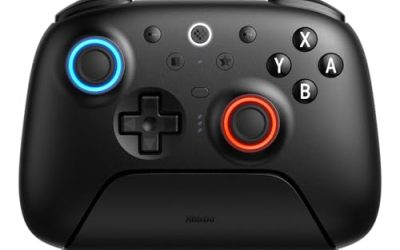
8BitDo Ultimate 2 Bluetooth Controller
- Connectivity: Bluetooth wireless and USB-C wired
- Joysticks: TMR electromagnetic, anti-drift design
- Triggers: Hall effect, with mode switching
- Extras: two remappable back buttons, motion control
The docked and desktop pad pick. Steam lists partial controller support for the game, and back buttons help map the view and trim keys a simulator leans on.
Xbox Wireless Controller, Carbon Black
- Connectivity: Xbox Wireless and Bluetooth
- Port: USB-C for wired play
- Controls: hybrid D-pad, dedicated Share button
- Power: AA batteries or optional rechargeable pack
The safest guest pad in PC gaming: Steam Input support is universal and it pairs over Bluetooth or its own wireless standard. On the handheld, the test sheet’s note applies: an external pad may need a manual Quick Access Menu switch before it takes over.
Logitech G502 HERO
- HERO optical sensor, up to 25,600 DPI
- 11 programmable buttons
- Adjustable weight system
- Wired USB connection
A flight simulator’s menus, maps and cockpit click-spots are mouse work, and a precise wired mouse with programmable buttons covers the view and autopilot inputs.
Samsung T9 Portable SSD 2TB
- Capacity: 2 TB portable SSD
- Interface: USB 3.2 Gen 2×2, USB-C connector
- Maker-rated speeds: up to 2,000 MB per second read, 1,950 MB per second write
- Features: Dynamic Thermal Guard, maker-rated drop resistance
World scenery is what makes this simulator heavy, and a fast portable drive is the practical way to move a scenery library between machines or keep an offline backup. The headline figure needs a Gen 2×2 host port; on a lesser port the drive runs at that ceiling.
How to choose
Choose the Steam copy, because it is the only PC edition sold and the package whose contents this article verified depot by depot. On a desktop or laptop, install the native build and fly it as Laminar shipped it; reach for the documented networking workaround only if the sim stalls on network initialisation under a current kernel. Treat Proton as a fallback for a specific add-on module that misbehaves natively, not as the default route. On Steam Deck, accept the Playable terms: build a control layout around the touchscreen and touchpads, and keep expectations at short-session flying. If you collect third-party airports, check each pack’s flags individually, because nine of the 129 add-ons were never flagged for Linux.
Who should skip
Skip X-Plane 11 if you want the current generation of the series, because Laminar’s newer simulator exists and this 2017 build has been frozen since 2021. Skip it if your flying depends on one of the nine Windows-flagged airport packs named above, or if you want a DRM-free installer, because no GOG edition exists. And skip the Deck plan if a partial-controller, menu-heavy simulator on a handheld sounds like work rather than fun.
FAQ
Is X-Plane 11 native on Linux?
Yes. Steam flags Linux true, publishes a complete Linux requirements list, and the purchase package contains a dedicated Linux depot beside the shared base data. Valve’s Deck sheet even names the native runtime as the one it graded.
Does X-Plane 11 run on Steam Deck?
Yes, at Playable. Interface text is legible and the default graphics configuration performs well, but the default controller configuration is not fully functional and external pads do not take over automatically.
Do the scenery packs work on Linux?
The six Global Scenery packs all flag Linux true, as do 120 of the 129 add-ons overall. Nine third-party airport packs, mostly from FSDG, flag Linux false, so check individual airports first.
Is there a GOG version of X-Plane 11?
No. GOG’s catalogue holds no X-Plane product and the natural product address redirects to the general store. Steam is the only PC storefront selling the game.
Final verdict
X-Plane 11 is one of the cleanest native records in this catalogue: flags, requirements, depots, package contents and Valve’s own runtime note all point the same way, and ProtonDB’s Native classification agrees instead of contradicting. The caveats are about age, not existence: a build frozen since 2021, a networking quirk on modern kernels with documented workarounds, nine add-on packs that never carried the flag, and a Deck experience that asks for a custom layout. For a Linux flight simmer who wants a complete, lighter simulator that simply installs and runs, it remains an easy recommendation.
Product and ASIN Reference
| Product | ASIN |
|---|---|
| Valve Steam Deck OLED 512GB | B0CQ3RWQQZ |
| 8BitDo Ultimate 2 Bluetooth Controller | B0F194QFT2 |
| Xbox Wireless Controller, Carbon Black | B08DF248LD |
| Logitech G502 HERO | B07GBZ4Q68 |
| Samsung T9 Portable SSD 2TB | B0CHFS9K14 |