Most gaming headsets exist because PC speakers are an afterthought. A soundbar flips that: you get sound that fills the room, doesn’t clamp your head, and doesn’t die the day you forget to charge it. But soundbars were designed for TV dialogue and movie surround tracks, not footstep audio in a shooter, so the fit for gaming is more conditional than most buying guides admit.
Why use a soundbar at a gaming PC at all
The honest reasons people switch: comfort during long sessions, not wanting to wear anything on a hot day, streaming or calls where a headset mic feels overkill, or a desk setup that’s really a desk-and-couch hybrid. A soundbar also just sounds bigger. Even a budget one has more cabinet volume than any desktop speaker pair in the same price range, so bass and dialogue-equivalent (footsteps, voice lines) come through with more body.
The honest downside: positional audio. Competitive shooters reward hearing exactly where a sound came from, and a soundbar sitting in front of you collapses a lot of that left-right-behind information into a strip a few feet wide. If you play ranked Valorant or CS, a headset will beat a soundbar on information, full stop. If you play story games, strategy, sims, or anything where atmosphere matters more than pinpointing a footstep, a soundbar is genuinely a better experience than headphones.
The thing nobody mentions: latency
Wired soundbars (optical or HDMI ARC into a PC, or a direct 3.5mm/USB connection) have no meaningful lag. Bluetooth soundbars can add 100-200ms of audio delay depending on the codec, which is noticeable in rhythm games and distracting in anything twitchy. If you’re buying for gaming specifically, prioritize a model with a wired input over your monitor or motherboard’s audio out, and treat Bluetooth as a convenience feature for music, not your primary gaming connection.
Check your monitor has an optical or HDMI ARC output before assuming this will be simple. A lot of PC monitors only pass audio over HDMI without ARC, which means no soundbar remote volume sync and sometimes no audio at all depending on the GPU’s handling of HDMI audio. The safer, more universal route for a desk setup is a soundbar with a 3.5mm or USB input you can run straight from your sound card or DAC.
Placement is the real limiting factor
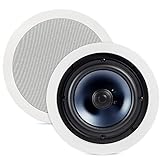
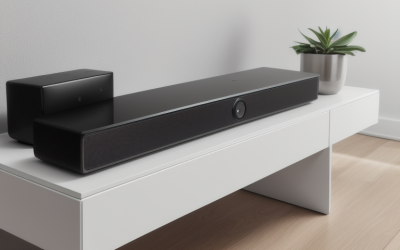
TV soundbars are long, usually 32-40 inches, which is fine under a 55-inch television three meters away but absurd under a 27-inch monitor two feet from your face. At desk distance, a bar that wide creates an exaggerated stereo image that’s actually worse than a smaller, closer speaker pair would be. This pushes most desk setups toward one of two things: a compact soundbar explicitly sized for monitors (usually under 20 inches), or accepting that a true bookshelf speaker pair might serve you better than any soundbar at this distance.
If you’ve got the desk space and are open to either format, it’s worth comparing a compact monitor soundbar against a small set of desktop bookshelf speakers before committing, since the speaker pair often has better stereo separation at close range for the same money.
Soundbar vs. desktop speakers vs. gaming headset
| Compact soundbar | Desktop speaker pair | Gaming headset | |
|---|---|---|---|
| Positional audio | Weak at close range | Good, better separation | Best |
| Comfort for long sessions | No fatigue, nothing worn | No fatigue, nothing worn | Can get hot or sore |
| Desk space | Low, one unit | Takes two footprints | None when worn |
| Privacy / late-night use | Poor, fills the room | Poor | Good |
| Typical latency | Low if wired, high if Bluetooth | Low, usually wired | Low wired, variable wireless |
| Best for | Movies, co-op, casual play, streaming background | Music, general use, moderate competitive play | Ranked/competitive, shared rooms |
What actually matters when picking one
Skip the marketing terms like “virtual surround” and “3D audio” on budget bars; at desk distance these effects mostly smear the stereo image rather than widen it convincingly. What matters more:
A dedicated subwoofer, even a small wireless one, does more for gaming immersion than a wider cabinet. Explosions and low-end rumble read as “impact” in games, and a soundbar’s built-in bass drivers are usually too small to deliver that without a sub.
A clean, low-latency wired path beats any amount of Bluetooth convenience for gaming. If a model’s wired input list is an afterthought at the bottom of the spec sheet, that’s a sign it was designed for a living room, not a desk.
EQ or dialogue-boost modes translate reasonably well to a “footsteps and voice lines” boost in games, which is a real, usable feature rather than marketing fluff.
If you want this on a smaller budget, a basic 2.0 or 2.1 soundbar with a wired aux input and a passable subwoofer covers 90% of what a gaming-focused desk setup needs. The jump to pricier bars mostly buys you better build materials and app-based EQ, not fundamentally better gaming audio. It’s reasonable to browse a general gaming soundbar listing and filter by wired input and sub included rather than chasing a specific flagship model.
Who should actually buy one
Good fit: co-op and single-player gamers, people who stream movies and shows from the same PC, anyone who finds headsets physically uncomfortable, and shared-room setups where one speaker is simpler than two. Bad fit: ranked competitive players who need directional footstep audio, anyone gaming late at night near thin walls or sleeping roommates, and anyone expecting surround-sound movie-theater positioning from a two-foot-wide box three feet from their face. For that last group, actual surround sound still means a multi-speaker setup or a good headset with virtual surround, not a soundbar.
FAQ
Will a soundbar work with my gaming monitor?
Only if the monitor has an audio output your soundbar can use, usually optical, HDMI ARC, or a 3.5mm jack. Many budget monitors don’t pass audio over HDMI at all, so check your monitor’s spec sheet before buying rather than assuming it will just work.
Is Bluetooth fine for gaming audio?
It’s fine for music and casual background sound, but it adds noticeable delay in most games, which throws off timing in rhythm games and feels off in anything fast-paced. Use a wired connection for actual gameplay if the option exists.
Do I need a subwoofer with my soundbar?
Not required, but it’s the single upgrade that makes the most difference for gaming. Explosions, impacts, and low rumble need a dedicated driver that a slim bar’s built-in speakers usually can’t produce.
Should I get a soundbar or just buy a gaming headset?
If you play competitive shooters where hearing direction matters, get the headset. If you mostly play single-player, co-op, or strategy games and value comfort over pinpoint accuracy, a soundbar is a legitimate and often more pleasant choice.