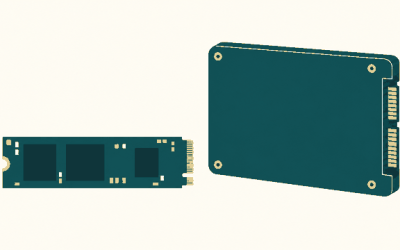
Choosing the right 2TB drive from Samsung’s lineup means navigating three completely different categories: internal NVMe drives for desktops and laptops, high-capacity internal SATA for older systems, and portable externals that travel with your work. Price alone is a poor guide here, because a $488 SATA drive delivers a fraction of the throughput of a $329 NVMe model. What separates a smart purchase from a wasted one is matching the interface your device actually supports to the speed tier you truly need.
Owner feedback reveals a second layer of distinction that spec sheets hide. The 990 PRO earns praise for sustained write performance during large file transfers, while the T7 and T7 Shield attract loyalty from editors and photographers who value compact form factors and thermal consistency over peak numbers. Meanwhile the 9100 PRO generates excitement among enthusiasts running PCIe 5.0 platforms but fewer long-term reliability reports simply because it is newer to the market. This roundup compares published specifications, current street prices, and recurring themes in owner reviews to help you narrow the field in 2026.
As an Amazon Associate we earn from qualifying purchases at no extra cost to you.







Quick Picks
| Product | Best for | Price |
|---|---|---|
| Samsung SSD 990 PRO 2TB | High-end internal builds needing PCIe 4.0 | $389 |
| Samsung T7 Portable SSD 2TB | Everyday portable storage for creatives | $394 |
| Samsung T9 Portable SSD 2TB | Fastest portable option on the list | $439.99 |
| Samsung SSD 870 EVO SATA III 2.5″ 2TB | Legacy systems with SATA-only bays | $488 |
| Samsung SSD 9100 PRO 2TB | Next-gen PCIe 5.0 motherboards | $399.99 |
| Samsung T7 Shield Portable SSD 2TB | Rugged fieldwork and travel | $424.99 |
| Samsung Internal SSD 990 2TB | Best value internal NVMe at 2TB | $339.99 |
| Samsung SSD 990 EVO Plus 2TB | Budget-conscious NVMe upgrades | $329 |
How We Picked
We evaluated each drive on four criteria: sequential throughput relative to its interface standard, cost per gigabyte at the current listing price, interface compatibility with mainstream consumer hardware, and the frequency with which owner reviews flagged thermal throttling, firmware bugs, or connector issues. Drives that delivered strong numbers on paper but generated recurring complaints about overheating or dropped connections were noted as riskier picks.
The 8 Best Samsung 2Tb Ssd in 2026
Samsung SSD 990 PRO 2TB
The 990 PRO remains Samsung’s flagship PCIe 4.0 internal drive, and owners consistently cite its ability to hold sequential reads near 7,450 MB/s even during sustained transfers. It suits builders who want the highest throughput their current platform supports without jumping to a premium motherboard tier.
- Top-tier sequential and random performance for a PCIe 4.0 drive
- Extensive firmware maturity with few long-term reliability complaints from owners
- Runs warm under heavy workloads and benefits from a motherboard heatsink
Skip this model if your budget cannot stretch beyond the non-PRO 990 or EVO Plus variants, since the performance uplift over them may not justify the price difference for casual use.
Samsung T7 Portable SSD 2TB Titan Gray
A compact USB drive for creators who shuttle projects between a laptop and a workstation. Owners highlight its pocketable size and consistent speeds near the USB 3.2 Gen 2 ceiling of 1,050 MB/s. It pairs well with video editors who need a drive that lives in a bag without adding bulk.
- Very small form factor and light weight
- Reliable sustained performance for its interface tier
- Plastic housing can feel slippery and shows wear at the port over time
Pass on this if you regularly work in wet, dusty, or high-impact environments, since it lacks the added protection the Shield version provides.
Samsung T9 Portable SSD 2TB
The fastest external option here at up to 2,000 MB/s over USB 3.2 Gen 2×2, targeting users who need to load large game libraries or 4K footage directly from the drive without bottlenecking on the interface. Owners who upgraded from the T7 report meaningful time savings on multi-gigabyte file moves.
- Double the throughput of the T7 line when paired with a compatible port
- Metal enclosure runs cooler under sustained loads than plastic alternatives
- Requires a USB 3.2 Gen 2×2 port on the host, which many older laptops still lack
Skip it if your machines only offer Gen 2 ports, since you would pay a premium without receiving the speed advantage.
Samsung SSD 870 EVO SATA III 2.5″ 2TB
For owners of older desktops, laptops, or NAS enclosures that offer only 2.5-inch SATA bays. It reads at up to 560 MB/s, the practical ceiling of the SATA interface, and carries a long track record of firmware stability. Its price of $488 makes it the most expensive 2TB drive in this lineup despite the lowest throughput.
- Drop-in compatibility with virtually any system featuring a 2.5-inch SATA bay
- Mature firmware with broad owner-reported reliability across years of use
- Cost per gigabyte is the worst in this group due to interface limitations
Avoid this if your system has an open M.2 slot, since any NVMe drive here costs less and runs faster.
Samsung SSD 9100 PRO 2TB
A PCIe 5.0 x4 drive delivering up to 14,700 MB/s, aimed at enthusiasts building on the latest Intel or AMD platforms. Owner reviews praise its raw bandwidth for large asset libraries and professional workloads, though long-term endurance data remains limited simply because the drive is newer to market.
- Nearly double the sequential throughput of the 990 PRO
- Priced close to the 990 PRO, offering a future-proof option at a modest premium
- Thermal output under sustained loads demands an active or high-mass heatsink
Skip it if your motherboard only supports PCIe 4.0, since you would pay a slight premium for a speed tier your platform cannot unlock.
Samsung T7 Shield Portable SSD 2TB
Identical internal throughput to the T7 but wrapped in a rubberized, IP65-rated shell designed for fieldwork. Photographers, journalists, and on-set data wranglers who have reported dropping the T7 and worrying cite the Shield as peace of mind for the same 1,050 MB/s ceiling.
- Rugged outer casing resists water and dust exposure during travel
- Same proven internal hardware as the standard T7, which owners trust for reliability
- Bulkier and heavier than the standard T7, less suited to a tight jacket pocket
Consider the plain T7 instead if you mostly keep the drive on a desk at home or in an office.
Samsung Internal SSD 990 2TB
A step down from the PRO in peak sequential numbers (7,250/6,450 MB/s read/write) while costing $49 less. Owners running game libraries, general productivity, and moderate creative work report the difference is negligible in day-to-day use. It fills the sweet spot for builders who want fast NVMe without paying the PRO tax.
- Lower price than the 990 PRO with only a small throughput gap
- Consistent owner feedback on thermal behavior in mid-tower cases
- Slightly lower sustained write ceiling under the most demanding professional workloads
The PRO may be worth the extra cost if you routinely transfer multi-hundred-gigabyte files and care about shaving seconds off each batch.
Samsung SSD 990 EVO Plus 2TB
The lowest priced internal NVMe 2TB drive at $329, reaching up to 7,250 MB/s on a PCIe 4.0 x4 or 5.0 x2 link. Owners upgrading older laptops or building budget gaming PCs highlight the value proposition, though some note the drive can run warm in poorly ventilated chassis.
- Best cost per gigabyte among internal drives in this group
- Delivers PCIe 5.0 x2 speeds on newer platforms for forward compatibility
- Thermals require adequate airflow; owner reports flag it in cramped ultrabook slots
If your build has generous cooling and you want the lowest entry price, this is the obvious starting point.
Buying Guide
Match the Interface to Your Hardware
Check your motherboard or laptop for available M.2 slots and their supported PCIe generation before shopping. A PCIe 5.0 drive like the 9100 PRO in a 4.0-only slot still works but will never exceed 4.0 speeds. Likewise, the T9 only reaches 2,000 MB/s when plugged into a USB 3.2 Gen 2×2 port; on Gen 2 it caps near the T7’s 1,050 MB/s. Confirm your port capabilities to avoid paying for bandwidth you cannot use.
Thermal Management Matters More Than Peak Numbers
Owner complaints about all three high-speed internal drives center on sustained thermal output rather than cold-bench peak reads. If your case has a heatsink over the M.2 slot, you will see the advertised numbers. Without one, expect throttling during multi-gigabyte transfers. For portables, the T7 Shield and T9 metal enclosure handle heat better than the plastic T7 under long file copies, a distinction reviewers consistently mention.
Compare Cost Per Gigabyte, Not Just Sticker Price
At $329 the 990 EVO Plus costs roughly $0.16 per gigabyte, while the 870 EVO at $488 lands near $0.24 per gigabyte for a fraction of the speed. Calculate the per-gigabyte figure across your shortlist to spot which drive actually delivers more storage and performance for each dollar spent. The spread in this lineup is wide enough that price ranking and value ranking tell different stories.
Our Verdict
The best overall pick is the Samsung SSD 990 PRO 2TB. It combines proven firmware, top-tier PCIe 4.0 throughput, and deep owner satisfaction at a price that sits comfortably below the SATA outlier. For budget-conscious builders, the Samsung SSD 990 EVO Plus 2TB at $329 delivers the strongest value per dollar among internal drives. However, if your workflow depends on a PCIe 5.0 platform and you want headroom for the next several years of software demands, the 9100 PRO at $399.99 is the smarter long-term choice despite its newer release status.
FAQ
Is a 2TB Samsung SSD enough for gaming?
Yes, most modern AAA titles occupy 80 to 150 GB, so a 2TB drive comfortably holds a dozen large games alongside operating system files. Owners who maintain extensive libraries report that a 2TB drive lasts one to two years before storage pressure becomes a concern.
What is the real-world speed difference between the T7 and the T9?
The T7 tops out near 1,050 MB/s over USB 3.2 Gen 2, while the T9 reaches up to 2,000 MB/s on Gen 2×2. In practical file-transfer terms, owners moving 100-gigabyte projects report roughly halving their transfer times when switching from a T7 on a Gen 2 port to a T9 on a compatible Gen 2×2 port.
Should I buy a SATA drive if my laptop has an M.2 slot?
No. The 870 EVO exists for systems without M.2 connectivity. If your laptop has an M.2 slot, even the budget 990 EVO Plus at $329 costs less than the 870 EVO at $488 and delivers roughly thirteen times the sequential read speed.
Do these drives need heatsinks in desktop builds?
For the 990 PRO, 9100 PRO, and 990 EVO Plus, a heatsink is strongly recommended under sustained loads based on owner reports of throttling in bare slots. Most modern motherboards include M.2 heatsinks on primary slots; if yours does not, a third-party cover is inexpensive and prevents the thermal issues that appear in longer reviews.