- Top Pick: OwlTree 4 Pack Thermal Pad,100x100mm 0.5mm 1mm 1.5mm 2mm Highly Efficient Thermal Conductivity 6.0 W/mK,Heat Resistant Silicone Thermal Pads for Laptop Heatsink CPU GPU SSD IC LED Cooler
- Best Value: OwlTree 3 Pack Thermal Pads, 100x100mm, 0.5mm, 1mm, 1.5mm, Highly Efficient Thermal Conductivity 12.8W/mK, Heat Resistant Silicone Grease for Laptop Heatsink, CPU, GPU, SSD, IC, LED Cooler
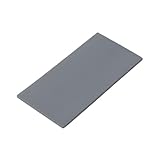
- Premium Choice: Aairhut 4 Pack 13 W/m.K Thermal Pads, 100 x 100 mm x [0.5 mm+1 mm+1.5 mm+2 mm] Silicone Cooling Pad Non Conductive Heat Resistance Extreme Odyssey Cover with Dual Self-Adhesive Films for PC Laptop PS4
Affiliate disclosure: As an Amazon Associate we earn from qualifying purchases. This post contains affiliate links — if you buy through them we may earn a small commission at no extra cost to you. This never affects our recommendations.
As an Amazon Associate we earn from qualifying purchases at no extra cost to you.


![Aairhut 4 Pack 13 W/m.K Thermal Pads, 100 x 100 mm x [0.5 mm+1 mm+1.5 mm+2 mm] Silicone Cooling Pad Non Conductive Heat Resistance Extreme Odyssey Cover with Dual Self-Adhesive Films for PC Laptop PS4](https://m.media-amazon.com/images/I/31n7GBS4ErL._SL160_.jpg)



If you have spent any time pushing a gaming PC hard — long sessions, overclocked GPU, fast NVMe storage — you already know that heat is the enemy of performance and longevity. Thermal pads sit at the intersection of those concerns, quietly doing work that most builders never think about until something throttles or fails.
This guide covers everything you need to choose the best thermal pad for gaming PC builds in 2026: what conductivity numbers mean in practice, how to match thickness to your specific gap, and which five products consistently deliver across GPU VRAM cooling, M.2 SSD heatsinks, VRM arrays, and motherboard chipsets.
In a hurry? See the top-rated Thermal Pad for Gaming PC deals available right now:
🛒 Check Thermal Pad For Gaming Pc Prices on Amazon →🛒 Best Price Today on Amazon
Prime members get fast, free shipping on everything above, plus member-only deals. New members get a 30-day free trial — cancel anytime.
Start 30-Day Prime Free Trial →See Today’s Amazon DealsThermal Pad vs Thermal Paste: Know the Difference
Thermal paste belongs between a CPU or GPU die and its heatsink — surfaces that are machined flat and held under pressure by mounting hardware. Thermal pads solve a different problem. When you need to bridge a gap between a component and a heatsink that cannot be torqued to near-zero clearance, a compressible pad conforms to both surfaces and eliminates air pockets without requiring precise application.
GPU VRAM chips, VRM MOSFETs, and M.2 SSD controllers all need this kind of interface. The gap between VRAM and the GPU backplate or heatsink spreader is rarely uniform; it varies by millimeter across the PCB. A pad that is too thin will not contact both surfaces. A pad that is too thick will apply stress to solder joints. Getting this right matters.
Conductivity (W/mK) — watts per meter-kelvin — measures how efficiently a material moves heat. A basic 6 W/mK pad moves heat six times faster than still air. The gap between 8 W/mK and 14 W/mK is meaningful at GPU VRAM, where dozens of chips run simultaneously and any thermal bottleneck shows up as memory junction temperature spikes. For M.2 SSDs, even a mid-tier 6–8 W/mK pad paired with a good aluminum heatsink drops temperatures enough to prevent throttling under sustained sequential writes.
Thickness is equally critical. Most GPU VRAM applications require 1.0 mm to 2.0 mm pads. M.2 heatsink kits typically need 0.5 mm or 1.0 mm. VRM areas on high-end motherboards often spec 1.5 mm or 2.0 mm. Measure your gap with feeler gauges or calipers before ordering — a pad that compresses too far or not enough will underperform regardless of its W/mK rating.
Quick Comparison Table
| Product | Conductivity | Thickness Options | Softness | Best Use | Price Range |
|---|---|---|---|---|---|
| Thermal Grizzly Minus Pad 8 | 8 W/mK | 0.5–3.0 mm | Very soft | GPU VRAM, VRM, general | $8–$18 |
| Gelid Solutions GP-Extreme | 12 W/mK | 0.5–3.0 mm | Medium-firm | GPU VRAM, M.2, budget builds | $7–$15 |
| Thermalright Odyssey X | 14.8 W/mK | 0.5–2.0 mm | Soft | GPU VRAM, high-perf builds | $6–$14 |
| Honeywell PTM7950 | ~13 W/mK (liquid) | 0.25 mm sheet | Phase-change | CPU/GPU direct die, precision | $12–$22 |
| Thermal Grizzly Carbonaut | 62.5 W/mK (lateral) | 0.2 mm | Rigid | CPU/GPU direct contact, reuse | $10–$20 |
Top 5 Best Thermal Pads for Gaming PC in 2026
#1 Thermal Grizzly Minus Pad 8 — Best Overall
Thermal Grizzly has been a trusted name in enthusiast thermal solutions for over a decade, and the Minus Pad 8 remains the standard recommendation for a reason. At 8 W/mK, it sits in a practical sweet spot — high enough conductivity to handle GPU VRAM and VRM loads, but formulated with a silicone matrix soft enough to conform to uneven surfaces without leaving voids. It is available in thickness increments from 0.5 mm to 3.0 mm, which means you can match it precisely to almost any gap in a modern gaming build.
The pad cuts cleanly with scissors, holds its shape during installation, and does not dry out or crack over years of thermal cycling. For builders replacing GPU VRAM pads on cards like the RTX 4080 or RX 7900 XTX, the Minus Pad 8 is the go-to choice because it tolerates minor surface irregularities across VRAM arrays.
Pros:
- Excellent softness for conformity on uneven VRAM arrays
- Full thickness range from 0.5 mm to 3.0 mm in single purchase
- Long-term stability — does not pump out or crack under thermal cycling
- Trusted brand with consistent batch quality
- Works across GPU VRAM, VRM, M.2, and chipset applications
Cons:
- 8 W/mK is not the highest conductivity available at this price
- Slightly sticky surface makes repositioning difficult once placed
- Larger sheets can be expensive compared to budget pads
- Not ideal for phase-change or CPU direct-die applications
Shop Thermal Grizzly Minus Pad 8 on Amazon
#2 Gelid Solutions GP-Extreme — Best Value
Gelid Solutions has quietly built a reputation for delivering high-spec thermal materials at prices that undercut the premium brands without sacrificing meaningful performance. The GP-Extreme comes in at 12 W/mK — a 50% conductivity improvement over the Minus Pad 8 — while typically costing the same or less depending on size. It is available in multiple thicknesses and sheet sizes, making it equally viable for GPU VRAM replacement, M.2 heatsink upgrades, and motherboard component cooling.
The texture is firmer than the Minus Pad 8, which means it requires slightly more clamp force to achieve full surface contact, but this also makes it easier to handle during installation without stretching or tearing. Builders working on budget or mid-range GPU repastes who want genuine thermal improvement without spending on premium pads consistently rank the GP-Extreme near the top.
Pros:
- 12 W/mK conductivity at competitive price — strong performance-per-dollar
- Available in 0.5, 1.0, 1.5, and 2.0 mm thicknesses
- Firm texture reduces tearing risk during installation
- Good size variety — small packs and full sheets available
- Electrically non-conductive — safe across all component types
Cons:
- Firmer texture requires more compression to fill surface irregularities
- Not as widely stocked in physical retail as Thermal Grizzly
- Color can obscure installation errors on dark PCBs
- Adhesion on one side only — must orient correctly before pressing
Shop Gelid Solutions GP-Extreme on Amazon
#3 Thermalright Odyssey X — Best High-Conductivity Budget Pick
Thermalright entered the thermal pad market with a spec sheet that turns heads: the Odyssey X posts 14.8 W/mK, which places it among the highest-conductivity silicone-matrix pads available at any price point, let alone its budget-friendly cost. Critically, Thermalright achieved this without sacrificing softness — the Odyssey X conforms to GPU VRAM surfaces more easily than competing high-W/mK pads that use denser filler loadings.
This makes it a strong candidate for builders modding high-end GPUs where VRAM temperatures are the primary thermal constraint. On an RTX 4090 under memory-intensive workloads, swapping stock pads for Odyssey X consistently yields measurable junction temperature reductions. Thicknesses top out at 2.0 mm, so verify your gap measurements before ordering if you need thicker options.
Pros:
- 14.8 W/mK delivers genuine high-performance conductivity
- Soft formulation conforms well to multi-chip VRAM arrays
- Significantly lower price than competing high-W/mK alternatives
- Blue color makes coverage and alignment easy to verify
- Electrically non-conductive and chemically stable
Cons:
- Maximum thickness of 2.0 mm limits use in deep-gap VRM applications
- Softer pads can be harder to cut into precise small pieces
- Relatively new brand entry — longer-term aging data still accumulating
- Less thickness variety than Thermal Grizzly’s lineup
Shop Thermalright Odyssey X on Amazon
#4 Honeywell PTM7950 — Best Phase-Change Material
The Honeywell PTM7950 occupies a different category than the silicone pads above. It is a phase-change thermal interface material — a thin sheet at room temperature that liquefies at operating temperatures (around 45°C), flows into every microscopic surface irregularity, and re-solidifies when the system cools. This is the material Apple used in its M-series MacBooks and several high-efficiency laptop designs, and it delivers measured performance on par with premium liquid metal without the electrical conductivity hazard.
At 0.25 mm, it is not a gap-filler — it is designed for CPU and GPU applications where you want near-zero bond line thickness and maximum thermal conductance. For gaming PC builders doing GPU direct-die mounts or CPU socket installations where flatness is controlled, PTM7950 offers performance that traditional silicone pads cannot match. It is also fully reversible: heat the system, the pad liquefies, and the heatsink lifts free cleanly.
Pros:
- Phase-change behavior achieves near-zero void interface at operating temperature
- Reusable — reinstalls cleanly without residue after removal
- Electrically non-conductive, unlike liquid metal alternatives
- Proven in premium commercial hardware (Apple M-series)
- Dramatically lower temperatures than silicone pads in controlled-gap applications
Cons:
- 0.25 mm only — no gap-filling capability for VRAM or VRM applications
- Must reach operating temperature to achieve full performance (brief warm-up period)
- Higher price per square centimeter than silicone pads
- Handling at room temperature requires care — stiff and fragile until first thermal cycle
Shop Honeywell PTM7950 on Amazon
#5 Thermal Grizzly Carbonaut — Best Carbon Graphite Pad
The Thermal Grizzly Carbonaut is the most unconventional pick on this list and arguably the most impressive piece of engineering. It is a carbon graphite pad — a structured carbon matrix at 0.2 mm thickness with 62.5 W/mK lateral conductivity — designed for CPU and GPU direct contact applications where a builder wants a reusable, non-messy alternative to liquid metal or paste. It is also fully electrically non-conductive, unlike some carbon-based competitors.
In practice, the Carbonaut functions as a semi-permanent thermal interface. Install it once and it can be removed and reinstalled dozens of times without degradation. For builders who swap coolers frequently — delidding experiments, cooler reviews, seasonal maintenance — the elimination of paste cleanup alone justifies the cost. Thermal performance sits between premium pastes and liquid metal: better than most high-end pastes, slightly behind gallium-based liquid metal.
Pros:
- Fully reusable — no paste cleanup between reinstalls
- Electrically non-conductive carbon graphite (safe for all socket types)
- Extremely thin 0.2 mm bond line minimizes thermal resistance
- No cure time — full performance from first boot
- Pre-cut sizes available for common CPU sockets (AM5, LGA1700, LGA1851)
Cons:
- Rigid structure — must be sized precisely to die; no conformity to irregular surfaces
- Not suitable for gap-filling GPU VRAM or VRM applications
- Can be scratched or cracked if dropped or flexed during handling
- Higher cost than single-use paste for builders who rarely swap coolers
Shop Thermal Grizzly Carbonaut on Amazon
How to Choose the Right Thermal Pad for Your Gaming PC
W/mK Conductivity Explained
The W/mK number is a material property, not a direct temperature prediction. A pad rated at 14 W/mK moves heat twice as efficiently through its cross-section as a 7 W/mK pad of the same thickness — but real-world temperature differences depend on gap size, contact area, clamping pressure, and the thermal resistance of surrounding components. In GPU VRAM applications, upgrading from a stock 6 W/mK pad to a 12–14 W/mK aftermarket pad typically yields 5–15°C reductions in memory junction temperature, which directly reduces throttling risk on high-end GPUs. For M.2 SSDs, any pad above 6 W/mK eliminates most sustained-write throttling when paired with a metal heatsink.
Matching Thickness to Gap Size
Measure twice, order once. Use feeler gauges or digital calipers to measure the gap between the component and heatsink with the heatsink lightly in place. Standard GPU VRAM gaps run 1.0–2.0 mm. M.2 controller gaps are usually 0.5–1.0 mm. VRM gaps on high-end motherboards reach 1.5–2.5 mm. Aim for a pad that compresses roughly 10–20% under normal clamping load — this ensures contact without excess pressure on solder joints. If you are between two thicknesses, size up: a slightly thick pad that compresses will outperform a thin pad that barely bridges the gap.
GPU VRAM vs M.2 vs CPU Use Cases
GPU VRAM and VRM demand the combination of high conductivity and softness, because VRAM chips are not perfectly coplanar across the PCB. A soft, high-W/mK pad like the Thermalright Odyssey X or Thermal Grizzly Minus Pad 8 handles this better than a rigid high-conductivity option.
M.2 SSD heatsinks need less conductivity than GPU applications because M.2 controllers run cooler and cover more surface area. A mid-tier 6–8 W/mK pad works well here, but stepping up to 12 W/mK costs almost nothing extra and provides headroom for sustained workloads.
CPU and GPU direct-die applications are where phase-change materials (PTM7950) and carbon pads (Carbonaut) shine. These are controlled, flat surfaces under high clamping pressure — ideal conditions for minimizing bond line thickness rather than filling a gap.
Electrically Conductive vs Non-Conductive
Most silicone-matrix thermal pads are electrically non-conductive and safe to use anywhere on a PCB, including areas adjacent to capacitors and resistors. Always verify the spec sheet before using any pad near sensitive circuitry. The products on this list are all electrically non-conductive. Certain older graphite pads and metal-particle-filled pads can be marginally conductive — if in doubt, keep pad edges away from exposed contact points and trace runs.
Phase-Change Materials
Phase-change materials like the PTM7950 behave differently from silicone pads. At room temperature they are stiff and must be handled carefully. At operating temperature they become semi-liquid and flow into surface features, achieving lower thermal resistance than any rigid interface. The trade-off is that they require precise surface flatness and controlled bond line thickness — they do not fill large or uneven gaps. Use them only in CPU/GPU applications where surface geometry is controlled.
Budget
You do not need to spend premium prices to get meaningful thermal performance. The Gelid GP-Extreme and Thermalright Odyssey X both deliver 12–14 W/mK for under $15 in most configurations. For builders doing a single GPU repaste, a small pack of either pad handles the job completely. Reserve premium spending for the Thermal Grizzly Minus Pad 8 when you need a full range of thicknesses in one purchase, or for PTM7950 and Carbonaut when your use case specifically calls for their unique properties.
Final Verdict
For most gaming PC builders — replacing GPU VRAM pads, upgrading M.2 heatsinks, or cooling motherboard VRM arrays — the Thermal Grizzly Minus Pad 8 remains the safest overall recommendation. Its combination of softness, thickness variety, and reliable batch quality makes it the pad you can order without measuring twice and still get a good result. It is not the highest-conductivity option, but it is the most forgiving, and forgiveness matters more than peak spec when you are working with uneven multi-chip surfaces.
If you are optimizing a high-end GPU repaste and want to extract every degree from your thermal interface, the Thermalright Odyssey X at 14.8 W/mK is the best performance-per-dollar option in 2026. It delivers conductivity that would have cost three times as much from premium brands two years ago. Pair it with accurate gap measurements and you will see real reductions in VRAM junction temperature under load.
For builders who want something fundamentally different — reusable, zero-mess, no-cure — the Thermal Grizzly Carbonaut or Honeywell PTM7950 earn their premium. The Carbonaut is the right choice for frequent cooler swappers; the PTM7950 is the right choice when you want the best possible bond line on a flat, controlled surface and are willing to let the system warm up to its first operating cycle before judging temperatures. Both are genuinely excellent products that reward the builders who understand when and where to use them.
Frequently Asked Questions
What does a thermal pad do?
A thermal pad transfers heat from components like GPU memory, VRMs, and M.2 SSDs to a heatsink. Unlike paste, pads bridge larger or uneven gaps and do not need precise application.
When should I replace my GPU thermal pads?
Consider replacing them if your GPU memory or VRM temperatures climb after a few years, or during a repaste. Quality replacement pads can noticeably lower hotspot temperatures.
What thickness thermal pad do I need?
Thickness is critical, since the wrong size causes poor contact or excess pressure. Measure or check the original pad thickness for each location before buying replacements.
Do M.2 SSDs need thermal pads?
High-speed Gen4 and Gen5 drives benefit from a thermal pad between the drive and a heatsink to prevent throttling. Many motherboard M.2 heatsinks include pads pre-installed.
Related Articles
Looking for more on this topic? Browse the hand-picked guides below — each one applies the same scoring rubric used in this review.