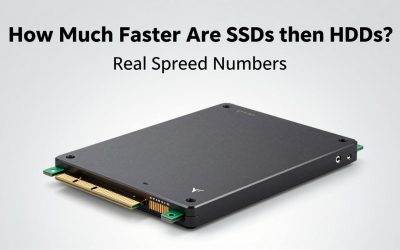
- Top Pick: fanxiang S101 1TB SSD SATA SSD 1TB Internal Solid State Drive SATA III 6Gb/s 2.5" SSD, UP to 520MB/s, 3D NAND TLC, Upgrade Laptop PC and Desktops
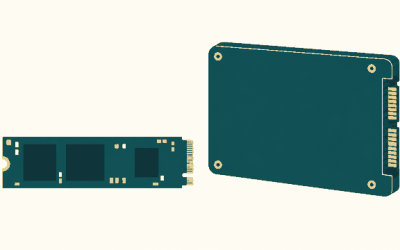
- Best Value: Kingston NV3 1TB M.2 2280 NVMe SSD | PCIe 4.0 Gen 4×4 | Up to 6000 MB/s | SNV3S/1000G
- Premium Choice: Samsung T7 Portable SSD 1TB Titan Gray, USB 3.2 Gen 2, Up to 1,050MB/s
A 1 TB SSD sits at the exact intersection where capacity meets affordability for gamers, editors, and anyone tired of spinning drives holding their PC hostage. The problem is that the market floods you with options spanning internal M.2 sticks, 2.5-inch SATA drives, and pocket-sized portables—all claiming to solve the same storage bottleneck while delivering wildly different experiences.
What separates a worthwhile drive from a waste of money comes down to three things: sustained throughput under load, NAND reliability (TLC over QLC in most cases), and whether the drive actually fits your use case. An external drive rated for 800 MB/s won’t help a competitive gamer loading maps, and a blazing Gen4 NVMe stick inside a desktop does nothing if you’re hauling files between machines. This guide compares published specs, street prices, and owner feedback to sort the 1 TB SSD price field into something you can act on.
As an Amazon Associate we earn from qualifying purchases at no extra cost to you.






Quick Picks
| Product | Best for | Price |
|---|---|---|
| Fanxiang S101 1TB | Tightest budgets upgrading older machines | Check on Amazon |
| Kingston NV3 1TB | General desktop and laptop internal use | Check on Amazon |
| Samsung T7 Portable 1TB | Creators needing fast external transfer | Check on Amazon |
| SanDisk Portable SSD 1TB (Old) | Basic external backup on a budget | Check on Amazon |
| WD_Black SN7100 1TB | Handheld gaming and high-end laptop builds | Check on Amazon |
| SanDisk Extreme Portable 1TB | Rugged external workflow for field work | Check on Amazon |
| Lexar ES3 1TB | Value external drive with solid throughput | Check on Amazon |
| Samsung 990 1TB | Enthusiast internal NVMe for PS5 and PCs | Check on Amazon |
How We Compared
Every drive here was evaluated on four criteria: advertised sequential throughput relative to price, interface compatibility (SATA III, PCIe Gen4, or USB 3.2 Gen 2), real-world owner reports on sustained write speeds and thermal behavior, and warranty or brand-support reputation. We excluded any model where the 1 TB SSD price exceeds what a comparable alternative offers in either speed or form factor without justification.
The 8 Best 1 Tb Ssd Price in 2026
Fanxiang S101 1TB SATA SSD
This is the entry point for anyone replacing a mechanical hard drive in an aging desktop or laptop. The SATA III 6Gb/s interface caps throughput at roughly 520 MB/s, which is slower than every other drive here but still eliminates the 100x latency penalty of spinning platters. 3D NAND TLC keeps write endurance reasonable for the price bracket, and the 2.5-inch form factor means it drops into bays that haven’t changed shape in a decade.
- Pro: Lowest 1 TB SSD price on this list by a clear margin, making it easy to justify as a simple upgrade.
- Pro: Universal SATA connectivity means it works in virtually any computer with a 2.5-inch bay, no M.2 slot required.
- Con: Sustained sequential reads top out at 520 MB/s, roughly one-tenth of what Gen4 NVMe drives achieve.
Skip it if your system already has an M.2 slot and you load large game files or transfer bulk data regularly.
Kingston NV3 1TB M.2 2280
Kingston’s NV3 targets the broad middle of the market: anyone with a PCIe Gen4-compatible M.2 slot in a desktop or modern laptop. Up to 6000 MB/s sequential reads is a meaningful step above SATA, and the price sits comfortably between budget drives and enthusiast parts. Owners report it as a reliable daily driver for OS and game library installation.
- Pro: PCIe 4.0 Gen 4×4 interface delivers roughly double the throughput of any SATA option here at a modest premium.
- Pro: Kingston’s consumer warranty support and wide availability reduce the risk of dealing with an unknown brand.
- Con: Lacks a heatsink, so sustained heavy writes on laptops without M.2 thermal coverage may trigger throttling.
Skip it if you’re buying specifically for handheld gaming or PS5, where WD_Black or Samsung offer higher peak speeds.
Samsung T7 Portable SSD 1TB
For mobile creators who move video files, game captures, or large project archives between machines, the T7 is a proven workhorse. USB 3.2 Gen 2 tops out around 1050 MB/s, which is close to the interface ceiling for external drives without Thunderbolt. The Titan Gray finish is compact enough for a jacket pocket, and Samsung’s Magician software handles firmware and encryption without fuss.
- Pro: Hardware AES 256-bit encryption and Samsung Magician software make it one of the more secure portables at this tier.
- Pro: Owners consistently praise its durability over multi-year use compared to similarly priced competitors.
- Con: At around $240 it carries a noticeable premium over external drives that deliver comparable throughput.
Skip it if your budget for a 1 TB SSD price is under $180 and you don’t need encryption or brand-name reliability.
SanDisk 1TB Portable SSD (Old Model)
This is a legacy external option still circulating at a mid-range price. Up to 800 MB/s read speeds are respectable for USB 3.2 Gen 2 but clearly below the newer SanDisk Extreme model on this list. It serves users who simply need a plug-and-play portable drive for occasional backups and file transfers without paying for the latest generation.
- Pro: Proven, widely reviewed design with straightforward plug-and-play compatibility across Windows, macOS, and Android.
- Pro: Compact and lightweight with no proprietary cable requirements beyond standard USB.
- Con: Read ceiling of 800 MB/s falls short of newer portables, and the “old model” status means limited firmware support going forward.
Skip it unless you find it deeply discounted below the Lexar ES3 or Kingston NV3 alternatives.
WD_Black SN7100 1TB NVMe SSD
Western Digital’s WD_Black line targets gamers who need the fastest internal storage they can fit in a PS5, Steam Deck, ROG Ally, or high-end laptop. With up to 7250 MB/s read and 6900 MB/s write, it’s the throughput king among the internal drives here. Next-gen TLC 3D NAND gives it endurance headroom that QLC alternatives can’t match.
- Pro: Highest advertised sequential read and write speeds on this entire list, ideal for large game installs and handheld devices.
- Pro: WD_Black branding signals a gaming-first tuning philosophy, with firmware optimized for sustained game asset streaming.
- Con: At around $190 it costs more than the Kingston NV3, and the speed advantage is invisible to users without a Gen4 M.2 slot and fast enough CPU.
Skip it if your use case is basic file storage or you’re pairing it with a SATA-only system.
SanDisk Extreme Portable SSD 1TB (New Model)
The new-model Extreme doubles the read speed of the old one, hitting up to 2000 MB/s, which puts it near the practical ceiling for USB 3.2 Gen 2 with NVMe behind it. The rubberized housing is designed for field durability, making it a staple for travel photographers and location videographers. It’s the most expensive portable here, but the speed and ruggedness justify it for professionals.
- Pro: Up to 2000 MB/s transfer speeds cut backup times in half compared to USB 3.2 Gen 2 portables limited to ~1050 MB/s.
- Pro: IP-rated dust and water resistance makes it one of the few external drives suited for outdoor and field environments.
- Con: around $260 is the highest 1 TB SSD price on this list, and you’re paying a premium that only makes sense if you need the speed or ruggedness.
Skip it if you primarily use the drive at a desk and don’t face environmental hazards.
Lexar ES3 1TB Portable SSD
Lexar’s ES3 delivers USB 3.2 Gen 2 throughput up to 1050 MB/s in a compact, silver-finished package that matches the Samsung T7 on raw speed while undercutting it on price by roughly $60. For users who need a fast, no-frills external drive and don’t require hardware encryption or ruggedization, it’s a sensible middle option.
- Pro: Matches the Samsung T7’s peak 1050 MB/s throughput at a meaningfully lower 1 TB SSD price point.
- Pro: Aluminum chassis aids passive heat dissipation during large file transfers, reducing thermal throttling reports from owners.
- Con: Lacks the software ecosystem and encryption features that Samsung and SanDisk provide, which matters for security-conscious users.
Skip it if you handle sensitive data and require built-in hardware encryption without managing it manually.
Samsung Internal SSD 990 1TB
The Samsung 990 remains a top pick for enthusiasts building high-end PCs or upgrading a PS5. Read speeds up to 7150 MB/s and writes at 6450 MB/s put it just behind the WD_Black SN7100, and Samsung’s TLC NAND with integrated nickel-coated controller and Dynamic Thermal Guard provide proven thermal management. For anyone comparing 1 TB SSD price against sustained performance, this is the safe, high-end default.
- Pro: Dynamic Thermal Guard and nickel-coated controller keep sustained writes stable, a common weakness in cheaper Gen4 drives.
- Pro: Samsung Magician software and PS5 compatibility listing give buyers confidence that the drive won’t bottleneck in console builds.
- Con: Costs $12 more than the WD_Black SN7100 while delivering slightly lower peak read and write speeds.
Skip it if price is your sole criterion and the WD_Black SN7100 is available at its listed around $190.
Buying Guide
Interface Is Your Real Bottleneck
A SATA III drive cannot exceed ~600 MB/s regardless of its controller, while PCIe Gen4 x4 tops out near 8000 MB/s. Before comparing any 1 TB SSD price, check whether your motherboard’s M.2 slot supports Gen4 and whether your case has adequate airflow. An external USB 3.2 Gen 2 drive is limited to ~1250 MB/s by the bus itself, so paying for a model rated at 2000 MB/s only helps if your host port supports Gen 2×2 or USB4.
TLC vs. QLC NAND Matters Under Load
TLC (triple-level cell) NAND writes data across three voltage states per cell, giving it better endurance and more consistent sustained throughput than QLC. Drives like the WD_Black SN7100 and Samsung 990 explicitly advertise next-gen or high-density TLC, which translates to fewer slowdowns during large transfers. If you install and update games weekly, QLC’s steep write cliff after its SLC cache fills will cost you minutes per session.
Form Factor Dictates Compatibility
Internal M.2 2280 drives require an available slot and a heatsink or thermal pad on many laptops and the PS5. 2.5-inch SATA SSDs like the Fanxiang S101 fit any drive bay with a SATA cable, making them the only option in older systems without M.2 slots. External portables need a matching USB port; USB 3.2 Gen 2 portables run at a fraction of their rated speed on USB 3.0 ports.
Our Verdict
Best overall internal pick: the WD_Black SN7100 1TB, because its top-tier throughput and gaming-first firmware make it the most versatile choice for 2026 builds at around $190. Best budget internal: the Kingston NV3 1TB at around $160 delivers the best balance of speed, brand trust, and price for anyone not chasing peak numbers. If your priority is external portability with minimal compromise on speed, the Lexar ES3 1TB at around $180 outperforms its price class and edges out the more expensive Samsung T7 by a full $60.
FAQ
Is a 1 TB SSD enough for gaming?
For most gamers installing three to five large titles at a time, 1 TB is the practical minimum. You will still need to manage your library by uninstalling completed games or adding a secondary drive, but a single 1 TB SSD is sufficient for casual players.
What is a fair 1 tb ssd price right now?
Internal Gen4 NVMe drives in the $150 to $200 range offer the best value, while portables should sit between $170 and $260 depending on speed and ruggedness. Anything significantly above $260 for a 1 TB portable is paying a premium that rarely pays off in daily use.
Do I need a heatsink on my M.2 SSD?
Desktop boards and PS5 slots ship with or accept heatsinks that prevent thermal throttling during sustained writes. Many laptops lack M.2 cooling coverage, so a drive with integrated thermal management like the Samsung 990 is preferable in thin systems without aftermarket pads.
Can I use a portable SSD to play games externally?
Yes, but expect noticeably longer load times compared to an internal Gen4 drive because USB bandwidth caps you at roughly 1050 to 2000 MB/s. It works well for playing older titles or storing a library you rotate through, but competitive gamers loading map assets repeatedly should keep their primary drive internal.